
Preview in:
Google reverse image search
There is no need to introduce Google, as it is the leading player in reverse image search and much more. With Google, you can simply search by image instead of text to find relevant results. Additionally, you can use their application, Google Lens.
Key Features:
- Vast index
- Free access
- Wide variety of categories
The simplicity of google reverse image search has made it a popular choice. It’s integrated directly into Google’s ecosystem and is easily accessible.
When to choose google reverse image search?
- You need a quick and free solution to find basic information about an image.
- You’re looking for similar images or image sources in a non-professional context.
- You’re already using the Google ecosystem and want seamless integration with tools like Google Lens.
But it has its downsides, particularly when it comes to people search. Here’s an example of how google provides limited results:
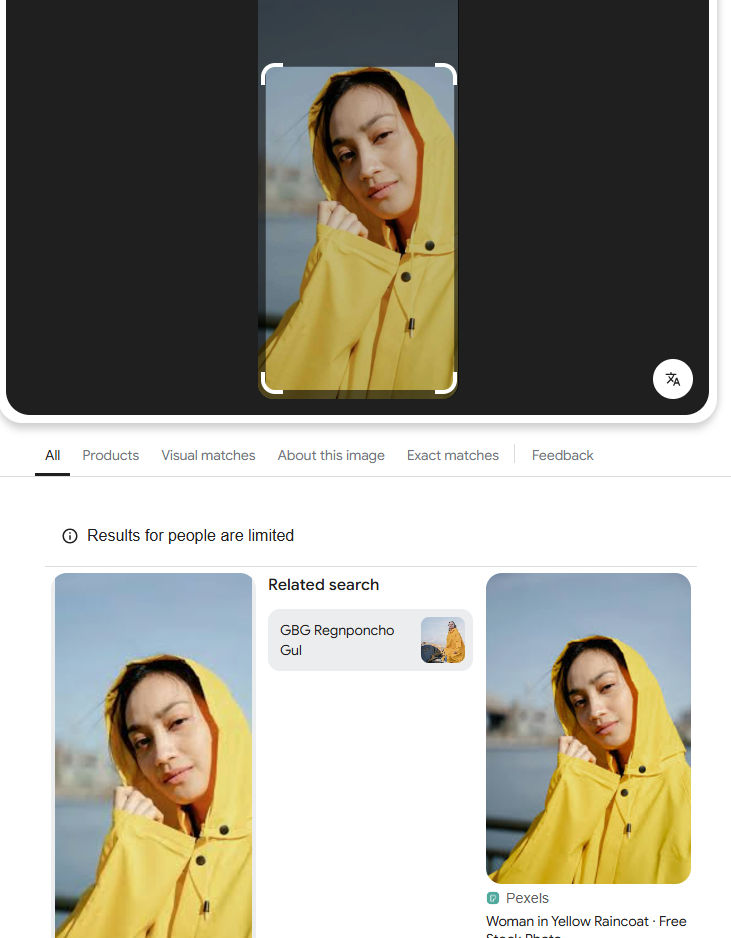
Find out below how lenso.ai handles such use cases.
Lenso.ai
Lenso.ai is a brand-new reverse image searchtool that provides results in the following categories:
- People
- Places
- Duplicates
- Related
- Similar
Key features
- Precise face search engine
- Search for relevant results
- Wide filter/sort options
Lenso.ai helps you easily find the perfect match and presents relevant sources. Moreover, you can refine your search using filtering options (by keyword or website) or sorting options (newest/oldest, best/worst match, random).
Additionally, you can save images to different collections or create alerts for specific images to facilitate further investigation.
When to choose lenso.ai?
- You need high-accuracy face recognition for detailed or specific queries.
- You work in a professional field such as photography, design, or e-commerce,
- You’re looking for a modern solution with advanced AI-driven features.
Let’s dive into that example from google reverse image search and check what results will appear on lenso:
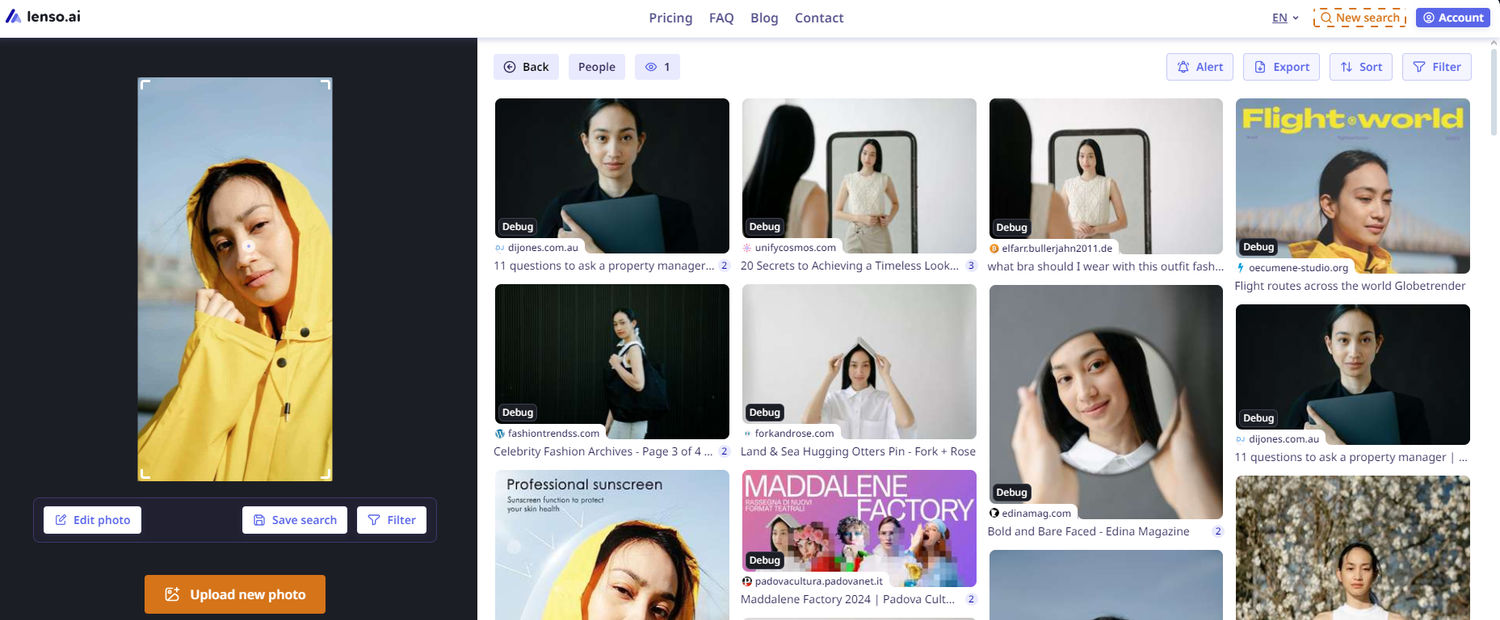
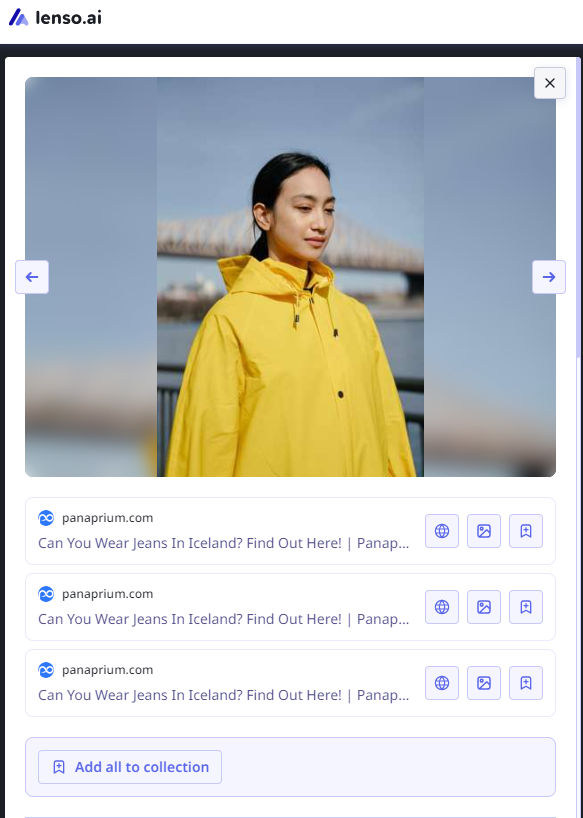
Lenso works with greater precision and effectiveness, delivering more relevant results.
Google reverse image search vs. lenso.ai: which one should you use?
If you’re only looking for general image search results and aren’t concerned with detailed or specific findings, you can stick to using google reverse image search. However, if you’re interested in an in-depth search that provides precise and relevant results, you should definitely try lenso.ai.
An even better solution is to use both tools — compare their results or utilize them for different reverse image search use cases.

Author
Julia Mykhailiuk
Marketing Specialist
Continue reading

News
Lenso.ai One-Time Payment: Reverse Image Search Without a Subscription
If you want to make unlocks on lenso.ai, but you don’t want to be tied to a subscription, here’s a solution you should consider: one-time payment. With one-time payments, you can purchase the product once, make unlocks and decide if you want to switch to a full plan later! This article explains how you can access the one-time payment and all the benefits it offers.

News
Using facial recognition and reverse image search for public security intelligence
Public security intelligence should implement and use only the best and most advanced tools that can help during the investigation process and provide support at different stages. How can facial recognition and reverse image search help?

News
How do Face Search Tools Work? Facial Recognition AI Models Explained.
Have you ever used a facial search tool and wondered how it works? In this article, we will explain the basics of facial recognition and tell you how face search websites build their own AI for face search engines.

News
Top 10 Reasons Why Lenso.ai Is the Best Face Search Tool Online
There are multiple facial search tools available on the internet. Most of them cost a lot, but do very little. Others provide low quality of results, show paywalls before the search even starts, or reel customers in by false advertising. Lenso.ai is the best facial search tool online, and here are some of the top reasons that prove it.

News
How Reverse Image Search Catches Stolen Before-and-After Photos in Home Service Marketing
A tree service in one state removes a storm-damaged oak, photographs the cleanup, and posts the before-and-after shots on Instagram. Eighteen months later, a company three states away is running the exact same photos as their own work on a Google Business Profile, cropped slightly and stamped with a different logo. Nobody at the original company notices, because nobody's looking. Nobody at the second company worries about it, because nobody's ever gotten caught.