
Preview in:
Why is lenso.ai’s API the best?
Unlike all other image search APIs, lenso.ai offers:
- Facial Recognition*
- Place Search
- Copyrighted Images Search
- Similar/Related Image Search
With lenso.ai, you can send API requests and receive results for people*, places, duplicates, and more.
Learn more about finding copyrighted photos/stolen images on lenso.ai
*Available in selected regions
In addition, lenso.ai’s API offers a variety of extra features, such as:
- Specifying the sorting type: Best and Worst Match or Newest/Oldest Results
- Specifying the domain of the search
- A simple and intuitive user interface
Integration
Integrating with the API takes just a few minutes. The documentation is only two pages long. Additionally, you can find a tutorial on YouTube that walks you through the process:
Where can I find my API panel?
Go to your user panel and navigate to the API tab. If you don’t see this tab, your subscription may not be active.
To activate API access, visit pricing and purchase the Developer Plan.
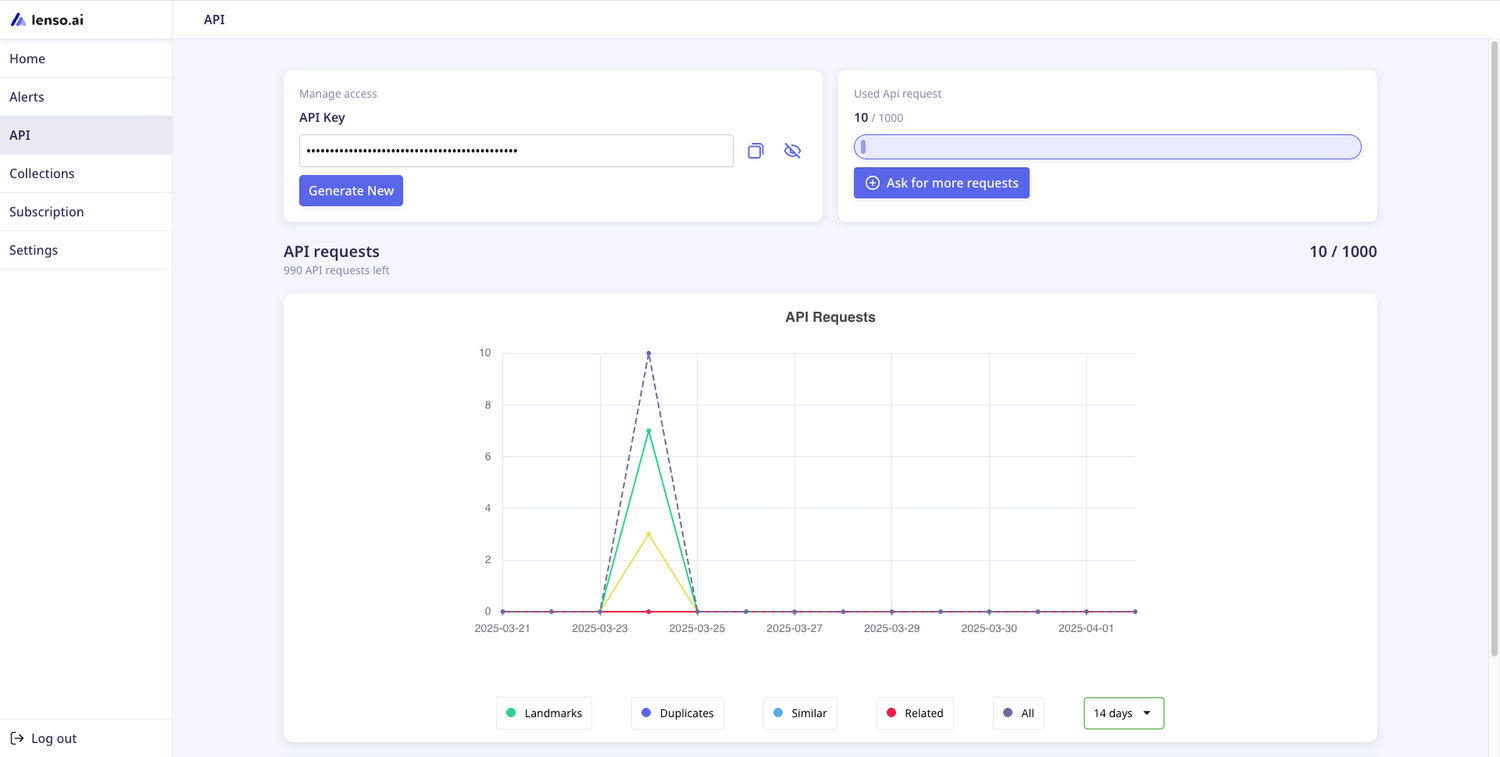
In your API panel, you’ll find:
- Your API key
- The number of used API requests
- An API request chart
- Documentation
- For regions where face search is available, your API agreement
Popular questions
Can I test the API?
The API returns results you can find on the main page. Perform a search with lenso to check what results you get. Other than this, we do not offer free API calls.
How to get API access?
To activate API access, visit pricing and purchase the Developer Plan.
Where does lenso.ai find the results?
lenso.ai crawls the web to find results. We do not crawl social media or pages that prohibit crawling in robots.txt.
Can lenso.ai search my own database?
No. The API returns results that lenso.ai has found online. However, you can search within your website by using the domain filter.
What are the API search limits?
The Basic Developer subscription covers up to 5,000 API requests per month. To get more requests, ask for an individual offer via email: [email protected]
Are there any discounts?
Purchase a yearly subscription to get a 20% discount, or contact us via email for an individual offer: [email protected]

Author
Kinga Jasinska
Marketing Specialist
Continue reading

News
Lenso.ai One-Time Payment: Reverse Image Search Without a Subscription
If you want to make unlocks on lenso.ai, but you don’t want to be tied to a subscription, here’s a solution you should consider: one-time payment. With one-time payments, you can purchase the product once, make unlocks and decide if you want to switch to a full plan later! This article explains how you can access the one-time payment and all the benefits it offers.

News
Using facial recognition and reverse image search for public security intelligence
Public security intelligence should implement and use only the best and most advanced tools that can help during the investigation process and provide support at different stages. How can facial recognition and reverse image search help?

News
How do Face Search Tools Work? Facial Recognition AI Models Explained.
Have you ever used a facial search tool and wondered how it works? In this article, we will explain the basics of facial recognition and tell you how face search websites build their own AI for face search engines.

News
Top 10 Reasons Why Lenso.ai Is the Best Face Search Tool Online
There are multiple facial search tools available on the internet. Most of them cost a lot, but do very little. Others provide low quality of results, show paywalls before the search even starts, or reel customers in by false advertising. Lenso.ai is the best facial search tool online, and here are some of the top reasons that prove it.

News
How Reverse Image Search Catches Stolen Before-and-After Photos in Home Service Marketing
A tree service in one state removes a storm-damaged oak, photographs the cleanup, and posts the before-and-after shots on Instagram. Eighteen months later, a company three states away is running the exact same photos as their own work on a Google Business Profile, cropped slightly and stamped with a different logo. Nobody at the original company notices, because nobody's looking. Nobody at the second company worries about it, because nobody's ever gotten caught.