
Preview in:
Halloween is a great time to dress up as your favorite character from a movie, TV show, or game. And very often, there are huge parties that you may attend on your campus, at work, or just somewhere in the city.
Even in everyday life, we would like to protect our online appearance, but during the Halloween period, especially at public events, there is a good chance that your photos will appear online. So you may wonder: will it be possible to find out that it was you under all that heavy Halloween makeup?
We will check it out using one of the best facial recognition tools – lenso.ai.
Can facial recognition find someone wearing Halloween makeup?
The best way is to check it out for yourself using your own photos – then you will know for sure whether a facial recognition tool works or not. We will later share a short guide on how to search by image on lenso.ai.
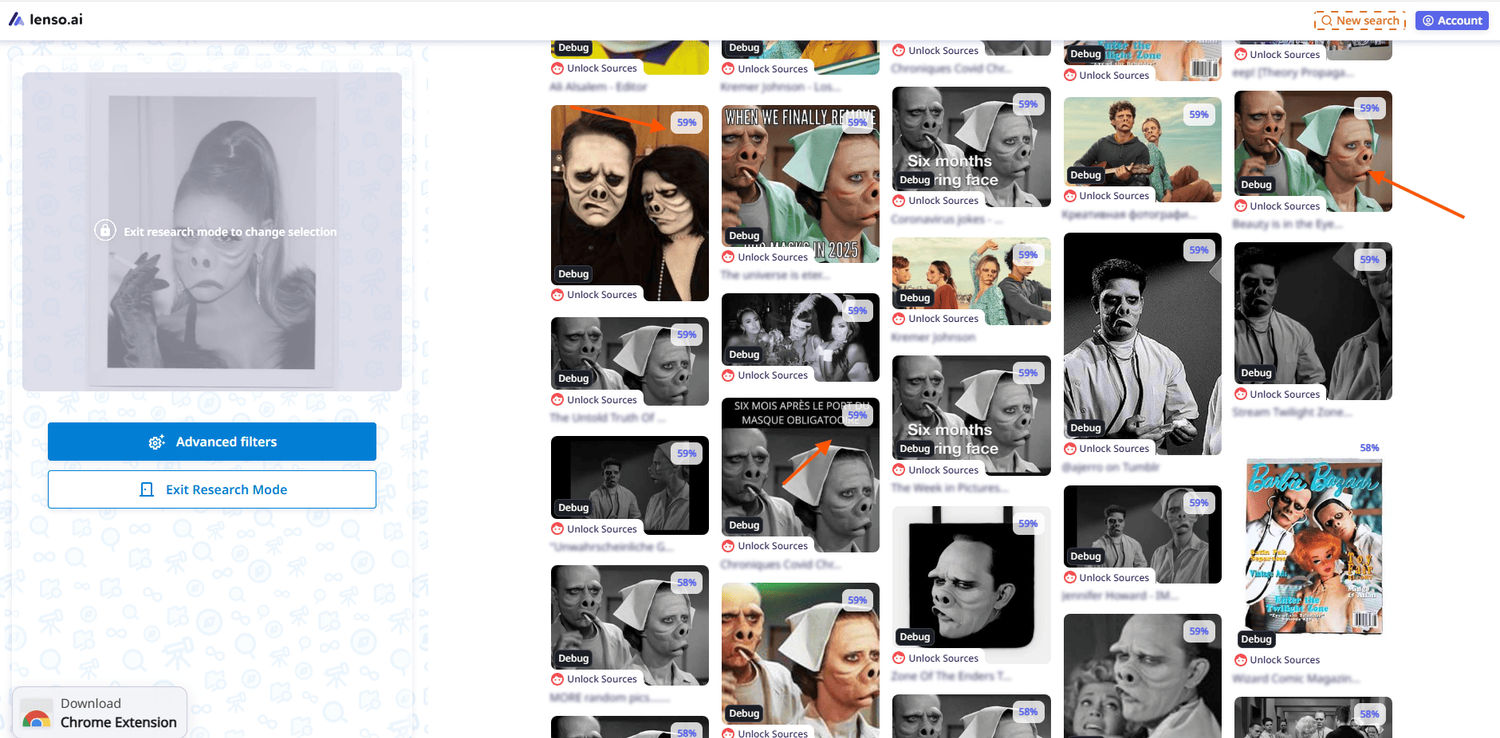
But here are a few examples where face search from lenso.ai did a great job and easily found who was hiding behind the heavy makeup:
.png?updatedAt=1793186752871)
So, it is possible to find more photos of someone, even if they are wearing heavy makeup. A good and precise facial recognition tool (not just any scam tool) analyzes facial features – and those are very unique to each person.
.png?updatedAt=1793186788308)
Does wearing a Halloween costume actually make you unrecognizable to facial recognition?
Just check out the example below – even if it is really hard to find out who is behind that costume (here you have heavy makeup and a costume altogether), thanks to lenso.ai and its huge image index, you still have a chance to find information about who it might be.
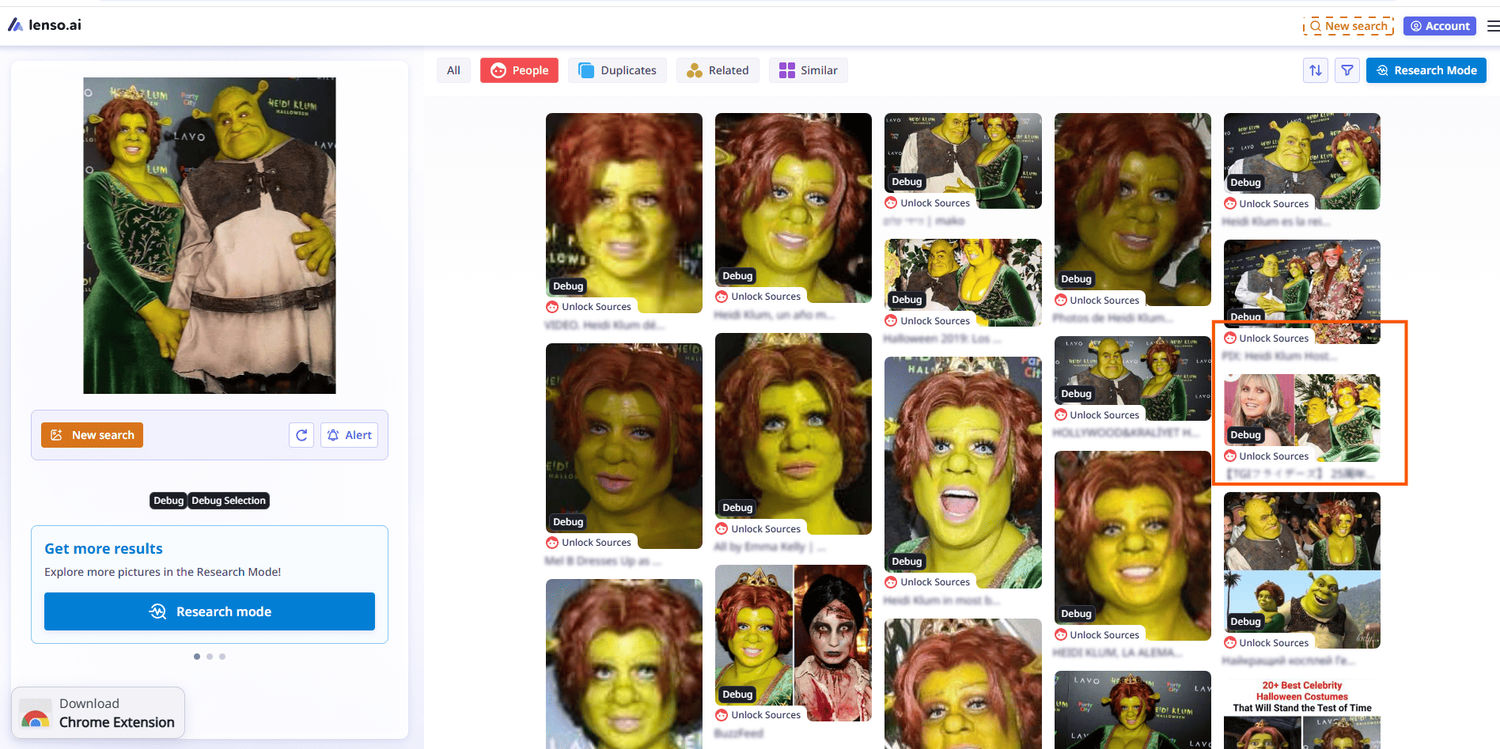
And that is exactly the case!
So, when you try to find out more information and doubt whether face search can be a reliable source of information, just check out lenso.ai first. As you can see, it can find matches even in challenging cases, as it constantly analyzes and indexes new images.
So there is a good chance that you may not only find a match but also gather more information from the context of the article or publication where the image was originally posted.
What about masks, wigs, and other costume accessories?
If someone is wearing a mask that completely covers their face, there is a possibility that it will be harder to find matches. But if it is a well-known photoshoot or a famous person, there is a good chance that you will find exact copies of that image – and that means you may be able to find out more about who was behind the mask.
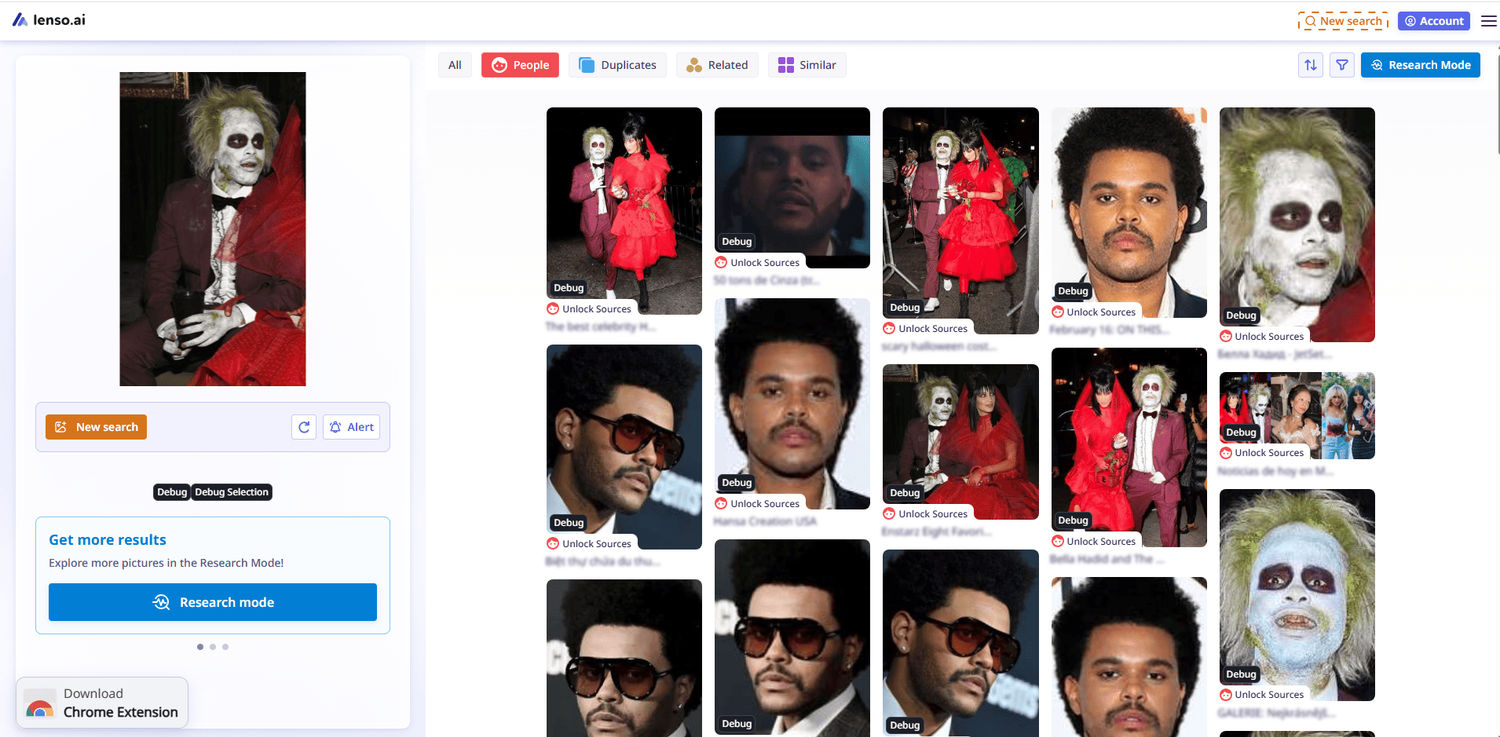
How to Spot AI-generated and Fake Halloween Photos?
Any other accessories that do not cover the face should not interfere with the system or cause it to display false results.
So, answering the main question – in most cases, it may be possible to find out who is hiding behind a Halloween costume. You may either find some face matches and other photos of that person, or you may find exact copies of the photo you uploaded and discover more details from the URL sources where the image was originally published.
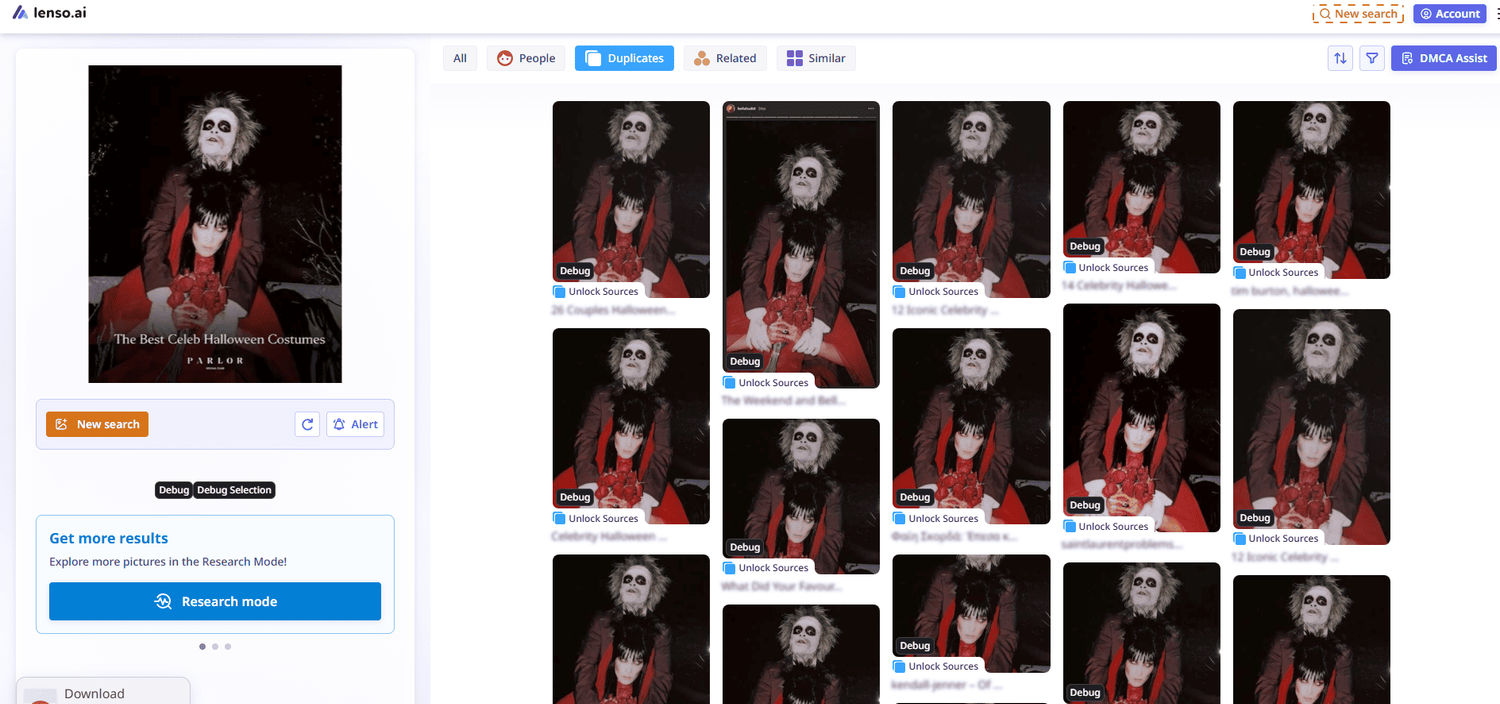
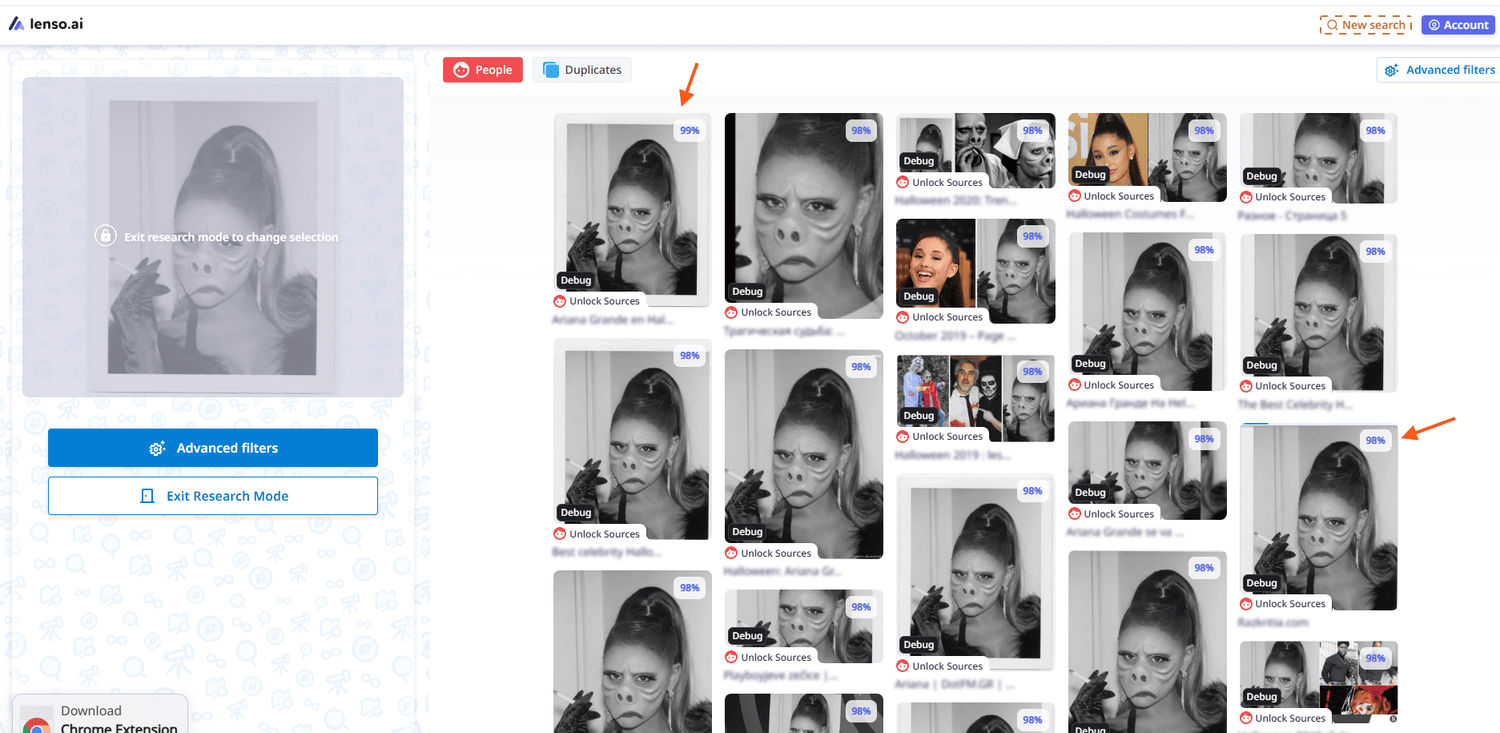
You can also search using Research Mode on lenso.ai to increase your chances of finding more information, as it performs a deeper search in the People (face matches) and Duplicates (exact copies of an image) categories.
There are also advanced filters available (date range, keyword in title, domain include/exclude, and language include/exclude).
And you can also check the similarity score – it can help you determine whether the person in the search result is likely to be the same person as in the photo you originally uploaded.
Can you find your Halloween party photos online using face search?
Long story short – yes, you can find your Halloween party photos (and not only those) using face search. As we have already seen, the lenso.ai face search engine can easily find matches even if a person is wearing heavy makeup along with a costume.
And it works the other way around as well – you can upload a regular photo of your face and find matching images. These may include Halloween photos (if they are available online or someone has published them without your consent) and any other photos of you.
How to monitor new appearances of your photos using alerts?
Sometimes, there may be no matches – but if you would like to constantly monitor where your images appear online, you should create an alert (or multiple alerts) for your photos. Then, whenever lenso.ai finds new image matches for you, you will receive an email notification (and you will also see the new matches in your dashboard).
.png?updatedAt=1760366414952)
How to search for your photos with lenso.ai?
So, there is a lot of information to take in, so let’s sum it all up and give you a short guide on how to search for your photos with lenso.ai. Just follow these steps:
- Go to lenso.ai.
- Upload an image (it is better to check different photos of yourself, so you can always come back to this step).
- Check the People category for face matches.
- Check the Duplicates category for exact copies of an image.
- Unlock URL sources to find more insights and get more context about the photo.
- Use additional features such as sorting and filters (by keyword or domain).
- Enable Research Mode for a deeper search.
- Check the similarity score.
- Set up an Alert to monitor new image matches.
- Proceed with DMCA Assist if you find photos that are being misused.

Author
Julia Mykhailiuk
Marketing Specialist
Continue reading

News
5 Best reverse image search tools for finding old photos online
You may not even be aware that someone has misused your old photos, or you may have thought your photos were deleted, but they still appear somewhere online. How can you keep track of your online appearance? Use reverse image search! Check which one is the best to use.

News
Lenso.ai One-Time Payment: Reverse Image Search Without a Subscription
If you want to make unlocks on lenso.ai, but you don’t want to be tied to a subscription, here’s a solution you should consider: one-time payment. With one-time payments, you can purchase the product once, make unlocks and decide if you want to switch to a full plan later! This article explains how you can access the one-time payment and all the benefits it offers.

News
Using facial recognition and reverse image search for public security intelligence
Public security intelligence should implement and use only the best and most advanced tools that can help during the investigation process and provide support at different stages. How can facial recognition and reverse image search help?

News
How do Face Search Tools Work? Facial Recognition AI Models Explained.
Have you ever used a facial search tool and wondered how it works? In this article, we will explain the basics of facial recognition and tell you how face search websites build their own AI for face search engines.

News
Top 10 Reasons Why Lenso.ai Is the Best Face Search Tool Online
There are multiple facial search tools available on the internet. Most of them cost a lot, but do very little. Others provide low quality of results, show paywalls before the search even starts, or reel customers in by false advertising. Lenso.ai is the best facial search tool online, and here are some of the top reasons that prove it.