
Preview in:
What are Alerts on lenso.ai?
Alerts are a free feature that lenso.ai offers for all registered users. They are automatic notifications that users receive whenever a photo of their face, or any other photo they have the copyright to, appears online.
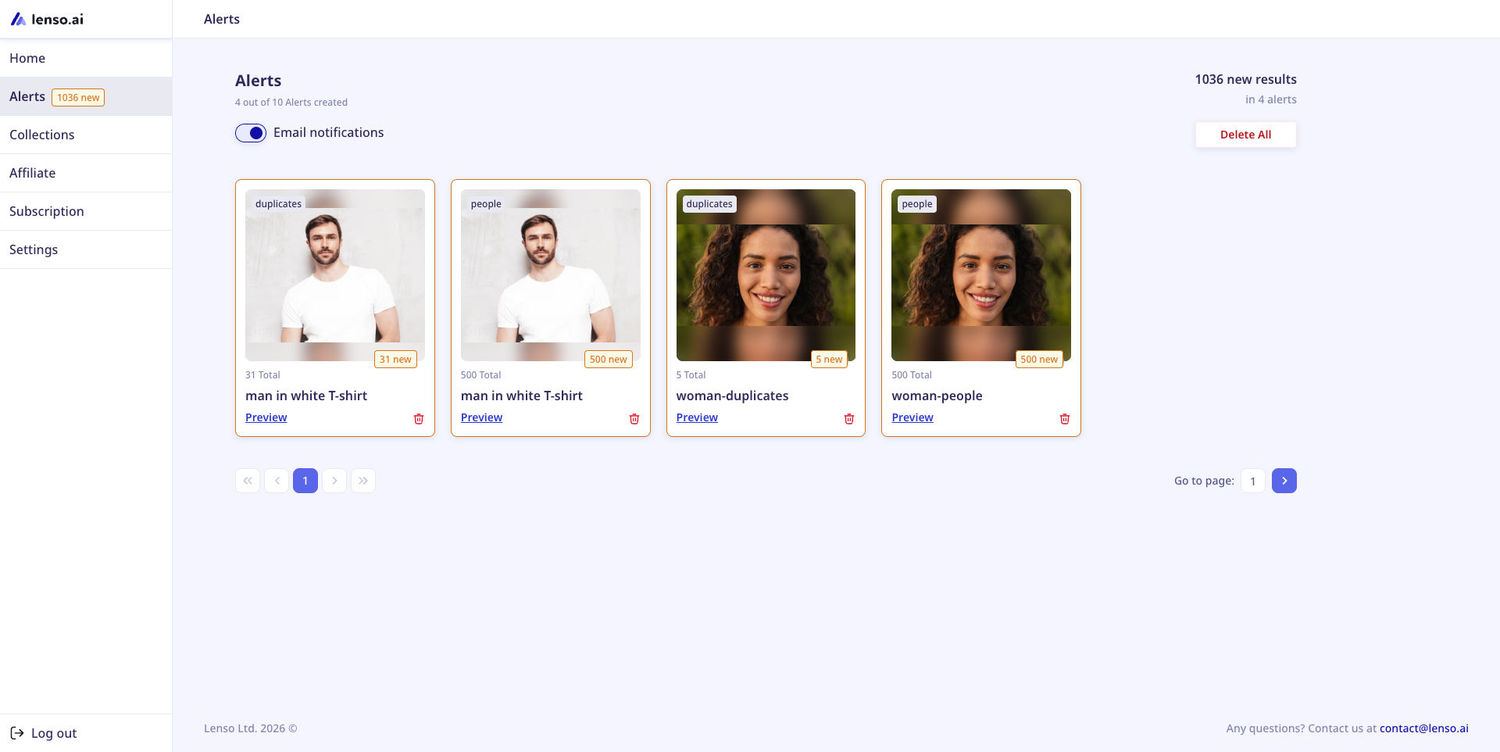
How do Alerts work?
In simple terms, users can set up Alerts for any photo they wish - images from their photo gallery, the pictures of their face, images they found online etc.
The images that users upload are being processed by lenso.ai. Every time lenso finds a match, the user is notified - both via email, and in their user profile.
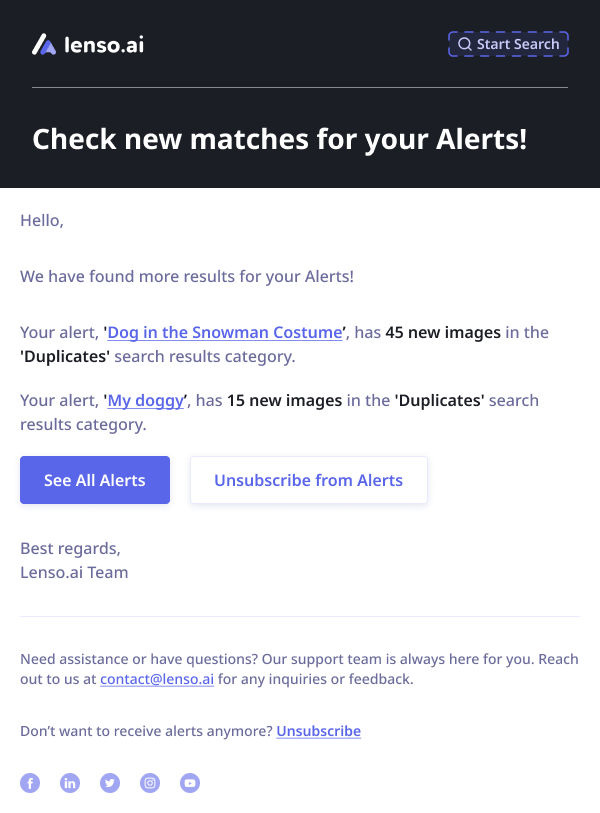
How do I set up Alerts?
To set up an Alert for your photo, follow these simple steps:
- Make a search on lenso.ai with a photo you want to set up an Alert for.
- Go to the People or Duplicates category - these are the categories Alerts work for.
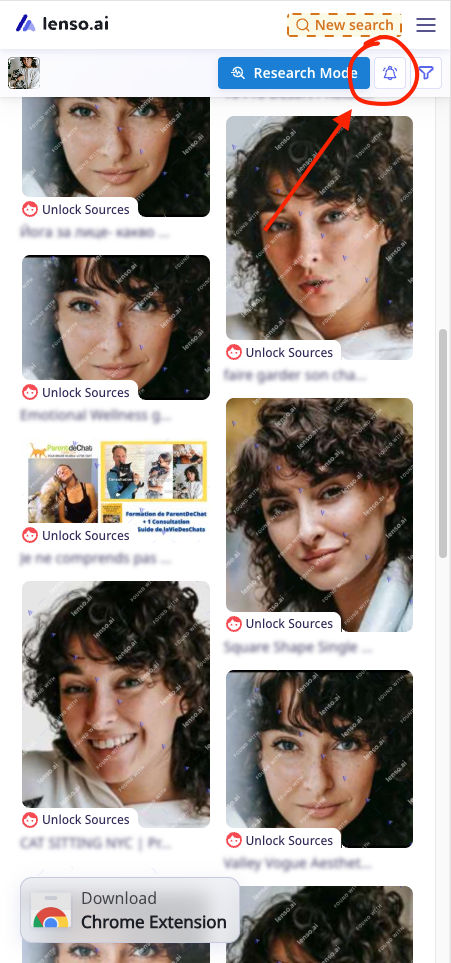
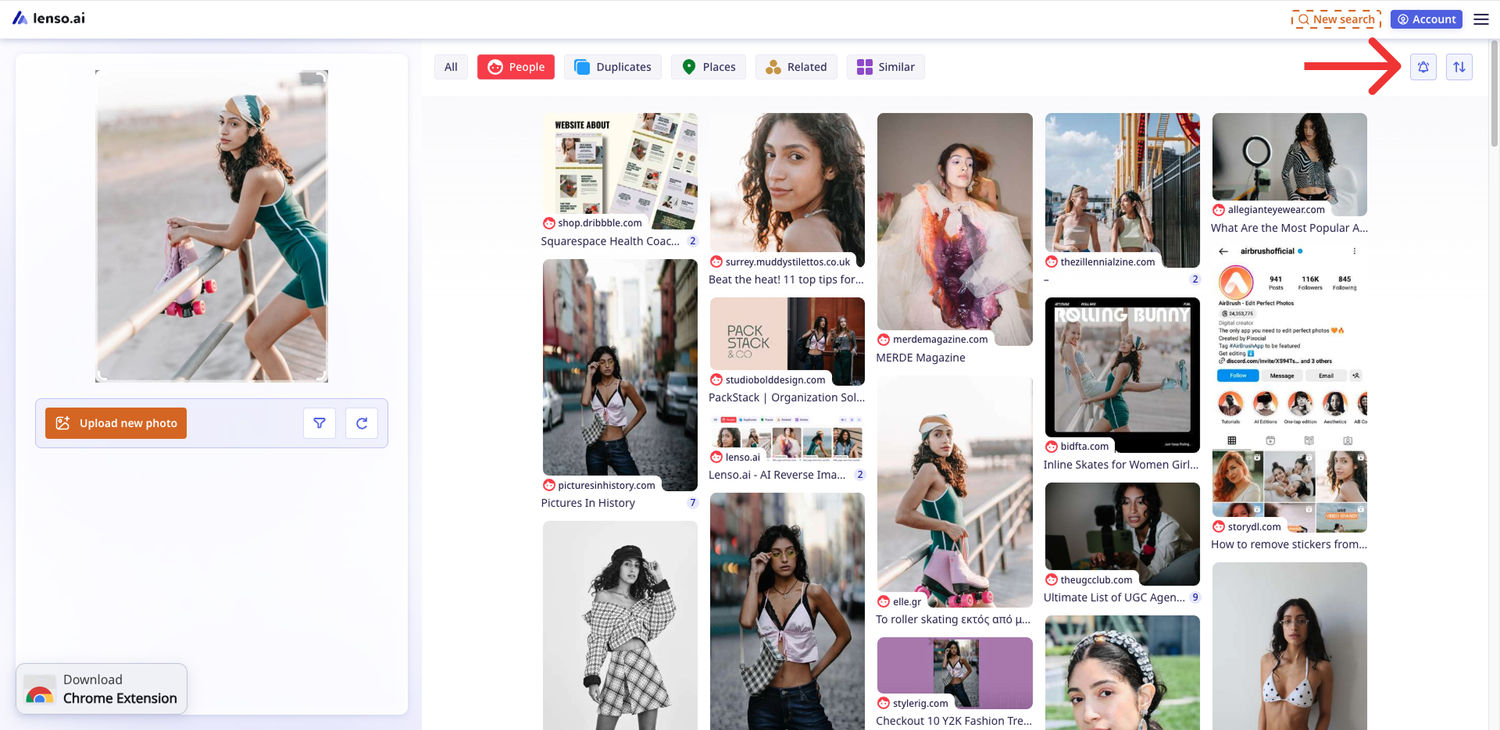
- Click on the bell icon in the top bar.
On mobile:
On desktop:
- Choose the name of the Alert, then the category you’d like to set it up for. You can also set up an account in this step, if you are not already registered.
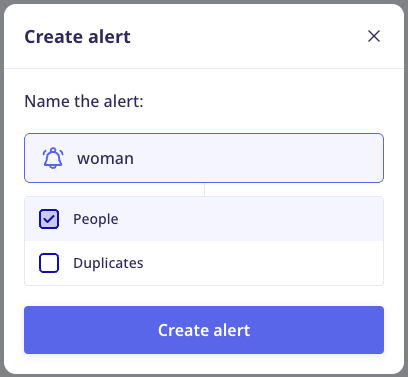
- Confirm and wait for the Alert to be set up.
That’s all! Now you will be notified every time we discover a new result.
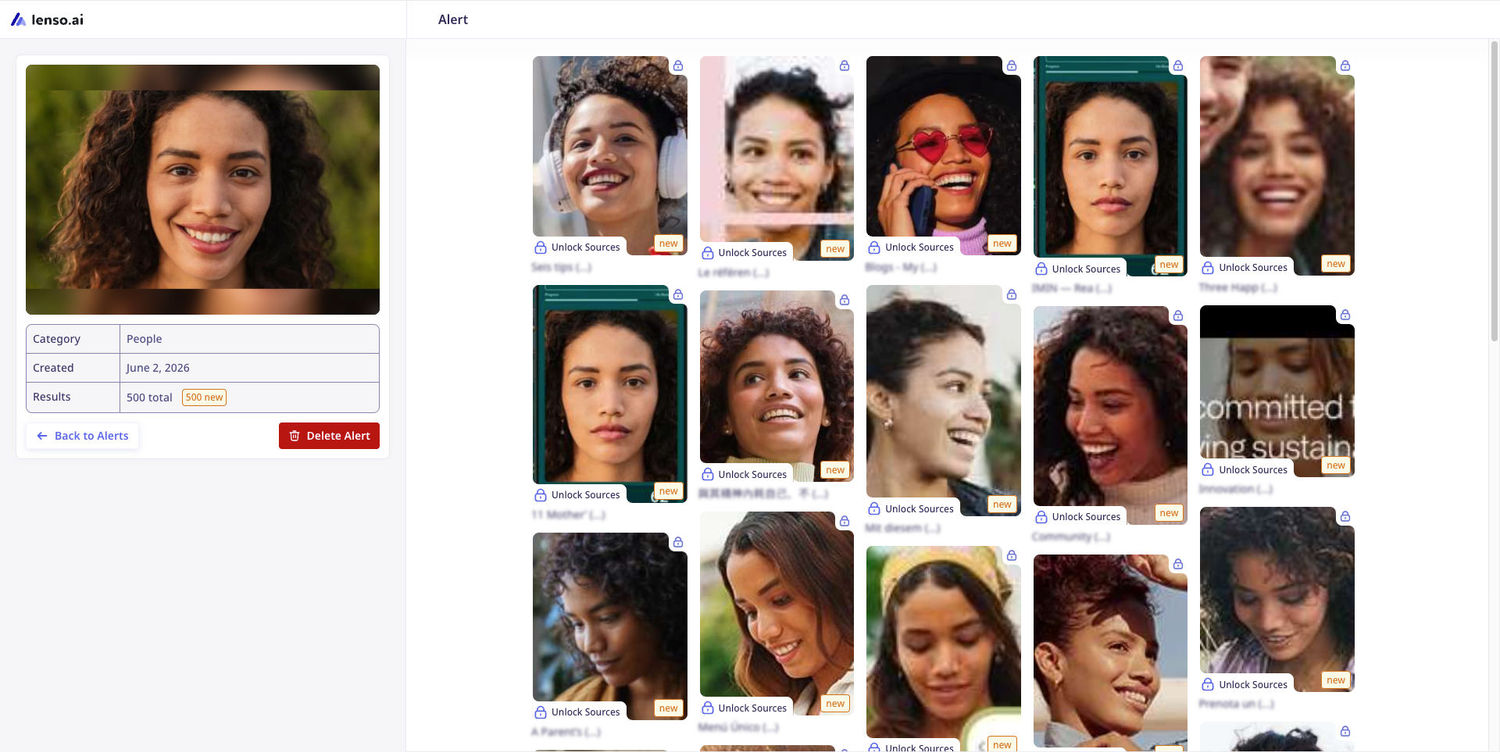
You can see all of your Alerts in the Alerts Panel. Open any Alert to see the newest results and unlock image sources!
Alerts FAQ
How many free Alerts can I set up?
You can set up to 3 free Alerts - that’s plenty for your face and copies of your photos. You can also set up 10, 50, or even 500 Alerts in higher subscription tiers!
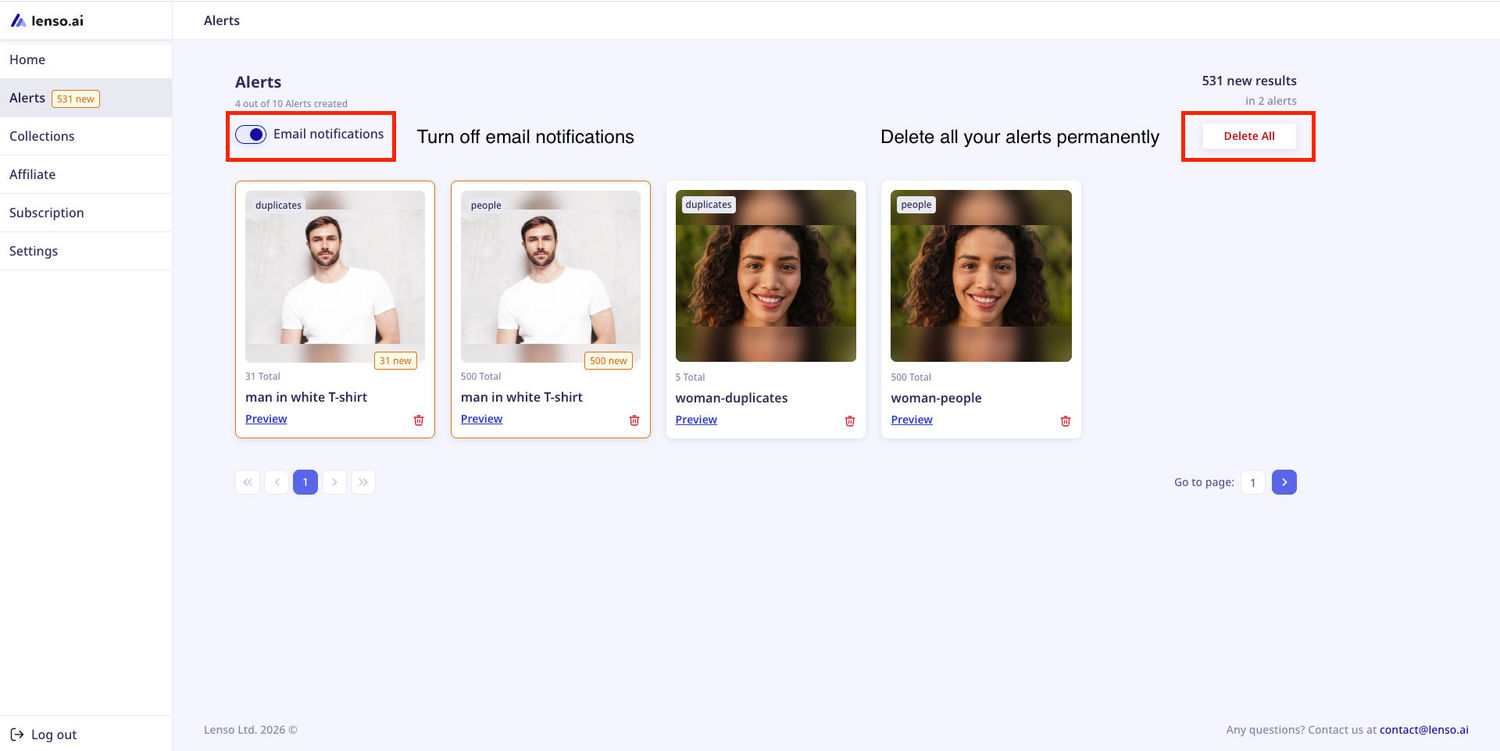
Can I turn off email notifications while leaving my Alerts active and running on my profile?
Yes! Visit your Alerts Panel and switch email notifications off. This way, we will still make searches for Alerts, but you will no longer get notified via email. You can still see the Alerts in your profile.
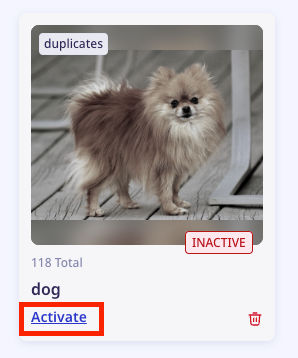
My Alerts are inactive. How do I activate them?
Click on the “Activate” button on the Alert. If you are out of the Alerts for your subscription tier, you will need to upgrade the subscription.
I don’t want lenso.ai to process my Alerts anymore. What do I do?
You can delete all of your Alerts from lenso.ai in one click. Just go to the Alerts Panel and choose “Delete All”. We will no longer make searches or keep your images in our database once you remove them.
Have you tried lenso.ai’s Alerts? If not, it’s a good time to start - it’s free!

Author
Kinga Jasinska
Marketing Specialist
Continue reading

News
5 Best reverse image search tools for finding old photos online
You may not even be aware that someone has misused your old photos, or you may have thought your photos were deleted, but they still appear somewhere online. How can you keep track of your online appearance? Use reverse image search! Check which one is the best to use.

News
Lenso.ai One-Time Payment: Reverse Image Search Without a Subscription
If you want to make unlocks on lenso.ai, but you don’t want to be tied to a subscription, here’s a solution you should consider: one-time payment. With one-time payments, you can purchase the product once, make unlocks and decide if you want to switch to a full plan later! This article explains how you can access the one-time payment and all the benefits it offers.

News
Using facial recognition and reverse image search for public security intelligence
Public security intelligence should implement and use only the best and most advanced tools that can help during the investigation process and provide support at different stages. How can facial recognition and reverse image search help?

News
How do Face Search Tools Work? Facial Recognition AI Models Explained.
Have you ever used a facial search tool and wondered how it works? In this article, we will explain the basics of facial recognition and tell you how face search websites build their own AI for face search engines.

News
Top 10 Reasons Why Lenso.ai Is the Best Face Search Tool Online
There are multiple facial search tools available on the internet. Most of them cost a lot, but do very little. Others provide low quality of results, show paywalls before the search even starts, or reel customers in by false advertising. Lenso.ai is the best facial search tool online, and here are some of the top reasons that prove it.