Preview in:
Key points:
- How to unlock results on lenso.ai if I don’t have an account?
- How to unlock results on lenso.ai if I don’t have a subscription?
- How to unlock results on lenso.ai if I have a subscription?
- How to remove the watermark from images on lenso.ai?
How to unlock results on lenso.ai if I don’t have an account?
To unlock the results on lenso.ai without creating an account first, you can make a guest payment. To do that, go to the pricing page and purchase any subscription.
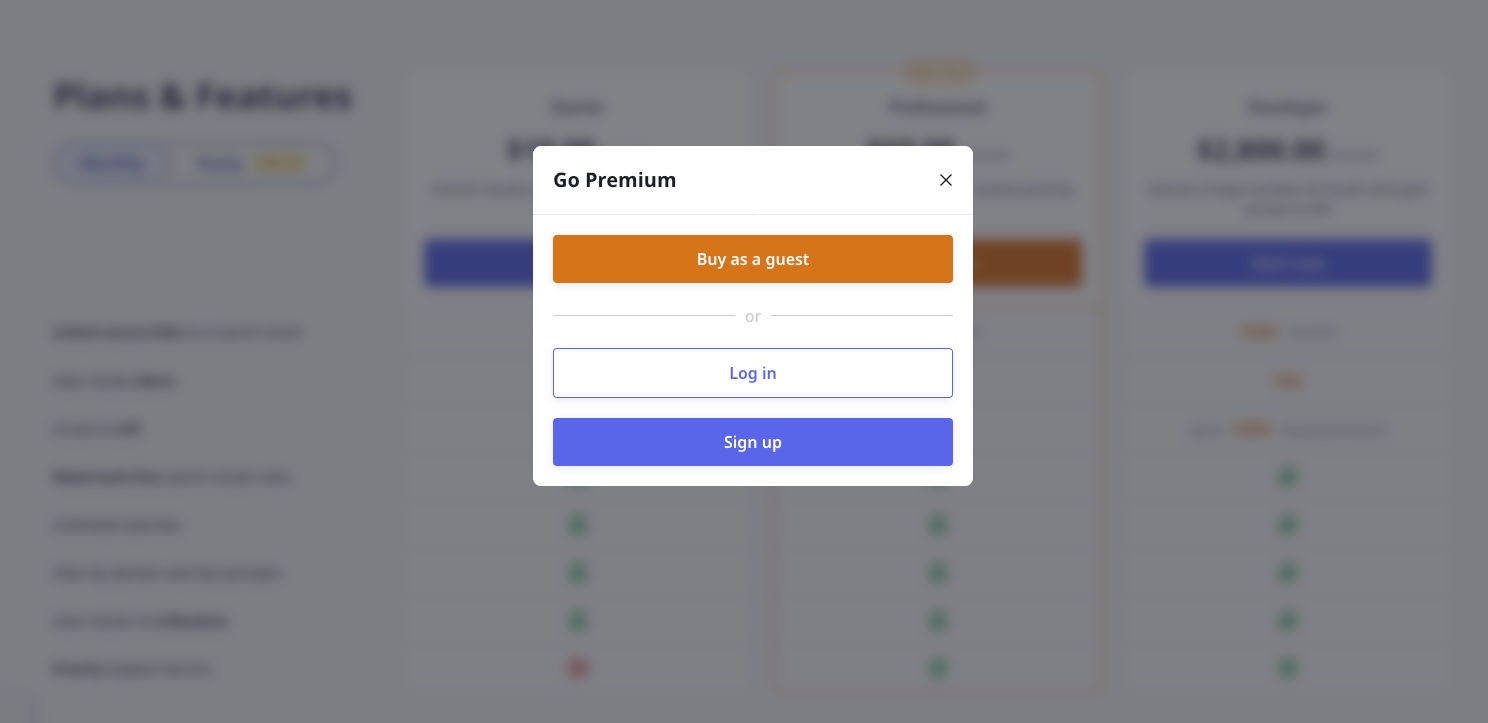
After making the payment, follow the instructions in the How to unlock results on lenso.ai if I have a subscription? section.
You can also set up an account and follow the instructions in the How to unlock results on lenso.ai if I don’t have a subscription? section.
Keep in mind making a guest payment activates the subscription and creates an account. You will receive the password to the account via email. You can change it anytime.
You can always cancel the subscription and still use it until the end of the billing period.
How to unlock results on lenso.ai if I don’t have a subscription?
You can’t unlock results without an active subscription.
If you’d like to activate a subscription, but you don’t have an account, follow the instructions in the How to unlock results on lenso.ai if I don’t have an account? section.
If you’d like to activate a subscription, and you have an account, go to the pricing page and purchase a subscription.
Don’t worry. The payments are always processed securely using Paddle. The subscription can be canceled anytime in your user panel or with the link you received via email from Paddle.
After making the payment, follow the instructions in the How to unlock results on lenso.ai if I have a subscription? section.
How to unlock results on lenso.ai if I have a subscription?
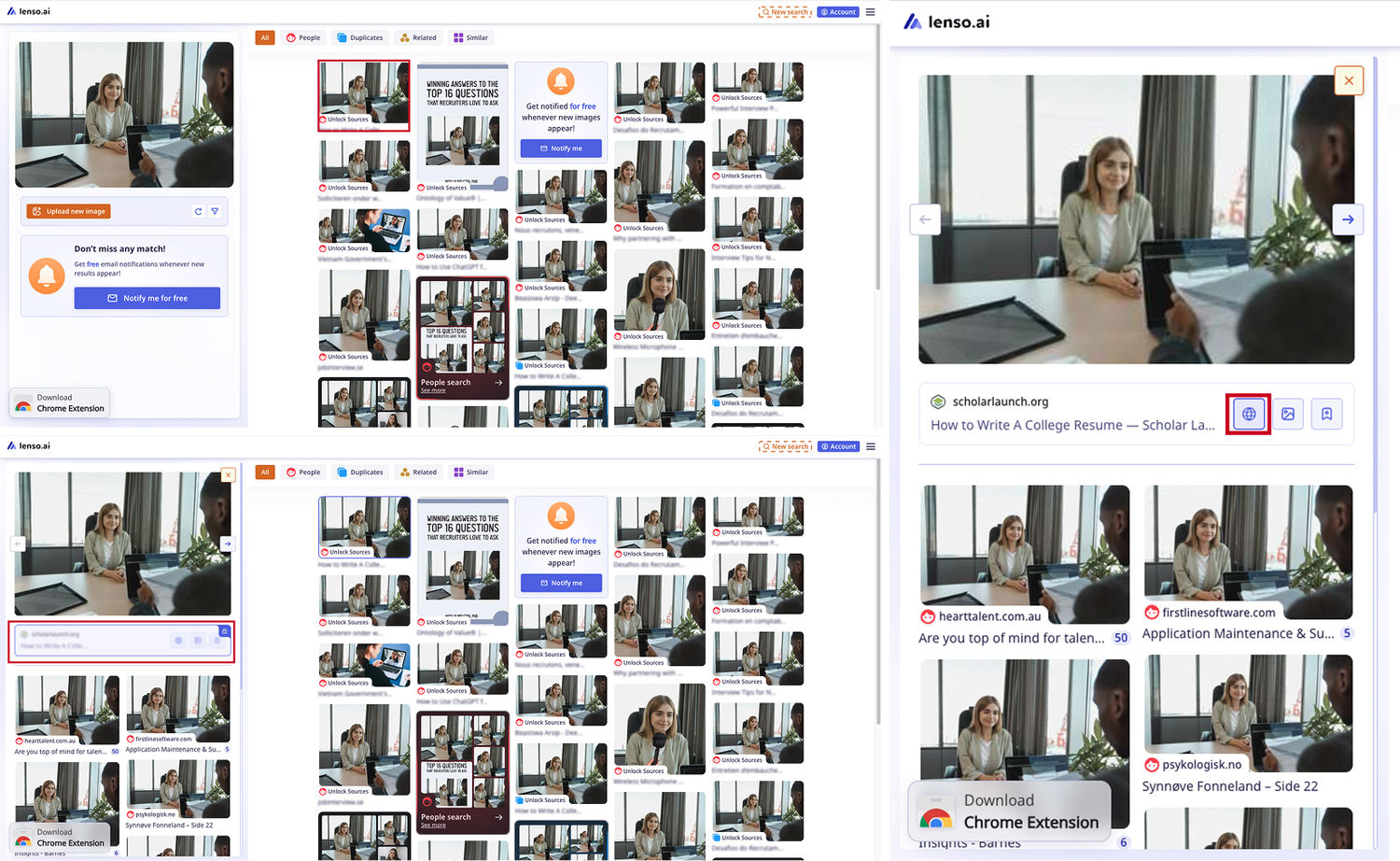
Here is a short and simple tutorial on how to unlock sources on lenso.ai if you have an active subscription:
On desktop:
- Make a search by uploading an image on the main page
- Click on the result you’d like to unlock
- In the panel on your left-hand side, click on the blurred container
- That will unlock your image; you can now open the source by clicking the web icon, or open the image in a new tab by clicking the image icon
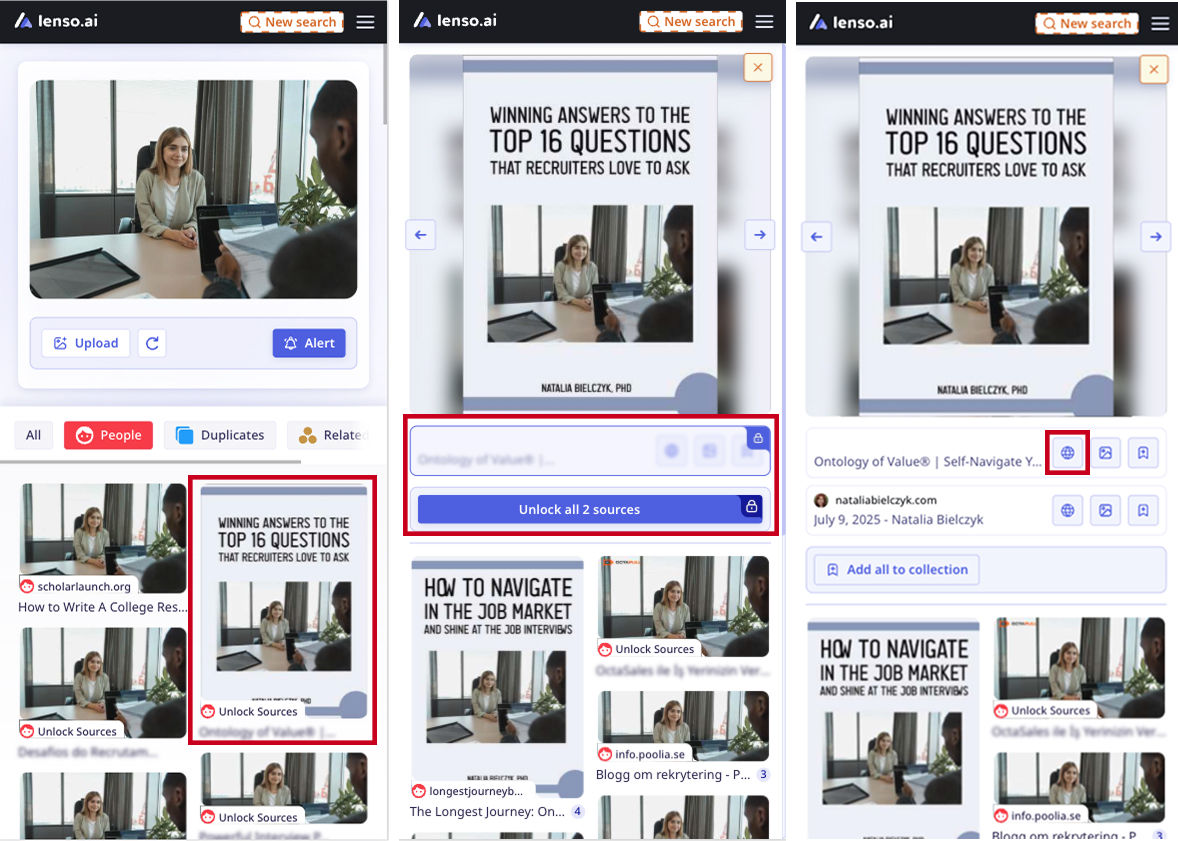
On mobile:
- Make a search by uploading an image on the main page
- Tap on the result you’d like to unlock
- In the panel that opens, tap on the blurred container
- That will unlock your image; you can now open the source by clicking the web icon, or open the image in a new tab by clicking the image icon
How to remove the watermark from images on lenso.ai?
To remove the watermarks, you need to purchase a subscription. With a subscription, no watermark will show up.
To do that, follow the steps in the How to unlock results on lenso.ai if I have a subscription? section.
Learn more about lenso.ai from this article: What is the best online investigation tool? Exploring lenso.ai
We hope this tutorial was helpful! If you still have trouble unlocking search results, the best way to get support is to contact us through the contact form.

Author
Kinga Jasinska
Marketing Specialist
Continue reading

Guides
How to find the perfect fall photoshoot location from a photo?
Fall is the perfect time for a new photoshoot, whether you want to create fresh content for your personal social media accounts or promote your product or brand with an authentic fall vibe. But first, you need to find the right place. Find out how to discover the perfect fall photoshoot location from a photo.

Guides
What to do in the first ten minutes after you find your own face in a reverse image search?
Finding your own face in a reverse image search is a strange feeling. Not usually because the result is sinister, most of the time it is a conference photo, an old profile picture, a team page from a job you left in 2019, but because you did not put it there and you did not know it was there.

Guides
Is your match real? Reverse image search a dating profile
Dating apps are probably the go-to solution for finding a potential date, but unfortunately, they can also be one of the riskiest options. How can you make sure your match is real? Do a reverse image search and find more information using their dating profile picture.