
Preview in:
Finding a date online can be a challenge, and sometimes a tricky one – but with a proper check, you can find a potential match there. You just need to be careful.
How to spot a fake dating profile: 10 red flags you shouldn’t ignore
Once you’ve checked all the red flags mentioned above, we can move on to the most important part – running a reverse image search on a dating profile.
Why should you reverse image search a dating profile?
First of all, it can help you learn more about the person and compare the information they provided with what you actually find online. Moreover:
- it can help you detect potential catfishing or fraud
- you can verify the person’s background
- you can check whether the person is real
- you can verify whether the photo has been stolen or misused
- you can find their other dating profiles
Reverse image search may not tell you with 100% certainty that a person is a fraud, but it can definitely provide some useful hints or reveal something that you may consider a red flag.
How to reverse image search a dating profile?
It is simpler than you may think. You just need to find a reverse image search tool with a facial recognition engine – lenso.ai is one of the best options on the market. You can also check out alternatives such as PimEyes, Eyematch, or FaceCheck.ID.
Fake dating profile search with lenso.ai
The first step is to run several face searches using the profile photo and any other photos you may have of that person. The more photos you have, the better your chances of finding different matches and, as a result, gathering more information.
The same person can look different across various photos, and the quality of the image can also affect the results.
If you choose lenso.ai as your reverse face search tool, simply take screenshots or download all available images from the dating profile and upload them to lenso.ai one by one.
Pro tip! If the image contains more than just the face, or there are multiple people in the photo, use the selection option to choose only the face you want to search for. This can help narrow down the search and provide more relevant results.
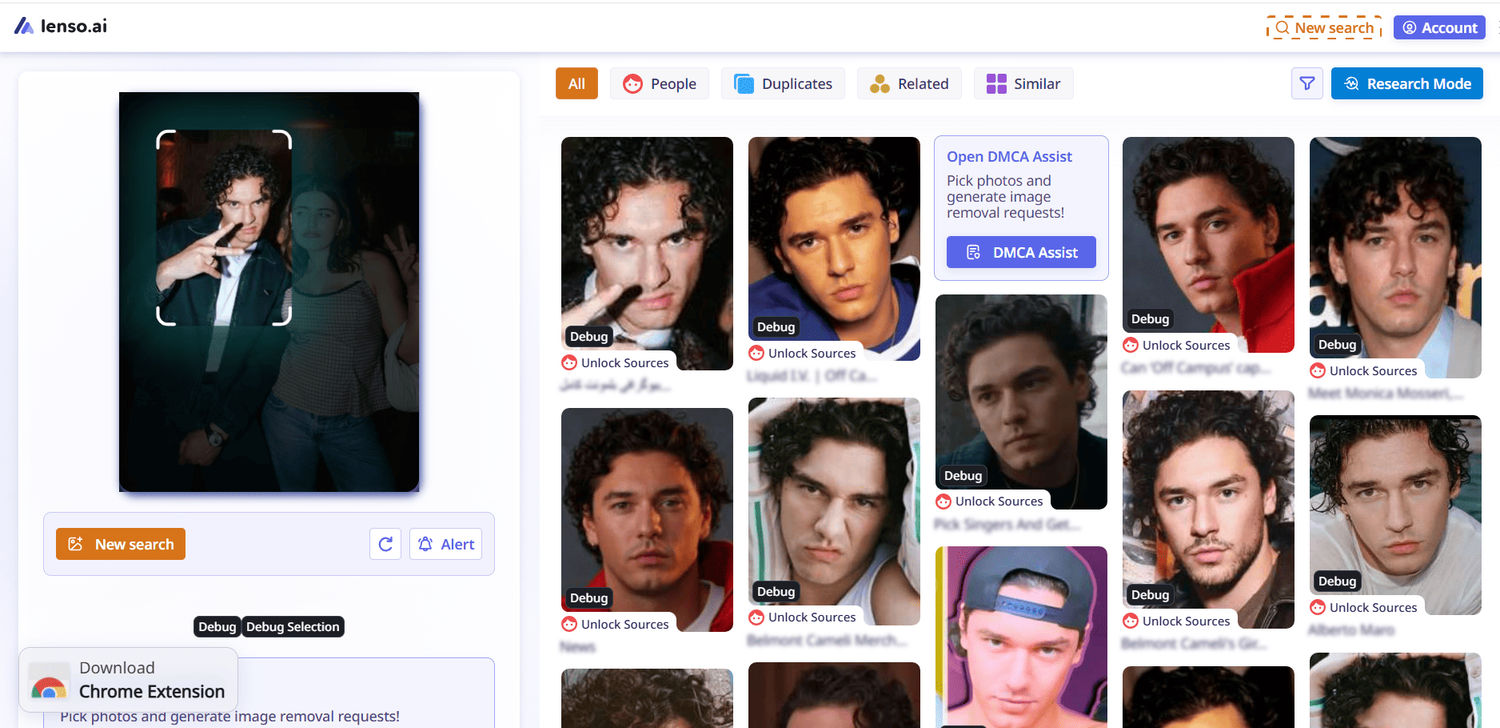
Pro tip no. 2! You can also run a new search using the results you find or search for other people who appear in photos with that person. This can give you an extra layer of information and help you learn more about their background and connections.
People & Duplicate Search
After that, go to the People category and check whether there are any other face matches. You may find different photos of the same person, including photos from years ago or group photos that may reveal more information about them.
.png)
Also, check the Duplicates category, as it may reveal whether the exact same photo has been used elsewhere – for example, on another dating profile, which could be a potential red flag.
.png)
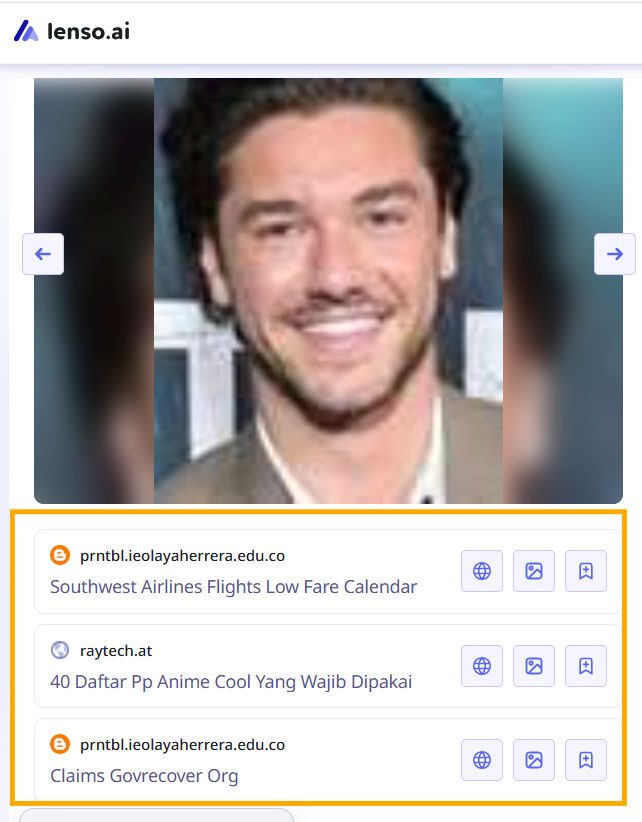
Access to original URL sources
Unlock the results to see the exact URLs where the images were published. This way, you can check the original sources and find more context about each photo.
Research Mode
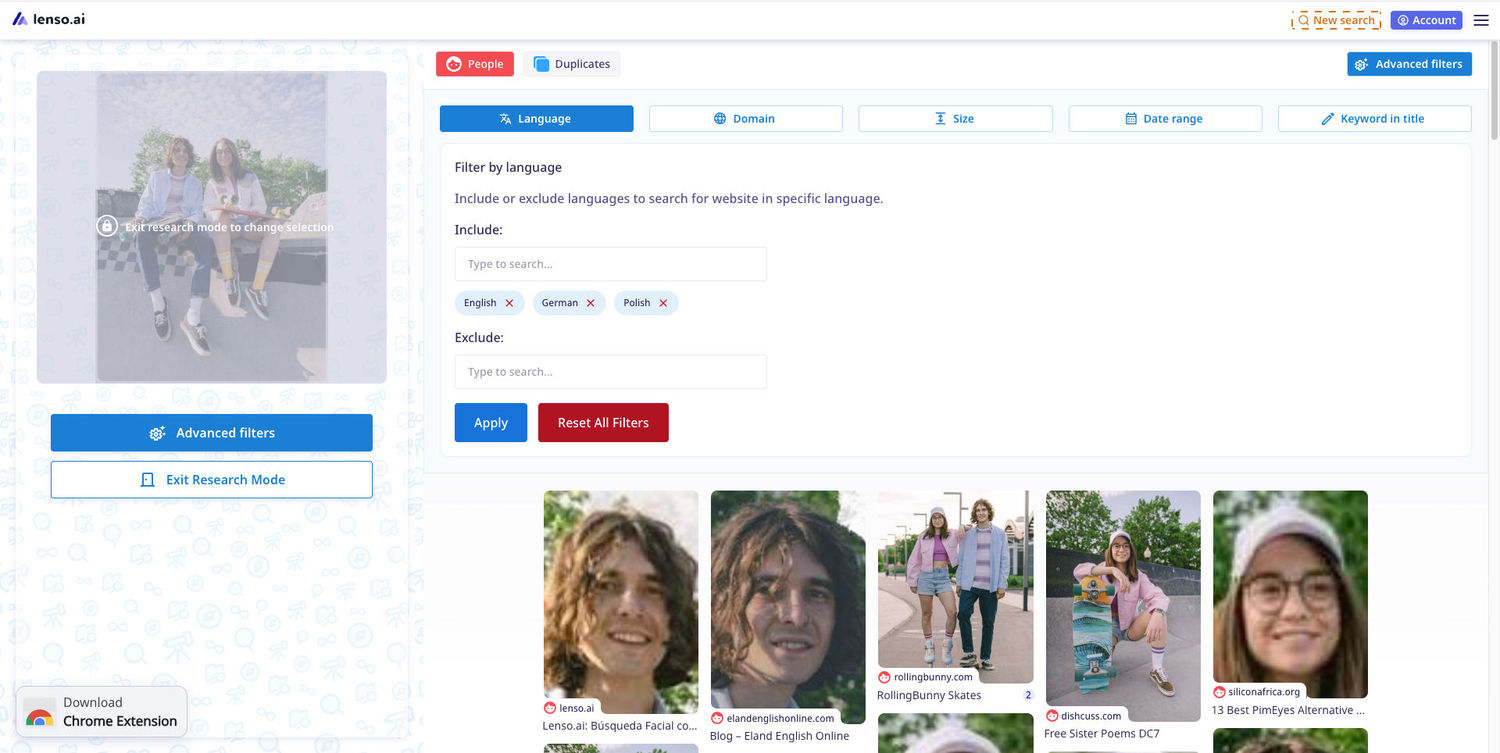
If there are too many results, try sorting and filtering them or enable Research Mode. This will give you access to a deeper search as well as advanced filters such as date range, keyword in title, language include/exclude, and website include/exclude.
Red flags to look for in face search results
When you run a couple of face searches, pay attention to details that may raise some concerns:
- suspicious URL sources
- appearance on forums or websites related to scams or fraud reports
- the same profile picture appearing under completely different dating profiles
- family photos or personal connections you have never heard about
- photos that actually belong to someone else
- inconsistencies in the person’s story, context, or background
- heavily edited or manipulated photos
What if reverse image search finds nothing?
It is also some information for you – and it does not have to be a bad sign at all. It may mean that the person keeps everything private and does not share their photos publicly. It may also mean that something suspicious or even illegal has already been removed.
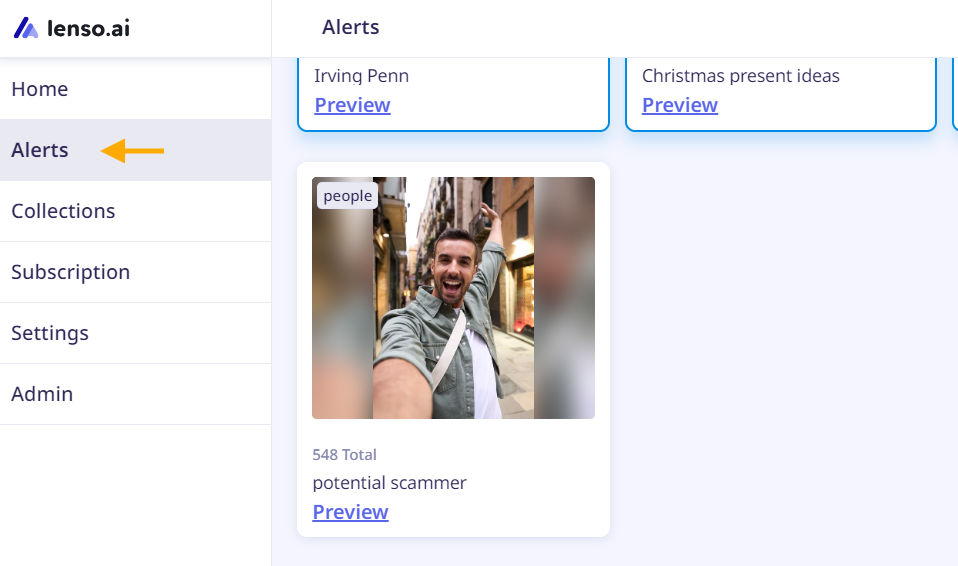
Either way, finding no results is neither a good nor a bad sign. Lenso.ai also has an Alert feature, which may be useful in this case. You can create an alert for a specific photo, and whenever new matches appear online, you will receive an email notification.
Set up Notifications for Your Face Online | Lenso.ai Alerts
What should you do if you suspect a catfish?
The best thing to do is simply avoid meeting that person, block them, and stop responding. If you have several reasons to suspect that someone is trying to scam you, it is better to stop the communication at the very beginning. You’ve probably seen all those documentaries on Netflix where dating scams went way too far.
You can also take further steps, such as informing the dating app’s support or legal team that you have reasons and evidence to believe that the person may be trying to scam you.
If you want to be more certain, you can continue communicating and look for stronger warning signs – but be cautious. Do not share sensitive information, send money, or put yourself at risk just to verify your suspicions.
Is your match real? Reverse image search a dating profile
To sum up, we recommend using a reverse image search tool to find more information about a potential date and make sure there are no suspicious details about them online. In a world full of scammers and fraud, it is always better to double-check.
You also need to stay open-minded, as the information you find online can sometimes be false, outdated, manipulated, or edited. Try to gather as much information as possible, compare different sources, and look at the bigger picture.
And pay attention to the sources, as they may not always be reliable. Also, check the publication date. It is very easy to manipulate information or wrongly accuse someone, so you should carefully verify everything you find and be cautious with the information presented online.
A reverse image search tool can be used as an extra layer of verification that can help you make a final decision – whether to meet the person in real life, continue communicating with them, or stop the conversation.

Author
Julia Mykhailiuk
Marketing Specialist
Continue reading
%20(1).jpg?tr=w-768,h-auto)
Guides
How to Prepare and Convert Images for Reverse Image Search
A product photo, a transparent logo, and a screenshot may arrive in the same folder, but they should not automatically leave it in the same format. Choosing the wrong output can replace transparency with a solid background or soften text that was perfectly readable. These differences matter when preparing images for websites, online platforms, and reverse image search tools.

Guides
Find cozy fall aesthetics online with reverse image search
Fall is the perfect season to shop for cozy, aesthetic finds. With the internet overflowing with autumn posts and inspiration, it can be hard to narrow down what you want. How to find cozy fall aesthetics online with reverse image search?
Guides
How to find the perfect fall photoshoot location from a photo?
Fall is the perfect time for a new photoshoot, whether you want to create fresh content for your personal social media accounts or promote your product or brand with an authentic fall vibe. But first, you need to find the right place. Find out how to discover the perfect fall photoshoot location from a photo.

Guides
What to do in the first ten minutes after you find your own face in a reverse image search?
Finding your own face in a reverse image search is a strange feeling. Not usually because the result is sinister, most of the time it is a conference photo, an old profile picture, a team page from a job you left in 2019, but because you did not put it there and you did not know it was there.