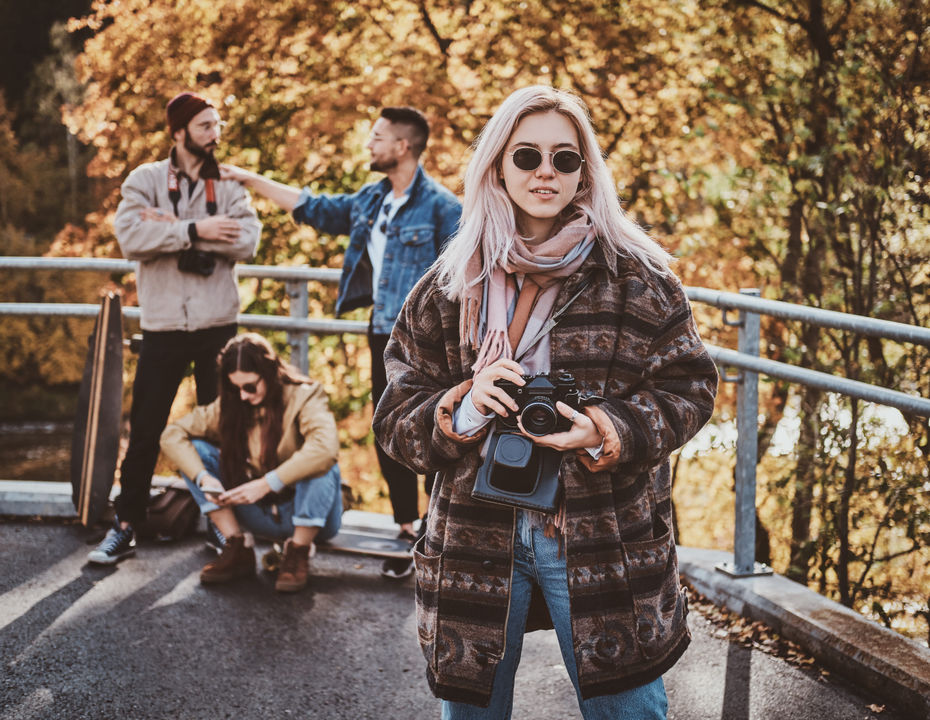
Preview in:
Perfect fall photoshoot ideas
So autumn is the perfect period not only for pumpkin spice lattes or TV nights with a cosy blanket and candles – it is, most of all, the time for some trips, walks, and also photoshoots.
Whether you would like to have some autumn-vibe photos for yourself or prepare a new fall campaign for your product, you need to find and gather some ideas for the photos themselves and where you can take them (apart from a studio).
Find cozy fall aesthetics online with reverse image search
Let’s start with what kind of photoshoot it will be. Here are just a few examples:
- couple photoshoot
- family photoshoot
- engagement photos
- fashion/editorial shoot
- portrait photography
- Halloween photoshoot
- autumn product photography
The next step is to find the perfect surroundings/background for your photos. Here are a few examples:
- forests with colorful foliage
- pumpkin patches and farms
- mountain viewpoints
- cozy countryside locations
- parks and gardens
- castles and historic buildings
- cafés and streets with fall decorations
- lakes surrounded by autumn trees
When you have chosen what you would like to find, the next step is to actually find it. You can either search for specific locations, but most of the time, you simply start exploring other people’s photos on Instagram, Pinterest, etc. – and something will just draw your attention. Plenty of creators also mock up the autumn look first with Nano Banana, one of the models Higgsfield offers, so the mood board is ready before they commit to a spot.
But what can you do if there is no name or location pinned?
Find a fall photoshoot location with reverse image search
Whether you find some photo inspiration on social media, Google, or even in your own gallery and would like to find either the same spot or a similar one – you need to use reverse image search for it.
Lenso.ai: the best reverse image search tool for finding fall locations
Lenso.ai is a perfect example of a reverse image search tool that can help you dive into the fall vibe and find the perfect location or inspiration for your future photoshoot.
Find the exact same place with Duplicates on lenso.ai
If you want to find the exact same spot from the image you uploaded, the best thing is to check the Duplicates category on lenso.ai. It is a copyright image search, which basically means that there you will find exact copies of the image you provided.
.png)
.png)
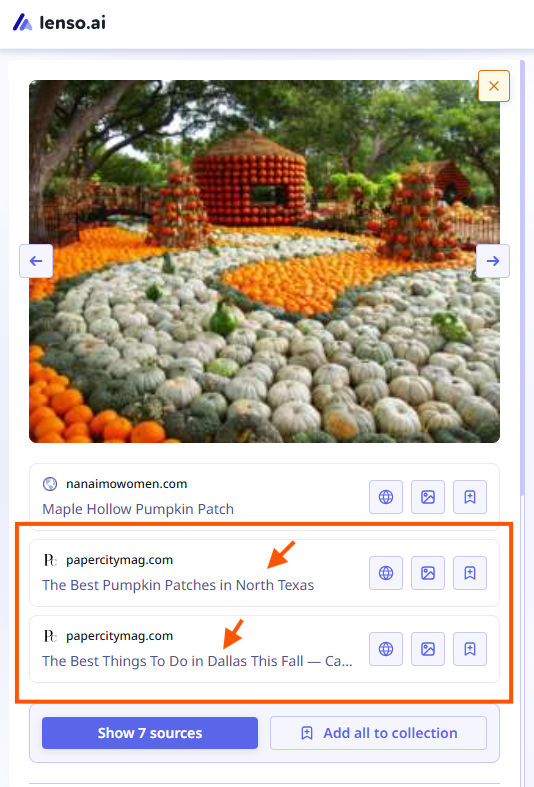
As soon as you find exact matches, check where the image was originally published by unlocking the URL sources.
.png)
There you may find:
- location
- how to get there
- more information about the place itself and whether it is worth going there
If there are only a few matches, use the Research Mode button – it will enable a deeper search, and maybe you will find more images.
Explore Similar and Related images
Sometimes the spot you are looking for is far away from where you live – for example, a beautiful park or road in a small town in the US, while you live in Europe.
If you are not ready for such a long trip just for a fall photoshoot, check the Similar/Related categories on lenso.ai. There you will find visually similar places – and maybe you will find the perfect spot closer to you.
.png)
With the Research Mode I mentioned above, you’ll also be able to filter by language – which may help you narrow down the locations. For example, if you live in France, you can include French or exclude languages that will not work for you.
Use filters, sorting options, and alerts
Whether you’re using the basic search or Research Mode – just use the filters that are available in your current plan on lenso.ai (some are available even for free). They may help you a lot with finding the perfect place and save you time on endless scrolling and checking the sources.
But if you would like to find only that specific place from an image and currently there are not enough matches – create an Alert. Then, as soon as new images appear, you will receive an email notification (or a notification in your lenso.ai dashboard).
How to set up Alerts on lenso.ai?
Fall photoshoot location search: step by step
Okay, so we explored how lenso.ai works and how it may help you. Let’s finalize everything in a simple step-by-step guide:
- Find photos that you are most interested in and would like to find the locations from (the best thing is to collect as many as possible).
- Run a reverse image search on lenso.ai (you can also check lenso.ai alternatives).
- Check the Duplicates category for exact matches.
- Explore Similar/Related images for inspiration and alternative places with a similar view.
- Check the URL sources under each image search result and find more details about the place itself.
- Verify the location in more than one source
- Check recent photos of the location
- Use extra features such as Research Mode, filters, sorting options, or Alerts.
- Run an extra search with the images you found – for better results and more insights.
- Plan your trip! Maybe save a few locations, especially if they are close to each other, so you can visit several spots during one trip.
Additionally, if your photoshoot trip takes you across a border or to a remote countryside spot, it's worth sorting out mobile data before you go rather than relying on patchy local Wi-Fi. Setting up an eSIM for International Travel means you can upload reference photos, run searches, and check locations on the go without hunting for a signal.

Author
Julia Mykhailiuk
Marketing Specialist
Continue reading
%20(1).jpg?tr=w-768,h-auto)
Guides
How to Prepare and Convert Images for Reverse Image Search
A product photo, a transparent logo, and a screenshot may arrive in the same folder, but they should not automatically leave it in the same format. Choosing the wrong output can replace transparency with a solid background or soften text that was perfectly readable. These differences matter when preparing images for websites, online platforms, and reverse image search tools.
Guides
Find cozy fall aesthetics online with reverse image search
Fall is the perfect season to shop for cozy, aesthetic finds. With the internet overflowing with autumn posts and inspiration, it can be hard to narrow down what you want. How to find cozy fall aesthetics online with reverse image search?

Guides
What to do in the first ten minutes after you find your own face in a reverse image search?
Finding your own face in a reverse image search is a strange feeling. Not usually because the result is sinister, most of the time it is a conference photo, an old profile picture, a team page from a job you left in 2019, but because you did not put it there and you did not know it was there.

Guides
Is your match real? Reverse image search a dating profile
Dating apps are probably the go-to solution for finding a potential date, but unfortunately, they can also be one of the riskiest options. How can you make sure your match is real? Do a reverse image search and find more information using their dating profile picture.