
Preview in:
Scams related to AI-generated photos
What’s the point of AI-generating Halloween photos? Here are some known scams:
- Sales - Selling cheaply-made items as quality goods by AI-generating their photos
- Online recognition - Faking photos to gain likes
- Misinformation - Spreading fake Halloween scenes or events to trick people online
- Copyright issues - Taking someone else’s original costume and passing it through AI to falsely present it as your own creation.
How hard (or easy) is it to fake a Halloween photo?
Most modern AI models can generate Halloween images or alter someone else’s work. Here are some examples.
Faking images to sell items online
While it’s hard to tell for sure if the images are fake, you can find some posts online where users share their suspicions regarding certain online items for sale. For example, in this Reddit thread, users were discussing whether nails sold on a popular e-commerce website were AI-generated by the seller.
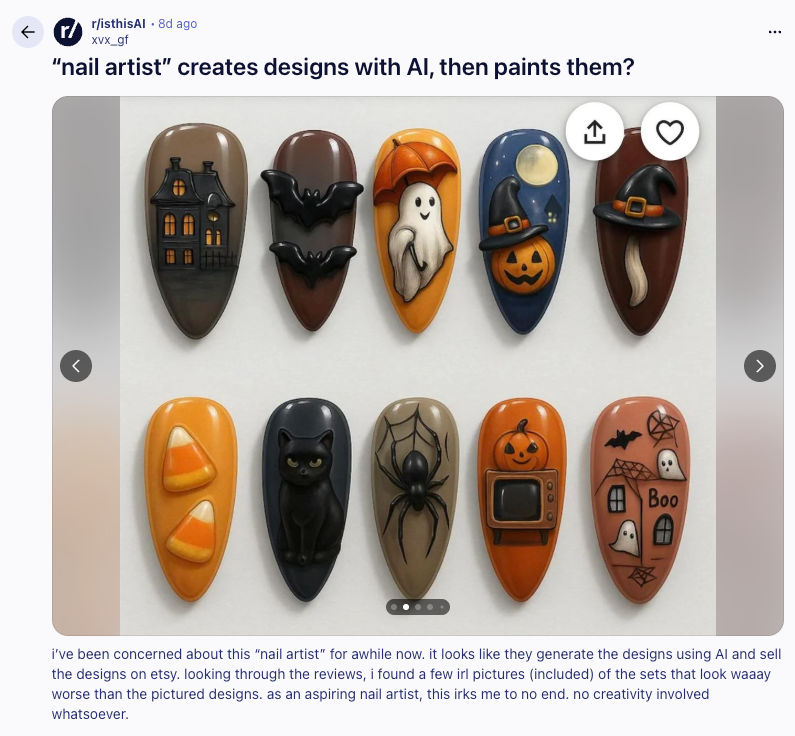
Asking AI to alter an original image
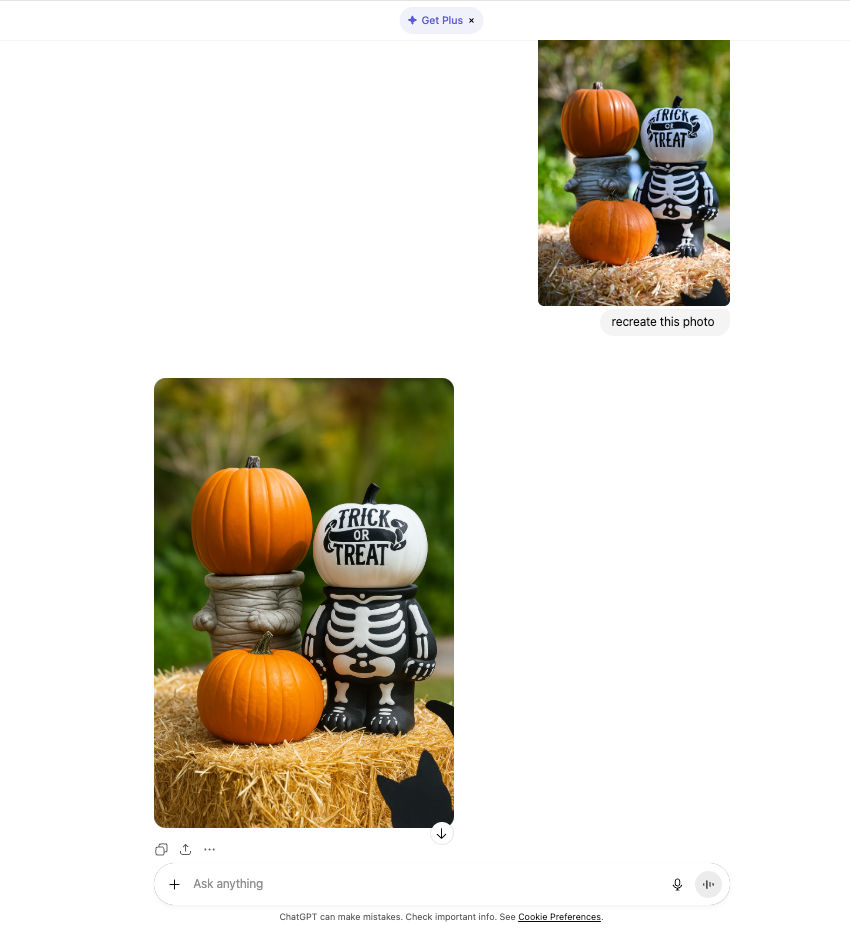
Images can be altered and claimed as an original creation. In this case, it’s hard to prove copyright. Here’s an example of how easy it is to fake an image in this way using ChatGPT:
How to spot fake images generated by AI? Top 5 ways.
To check if an image was generated with AI, you can use online tools or ask online communities. Here are the 5 best ways to spot an AI-generated photo online:
Reverse Image Search with lenso.ai
Use lenso.ai reverse image search to find photos online and detect AI-generated images.
Detect original photo from AI-altered one
Upload the image to lenso.ai and check if human-made copies appear online.
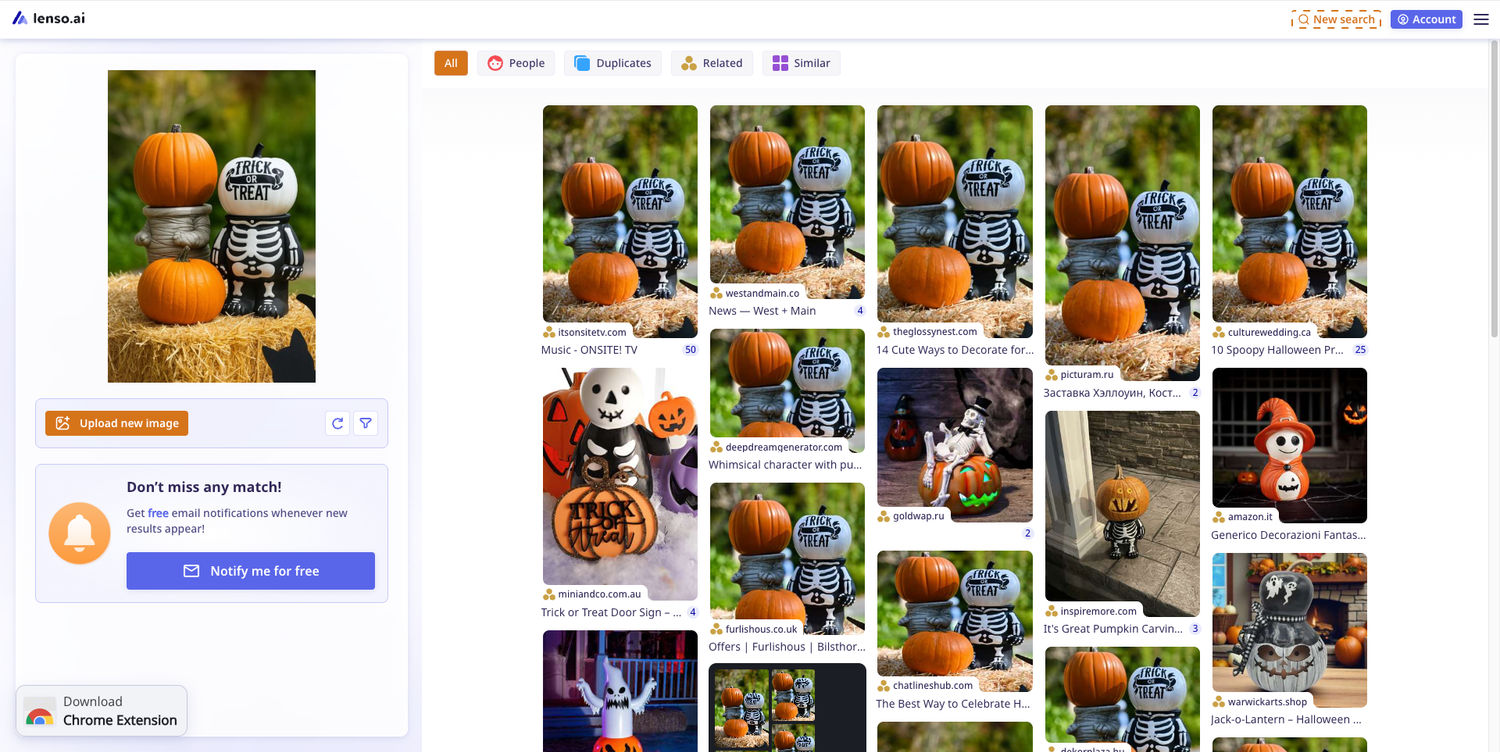
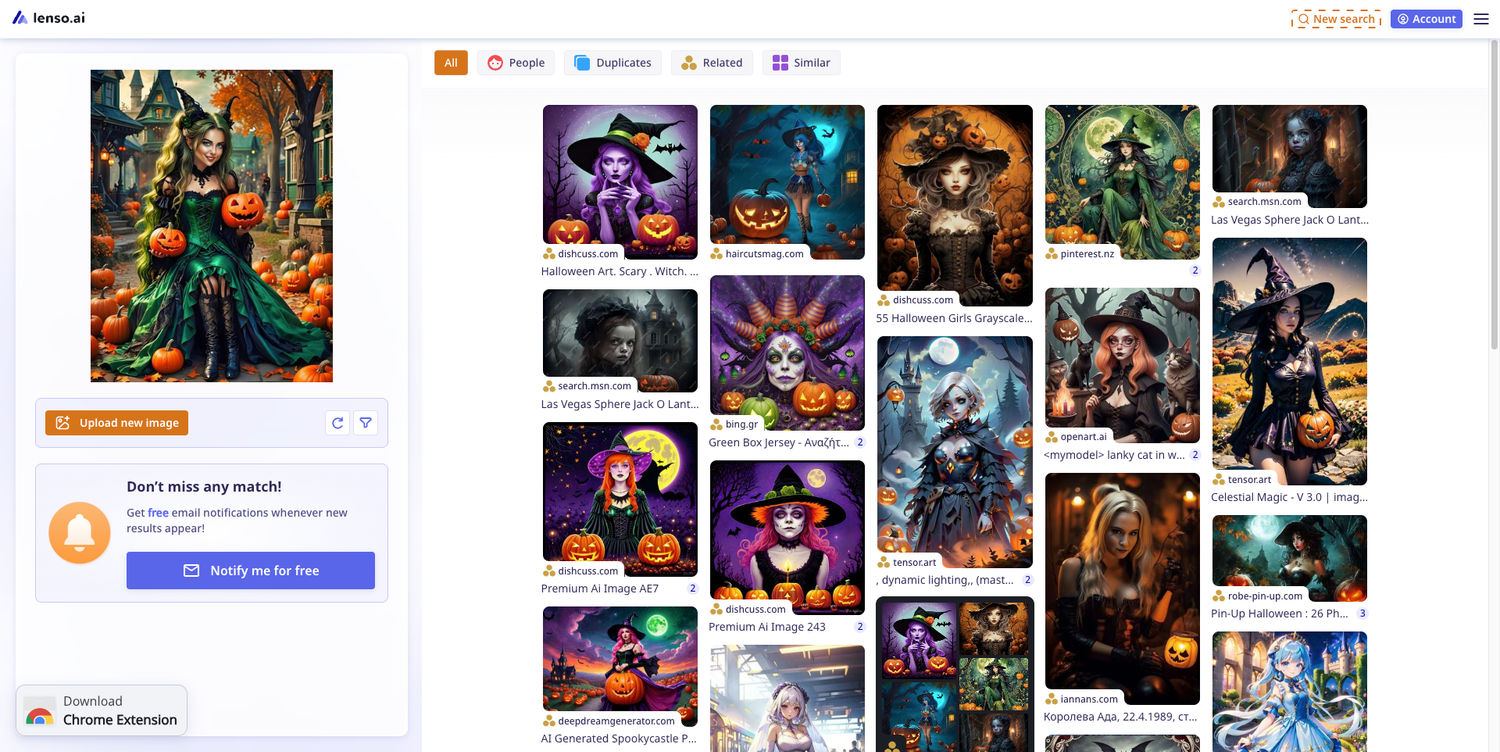
Upload a photo and check if it returns AI results
AI-generated photos are more likely to return other AI images, like in the case below:
Sightengine
Use Sightengine to find out whether an image was generated with AI. Upload the photo and see the verdict in seconds, with the page pointing to the exact model.
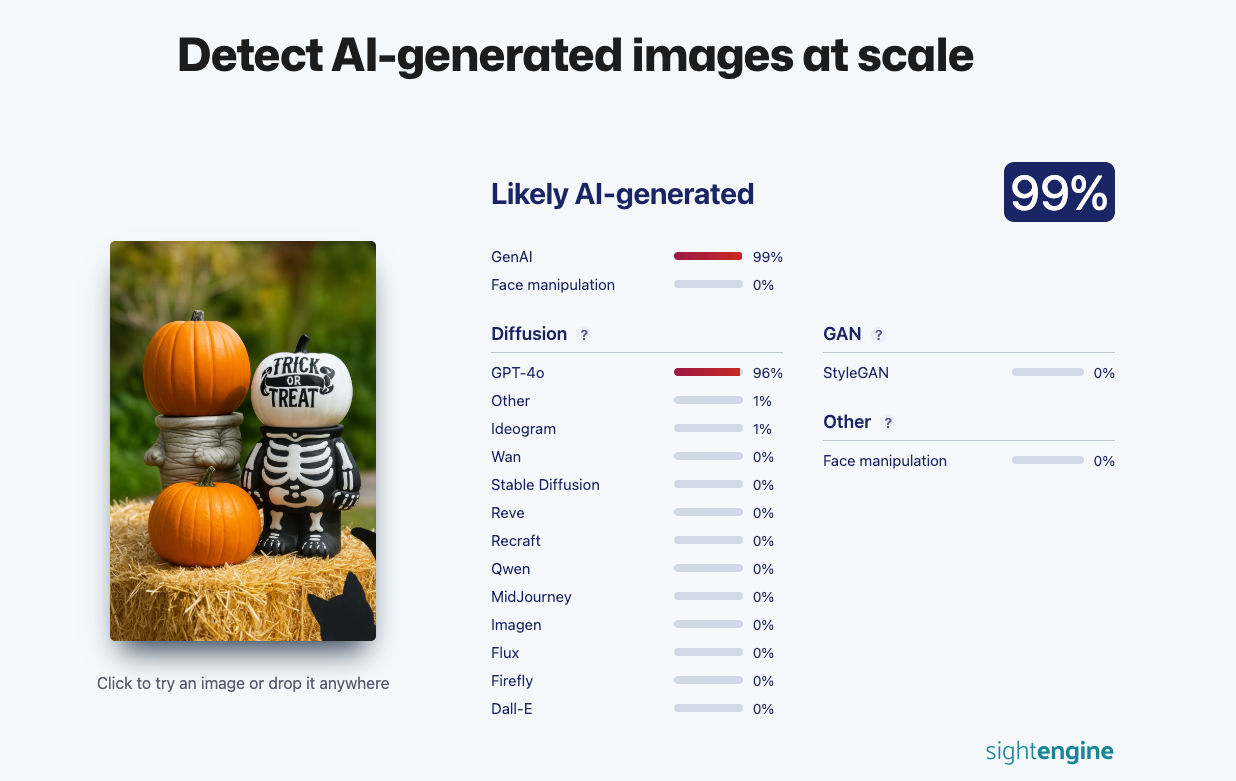
Decopy.ai
One more page that can spot AI-altered content is Decopy.ai.
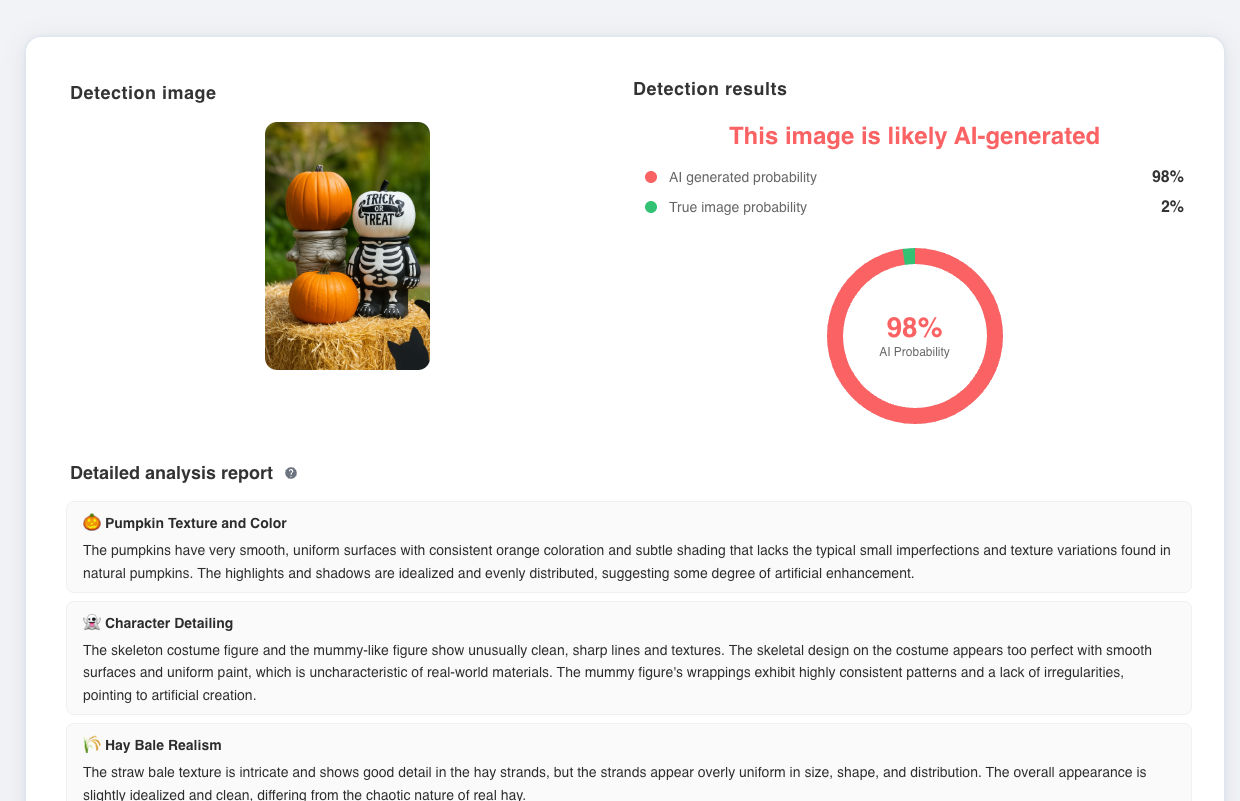
It counts the possibility that the image was AI-made in seconds. The great thing about this one is that it shows what exactly seems to be off about the photo.
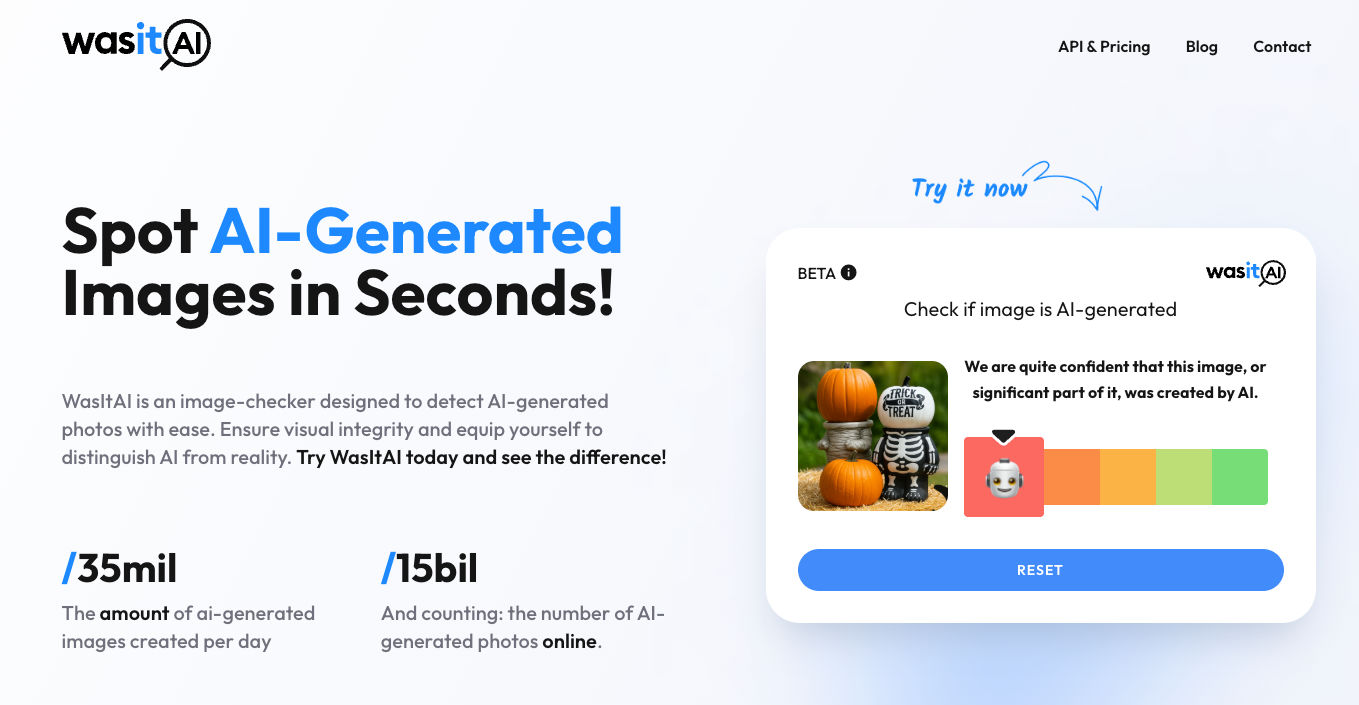
Wasit.ai
Another page that spots AI images is Wasit.ai. Similar to two other pages, it checks if the photo was AI-altered.
r/isthisAI
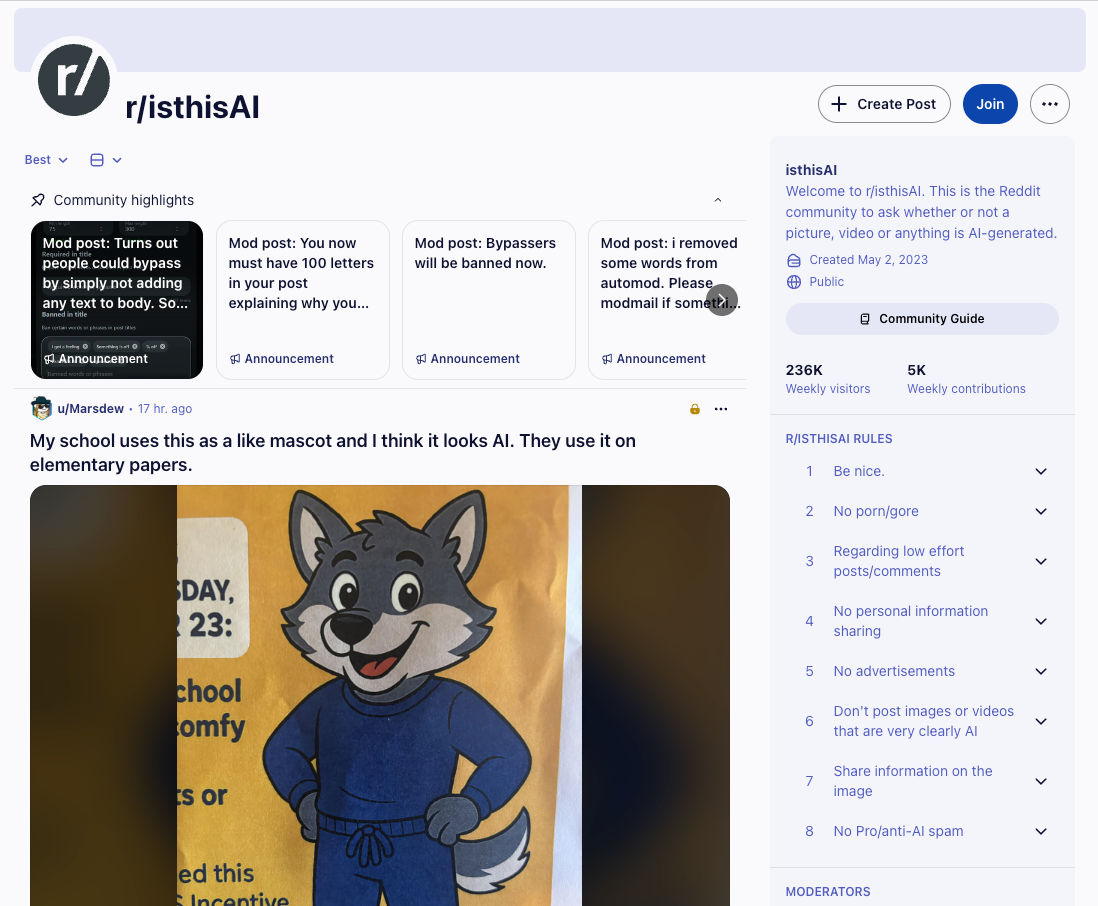
Finally, whenever you’re not sure, try to ask the online community. The subreddit isthisAI is very helpful in spotting AI-generated photos.
How to tell if an image is AI-generated just by looking at it?
1. Visual inconsistencies
- Uneven or distorted hands, fingers, limbs
- Unnatural reflections, shadows
- Strange backgrounds (text, logos, or patterns that don’t make sense)
- Oddly shaped objects or facial features
2. Repeated patterns
- Repetitive or “too perfect” patterns
- Backgrounds, hair, and clothing have unnatural symmetry or smoothing
- Plasteline-like textures
3. Yellow filter
- Yellow or orange hue in a photo
- The image seems to be too warm-toned
Want more tips? Here’s an article for you: How to spot deepfakes and AI-generated people with lenso.ai.
Final thoughts
I hope this article helped you spot whether the Halloween photo you found online was AI-generated. If you have more tips, make sure to share this article and add them to your post!

Author
Kinga Jasinska
Marketing Specialist
Continue reading

News
Lenso.ai One-Time Payment: Reverse Image Search Without a Subscription
If you want to make unlocks on lenso.ai, but you don’t want to be tied to a subscription, here’s a solution you should consider: one-time payment. With one-time payments, you can purchase the product once, make unlocks and decide if you want to switch to a full plan later! This article explains how you can access the one-time payment and all the benefits it offers.

News
Using facial recognition and reverse image search for public security intelligence
Public security intelligence should implement and use only the best and most advanced tools that can help during the investigation process and provide support at different stages. How can facial recognition and reverse image search help?

News
How do Face Search Tools Work? Facial Recognition AI Models Explained.
Have you ever used a facial search tool and wondered how it works? In this article, we will explain the basics of facial recognition and tell you how face search websites build their own AI for face search engines.

News
Top 10 Reasons Why Lenso.ai Is the Best Face Search Tool Online
There are multiple facial search tools available on the internet. Most of them cost a lot, but do very little. Others provide low quality of results, show paywalls before the search even starts, or reel customers in by false advertising. Lenso.ai is the best facial search tool online, and here are some of the top reasons that prove it.

News
How Reverse Image Search Catches Stolen Before-and-After Photos in Home Service Marketing
A tree service in one state removes a storm-damaged oak, photographs the cleanup, and posts the before-and-after shots on Instagram. Eighteen months later, a company three states away is running the exact same photos as their own work on a Google Business Profile, cropped slightly and stamped with a different logo. Nobody at the original company notices, because nobody's looking. Nobody at the second company worries about it, because nobody's ever gotten caught.