.jpg?tr=w-930,h-720)
Preview in:
So this isn't another "best camera" roundup. These are the five tools that carry a photo from capture all the way to protection, roughly in the order your work moves through them. Cover all five and your week gets a lot lighter. Skip the last one, like most people do, and you're flying blind the moment your images leave your hands.
1. A Capture Setup You Can Trust
Everything later depends on what you bring in at the start. A good body and a couple of fast lenses, sure. But the piece a lot of photographers underrate is tethering.
Shooting tethered puts each frame on a big screen the instant you take it. Focus, exposure, a half-closed eye — you catch it on the spot instead of finding it at 11pm in front of your laptop. **Capture One **has long been the go-to here because its tethering just works, and most people run it alongside a properly calibrated monitor.
None of this is glamorous. It's also the cheapest time you'll ever save: a clean, well-exposed frame is one you don't have to rescue later.
2. An AI Photo Editor (Evoto)
Editing is where the hours actually go. It's also where switching tools changes your life the most.
For a long time the only real options were Adobe Lightroom for RAW and Photoshop for the heavy retouching. They're capable, no argument there. But run a few hundred near-identical portraits through them and you feel every minute of the manual masking and frame-by-frame skin work.
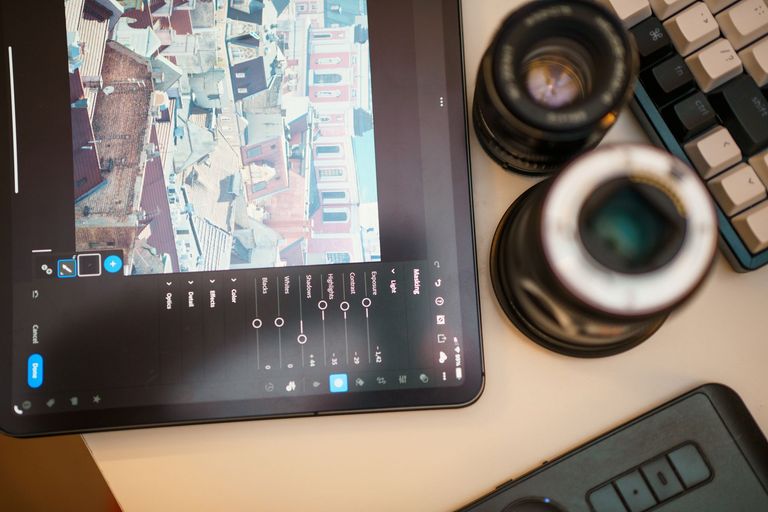
That's the gap Evoto fills. The retouching is AI-driven but you keep your hands on the wheel: blemish and stray-hair cleanup, skin-tone-aware smoothing, color, and batch edits that hold an entire gallery to the same look. The AI takes the boring, repetitive part. You decide how far it goes.
It's the small annoyances that it really kills off. Say you've shot a set of headshots against a backdrop that's slightly different in every frame. Instead of fixing each one, Evoto's background replacer swaps or tidies the background in a click and runs the same treatment across the whole batch, so the series finally matches.
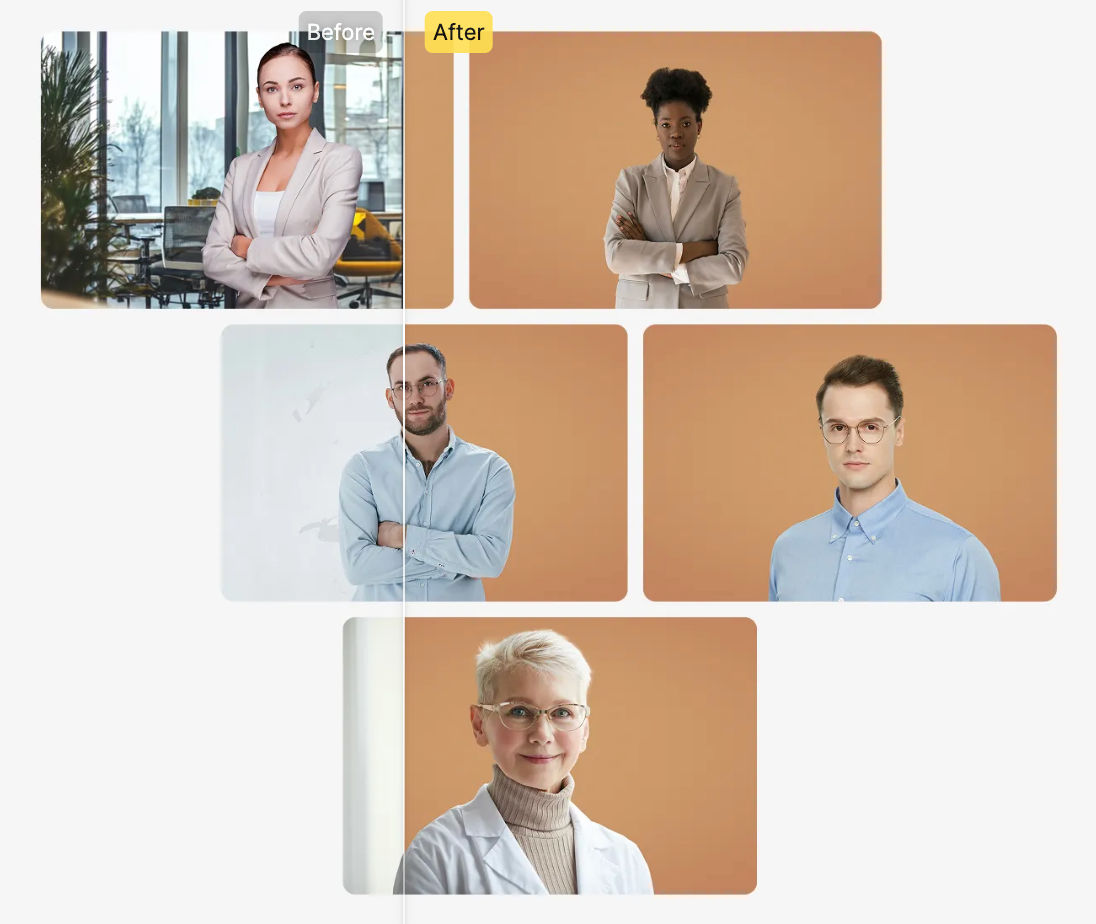
For anyone doing volume — schools, weddings, events, corporate headshots — this is the step that turns a three-day edit into an afternoon, and the results still look like a person did them.
3. Something to Cull and Catalog With
Shoot enough and the bottleneck stops being the editing and becomes the sheer pile of files. You need a fast way to pick keepers and a sane way to find anything again later.
Photo Mechanic is beloved for how quickly it lets you rip through a card and flag selects. Aftershoot leans on AI to suggest picks for you. Lightroom's catalog is still where a lot of people keyword and organize. Pick whichever fits your brain — the job is the same.
A few things that have saved me real time:
- Cull in two passes. Kill the obvious misses first, then choose the strongest of what's left.
- Keyword consistently, per client or shoot type, or you'll never trust the search.
- Keep originals and your catalog backed up in two places, minimum.
4. A Proper Way to Deliver Galleries
Clients judge you by the handoff more than you'd think. A zip file over email, or worse, a bare cloud folder, makes even great work feel cheap.
This is what platforms like Pixieset, Pic-Time, ShootProof, and SmugMug are for. The client gets a clean, branded gallery they can browse, favorite, download, and order prints from. Several of them double as a little storefront, so delivery quietly turns into extra sales instead of being the end of the job.
And the same polished gallery that impresses today's client tends to bring in the next one. Which is exactly why the last tool matters.
5. Reverse Image Search to Keep Tabs on Your Work (lenso.ai)
Here's the one almost nobody builds into their workflow. Once your photos are live — on a gallery, a client's site, social — do you actually know where they go next? Good work travels. So does work that gets lifted without a word to you.
Reverse image search is how you find out. You drop a photo into lenso.ai and its AI hunts down visual matches across the web, sorted into categories that are actually worth scrolling:
- Duplicates picks up exact copies and the sneaky ones too — cropped, filtered, recolored versions that a normal search would miss.
- People runs face search, handy for tracking where a recognizable subject or model shows up.
- Places matches landmarks and locations, which is oddly useful for verifying or scouting a spot.
The part that actually changes your habits is Alerts. Upload an image once and lenso.ai pings you when new matches turn up, so you're not running the same search every Sunday. It's the same trick copyright-recovery firms use to catch infringement at scale. And since your uploads stay private to you, you can keep an eye on your work without putting it out there again.
Chasing a theft, curious who's reposting you, or just keeping watch on your most-shared shots — this is the tool that turns "I hope nobody's misusing my photos" into something you can check.
Pulling It Together
A good workflow isn't a question of who owns the most gear. It's whether every stage is covered, from the frame you capture to the photo you're still keeping an eye on months later. Get a capture setup you trust, speed up the edit, stay organized, deliver like a pro, and then actually watch where your work ends up.
Handle those five and you'll waste less time, look more professional to clients, and hang on to your images long after they leave your drive.

Author
Guest Post
Marketing Specialist
Continue reading
General
6 Useful Tools for Finding Similar Images and Exploring Visual Matches
An image can communicate an idea in seconds, but sometimes the picture itself raises more questions than it answers.
General
Lenso.ai vs. Yandex. Reverse Image Search + Face Search Compared
Yandex and Lenso.ai are both reverse image search websites that are used by people wanting to find objects, places or people online. Is there a clear winner between the two? Who does what best? In this article, we will compare Lenso.ai and Yandex and we will try to select the website who performs better depending on your personal requirements.
General
AI-Powered Image Tools: From Finding Photos Online to Preparing Them for Official Use
Have you ever looked at a photo and thought where else it might have been used online? Or maybe you need a ready-to-submit passport photo in a short time and have no clue how to get it right? The problem in both cases is that you have to find the right photo and know how to prepare it for official use.

General
Best Online Tools for Image Search and Digital Research
Finding the right information online is not always as simple as typing a few words into a search engine. Sometimes the information you need is contained in an image, while in other situations you may need to work with numbers or technical data to understand what you have found. The right online tools can make these tasks faster and more manageable. For people who regularly work with visual content, research, or digital information, here are some useful tools worth considering.