Preview in:
Reverse image search has already become irreplaceable among society. Whether you need to check if an image is real, protect your own photos, or just find out more about a picture that caught your attention, AI image search can significantly drive your online experience.
Despite this, before starting your reverse image search journey, you need to face another challenge - deciding between an enormous variety of AI image search tools. Each of these tools has different features, pros, and cons, raising the question - What is the best tool for your needs?
We have prepared a comparison of two popular reverse image search tools, which may help you make a final decision.
Lenso.ai vs Tineye - key features
Lenso.ai

Lenso.ai is a perfect example of an AI reverse image search tool, where you can easily find a relevant image that you are looking for. After uploading an image to lenso.ai, the search starts and the results are sorted into categories:
- Places- similar landscapes, buildings or locations
- People* - same people in different environments; face search made for tracking digital footprint
- Duplicates - duplicates of the uploaded image, as well as edited, cropped, or filtered versions of it; allows to look up the original version of an altered or edited picture
- Similar - photos with a similar layout or content; pictures and graphics that look alike
- Related - photos that are correlated with the original image
*Available in selected regions
Additionally, you can enrich your results using following filters:
- Text -filter by keywords; upload a blue mug and try the keyword “red” to find red mugs
- URL - filter only on a specific website by providing its URL
And that is more, you can sort your results by:
- Newest/Oldest
- Best/Worst match
- Shuffle - make the images show up in a diverse arrangement
TinEye
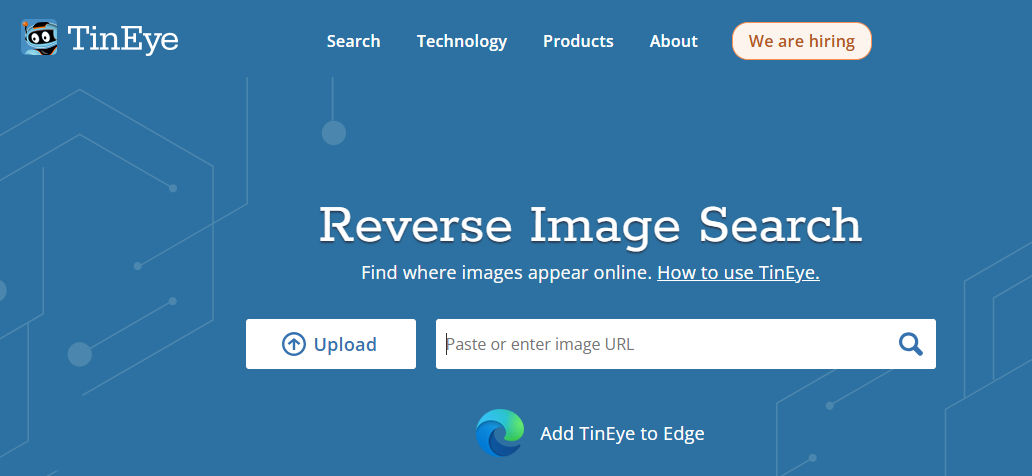
TinEye is a reverse image search engine. You upload an image or provide an image URL, and it searches the web for other instances of that image. TinEye provides detailed results showing where the image appears online.
There are several sorting options available on the page:
- Best match
- Most changed
- Biggest image
- Newest/oldest
Beside that, TinEye offers additional products that include:
- MatchEngine - search for duplicates
- WineEngine- wine label recognition
- MulticolorEngine - visual search which rely on color
- Browser Extension
Key differences between lenso.ai and TinEye
- Functionality: TinEye focuses on finding where the exact or similar image appears online, while lenso.ai provides detailed analysis of the image content along with reverse image search capabilities.
- Technology: TinEye uses image recognition only to match images, whereas lenso.aiuses AI to provide more context about the image and find not only the best match but related/similar one.
- Image Index: TinEye is great for tracking general well-known images, while lenso.aiis suitable not only for this, but perfectly manage with more detailed images and less known.
Lenso.ai vs TinEye - conclusion
Both lenso.ai and TiEye are useful tools for reverse image search but cater to different needs. TinEye excels in finding where an image appeared online, making it useful for image tracking. Lenso.ai, on the other hand, offers comprehensive image analysis, making it ideal for users needing more detailed information about an image and for those who intend to conduct a deep and relevant reverse image search.

Author
Julia Mykhailiuk
Marketing Specialist
Continue reading

News
Lenso.ai One-Time Payment: Reverse Image Search Without a Subscription
If you want to make unlocks on lenso.ai, but you don’t want to be tied to a subscription, here’s a solution you should consider: one-time payment. With one-time payments, you can purchase the product once, make unlocks and decide if you want to switch to a full plan later! This article explains how you can access the one-time payment and all the benefits it offers.

News
Using facial recognition and reverse image search for public security intelligence
Public security intelligence should implement and use only the best and most advanced tools that can help during the investigation process and provide support at different stages. How can facial recognition and reverse image search help?

News
How do Face Search Tools Work? Facial Recognition AI Models Explained.
Have you ever used a facial search tool and wondered how it works? In this article, we will explain the basics of facial recognition and tell you how face search websites build their own AI for face search engines.

News
Top 10 Reasons Why Lenso.ai Is the Best Face Search Tool Online
There are multiple facial search tools available on the internet. Most of them cost a lot, but do very little. Others provide low quality of results, show paywalls before the search even starts, or reel customers in by false advertising. Lenso.ai is the best facial search tool online, and here are some of the top reasons that prove it.

News
How Reverse Image Search Catches Stolen Before-and-After Photos in Home Service Marketing
A tree service in one state removes a storm-damaged oak, photographs the cleanup, and posts the before-and-after shots on Instagram. Eighteen months later, a company three states away is running the exact same photos as their own work on a Google Business Profile, cropped slightly and stamped with a different logo. Nobody at the original company notices, because nobody's looking. Nobody at the second company worries about it, because nobody's ever gotten caught.