
Preview in:
Did you know that your logo is one of your brand’s most important assets?
They are not just there for aesthetic purposes. Your logo serves as the main symbol of your brand identity. It tells your brand story, builds recognition, and sets you apart from your competitors–all in just one graphic. A well-designed logo also communicates your professionalism, which in turn increases consumer confidence in you by 75%.
Your logo is indeed that powerful. However, as your brand grows and you appear on more platforms, your logo becomes more vulnerable to misuse.
Some scam sites might use your logo when selling counterfeit products. Some might copy your design and pass it off as their own. While some misuse might even happen accidentally, like a journalist using an outdated logo when writing an article for you.
Unauthorized logo usage, whether done maliciously or accidentally, can severely harm your brand reputation. But how can you identify where and when your logo is being used across the internet?
The answer can be found through a reverse image search. In this article, we’ll explore how reverse image search helps detect unauthorized logo usage, why it's important to do so, and how businesses can use tools like Lenso AI to safeguard their brand identity.
What Are the Types of Unauthorized Logo Usage?
Your logo appears in more places the more your business grows. Social media, paid ads, blog listicles, e-commerce sites, digital business cards… the list goes on!
Being this visible is great for building brand awareness. However, it also opens the door for logo misuse.
Here are the most common examples of unauthorized logo usage to watch out for:
- Counterfeit products: A company using your logo to make their counterfeit products look authentic.
- Scam or phishing sites: Websites using your logo to impersonate you and deceive customers.
- Expired partnership: A company continues to use your logos on their marketing materials even after the partnership or agreement has expired.
- Misleading affiliations: Your logo getting advertised as a partner, customer, or supporter of another company, even if you are not.
- Logo theft: Company or individual copying your design, with little to no changes.
- Altered logo: A partner (whether a journalist, influencer, or fellow business working with you) changing your logo’s design, color, or layout in their marketing materials.
- Meme or parody accounts: Your logo getting used by social media accounts for memes, parodies, or videos.
Why Protecting Your Logo Matters
Your logo design plays a central role in building your brand identity and reputation.
But when your logo appears in places you don’t approve like the ones we listed above, it can cause problems like:
Loss of credibility
Your reputation can take a huge hit if your logo gets used on counterfeit products, scam websites, or spam advertisements. Creating a distinctive logo with a logo maker can help establish a recognizable brand identity, making unauthorized uses easier to identify. Customers will think that you are a scammer yourself. And even if you manage to prove you aren’t, some customers can still look at you negatively just because you were careless or not vigilant enough to get used by those sites.
Brand confusion
Customers may mistakenly associate you with unrelated companies or products. Over time, this dilutes the distinct identity you’ve worked hard to build, making it harder for customers to differentiate you from competitors.
Revenue loss
When others use your logo, they are not just infringing on your rights but also taking away profits from you. This is especially damaging when your logo gets used on fake listings, imitation products, or misleading ads. Your customers might think they are buying from you, but in reality, they are just directed to other sites. This results in lost sales and opportunities.
These situations can damage your credibility and ruin the brand identity you worked so hard to build. This is why monitoring where your logo appears on the internet is crucial. And this is exactly what reverse image search enables.
What Is Reverse Image Search?
Reverse image search is a content-based image retrieval (CBIR) technique where a user plugs an image into a CBIR system to base its search on.
To put it simply, reverse image search is when a user searches the internet using an image instead of text. The search engine will then use the uploaded image to find matching images of it.
The search engine can find exact matches, as well as visually similar images that share the same color, composition, lines, or patterns. This makes it easy not only to find duplicates of your logo but also to spot instances where your logo has been modified or altered.
How Reverse Image Search Helps Detect Unauthorized Logo Usage
Reverse image search can help address unauthorized logo usage by:
Identifying scam websites
Cybercriminals often mimic official branding to look more legitimate. Detecting your logo on suspicious domains helps prevent customers from falling victim to them plus save your brand reputation before you get associated with these scammy sites.
Identifying counterfeits
Reverse image search can help you find e-commerce listings or websites that use your logo on products without permission. This feature is already built into e-commerce sites, such as Amazon, Alibaba, or Lazada, as well as brand websites like Uniqlo or Adidas, to make it easier to find them.
Monitoring your partners and affiliates
Some partners might accidentally misuse your logo when creating marketing materials that feature you or when adding you to their website. Reverse searching your logo can help you spot this issue before it causes confusion.
Catch copycats
Reverse image search can help you find your logo even when it has been modified, which can help you identify people who have tried to pass off your design as their own.
Protecting your brand’s integrity
Memes, while generally done for fun, can still cause harm to your image, especially when you get associated with harmful, negative, or offensive content. Reverse image search can help you track this usage and save your brand before your reputation gets tarnished. You can also use this to monitor where your brand is being discussed, whether it’s on reviews, community pages, or forums.
How to Use Lenso.ai’s Reverse Image Search to Protect Your Logo
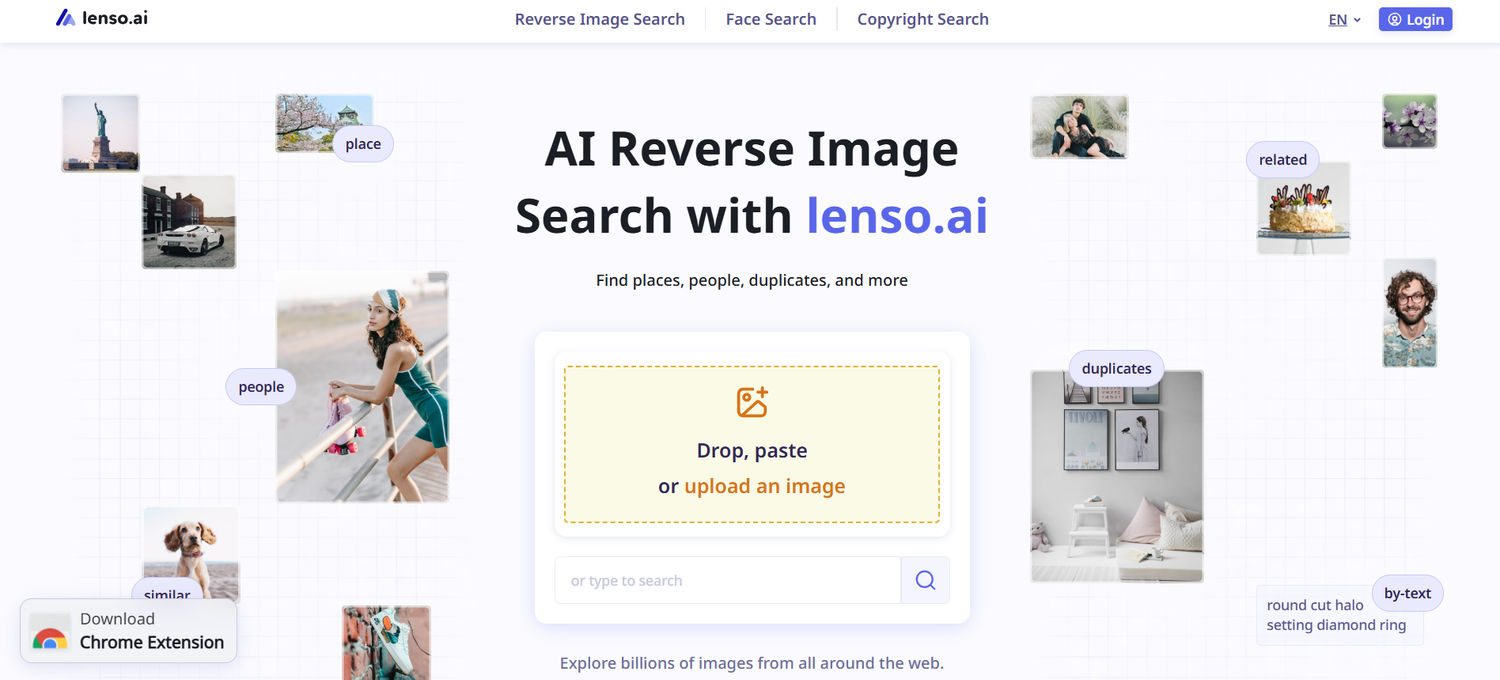
Want to use reverse image search to safeguard your logo? Lenso.ai can help make the process easier.
Lenso.ai is a platform dedicated to reverse image search. They use advanced AI to detect exact duplicates, similar images, filtered or modified images, and related images. They can even do face recognition and copyright search for easier and more accurate search.
Here is a step-by-step guide on how to use it:
- Go to https://lenso.ai/.
- Drop, paste, or upload the logo that you want to search. Ideally, your logo is a clean and high-quality version in PNG or JPG format. If needed, you can use a background remover to clean up your logo for more accurate results.
- Wait for the tool to analyze the image. The tool will study the color, objects, layout, lines, and other patterns to help find it.
- You’ll then see a list of pages that show your logo or similar designs. Each match includes links to the site, which allows you to verify whether the use is authorized. You can also add filters like keywords or domains, plus sort the results by newest/oldest or best/worst match to make it easier for you to check.
- Lenso.ai also allows its users to set up alerts, which send emails when new images are found for their search categories. This can help you regularly monitor where your logo may appear in the future.
Seen any unauthorized logo usage? Then it’s time to take action.
First is to document the usage. Take screenshots or videos as evidence. Make sure you note down the URLs where you see your logo.
Next is to contact the website owner to remove your logo. Some will just easily take it down, especially if it was an honest mistake.
But if there is malicious intent behind it, you can submit a takedown request under copyright or trademark laws. You can also consult a lawyer for help in filing a cease and desist order, a lawsuit, or any other legal action.
Tips for Maximizing Logo Protection
Reverse image search is truly helpful to check if your logo is used properly. But it’s not the only thing you can do to protect your brand. Some other things you can do are:
- Register your trademark to ensure that you have legal ownership and rights in case of infringement.
- Educate your partners and affiliates on proper logo usage. You can also write a brand guideline or brand bible for a clearer reference.
- Keep your logo and other brand assets in a secure and organized location.
- Conduct regular checks to quickly spot any issues or instances where your logo is misused.
- Some sites also restrict users from saving the logo image on their site or block them from taking a screenshot. This may be a bit more extreme, but it is another thing to consider if you want to add a layer of security to your logo.
Conclusion
Your logo is more than just a design. It’s a sign of your credibility, a symbol of your brand identity, and your connection to your customers.
When your logo appears in unauthorized places, it can put your brand at risk. This is why regularly monitoring where your logo is used with the help of reverse image search is essential. It helps you scour the millions of pages of the internet in just one click. With it, you can control and regulate where your logo appears, ensuring that you maintain your brand integrity at all times.
Lenso.ai can help make this process faster and easier. With this tool, you can rest assured that your logo will remain safe and secure in the ever-expanding digital world.

Author
Faviola Publico
Content Writer
Continue reading

Guides
7 Ways Brands Can Use Reverse Image Search to Protect Themselves
Most brands monitor their name. They set up Google Alerts, track hashtags, and keep an eye on reviews.
%20(1).jpg?tr=w-768,h-auto)
Guides
How to Prepare and Convert Images for Reverse Image Search
A product photo, a transparent logo, and a screenshot may arrive in the same folder, but they should not automatically leave it in the same format. Choosing the wrong output can replace transparency with a solid background or soften text that was perfectly readable. These differences matter when preparing images for websites, online platforms, and reverse image search tools.

Guides
Find cozy fall aesthetics online with reverse image search
Fall is the perfect season to shop for cozy, aesthetic finds. With the internet overflowing with autumn posts and inspiration, it can be hard to narrow down what you want. How to find cozy fall aesthetics online with reverse image search?

Guides
How to find the perfect fall photoshoot location from a photo?
Fall is the perfect time for a new photoshoot, whether you want to create fresh content for your personal social media accounts or promote your product or brand with an authentic fall vibe. But first, you need to find the right place. Find out how to discover the perfect fall photoshoot location from a photo.

Guides
What to do in the first ten minutes after you find your own face in a reverse image search?
Finding your own face in a reverse image search is a strange feeling. Not usually because the result is sinister, most of the time it is a conference photo, an old profile picture, a team page from a job you left in 2019, but because you did not put it there and you did not know it was there.