
Preview in:
1. Lenso.ai
When the starting point is an image rather than a keyword, Lenso.ai is a practical place to begin. Its reverse image search technology allows users to upload an image and explore visually similar results across the web.
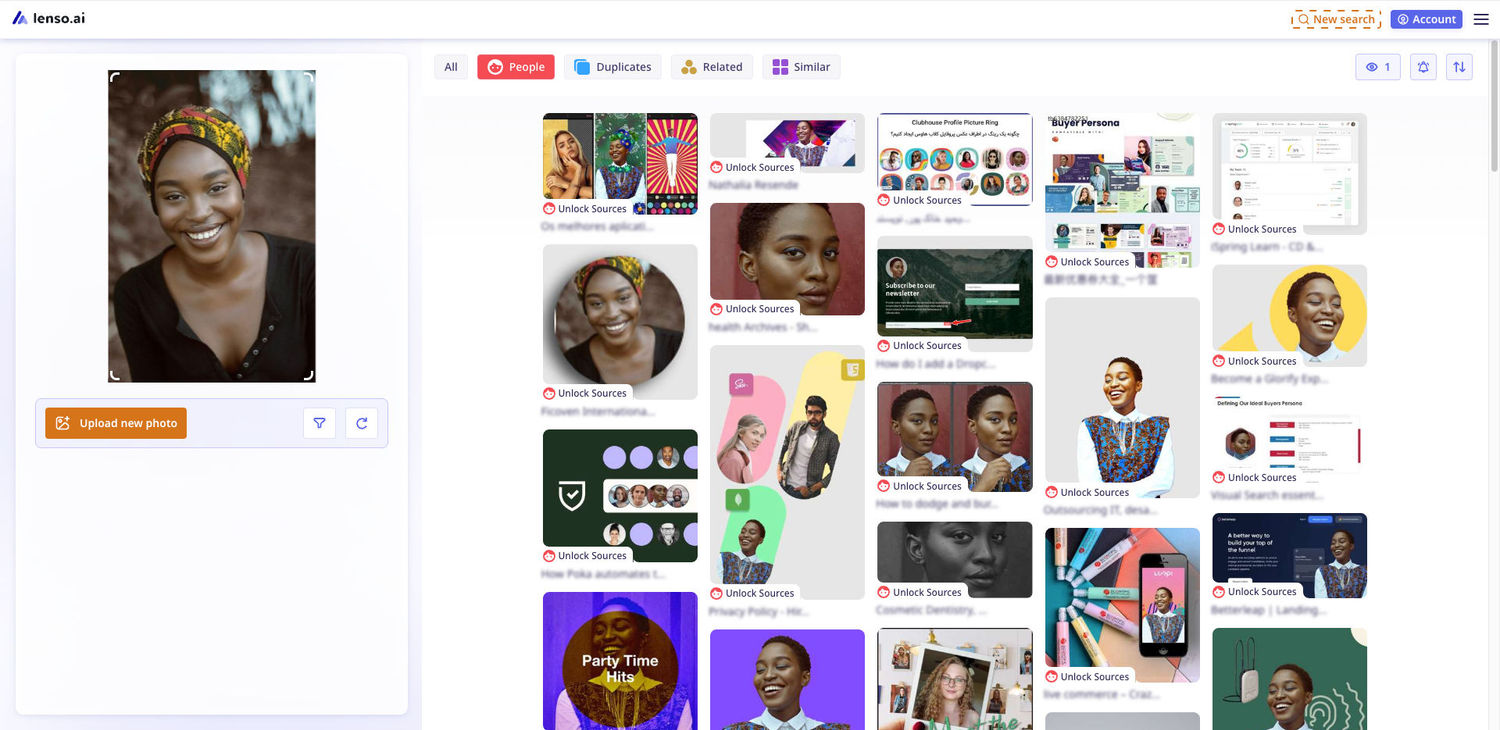
This can be useful in several situations. For example, you may have found an unfamiliar photograph and want to locate similar versions, investigate where a visual has appeared online, or discover related images for research. Instead of trying to describe every detail of an image with words, reverse image search lets the image itself become the starting point.
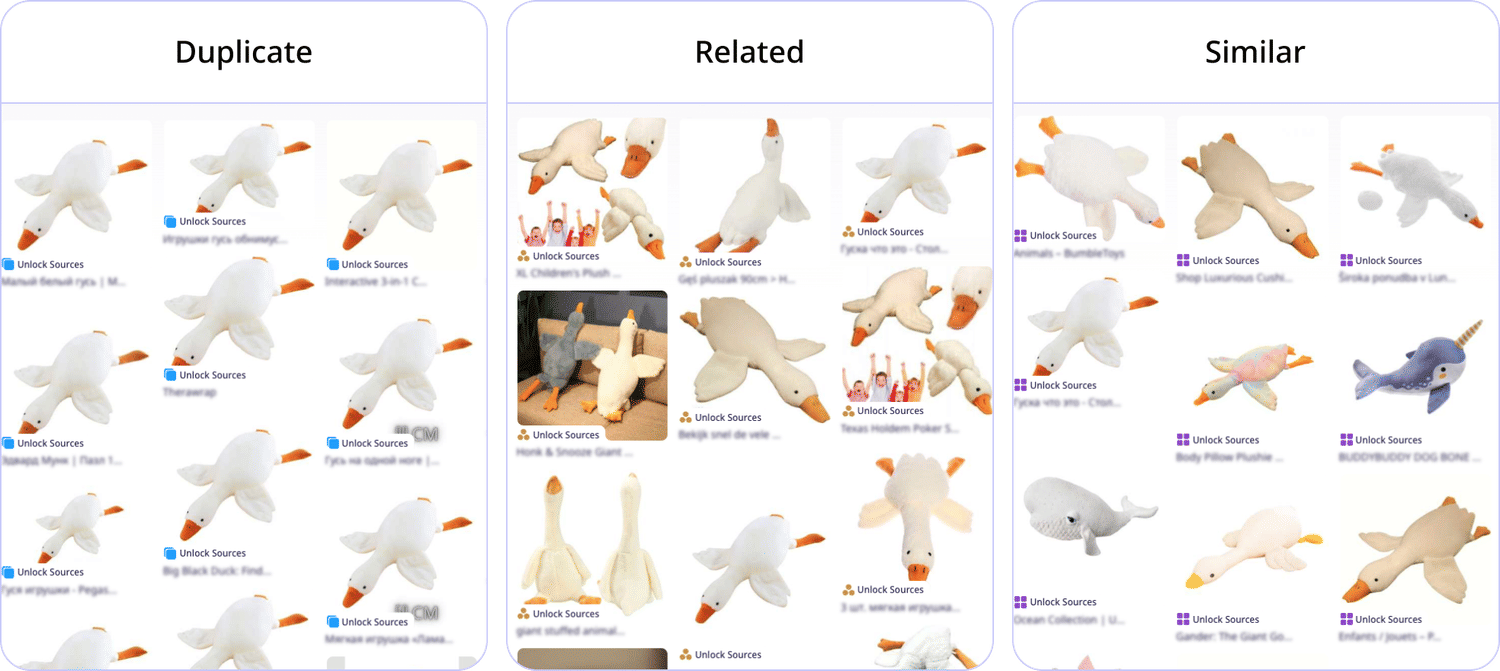
Lenso.ai can also be useful for content discovery. A visually similar result may lead to additional information that would be difficult to find through a traditional text search. For researchers, creators, and people who frequently work with online images, this can save time and make visual research more efficient.
Lenso.ai's features
Alerts - users can create alerts for an image and get notified when lenso.ai finds new matching results. This is especially useful for monitoring faces, copyrighted images, logos, or other assets over time.
DMCA Assist — helps users prepare image takedown requests. It collects selected image links and sources and generates a ready-to-copy DMCA message that can be sent to the website hosting the image.
Research Mode — performs a deeper search for People and Duplicates and can return up to 10,000 results, including results that may not appear in the normal search.
Advanced Filters — available in Research Mode. Users can filter by:
- language
- domain, including include/exclude
- image size
- date range
- keyword in the page title
Regular search filters — even outside Research Mode, users can narrow results by keyword/text and domain.
Advanced sorting — results can be sorted by best/worst match, newest/oldest, random order, or shown as diverse results.
Collections — users can save individual search results into collections so they can organize useful images and return to them later.
2. Google Lens
Google Lens is another familiar option for searching and understanding visual information. Users can use an image to identify objects, discover related products, translate text, or find visually similar content.
One advantage of a visual search tool is that it can help when you do not know the exact name of what you are looking at. A photograph can provide the search engine with information that may be difficult to express through a conventional text query.
Google Lens is particularly useful for everyday visual searches, such as identifying an object, learning more about a place, or finding similar products.
3. TinEye
TinEye is designed specifically around reverse image searching. Rather than searching by a written description, users can submit an image and look for matching or related appearances online.
This can be helpful when someone wants to investigate how an image is being used across different websites. Photographers, publishers, designers, and website owners may find this type of search useful when checking the online presence of visual material.
Reverse image search can also complement other research methods. If a normal keyword search does not provide useful results, starting with the image itself can sometimes reveal a different set of sources.
4. Online Image Metadata Tools
Image files can contain technical information in addition to the visible picture itself. Depending on the file and how it was created, metadata may provide details about the image, such as dimensions, file type, or other technical properties.
Metadata tools can therefore be useful when organizing or examining digital images. For website owners, designers, and researchers, understanding basic file information can make it easier to manage large collections of visual content.
However, metadata should not be treated as a replacement for reverse image search. Metadata may be removed, changed, or unavailable, while a visual search can provide another way to investigate an image and discover related content.
Choosing the Right Tool
The best tool depends on the question you are trying to answer.
If your main goal is to discover visually similar images or investigate an unfamiliar picture, Lenso.ai is a strong starting point. Google Lens can be useful for broader visual identification and everyday searches, while TinEye offers another focused approach to reverse image searching.
For technical work involving computer number systems, a Binary Converter can simplify calculations and help users verify results. Meanwhile, metadata tools can provide additional technical information about digital image files.
Using several specialized tools together can often produce better results than depending on a single service. An image search may help you discover relevant visual sources, while technical tools can help you understand or organize the information associated with digital content.
Final Thoughts
Online research increasingly involves more than traditional keyword searches. Images, file information, and technical data can all provide useful clues when trying to find or understand information.
For visual research, starting with a reverse image search can be particularly effective because it allows the image itself to guide the search. Lenso.ai is a useful first option for this purpose, while other services can complement the process depending on what you need to discover.
Choosing the right tool for each task can make online research more efficient, reduce unnecessary manual work, and help users reach useful information more quickly.

Author
Guest Post
Marketing Specialist
Continue reading

General
The Best Reverse Image Search for Photographers. Set Up Copyright Notifications!
If you are a photographer looking for a smart way to find your copyrighted content shared online, this is the place for you! In this article, we will explain how you can search for your photos being reposted, and the best ways you can automate the searching.

General
Face Search API by lenso.ai for businesses: Top 5 Industries and use cases
If you run a business and wonder how to boost your user engagement or add a feature that may become a game changer – we do have a solution! You need to implement the face search API from lenso.ai. Check whether your use case may be a good fit for reverse face search integration.

General
How Teams Can Improve Their Image Search Skills with AI-Powered Tools
AI-powered visual tools are changing how photographers, digital marketers, content creators, and researchers work. In a single day, one person might trace the source of a photo, check a campaign image for duplicates, and look for similar visuals for a new project. The tools evolve quickly, and training often struggles to keep up.

General
Lenso.ai vs. Yandex. Reverse Image Search + Face Search Compared
Yandex and Lenso.ai are both reverse image search websites that are used by people wanting to find objects, places or people online. Is there a clear winner between the two? Who does what best? In this article, we will compare Lenso.ai and Yandex and we will try to select the website who performs better depending on your personal requirements.