.png?tr=w-930,h-720)
Preview in:
What is DMCA Assist?
DMCA Assist helps you create a DMCA removal request step by step. It collects the image links and sources you select, adds them to an email template, and creates ready-to-copy messages you can send to the website hosting your photos.
What Does the DMCA Request Message Include?
DMCA request messages include:
- A short message requesting to take down the images
- Links to infringing content (photo and website)
- A request for confirmation of removal
These requests are the quickest way to take down multiple photos from different websites. You can also **remove the images from lenso.ai at the same time!
How to Activate DMCA Assist?
To open DMCA Assist, you need to have the Professional subscription plan. You can purchase it in the Pricing.
Once you have the Professional package, follow these steps:
- Make a search on lenso.ai with the image you want to remove
- Open the People or Duplicates category – depending on which category you’d like to pick images from
- Click on the “DMCA Assist” button
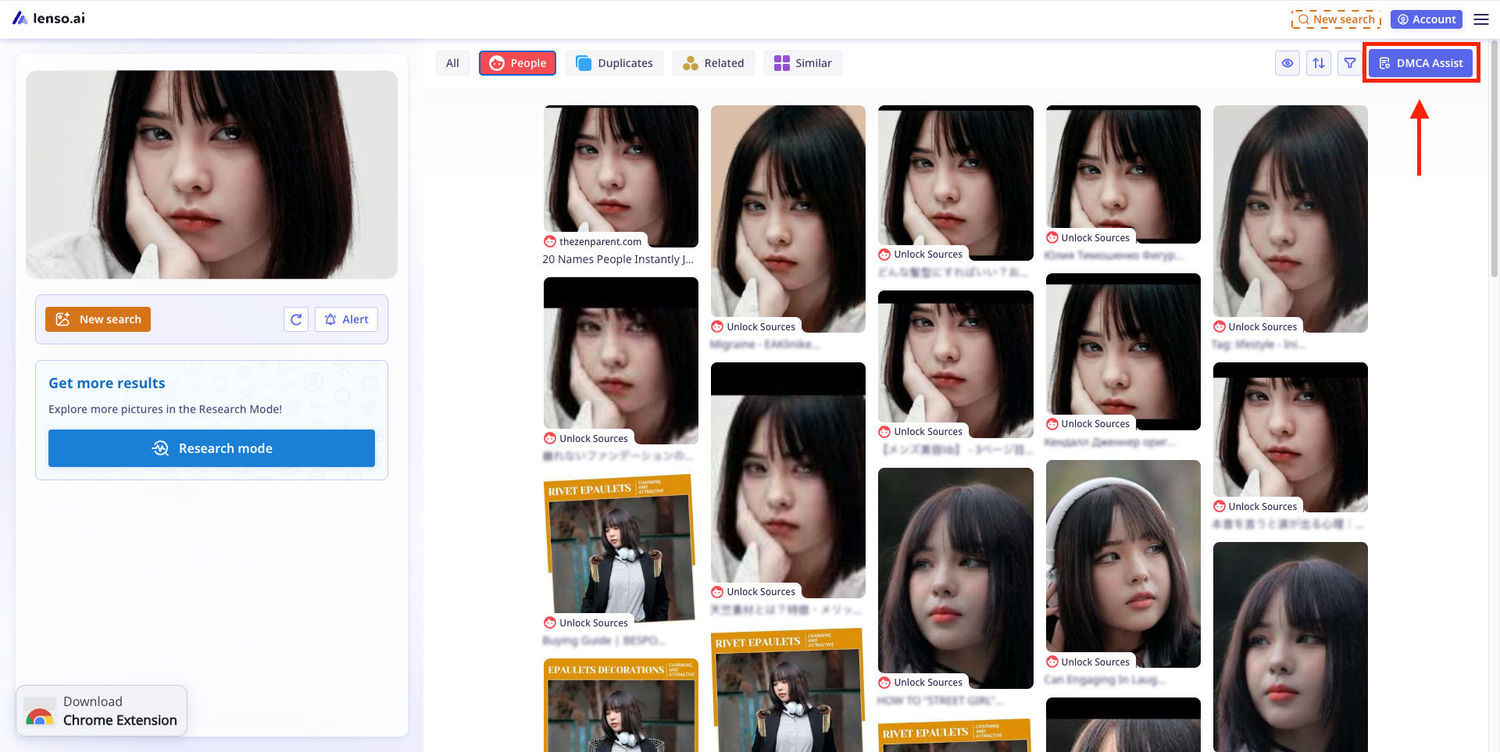
How to use DMCA Assist?
Let’s go through all the steps to remove images using the DMCA assist mode.
- In the DMCA Assist mode panel, choose the photos that you’d like to remove by clicking on them. You can either select the photos that you’d like to delete, or choose the “Select All” option, that selects 30 top results in the search.
Tip: Set up filters and sorting before entering the DMCA Assist mode.
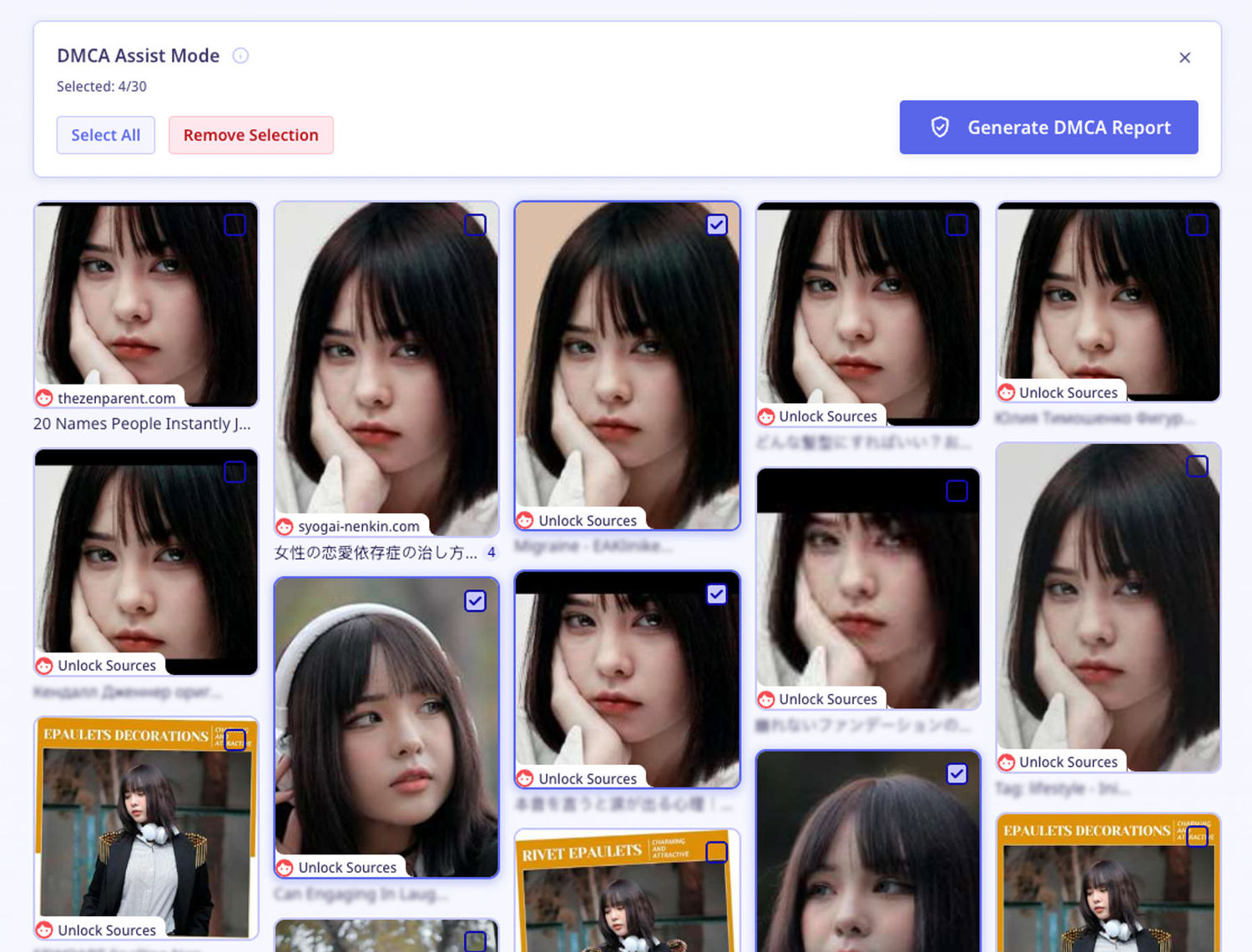
- Click on the “Generate DMCA Report” button to enter the report creator.
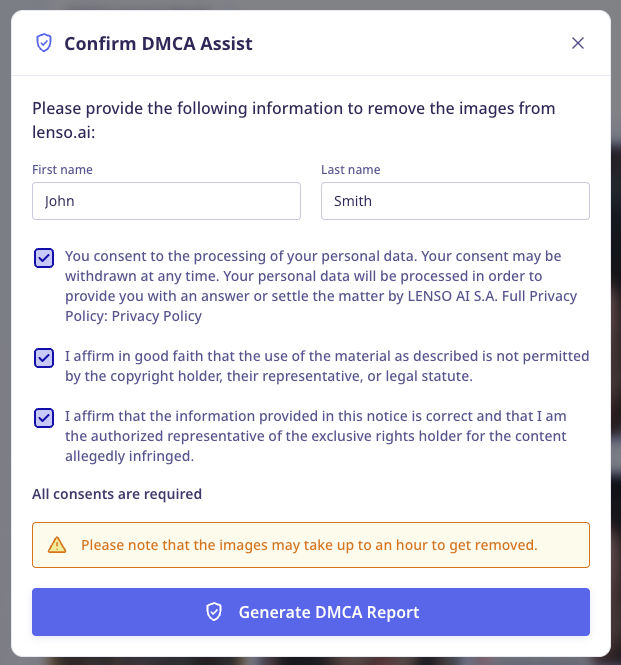
- Check the agreements. Here are all the explanations to the agreements that you can select:
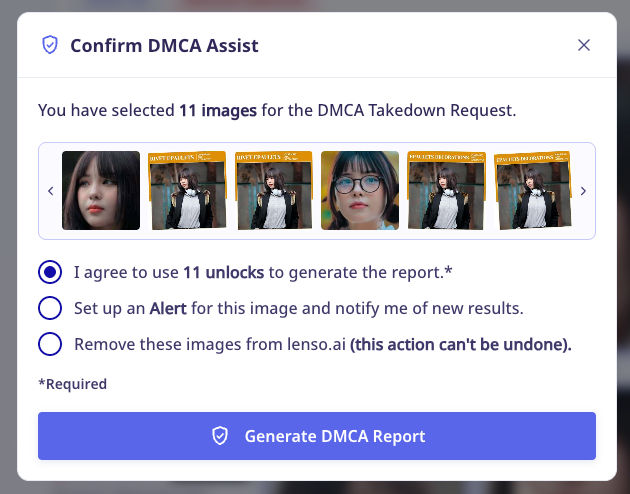
- I agree to use 11 unlocks to generate the report. - DMCA assist needs to unlock all the images to find sources. This is why this field is required.
- Set up an Alert for this image and notify me of new results. - You can set up an alert on your profile for the photo that you searched with. Lenso.ai will notify you of new results each time it finds them.
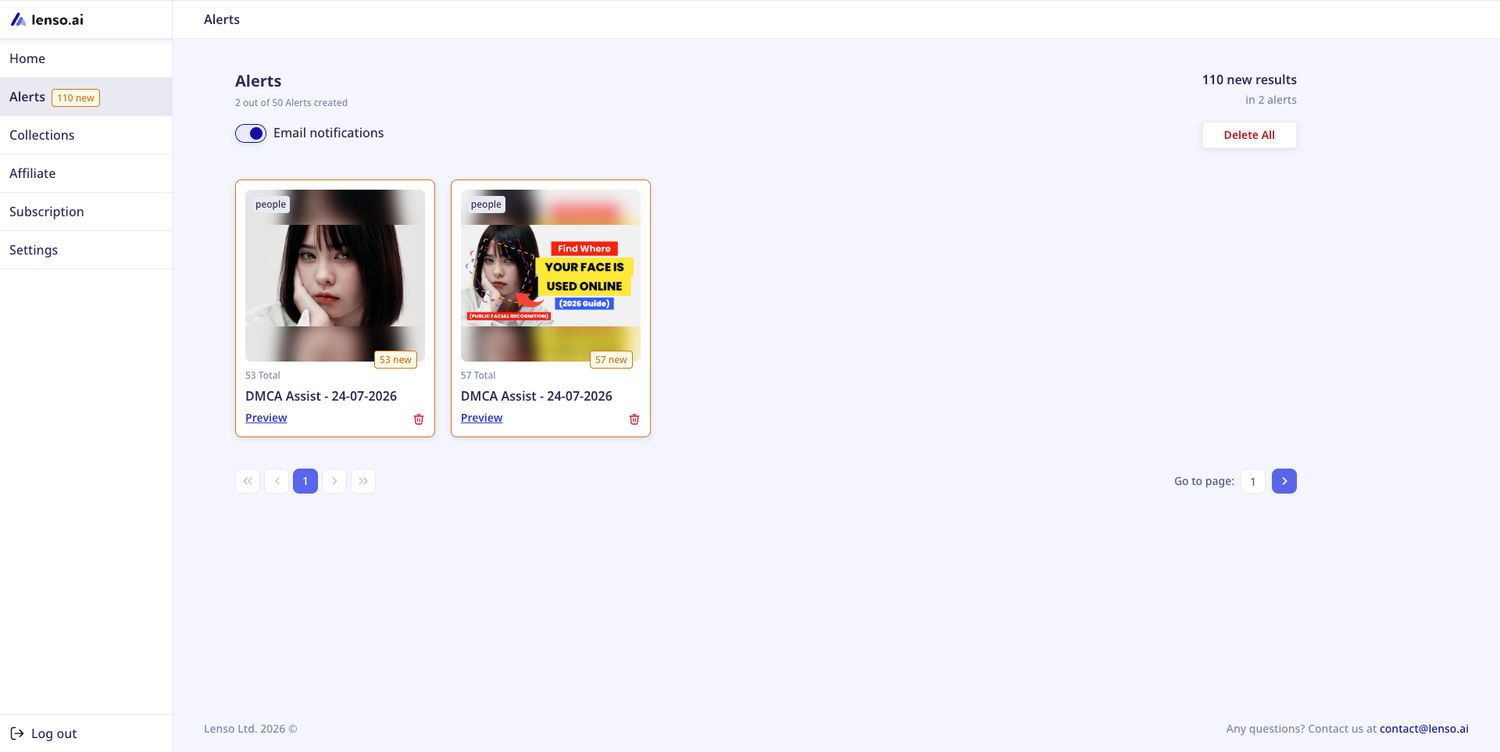
- Remove these images from lenso.ai (this action can't be undone). - You can delete all the results that were selected from lenso.ai’s index right away.
This is also a great option for users who want to take down specific images from lenso.ai without sending the request manually via the DMCA form. The results will be deleted within one hour from the time the request was sent.
- If you selected the DMCA removal from lenso.ai, you need to provide the data in the process; otherwise, this step will be skipped.
- Your request is generated! You can now copy the messages with links.
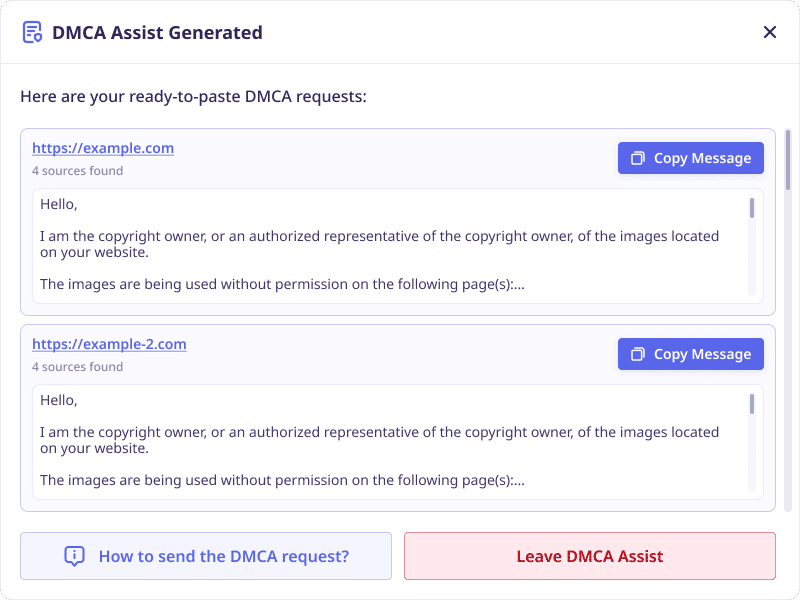
Here’s an example of the DMCA message:
Hello,
I am the copyright owner, or an authorized representative of the copyright owner, of the images located on your website.
The images are being used without permission on the following page(s):
Infringing page URL: https://example.com Infringing image URL: https://example.com/example.jpg
I request that you remove or disable access to the infringing image(s) as soon as possible.
I have a good-faith belief that the use of this copyrighted material is not authorized by the copyright owner, its agent, or the law. The information in this notice is accurate, and, under penalty of perjury, I confirm that I am the copyright owner or am authorized to act on behalf of the copyright owner.
Please confirm once the image(s) have been removed.
Sincerely,
[Your email]
How to send the DMCA request to the infringing websites?
- Copy or download the messages that lenso.ai generated

- Visit the website listed and find contact information (Open the website where your image appears and look for a contact email, copyright page, DMCA policy, or support section. This information is usually found in the footer, Terms of Service, or Contact page.)

- Send the message through the email or contact form found on the website
- After sending your request, wait for the website or hosting provider to reply or remove the content. If you do not receive a response after a reasonable time, send a polite follow-up with the same details.
DMCA Assist for Fast Image Removal
DMCA Assist on lenso.ai is a great option for anyone who wants to remove their photos quickly - both from lenso.ai itself and other websites. If you have any issues with the feature, reach out to us now!

Author
Kinga Jasinska
Marketing Specialist
Continue reading

News
AI in Recruiting - Trends for Upcoming 2027
Over the past few years, artificial intelligence has changed many industries. Companies use AI to make work easier and faster, also in HR and recruiting. In some cases, AI also takes over tasks that people used to do. How is AI applied in the recruitment process, and how is it changing? Learn more about AI in recruiting and trends for upcoming 2027.

News
Similarity Scores and Indexing Dates on Lenso.ai | How Do They Work?
Lenso.ai just published a new feature – Similarity Scores and Indexing Dates. These features are available for all Professional subscribers. In this article, I will explain what those are, how to access them, and why they are useful.

News
Can facial recognition find you in Halloween costume photos?
Halloween is coming, and it is time for costume and makeup preparations, especially if you are going trick-or-treating or attending a party. Anyway, you may wonder whether your photos from last year's Halloween parties or upcoming ones appear online, and whether facial recognition can match your Halloween photos with your regular ones. Let’s find out!

News
5 Best reverse image search tools for finding old photos online
You may not even be aware that someone has misused your old photos, or you may have thought your photos were deleted, but they still appear somewhere online. How can you keep track of your online appearance? Use reverse image search! Check which one is the best to use.

News
Lenso.ai One-Time Payment: Reverse Image Search Without a Subscription
If you want to make unlocks on lenso.ai, but you don’t want to be tied to a subscription, here’s a solution you should consider: one-time payment. With one-time payments, you can purchase the product once, make unlocks and decide if you want to switch to a full plan later! This article explains how you can access the one-time payment and all the benefits it offers.