Preview in:
What can lenso.ai’s Place Search find?
Lenso.ai looks for images of:
- Buildings, cities, infrastructure
- Forests, meadows, parks, green areas
- Roads, paths, streets, highways
- Tourist locations (such as the Eiffel Tower, The Oriental Pearl Tower, Taj Mahal, etc.)
- Houses, blocks of flats
Place Search is not meant for discovering the insides of buildings, but it can sometimes recognize the interiors of famous structures, churches, towers, etc.
If you want to compare lenso.ai to other place search engines, you can check our ranking of top 4 best place search engines online.
How accurate is lenso.ai’s Place Search?
Lenso.ai’s place search is highly accurate, especially for popular places. It can recognize buildings and green areas very well.
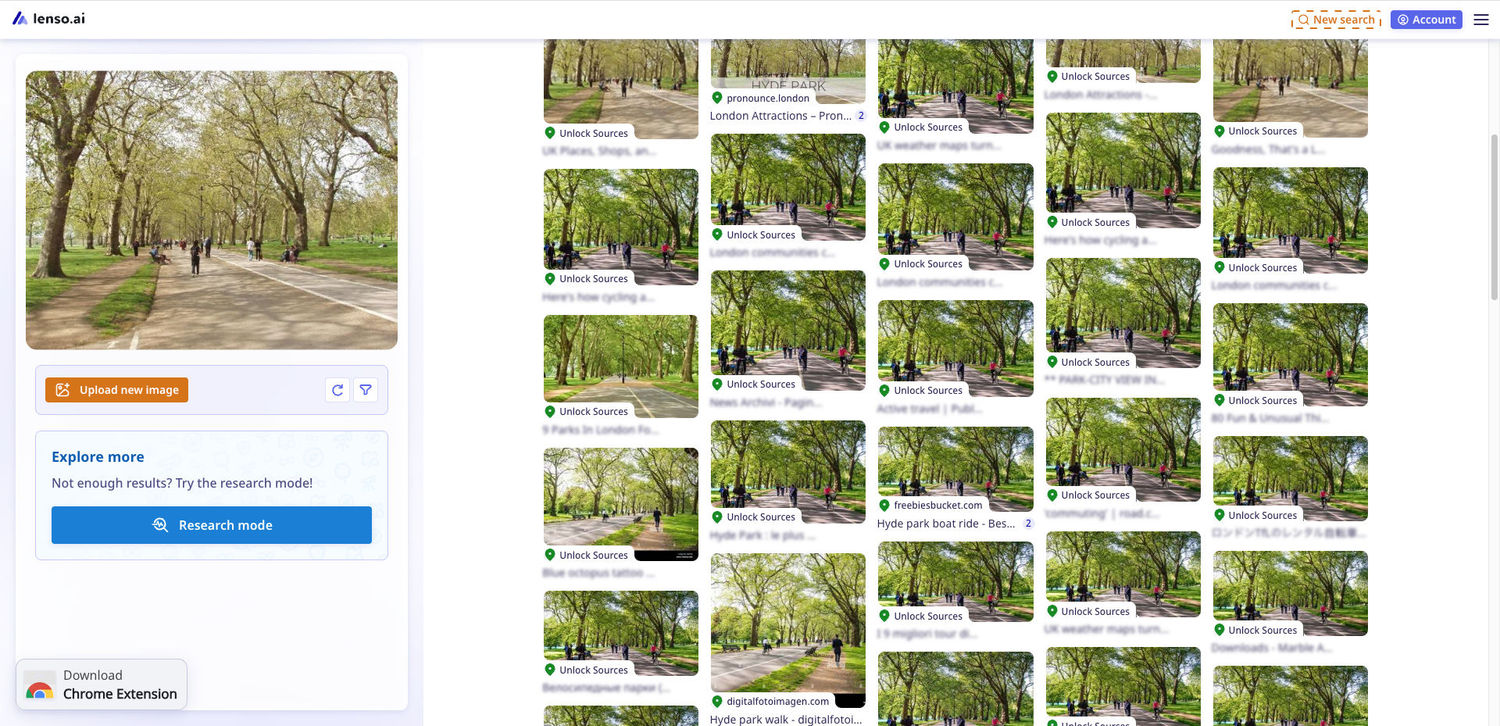
Here’s an example of how lenso.ai recognized London’s Hyde Park:
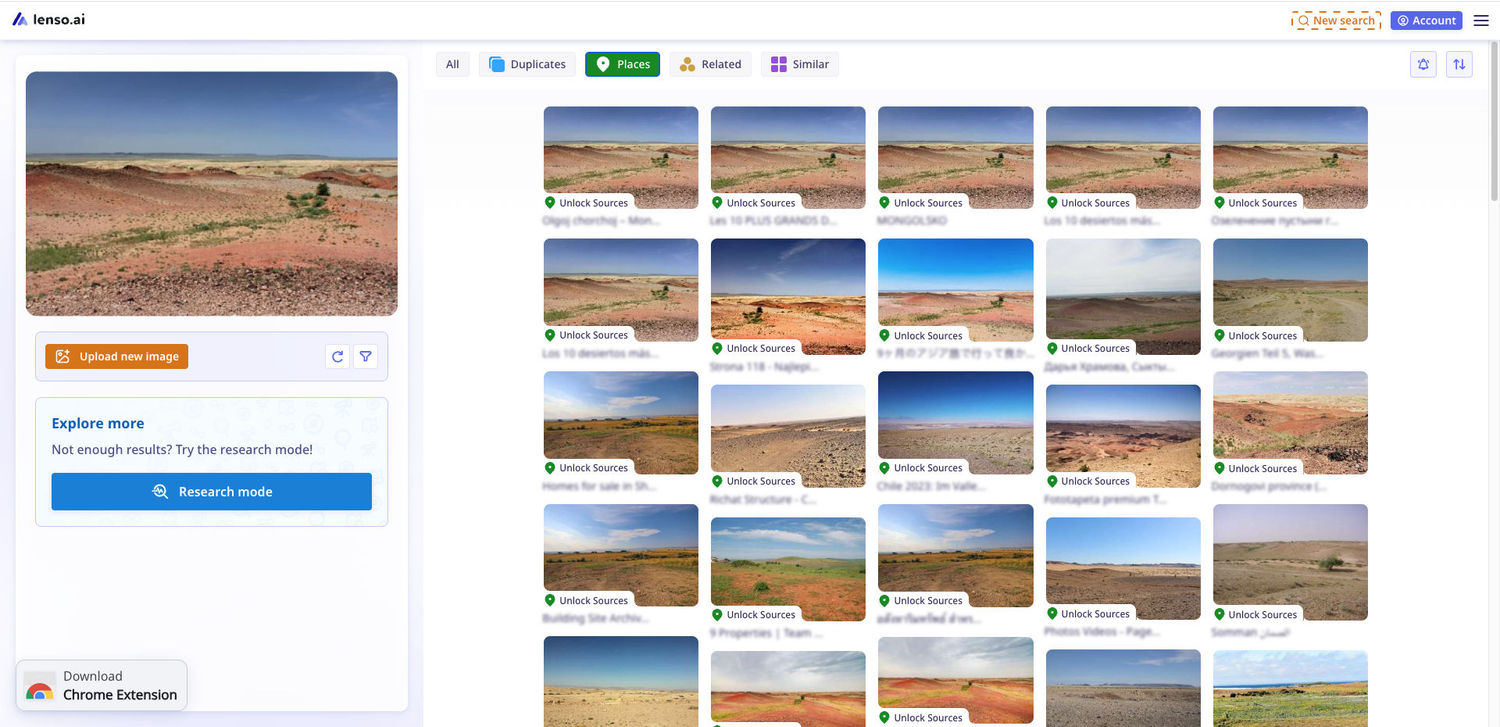
It was also able to recognize the Gobi desert:
You can also use it for finding homes and famous buildings:
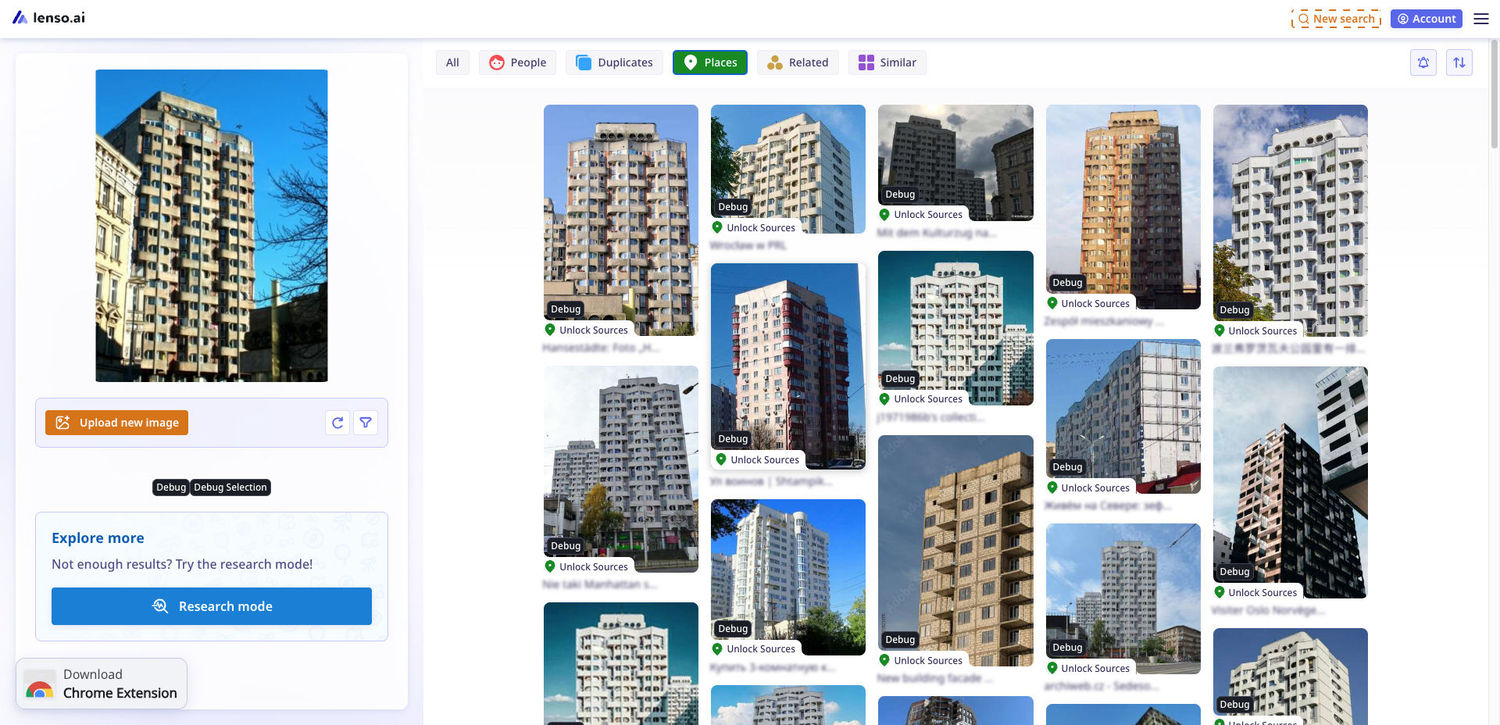
It works for all countries all over the world!
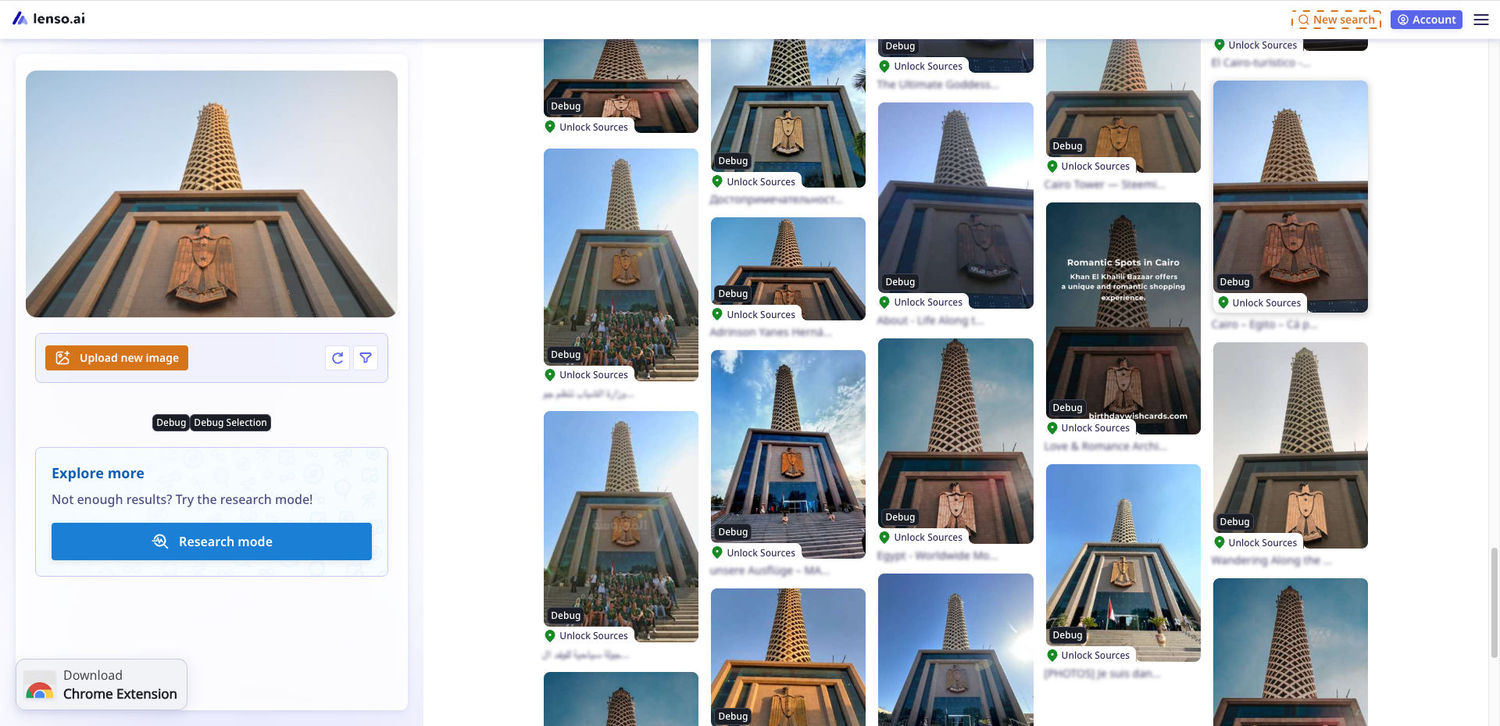
How to use lenso.ai to find locations online?
To find places online with lenso.ai, you need to upload an image of the place to lenso.ai by dragging and dropping, pasting, or uploading the photo from your drive:

This action will open an image search. Once the image search is shown, go to the places category (tabs on top) to find the exact place from the photo:
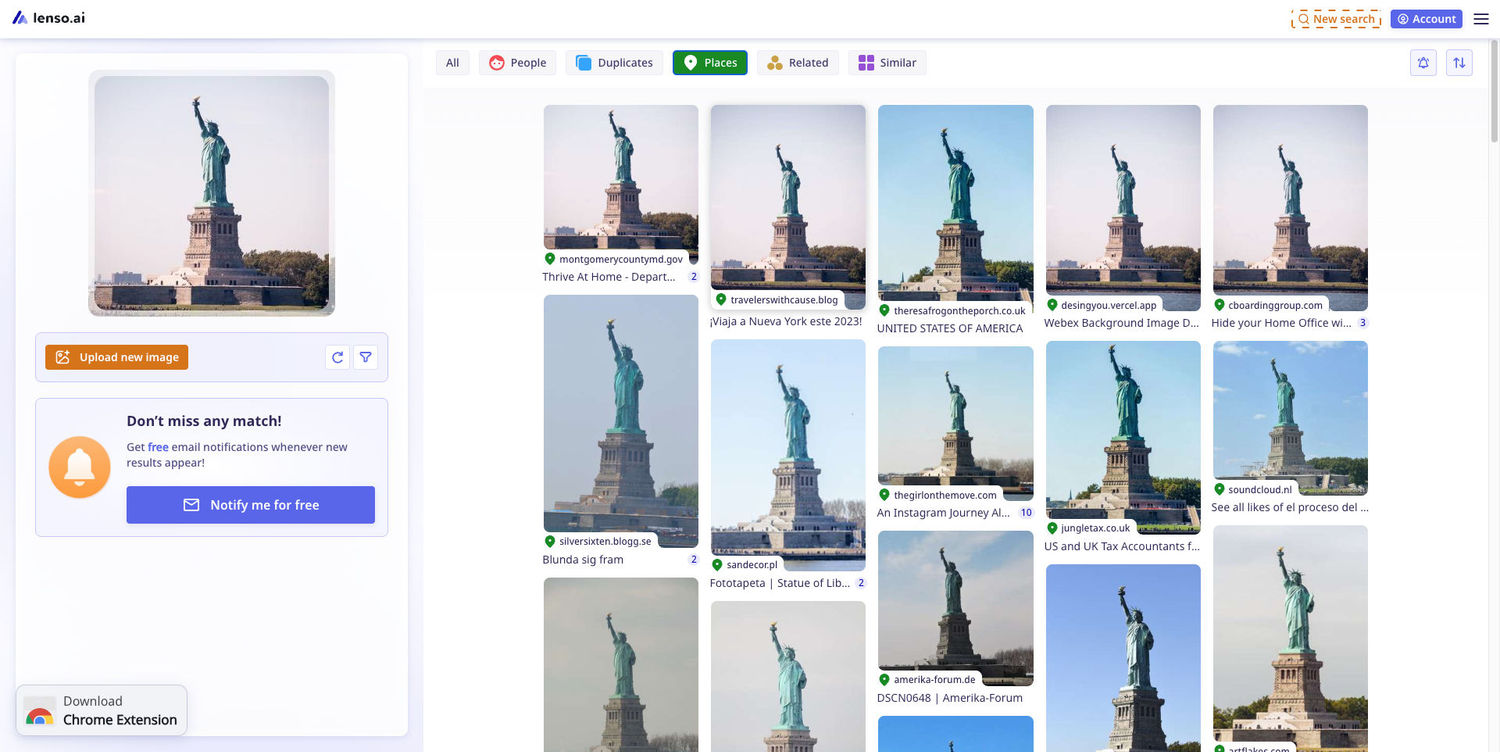
You can use filters and sorting to refine the search:
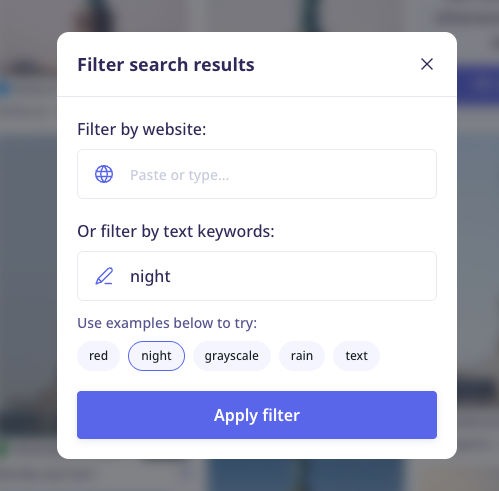
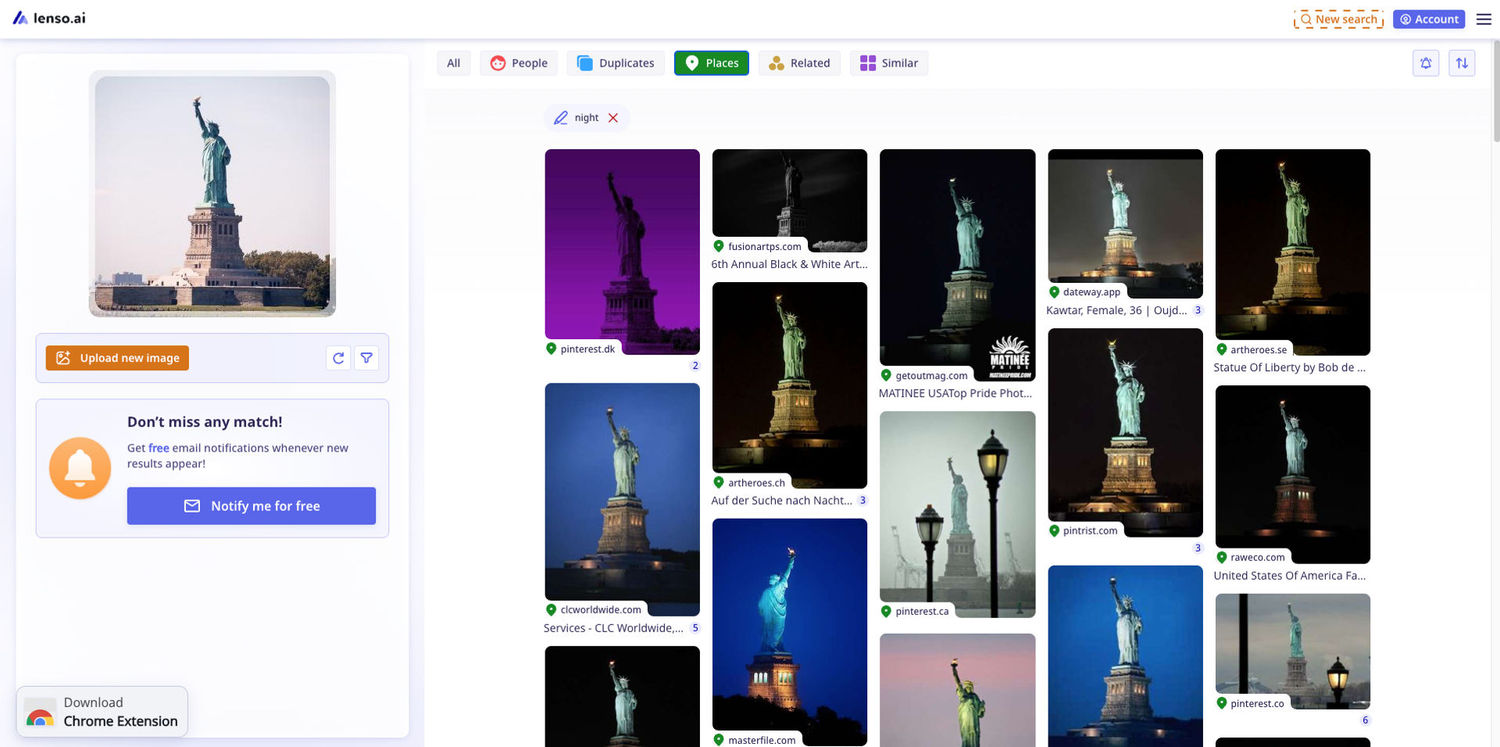
For example, the filter “night” in English shows images of the same place at night:
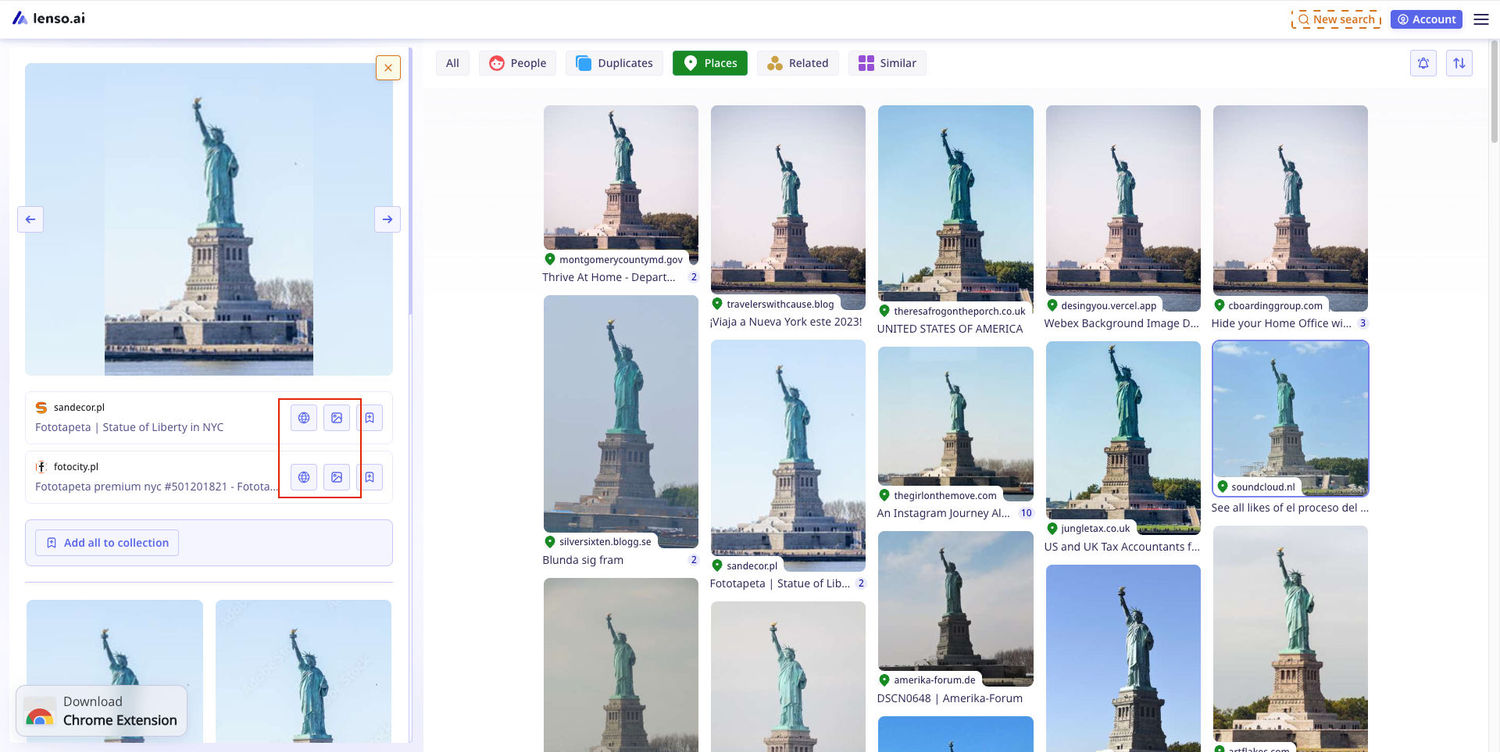
To see the source of the photo, you need to click on the icons that show up in the panel on the left side of the screen:
More about lenso.ai’s place search
Does lenso.ai’s API also find places online?
Yes, lenso.ai offers place search in the API. You can learn more about the API offer from our API page.
Does lenso.ai show the exact location of the place?
No. Unlike Google Lens, lenso.ai recognizes the place based on visual features of the location, and only shows photos of similar or identical locations and buildings. It cannot tell you the specific place.
Can lenso.ai find photos of places if they are taken from different angles?
Yes, lenso.ai can match the place to different photos of it, no matter the angle, weather, or time of day.
Are there any alternatives to lenso.ai place search?
There are very few pages that provide the exact same service, but you can use Google Images or Yandex for similar effects.
Does lenso.ai place search work on mobile?
Yes! You can find places online with lenso.ai on your phone by opening your browser and uploading a photo of a place from your gallery.
Is there a video tutorial showing how to use lenso.ai?
Yes, our YouTube Channel offers multiple videos explaining how image search on lenso.ai works and how to use it.
Find Places Online with lenso.ai
We hope this tutorial was helpful in discovering options to find places from image. If you have any questions regarding place search, contact us!

Author
Kinga Jasinska
Marketing Specialist
Continue reading

General
Visual Product Education: 6 Ways Ecommerce Brands Can Use Images to Build Customer Confidence
High product understanding is a direct prerequisite for high purchase intent. That’s why ensuring your target audience understands your solutions and their value is essential for guiding them toward conversion. However, communicating product benefits can be slightly more challenging online than in-store.

General
The Best Reverse Image Search for Photographers. Set Up Copyright Notifications!
If you are a photographer looking for a smart way to find your copyrighted content shared online, this is the place for you! In this article, we will explain how you can search for your photos being reposted, and the best ways you can automate the searching.

General
Face Search API by lenso.ai for businesses: Top 5 Industries and use cases
If you run a business and wonder how to boost your user engagement or add a feature that may become a game changer – we do have a solution! You need to implement the face search API from lenso.ai. Check whether your use case may be a good fit for reverse face search integration.

General
How Teams Can Improve Their Image Search Skills with AI-Powered Tools
AI-powered visual tools are changing how photographers, digital marketers, content creators, and researchers work. In a single day, one person might trace the source of a photo, check a campaign image for duplicates, and look for similar visuals for a new project. The tools evolve quickly, and training often struggles to keep up.