
Preview in:
Pimeyes: a brief overview
As you already know, PimEyes is one of the biggest and most well-known reverse face search tools. It is an established brand, we could say, and despite all the controversy surrounding it, it does its job and can help you find your images online.
But! PimEyes is no longer alone on the market, and there are some potentially even better alternatives that you may not have tried yet, simply because you didn't know about them or weren't sure whether they were worth trying.
Why is PimEyes not finding your photos?
There may be a situation when PimEyes does not return any results for your image – and that does not mean there are no matches online, or that you are safe and there is no potential misuse of your photos. It simply means (in many cases) that their face search engine has not found those images yet, or maybe it does not find new matches quickly enough.
Of course, it can also mean that there are indeed no face matches online, but it is better to double-check with another legitimate alternative.
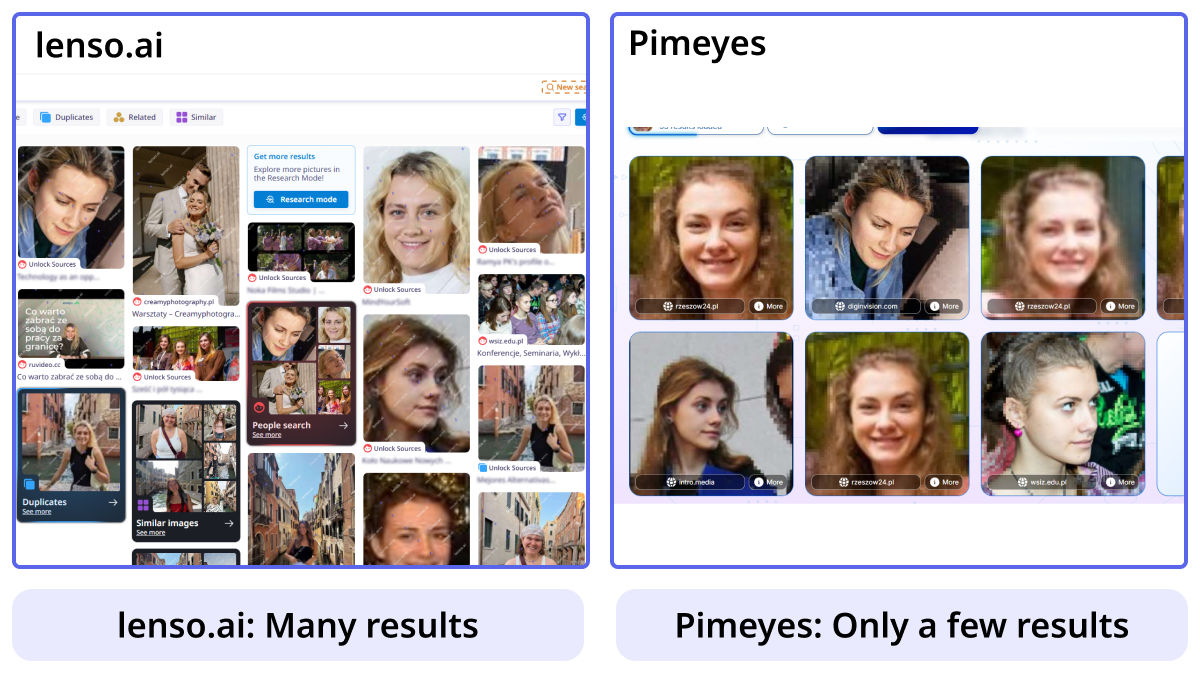
Let us show you at least one facial recognition tool that may be even better than PimEyes in many ways.
Better Than Pimeyes | Alternatives for People Search
PimEyes not finding your photos? Check the best Pimeyes alternative
If you decide to try another face search tool, your first choice should be lenso.ai. It is one of the best PimEyes alternatives and offers plenty of features that pimeyes does not have.
Starting with reverse image search in general:
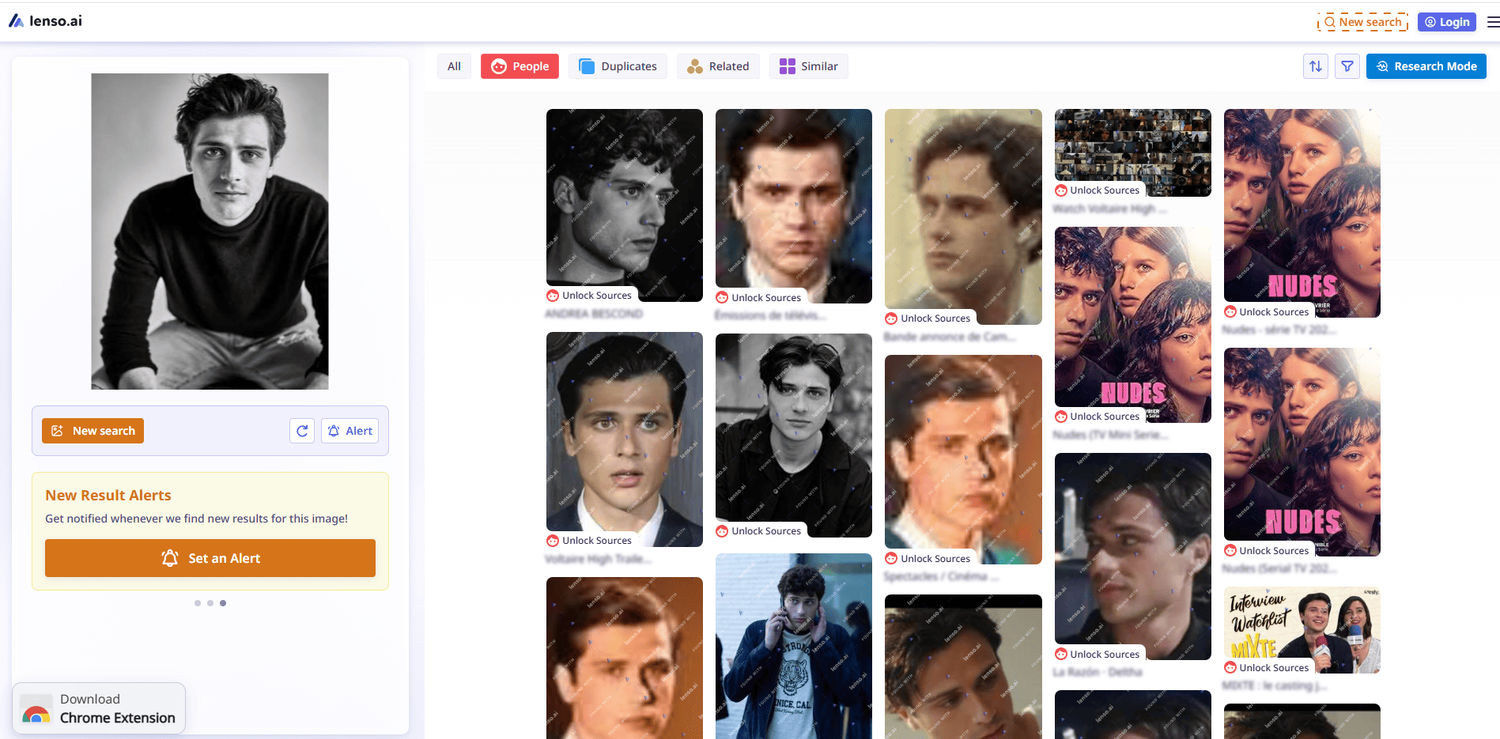
You can upload an image to lenso.ai and explore several search categories: People, Duplicates, Related, and Similar.
For face matches (which is what pimeyes focuses on), you should head to the People category.
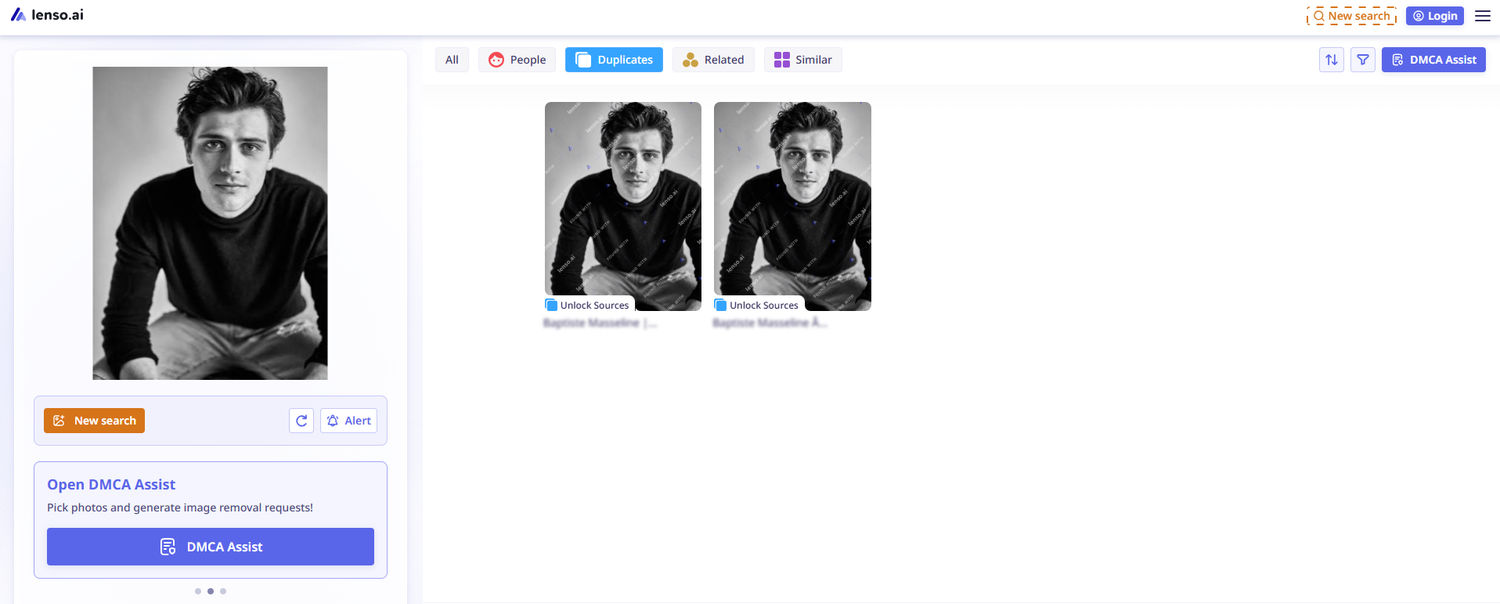
And if you want to find exact copies of your uploaded image, simply go to the Duplicates category. At this step, you can already see the difference – as you can simply compare whether PimEyes has the same results as lenso.ai.
On top of that, lenso.ai offers plenty of additional features that make your face search experience even more effective:
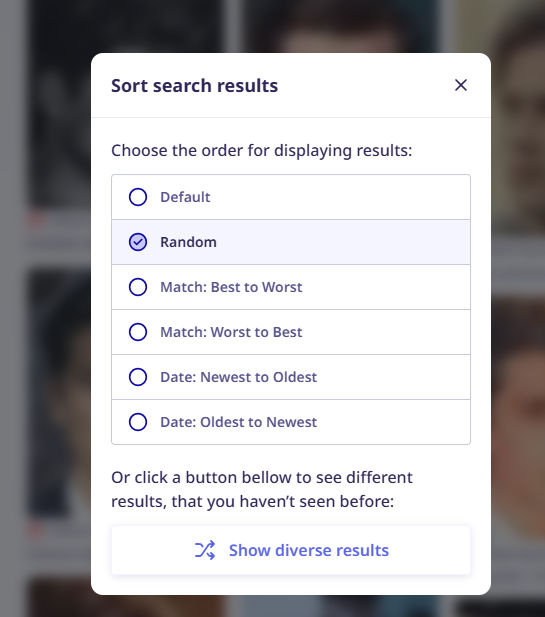
Filters and sorting options
If you have plenty of results, it is better to sort them by newest/oldest or best/worst match. Also, do not forget about the filter options: by specific domain and/or keywords. With the Professional plan, you will have access to even more filters (check the Research Mode).
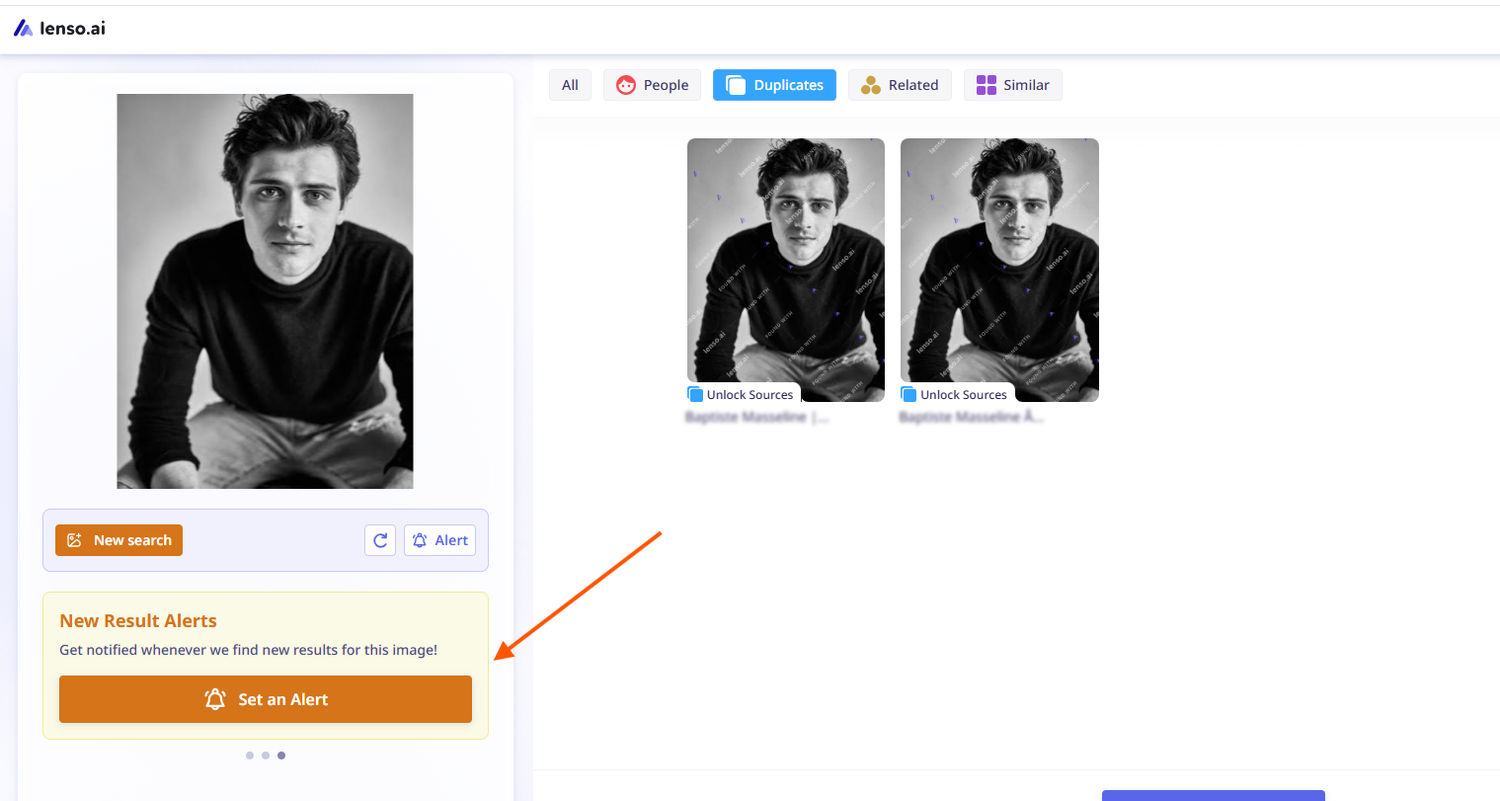
Alerts about new image matches
If you would like to keep track of where your images appear online or there are not enough results currently, you do not need to check your images manually from time to time. Just create an alert and receive email notifications whenever new results appear.
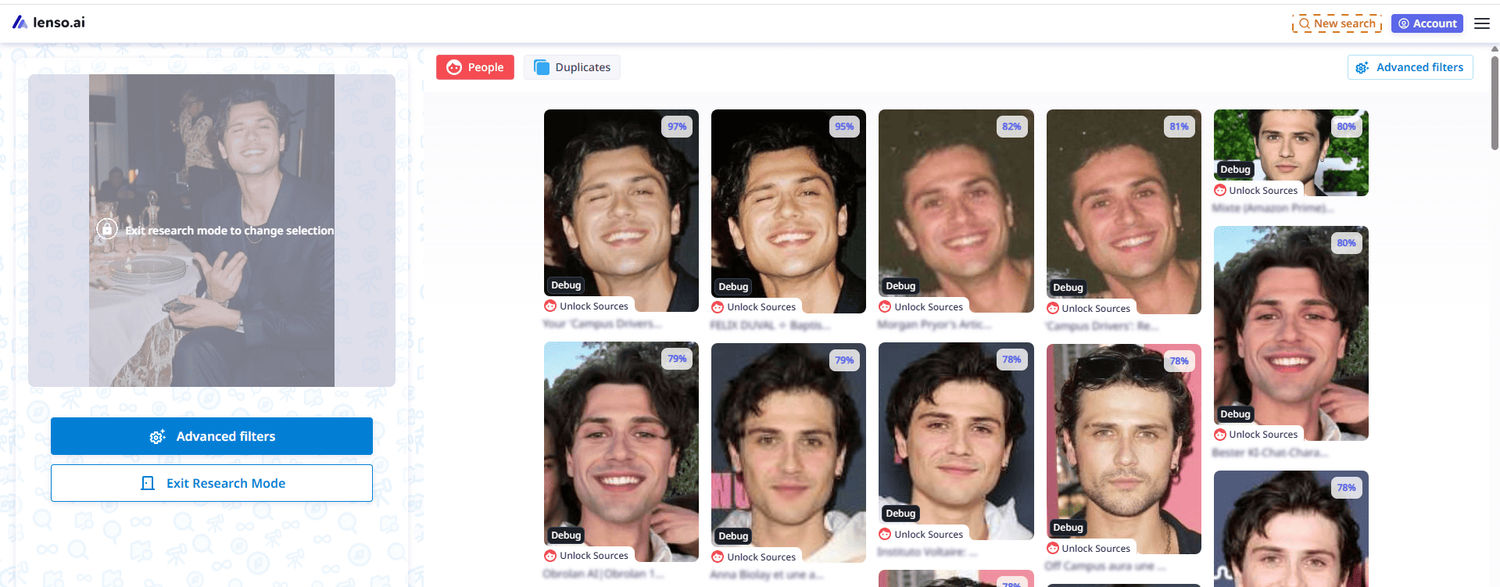
Research Mode
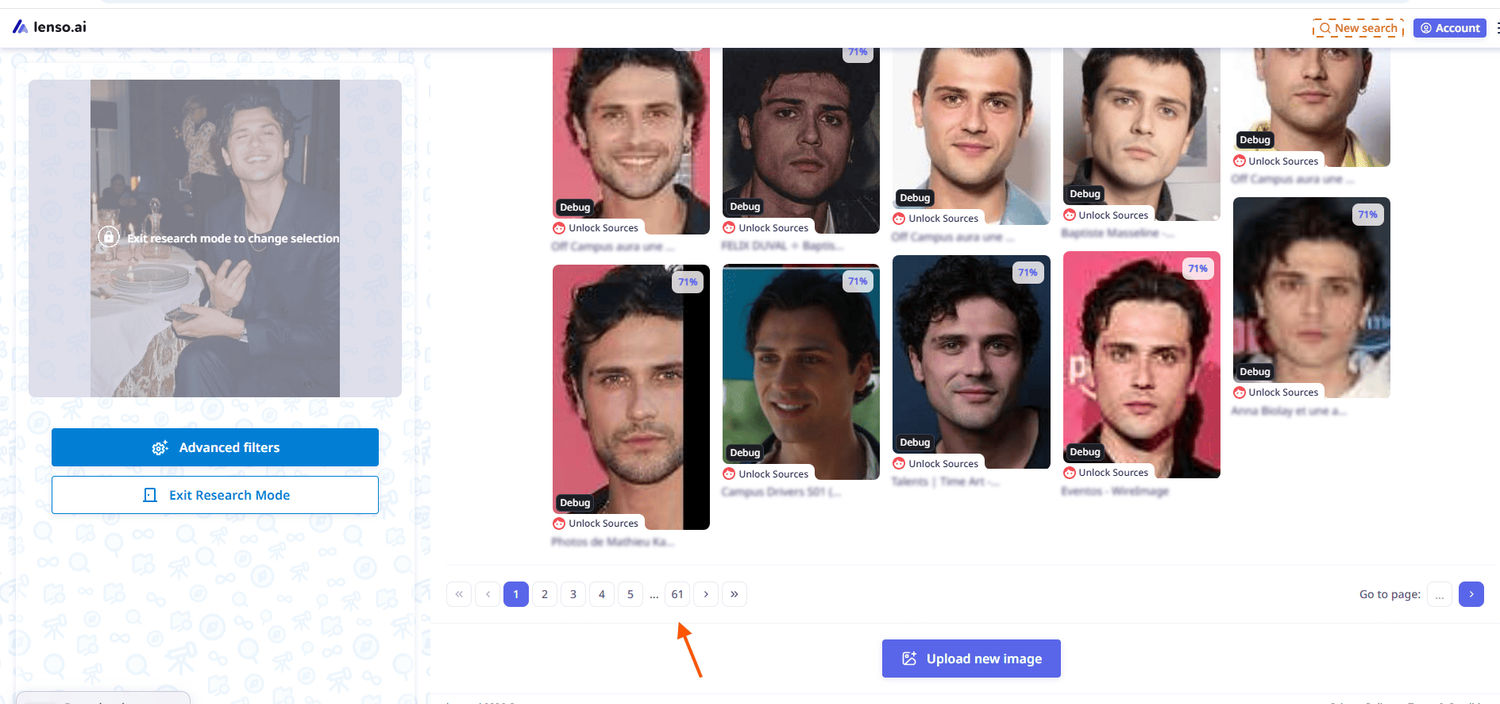
Another option for deeper investigation is to use Research Mode, which allows you to find even more results in the People and Duplicates categories. Here, you also have access to advanced filters (date range, language include/exclude, domain include/exclude, keyword in title, and image size).
DMCA Assist
DMCA Assist is another option if you’d like to take a step further, report images, and proceed with formal takedown requests. You simply need to select the image results you would like to report, and then you will get an email draft with all the links included. Just copy the message and send it directly to the website owners.
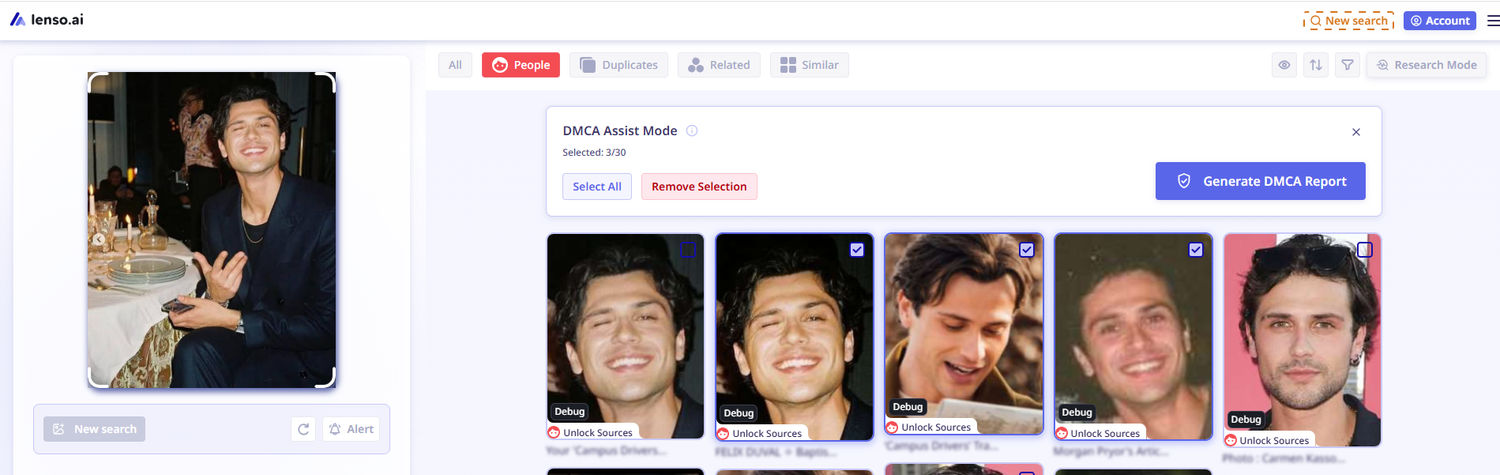
To use this feature, you need to have a Professional plan.
Face Search API
Face Search API is more useful not when you don't have enough results from PimEyes, but in general when you want to integrate face search technology into your own business, as PimEyes does not offer this option.
Contact us at [email protected] if you would like to find out more about how to become our API partner.
Lenso.ai vs Pimeyes
| Feature | Lenso.ai | PimEyes |
|---|---|---|
| Reverse face search | Yes | Yes |
| General reverse image search | Yes | No |
| Exact image duplicates | Yes | No dedicated category |
| Similar and related images | Yes | No dedicated categories |
| Face search alerts | Yes | Yes |
| Advanced Research Mode | Yes | No equivalent mode |
| Filter by domain | Yes | Limited |
| Filter by date range | Yes | Limited |
| Filter by language | Yes | No dedicated filter |
| Sort search results | Multiple options | Limited |
| DMCA Assist | Yes | Yes, depending on plan |
| Face Search API | Yes | No |

Author
Julia Mykhailiuk
Marketing Specialist
Continue reading

General
Designing "Find Similar Products" UI Patterns for E-Commerce Websites
Every online store has the same quiet moment of truth. A shopper lands on a product that is almost right. The color is close but not quite, the price is a little high, or the size they need is sold out. What happens next decides whether they keep exploring your catalog or close the tab.
General
Best AI photo protection tools in 2026
Information, and especially photos, spreads online very quickly. And basically, you cannot control it – at least not by checking manually. The best way is to use an AI photo protection tool to prevent any potential misuse or keep an eye on where your photos appear online and in what context. Let’s check out the best AI photo protection tools.

General
7 Steps to Build a More Efficient Digital Workflow for Your Team
Every team has its own workflow. This process is usually not well thought out. It’s not created as a finished, ready-to-use item, but develops through the process of formation through spreadsheets, everyday messaging applications, informal agreements, and accumulated experience.

General
Visual Product Education: 6 Ways Ecommerce Brands Can Use Images to Build Customer Confidence
High product understanding is a direct prerequisite for high purchase intent. That’s why ensuring your target audience understands your solutions and their value is essential for guiding them toward conversion. However, communicating product benefits can be slightly more challenging online than in-store.

General
The Best Reverse Image Search for Photographers. Set Up Copyright Notifications!
If you are a photographer looking for a smart way to find your copyrighted content shared online, this is the place for you! In this article, we will explain how you can search for your photos being reposted, and the best ways you can automate the searching.