Preview in:
Looking for copies of photos on the internet
There are countless images online. Reverse image search tools can find many images, but not all of them. That’s why less popular images get lost.
But often, there are instances where you want to find the exact same image online: like when you are searching for a painting you found, an article of clothing, a piece of furniture… There are countless use cases.
Why is it hard to find identical photos with Google now?
Many users complained about Google’s search engine becoming less effective. That’s mainly due to the company’s focus shifting towards e-commerce, focusing on showing items for purchase, rather than copies of pictures. However, users often report issues with understanding the page's UI.
Google Image Search vs Other Search Engines
While Google Image Search works well and it’s free, nowadays, there are options, paid and otherwise, that are more accurate for specific use cases. They offer more features, they are privacy-focused, and they do not show any ads for a small price of a subscription.
In this article, we will show you the ways in which you can use Google for finding identical photos, as well as other engines that you can utilize for reverse image search.
How to reverse image search for identical photos?
To find the same exact photos, you can use Google Image Search or alternative Similar Image Search Engines, such as lenso.ai.
How to find the same exact photo with Google Image Search?
Google Image Search, as well as Google Lens might be confusing to some users, since the ability to find identical photos is hidden in tabs above the search.
To find the same photo on Google Image Search, you need to follow these steps:
- Upload your image to Google Image Search
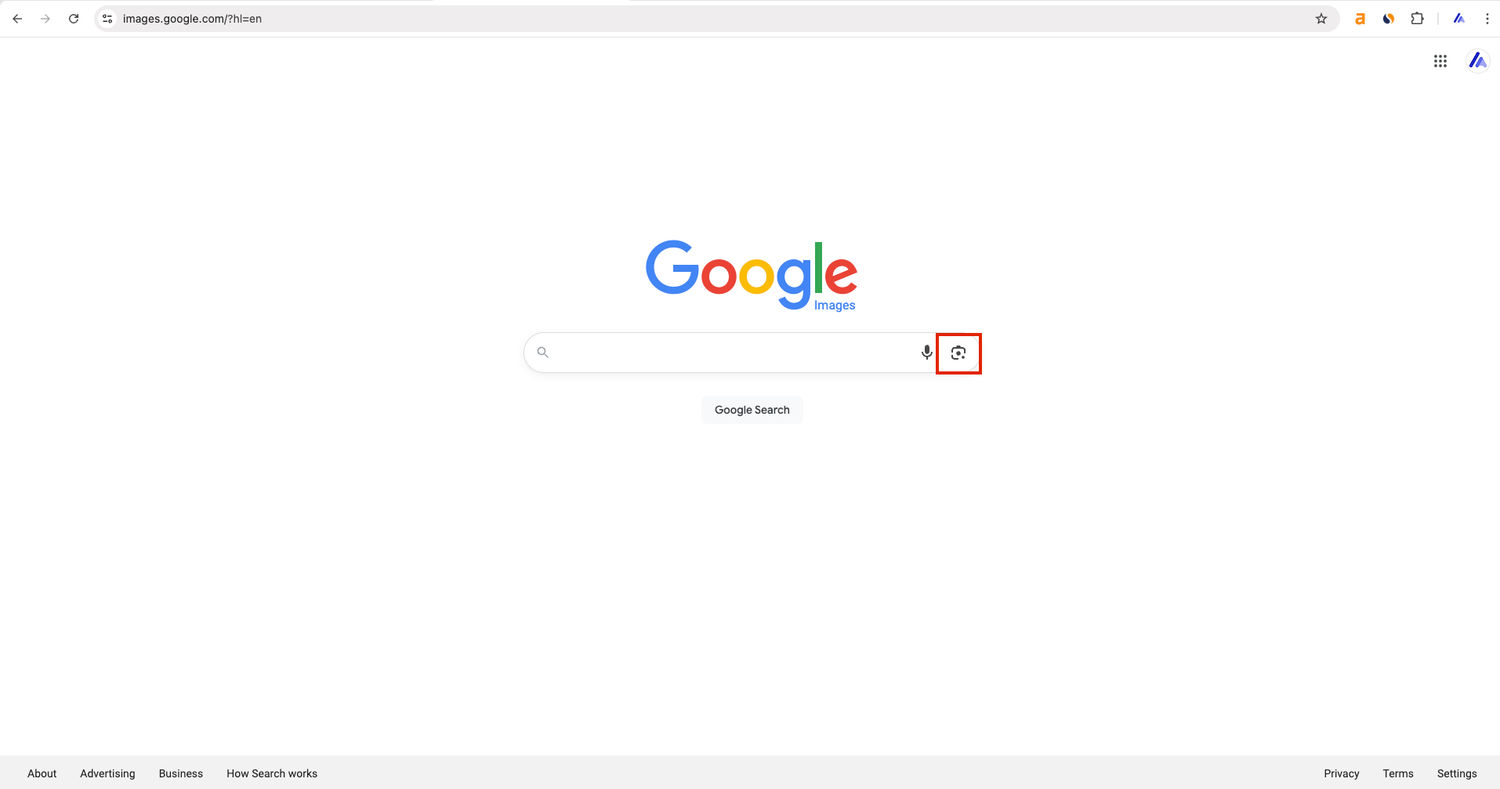
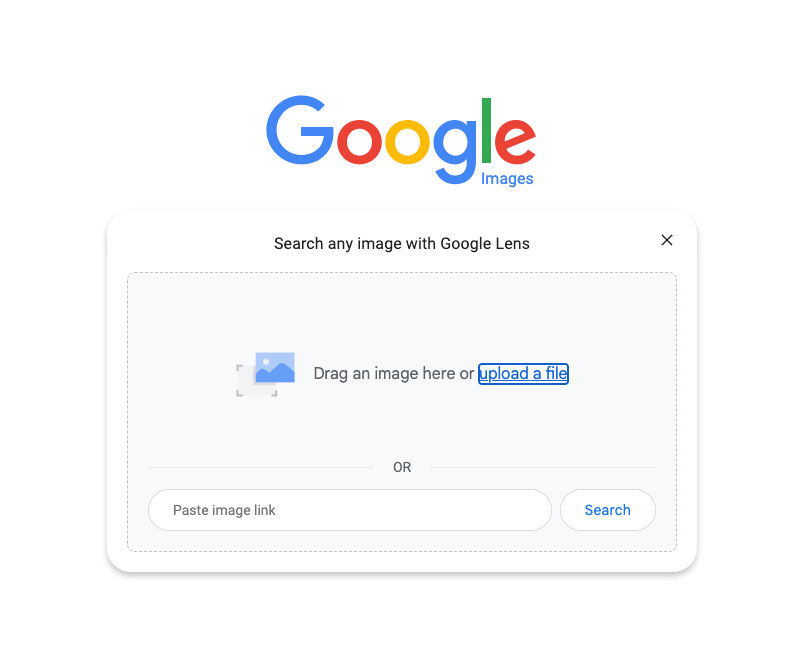
- Choose the “Exact matches” tab
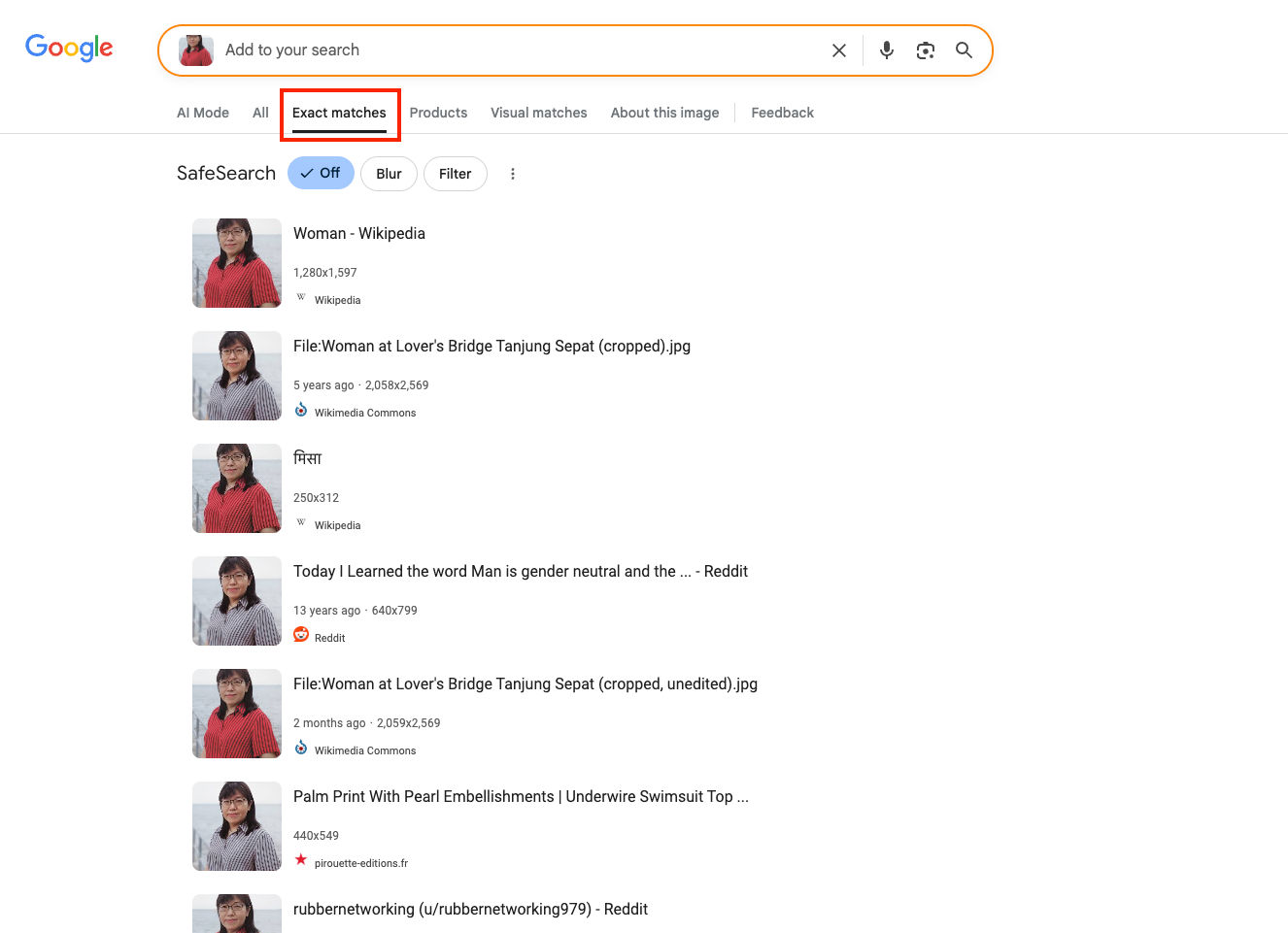
This way, you will only get the best results!
It works the same way in Google Lens. To find the exact same photos, just go to the “Exact matches” tab.
How to find identical photos with lenso.ai?
To find the exact same image with lenso.ai, go to the main page and upload your photo.
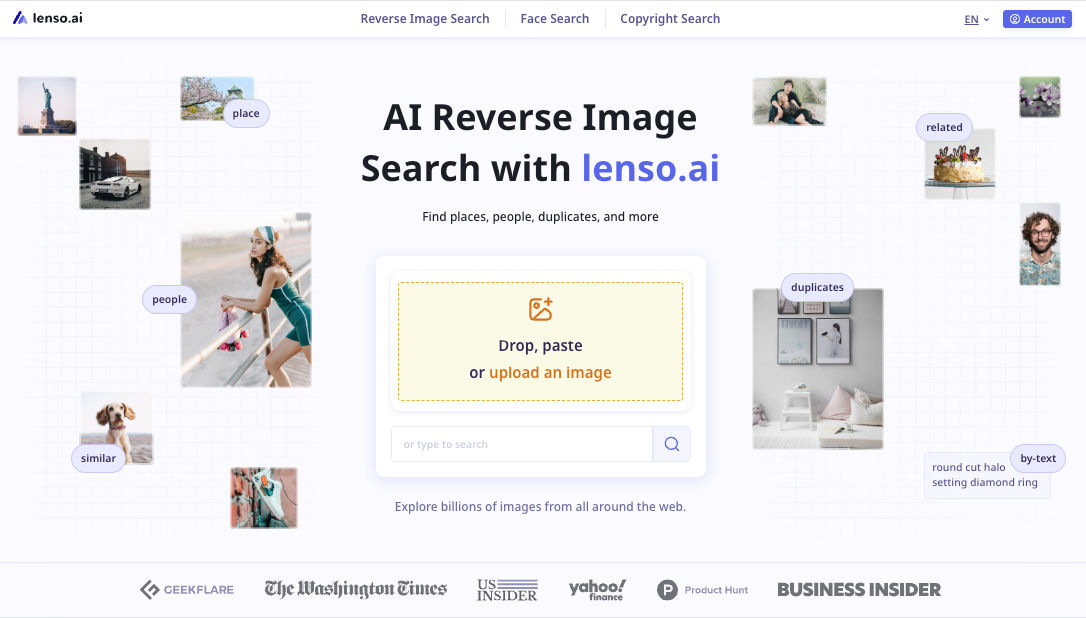
Then, go to the Duplicates tab to find identical images.
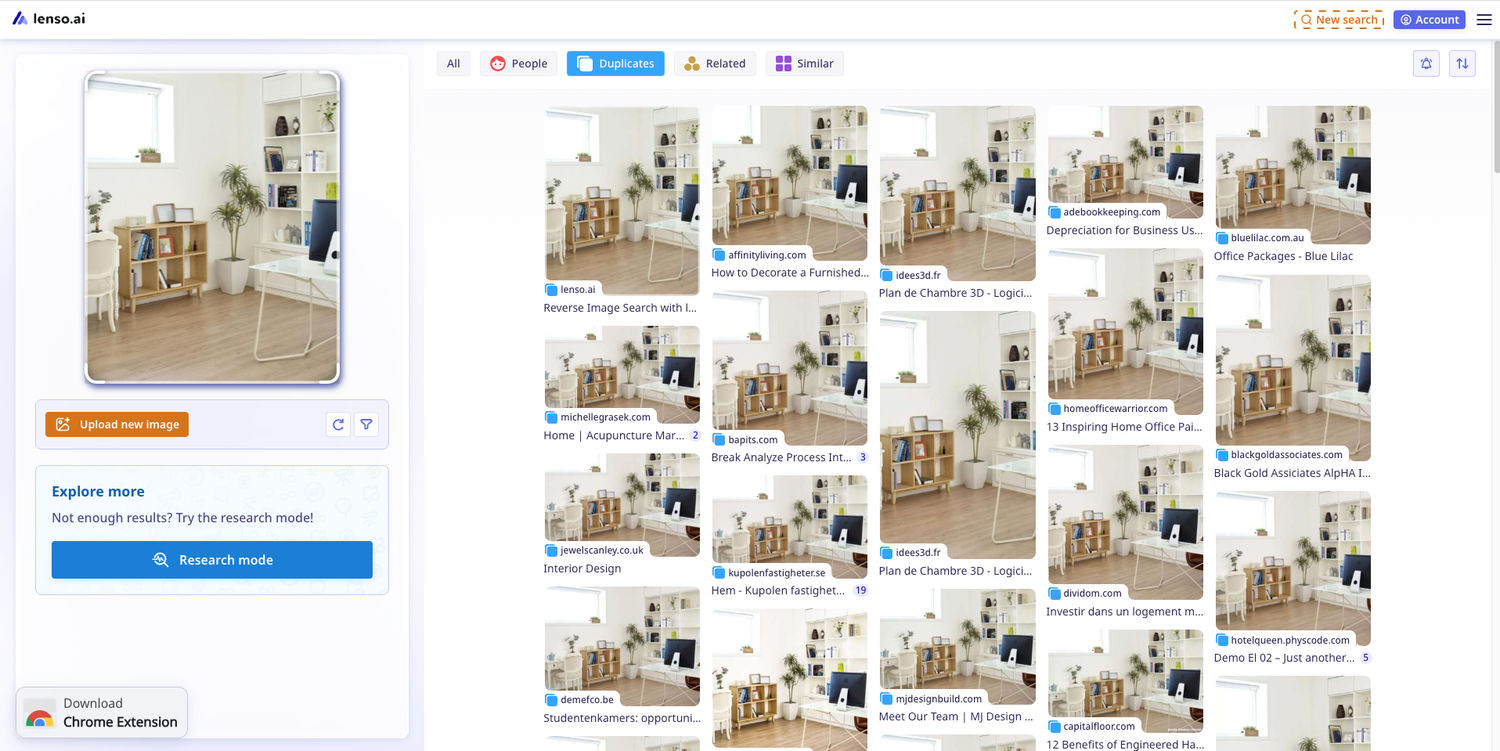
Unlike Google, lenso.ai does not show ads and it’s privacy-focused, keeping your data safe.
Want to try it? Upload your photo to lenso.ai and reverse image search for free!
How to find identical images with TinEye?
TinEye is a classic reverse image search that finds many older images on the web.
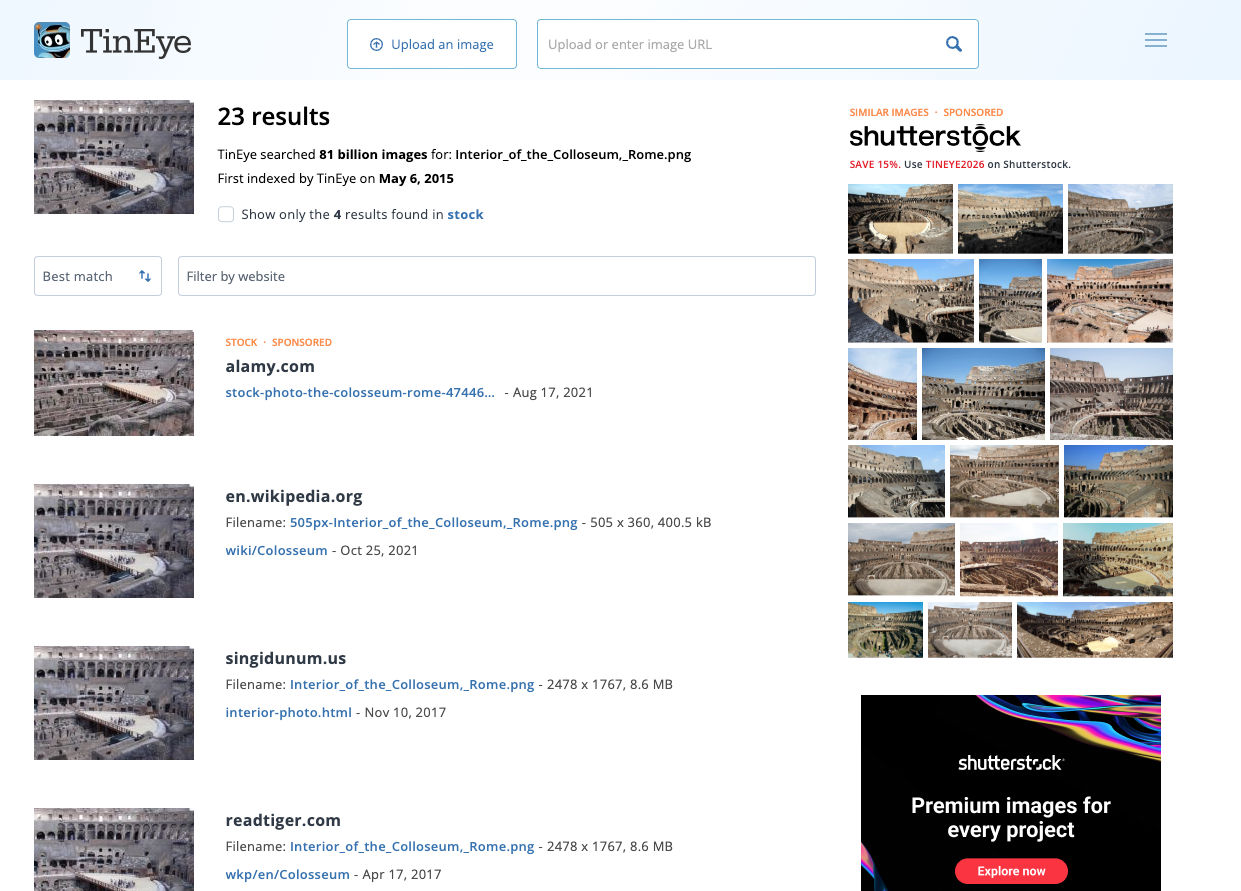
To use it, upload the photo on the main page and scroll to see all the results. It’s very effective for Creative Commons/free pictures and Stock images.
Online communities
When no reverse image search works, you can visit Reddit! Online forums like Reddit’s r/helpmefind might find just the thing you are looking for - for free!
Best Alternatives for Google for Finding Copies of Photos
While Google image search is great, there are many alternatives that you can find useful when searching for similar and the same images. Try them!

Author
Kinga Jasinska
Marketing Specialist
Continue reading

Guides
7 Ways Brands Can Use Reverse Image Search to Protect Themselves
Most brands monitor their name. They set up Google Alerts, track hashtags, and keep an eye on reviews.
%20(1).jpg?tr=w-768,h-auto)
Guides
How to Prepare and Convert Images for Reverse Image Search
A product photo, a transparent logo, and a screenshot may arrive in the same folder, but they should not automatically leave it in the same format. Choosing the wrong output can replace transparency with a solid background or soften text that was perfectly readable. These differences matter when preparing images for websites, online platforms, and reverse image search tools.

Guides
Find cozy fall aesthetics online with reverse image search
Fall is the perfect season to shop for cozy, aesthetic finds. With the internet overflowing with autumn posts and inspiration, it can be hard to narrow down what you want. How to find cozy fall aesthetics online with reverse image search?

Guides
How to find the perfect fall photoshoot location from a photo?
Fall is the perfect time for a new photoshoot, whether you want to create fresh content for your personal social media accounts or promote your product or brand with an authentic fall vibe. But first, you need to find the right place. Find out how to discover the perfect fall photoshoot location from a photo.

Guides
What to do in the first ten minutes after you find your own face in a reverse image search?
Finding your own face in a reverse image search is a strange feeling. Not usually because the result is sinister, most of the time it is a conference photo, an old profile picture, a team page from a job you left in 2019, but because you did not put it there and you did not know it was there.