
Preview in:
Reverse Image Search - but better!
Lenso.ai is a reverse image search platform that allows you to paste and search for any photo online. What sets it apart from similar services, such as Google Lens, is its ability to find duplicates and copies of millions of photos and search for people in any image.
How can lenso.ai help you?
- Find photos of your models by face
- Look for people stealing images of your face and using them for fraud
- Find copies of your photos used on websites you had no idea about
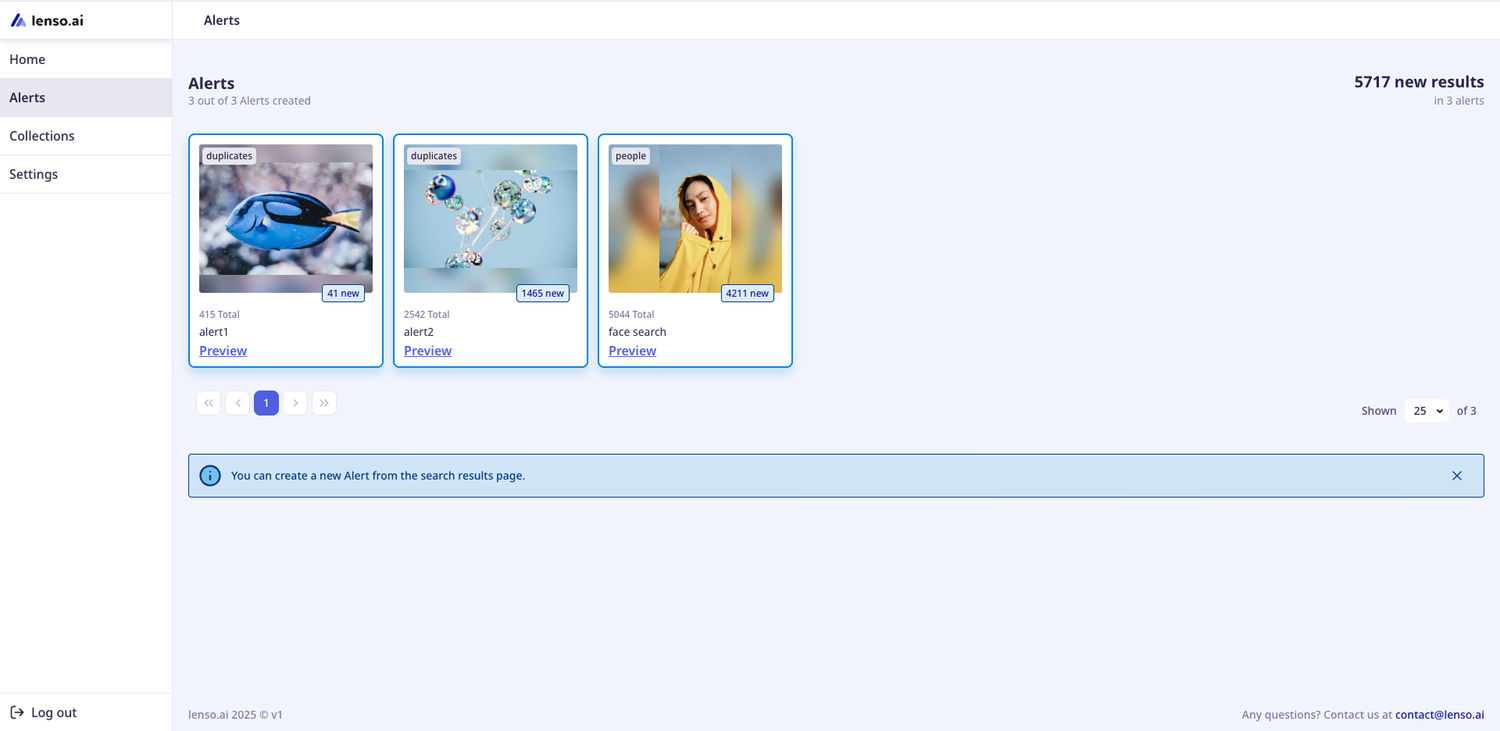
- Set up alerts for your pictures and get notified when new matches appear
How to Reverse Image Search for your copyrighted work?
- Open lenso.ai
- Upload your photo on the main page
- Go to the People category for facial recognition or to the Duplicates category for copies of your photos
- Click on the image you don’t recognize to find the source
Set up notifications
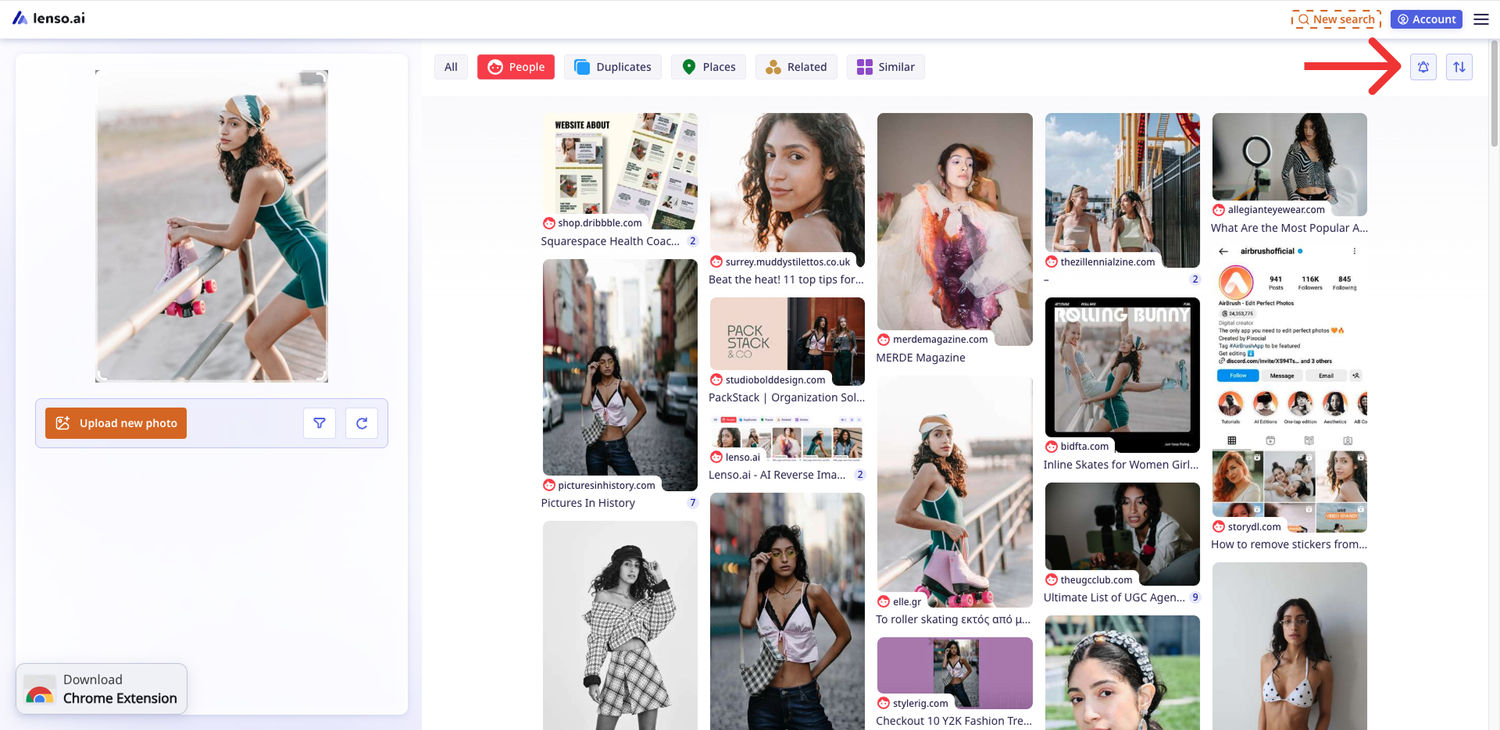
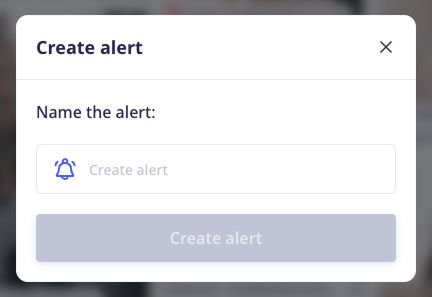
To get notified when we find another copy of your image, set up an alert. Click on the bell icon on top and set up an alert for free!
How to protect your copyright online?
Make sure to always check whether your images are being misused. You can Report Content On Google. Consider sending a cease and desist letter to the infringer. If that doesn't resolve the issue, you may need to consider legal action.
Make sure to use Preventive measures when dealing with copyright.

Author
Kinga Jasinska
Marketing Specialist
Continue reading

Guides
How to find the perfect fall photoshoot location from a photo?
Fall is the perfect time for a new photoshoot, whether you want to create fresh content for your personal social media accounts or promote your product or brand with an authentic fall vibe. But first, you need to find the right place. Find out how to discover the perfect fall photoshoot location from a photo.

Guides
What to do in the first ten minutes after you find your own face in a reverse image search?
Finding your own face in a reverse image search is a strange feeling. Not usually because the result is sinister, most of the time it is a conference photo, an old profile picture, a team page from a job you left in 2019, but because you did not put it there and you did not know it was there.

Guides
Is your match real? Reverse image search a dating profile
Dating apps are probably the go-to solution for finding a potential date, but unfortunately, they can also be one of the riskiest options. How can you make sure your match is real? Do a reverse image search and find more information using their dating profile picture.