Preview in:
How facial recognition helps you find lost photos?
Facial recognition technology works by analyzing the unique features of your face. When you upload a photo of yourself, AI tools compare that signature to millions of images online or in a specific index to find potential matches.
These tools don’t just rely on exact copies. They can find you even in group photos, low-quality images, or pictures where your appearance has changed slightly over time.
Whether you're trying to track down lost images or photos from past events, check where your image exists online, or prevent your work from being used without proper credit, facial recognition makes the process fast, accurate, and surprisingly easy.
Copyright Protection with AI Reverse Image Search | Try it for free!
Use AI-powered reverse image search tool to find your lost photos
Whether you've lost photos that might be available online or want to check for potential misuse of your images (like your creative work), reverse image search with facial recognition can help you out.
Reverse Image Search | How to Search by Image?
And you don’t need to rely on multiple different tools that each offer only part of the solution. All you need is lenso.ai - an all-in-one platform designed to help you find your lost photos using:
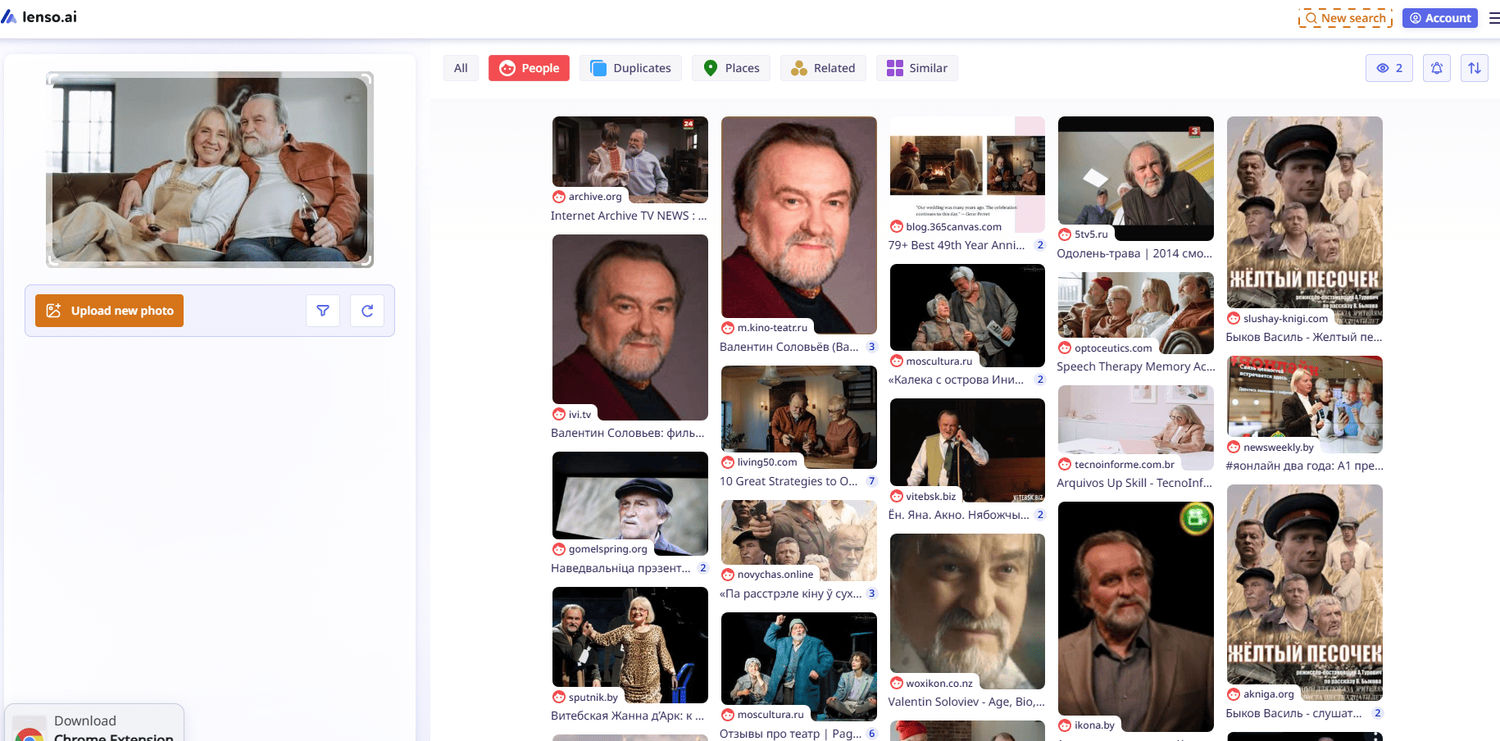
Getting started is simple. Just upload a photo of your face, or even low-quality copies of your lost images, to lenso.ai. The tool will then scan and present results in key categories such as:
- People
- Duplicates (useful for copyright tracking)
Additional categories include:
- Places
- Related images
- Similar images
How else lenso.ai may help you?
If you want to find a specific photo, try narrowing your search using the sorting and filter options on lenso.ai:
Filter by:
- keywords
- URL
Sort by:
- newest / oldest
- best / worst match
- random
Sometimes, you might not find any related matches right away on lenso.ai, but that doesn’t mean it’s over. You can create an alert for a specific image and category, and whenever new results appear online, you’ll receive an email notification. This way, you’ll be among the first to find your lost photos as soon as they surface.

Author
Julia Mykhailiuk
Marketing Specialist
Continue reading

Guides
How to find the perfect fall photoshoot location from a photo?
Fall is the perfect time for a new photoshoot, whether you want to create fresh content for your personal social media accounts or promote your product or brand with an authentic fall vibe. But first, you need to find the right place. Find out how to discover the perfect fall photoshoot location from a photo.

Guides
What to do in the first ten minutes after you find your own face in a reverse image search?
Finding your own face in a reverse image search is a strange feeling. Not usually because the result is sinister, most of the time it is a conference photo, an old profile picture, a team page from a job you left in 2019, but because you did not put it there and you did not know it was there.

Guides
Is your match real? Reverse image search a dating profile
Dating apps are probably the go-to solution for finding a potential date, but unfortunately, they can also be one of the riskiest options. How can you make sure your match is real? Do a reverse image search and find more information using their dating profile picture.