Preview in:
What are filters on lenso.ai?
Filters are additional tools that you can use to refine your reverse image search.
Domain filter
You can put in a domain (URL of a website) to search only on that specific website.
For example, you can put in “lenso.ai” to search only on lenso.ai.
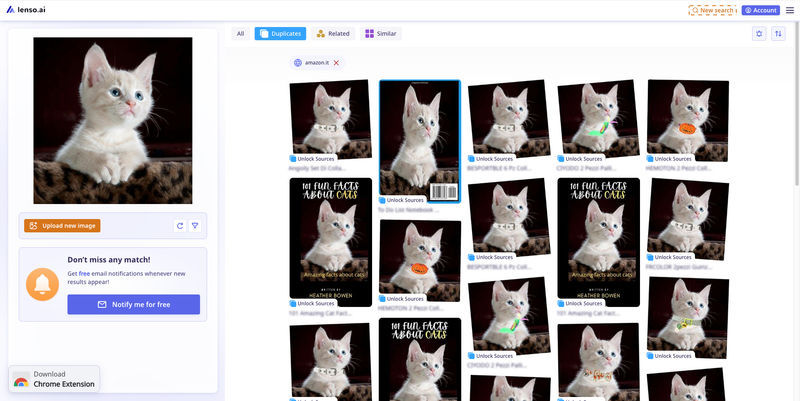
You can see the filter was added on top, below the categories.
Text filter
You can add an additional text keyword in English to find images with specific features.
For example, upload a photo of a bag and add a keyword red (in English), to only find red bags.
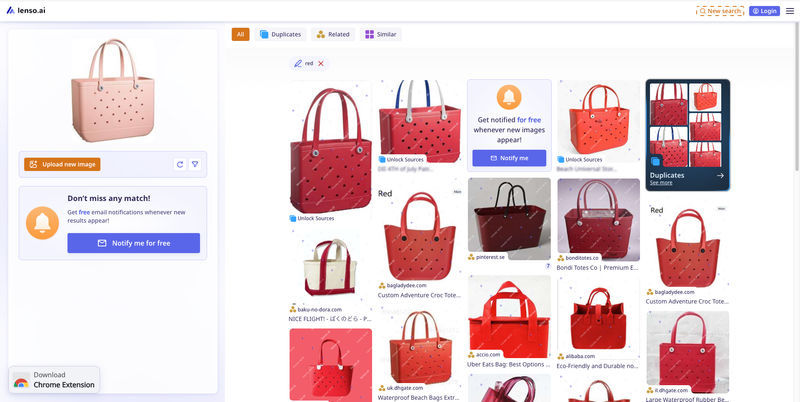
You can see the filter was added on top, below the categories.
How to access filters on lenso.ai?
Filters on lenso.ai are available for everyone: free users, users without an account, and premium users alike. They work in every category available.
How to open filters on lenso.ai?
Follow these steps to use the domain and text filters on lenso.ai:
- Upload an image on the main page
- Find the funnel icon and click it to open filters (on mobile, you need to scroll to the bottom of the page)
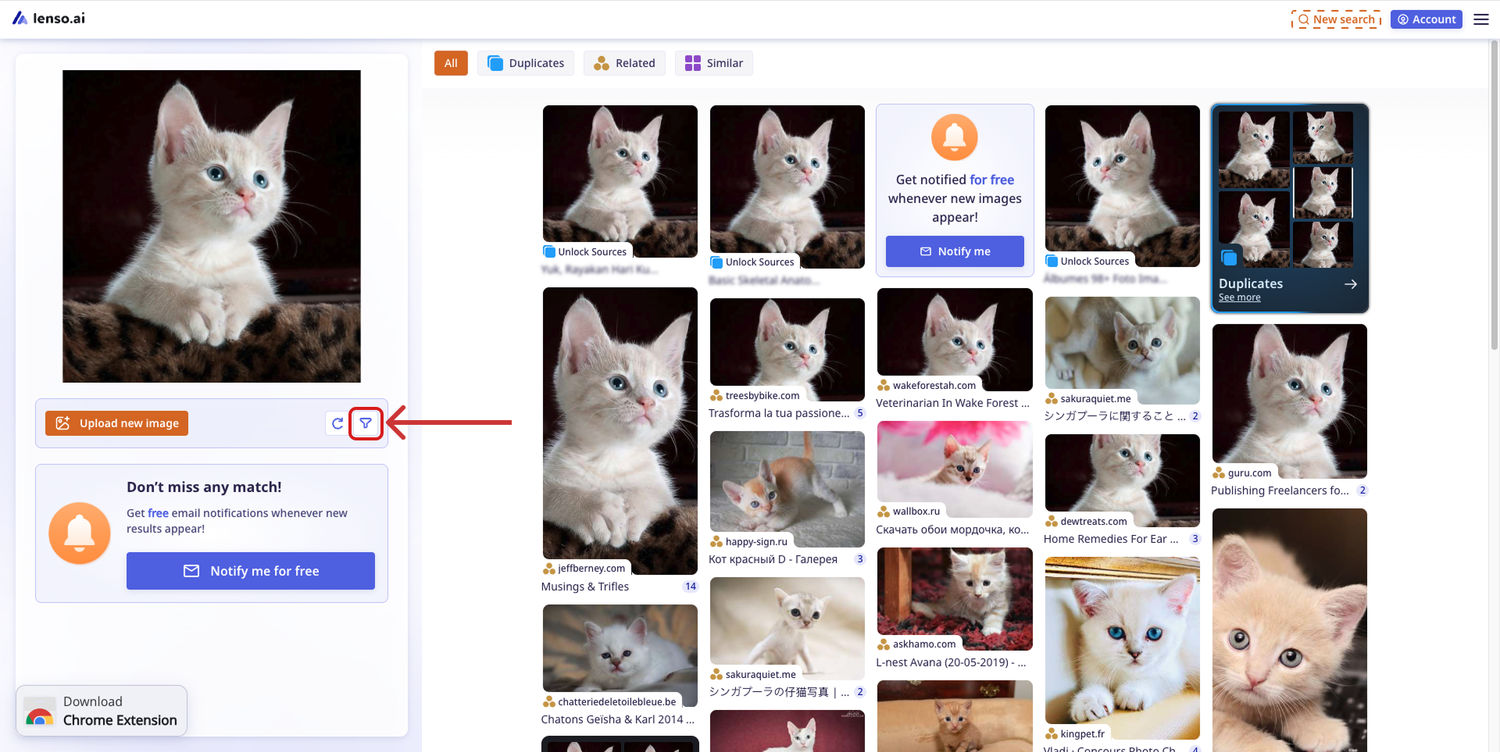
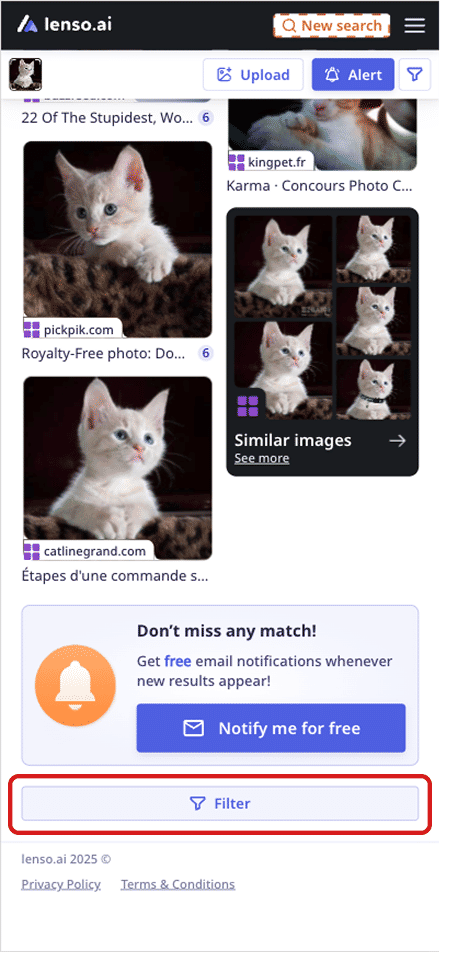
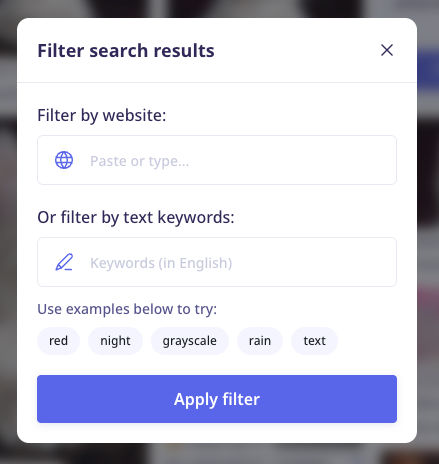
- In the pop-up, you can type in the word keyword or a domain you’d like to search on
Search for more with lenso.ai
If you’d like to learn more about lenso.ai, here’s a video you can watch:
Use lenso.ai to find people, places, duplicates, similar, and related photos - all on one page.

Author
Kinga Jasinska
Marketing Specialist
Continue reading

Guides
How to find the perfect fall photoshoot location from a photo?
Fall is the perfect time for a new photoshoot, whether you want to create fresh content for your personal social media accounts or promote your product or brand with an authentic fall vibe. But first, you need to find the right place. Find out how to discover the perfect fall photoshoot location from a photo.

Guides
What to do in the first ten minutes after you find your own face in a reverse image search?
Finding your own face in a reverse image search is a strange feeling. Not usually because the result is sinister, most of the time it is a conference photo, an old profile picture, a team page from a job you left in 2019, but because you did not put it there and you did not know it was there.

Guides
Is your match real? Reverse image search a dating profile
Dating apps are probably the go-to solution for finding a potential date, but unfortunately, they can also be one of the riskiest options. How can you make sure your match is real? Do a reverse image search and find more information using their dating profile picture.