statue

building

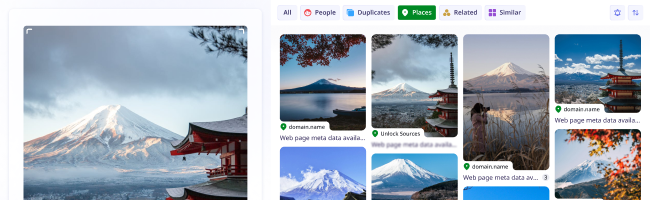
place

car

woman

people

dog

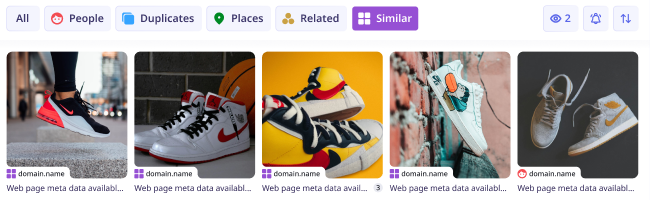
similar

shoes

Reverse Image Search with lenso.ai

Find similar images, places, duplicates and more

Find images online with AI image search.

couple

cookies

flower

room

duplicates

man

round cut halo setting diamond ring

by-text
roller

people

dog

cookies

duplicates

place

building

room

similar

round cut halo setting diamond ring

by-text

Search for Pictures Online

The Best Reverse Image Search

Look for inspiration

Get inspired by lenso.ai’s image search! Find clothes, art references, paintings, and more. With reverse image search, it’s possible to discover great ideas, find sources of pictures online, and explore new websites.

categories

Find where your photos are shared

Check where the images you took appear online. Find sources of any photo and discover hundreds of copies of any picture. Sort and filter your results for the most accurate image search.

face recognition

Discover similar pictures

Find thousands of similar photos and discover the best match for any object, person, or location. With reverse image search on the highest level, it’s a piece of cake to search for anything you want in seconds.

duplicates

Find objects, animals, books and more...

Search for animals, plants, food, and many more using lenso.ai’s versatile reverse image search! Discover album covers, movies, books, or even trademarks and logos by searching for a photo with lenso.ai.

easy intuitive

Want to get unlimited access to photo sources?

Subscription plans

Learn more about image search

What is Reverse Image Search?

How does Reverse Image Search work?

Reverse image search allows users to find images online using pictures instead of words. Image Search technology analyzes visual features like shapes, colors, and patterns to find a match for any image online. AI reverse image search relies on deep learning and Content-Based Image Retrieval (CBIR) to match images based on visual similarity, rather than text, making this technology modern, easy to use and extremely efficient. Tools like lenso.ai enhance this by offering specialized search categories (e.g., people, places, duplicates) and features like copyright alerts and advanced facial recognition. Reverse image search is not only powerful and precise, but also safe when used on privacy-conscious platforms like lenso.ai.

What can Reverse Image Search be used for?

Reverse image search can be used for finding similar photos online, finding exact copies of pictures, as well as finding photos in different formats and resolutions. Many users use image search to find out what plant or animal is in the photo they took. Additionally, image search is often used for finding inspiration, like similar clothes, food and recipes and more. It’s especially useful in online shopping. Additionally, many people use facial recognition in image search to find people from a photo.

Reverse Image Search is used by photographers who want to protect their copyright, online artists looking for inspiration, as well as everyday users looking for similar photos online. Moreover, facial recognition technology, like in lenso.ai, can be used to avoid online scams, protect privacy and track digital footprint of any person.

How to reverse image search online?

Reverse Image Search Online is available to everyone who owns a mobile phone, tablet, or computer. To search by image from your browser, visit an image search website like lenso.ai and upload your photo to find similar images, exact copies of any picture or people and places depicted in your image.

To reverse image search:

  1. Visit a reverse image search website like lenso.ai
  2. Upload your image by dragging, pasting, or uploading from your drive
  3. Click on any result you like best
  4. Visit the website or open the image in a new tab


Lenso.ai is mobile-friendly, works on all of the most popular browsers and operating systems.

Reverse Image Search for Mobile and Desktop

Reverse image search is available for Android, iOS, Mac, Windows and Linux. You should use it to find sources of photos online or find similar images, places, people and more.

To search by image:
On desktop: Navigate to your browser - Chrome, Safari, Firefox, or any other - and visit lenso.ai. Upload your image by pasting, dropping, or choosing a photo from your computer. Then, from the top bar, choose the category to make your search precise.
On mobile: Go to your mobile browser and in Google, Yandex, DuckDuckGo or any other search engine, type in “lenso.ai”. Upload your photo by choosing a picture from your gallery or taking a photo with your phone. Choose any category you like - people, places, duplicates, similar or related.


Do you have any concerns?

Frequently Asked Questions

Learn more about AI-powered reverse image search, how lenso.ai works and any other related questions.

*Facial search is available only in selected regions

Blog: Find Out More About Image Search

Learn More About Image Search and Facial Recognition

Explore news, guides and broaden your knowledge in AI, Image Search, Face Search and more.

Read more on our Blog
Continue reading
AI Reverse Image Search as a Competitive Intelligence Tool for Ecommerce Brands

News

AI Reverse Image Search as a Competitive Intelligence Tool for Ecommerce Brands

Scroll through any ecommerce site today and you’ll see polished product photos everywhere. Those images carry far more information than most brands realize. With AI reverse image search, they turn into a practical source of competitive intelligence.

Continue reading
7 Best AI Apps to Try in 2026 for Image & Reverse Image Search

General

7 Best AI Apps to Try in 2026 for Image & Reverse Image Search

Scroll through any modern feed, and you’ll notice something: images, not words, now drive discovery. From spotting a rare sneaker on the street to verifying a viral meme’s origin, we instinctively reach for camera-based search.

Continue reading
How to Find Locations from an Image? | Place Search Online

Guides

How to Find Locations from an Image? | Place Search Online

Looking for buildings, places, locations and landmarks online used to be a struggle. Nowadays, in the age of Google Maps and Place Finders, such as lenso.ai, it’s easy to locate any place from just a photo. In this article, we will show you how you can find places from a photo and refine your search with various filters.

How to prevent image theft on exclusive content platforms?

Guides

How to prevent image theft on exclusive content platforms?

Unfortunately, image theft is one of the most common forms of online crime. It often leads to copyright misuse, unauthorized usage, and scams that can seriously damage a creator’s brand and income. So how to prevent image theft on exclusive content platforms and protect your online presence?

17.12.2025

The Newest Improvements in the AI Industries

General

The Newest Improvements in the AI Industries

In 2023, we could hardly imagine how dramatically Artificial Intelligence (AI) would reshape our daily lives. And today, you’ve probably already turned to ChatGPT, Gemini, Claude, Perplexity, or Grok at least once — to learn how to cook the perfect lasagna, create a birthday card, or figure out whether autumn hair shedding is seasonal or a sign you need vitamins.

15.12.2025