
Preview in:
Sometimes we want to find more details about someone, whether it’s a suspicious individual, a potential catfish, or simply to make sure the person is legitimate. You can also use these tools to see what information is available online about yourself, which is important to ensure there is no misinformation or disrespectful content about you.
How to help someone who's being scammed?
How to Find People Online?
One of the quickest and most effective ways is to use a people finder tool. In most cases, you only need an image or some basic information about the person (such as their first and last name).
Besides people search tools, you can also try a:
- basic Google search (using filters and specific keywords)
- background check through public or criminal records
- or a phone number lookup to find publicly available information connected to a number
- reverse phone or email lookup (or a LinkedIn email finder extension, which simplifies searches). Pairing these methods with email verification helps confirm accuracy, reduce bounce risk, and keep your outreach data clean and reliable.
Remember! There are many scam websites that claim to work but only show results after requesting payment. Always double-check whether a website is legitimate before using it.
3 Best people search finder tools
1. Lenso.ai - the best people search finder

Lenso.ai helps you find people online using just an image. Thanks to advanced reverse face search engines, you’ll see matches under the “People” category. This may include different photos of the same person, for example, pictures from when they were younger or in group photos.
If there are exact duplicates of the image you uploaded, they’ll appear under the “Duplicate” category. It’s best to check both categories for the most accurate results.
If you have more than one photo of the person, upload them all. Different images may provide additional results and lead to more useful information.
Once you find matches, review the URLs shown under each image. These links can reveal more details about the photo and the person in it. In some cases, you might even discover their name or surname, which you can then use for a reverse name search or background check.
If no face results appear, don’t leave the page! Instead, create a free alert for that image. Whenever new matches appear online, you’ll receive an email notification.
Alternatively, activate Research Mode within the PRO plan to perform a deeper search, find more image results, and refine them using advanced filters (keywords, include/exclude domains, website language, etc.).
Find people by image with lenso.ai Face Search
2. Eyematch.ai
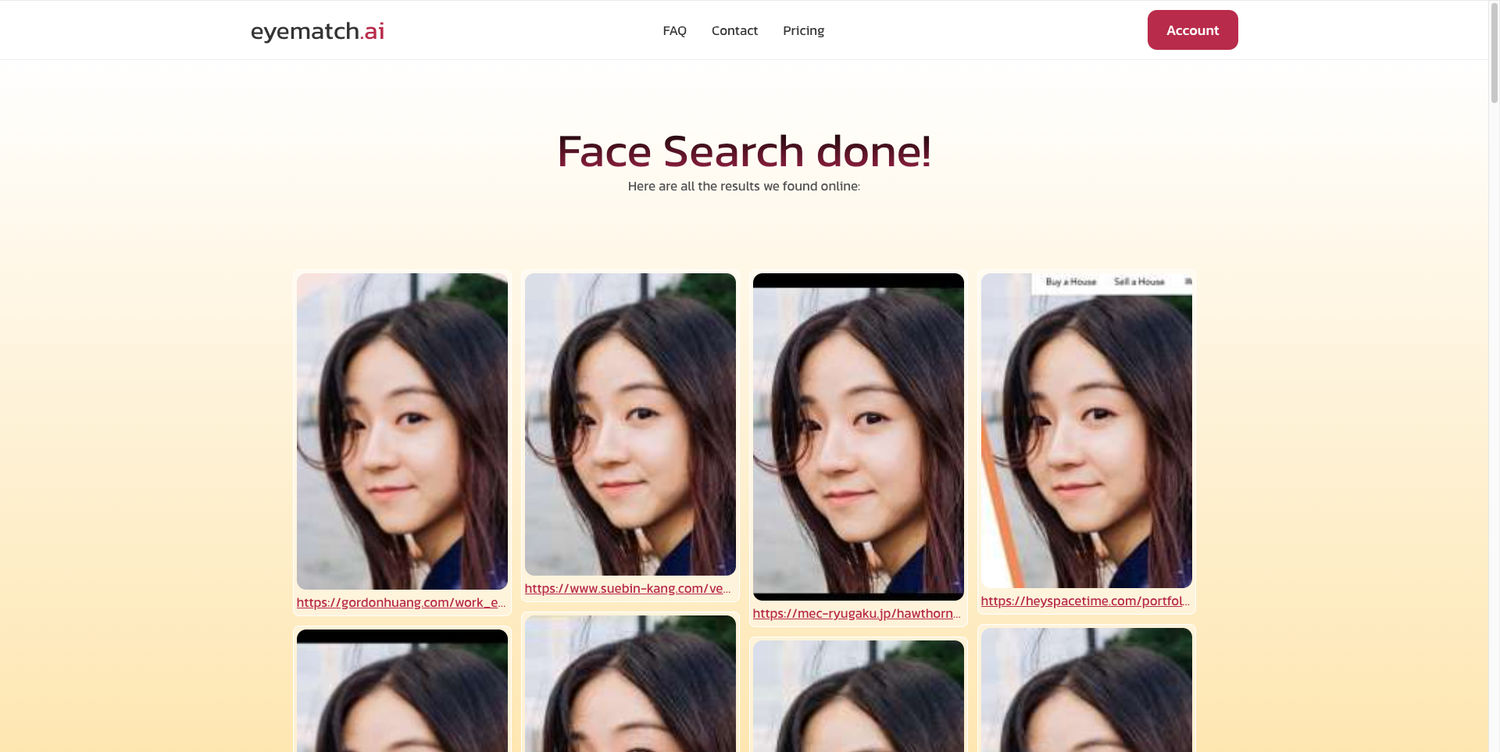
Eyematch.ai is another alternative for people search. All you need to do is upload an image (you can also upload a group photo and choose which face you want to check). Then, just wait a couple of minutes, and you’ll see a complete list of face search results.
It doesn’t offer advanced filters or features, but it gets the job done. It shows exact face matches, and you can check where they were originally published.
3. Pimeyes
.png?updatedAt=1756893157150)
PimEyes is another reverse face search tool that can help you find more information about a specific person. You can use it as an alternative to lenso.ai or alongside it, since sometimes it provides different results and can uncover additional useful details.
With PimEyes, you also only need an image. However, unlike lenso, there are no extra result categories, which makes it somewhat limited. Still, you can try uploading different images of the same person to see what results appear.
Best PimEyes Alternatives & Competitors for reverse face search in 2026
What is the best people search finder tool?
Lenso.ai is one of the best people search tools, thanks to its advanced face search engine. It can help you find face matches across the web and show exactly where each image was published.
5 Best Background check tools in 2026 (Free & Paid)
Is there a free people search finder tool?
The people finder tools mentioned above are freemium. You can use them for free to see image matches on lenso.ai or PimEyes, but you’ll need to pay if you want to access the exact image source.
What's the fastest way to find someone?
If you want to find people online, the fastest way is to use reverse image search tools enhanced with facial recognition technology. With just an image, you can uncover all available information about that person that is linked to that specific photo.
How do AI-powered people search tools differ from traditional search engines?
Traditional search engines match keywords. AI-powered tools use facial recognition to find results keywords would miss. The best ones also act as an AI visibility tool, showing where a person or image appears across the web in real time.

Author
Julia Mykhailiuk
Marketing Specialist
Continue reading

News
5 Best reverse image search tools for finding old photos online
You may not even be aware that someone has misused your old photos, or you may have thought your photos were deleted, but they still appear somewhere online. How can you keep track of your online appearance? Use reverse image search! Check which one is the best to use.

News
Lenso.ai One-Time Payment: Reverse Image Search Without a Subscription
If you want to make unlocks on lenso.ai, but you don’t want to be tied to a subscription, here’s a solution you should consider: one-time payment. With one-time payments, you can purchase the product once, make unlocks and decide if you want to switch to a full plan later! This article explains how you can access the one-time payment and all the benefits it offers.

News
Using facial recognition and reverse image search for public security intelligence
Public security intelligence should implement and use only the best and most advanced tools that can help during the investigation process and provide support at different stages. How can facial recognition and reverse image search help?

News
How do Face Search Tools Work? Facial Recognition AI Models Explained.
Have you ever used a facial search tool and wondered how it works? In this article, we will explain the basics of facial recognition and tell you how face search websites build their own AI for face search engines.

News
Top 10 Reasons Why Lenso.ai Is the Best Face Search Tool Online
There are multiple facial search tools available on the internet. Most of them cost a lot, but do very little. Others provide low quality of results, show paywalls before the search even starts, or reel customers in by false advertising. Lenso.ai is the best facial search tool online, and here are some of the top reasons that prove it.