Preview in:
Yandex Image Search - what should you know?
Yandex is generally seen as the main alternative to Google for web search. But when it comes to reverse image search, neither Google nor Yandex is always as accurate as users might hope. Especially when it comes to searching for specific faces or finding exact duplicates. Yandex Image Search can be helpful for general image searches.
Here’s a simple comparison where Yandex shows only visually similar images, while lenso.ai finds exact duplicates of the image:
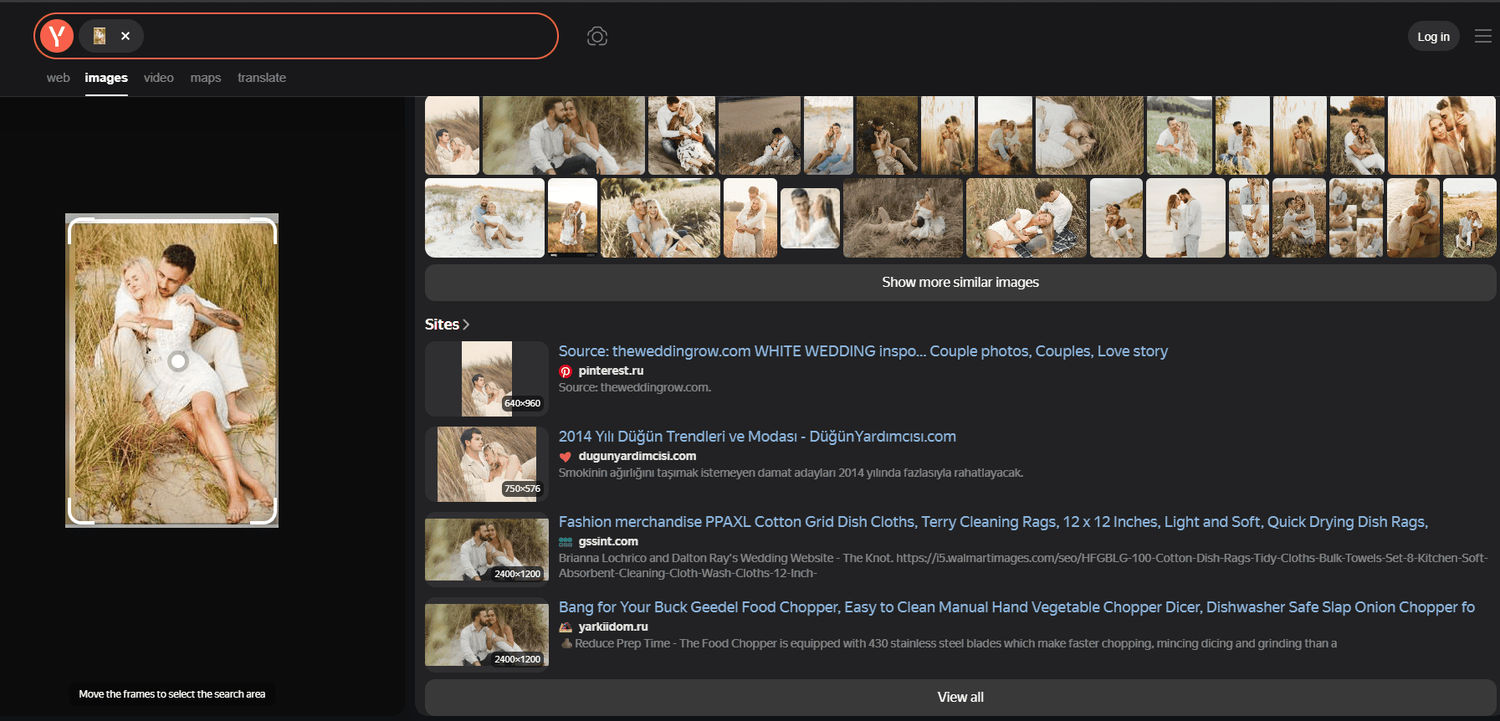
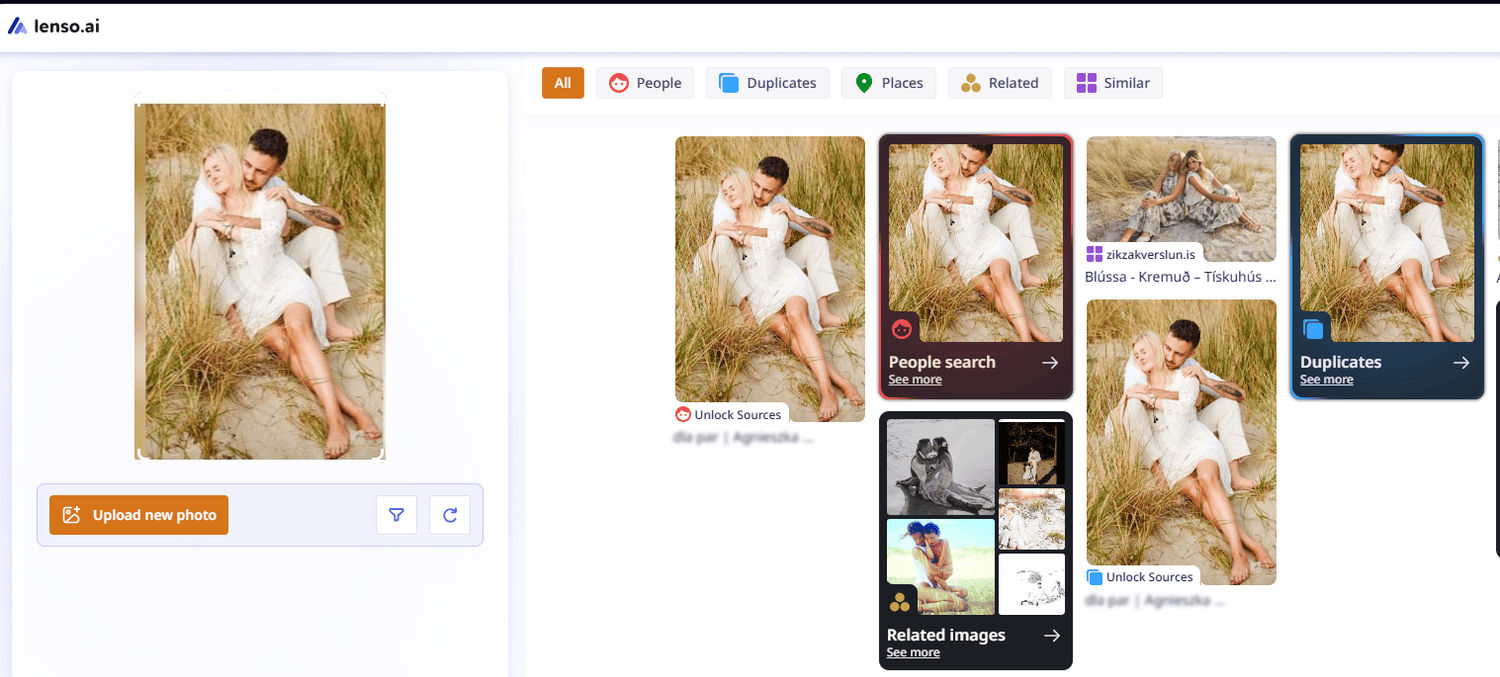
When you upload an image to Yandex, it provides a short summary of what’s in the image (usually in Russian by default, which can be confusing), along with a list of similar images and their source URLs. If you want to upload another image, you have to start over from the main page. There is no option to upload a new image directly from the results page.

The Surprising Benefits of Facial Search. How to Find People by Photo?
Top Free Yandex Image Search Alternatives in 2026
If you need a more precise reverse image search engine, check out these top alternatives:
1. Lenso.ai - the best Yandex Image Search Alternative
Lenso.ai is definitely one of the best reverse image search engines, offering a variety of powerful features:
- Face search
- Copyright image search
- Place search
- Similar or Related image search
In addition, you can set up alerts for specific images and receive email notifications when new matches appear online. Thanks to keyword and URL domain filters, you can refine and make your reverse image searches more precise. Plus, the sorting options help you find the most relevant results quickly.
Recently, lenso also released a reverse image search Chrome extension, making it even easier to search by image directly from your computer.
2. Copyseeker
Copyseeker is another free alternative that focuses on finding exact duplicates. While its image index isn’t as large as lenso.ai’s, it remains a very precise image search tool.
Although it doesn’t offer advanced filters for more refined searches, it provides useful information like the URLs where the image appears, often shown within the page title.
3. TinEye
TinEye is probably the oldest reverse image search tool available. While it tends to show more general image results, it is still more precise than Google or Yandex in most cases. TinEye lets you filter results by specific domains and sort them by relevance, making your search more focused.
4. Pimeyes
PimEyes is a specialized image search tool focused on facial recognition. It works accurately and efficiently for specific use cases. But if you want more details from an image, lenso.ai is a better choice because of its wide categories and helpful filters and sorting options.
With PimEyes, you can group and export image results or sort them by date. They also offer a “deep search” option, but it’s available only for premium accounts.
5. Pinterest Visual Search
Pinterest Visual Search is the best choice for digital creators or anyone looking for artistic inspiration. It lets you zoom in on parts of images to narrow your search and easily save or share your favorite finds. It’s especially helpful for design, fashion, and DIY projects.
However, it’s not ideal for specific image searches since it mainly focuses on finding visually similar images rather than exact matches.
If you want to explore more reverse image search tools:
Reverse Image Search Websites | FULL Ranking of ALL Image Search Engines in 2026

Author
Julia Mykhailiuk
Marketing Specialist
Continue reading

News
5 Best reverse image search tools for finding old photos online
You may not even be aware that someone has misused your old photos, or you may have thought your photos were deleted, but they still appear somewhere online. How can you keep track of your online appearance? Use reverse image search! Check which one is the best to use.

News
Lenso.ai One-Time Payment: Reverse Image Search Without a Subscription
If you want to make unlocks on lenso.ai, but you don’t want to be tied to a subscription, here’s a solution you should consider: one-time payment. With one-time payments, you can purchase the product once, make unlocks and decide if you want to switch to a full plan later! This article explains how you can access the one-time payment and all the benefits it offers.

News
Using facial recognition and reverse image search for public security intelligence
Public security intelligence should implement and use only the best and most advanced tools that can help during the investigation process and provide support at different stages. How can facial recognition and reverse image search help?

News
How do Face Search Tools Work? Facial Recognition AI Models Explained.
Have you ever used a facial search tool and wondered how it works? In this article, we will explain the basics of facial recognition and tell you how face search websites build their own AI for face search engines.

News
Top 10 Reasons Why Lenso.ai Is the Best Face Search Tool Online
There are multiple facial search tools available on the internet. Most of them cost a lot, but do very little. Others provide low quality of results, show paywalls before the search even starts, or reel customers in by false advertising. Lenso.ai is the best facial search tool online, and here are some of the top reasons that prove it.