
Preview in:
Face Recognition - basic information
Face recognition is a type of biometric technology that verifies a person’s identity using their facial features. Over the past few years, facial recognition has evolved significantly and is now used in many applications, including reverse face search tools.
Basically the whole process is divided into few steps:
- Detection - the system locates a face in an image or video.
- Analysis - it maps key facial landmarks (e.g., eyes, nose, mouth) and converts them into numerical data.
- Comparison - the generated faceprint is compared to images in a database or online.
- Identification or Verification - the system either identifies who the person is or confirms that two faces match.
How to use facial recognition?
One of the best ways to use facial recognition is through reverse face search tools to find:
- your images that appear online
- images that may have been misused (copyright violations)
- potential fraudsters or scammers
- a person whose background you want to check
Besides that, facial recognition is implemented in various tools that verify identity, such as smartphones and laptops for secure login, banking apps for payment authentication, airport and border security systems, social media platforms for account verification. These security measures help mitigate digital fraud and assist in identity restoration when accounts or personal profiles are compromised.
It is also used in law enforcement for identifying suspects and healthcare applications to manage patient records.
What is Facial Recognition and How to Search For Faces Online?
Face recognition search with lenso.ai
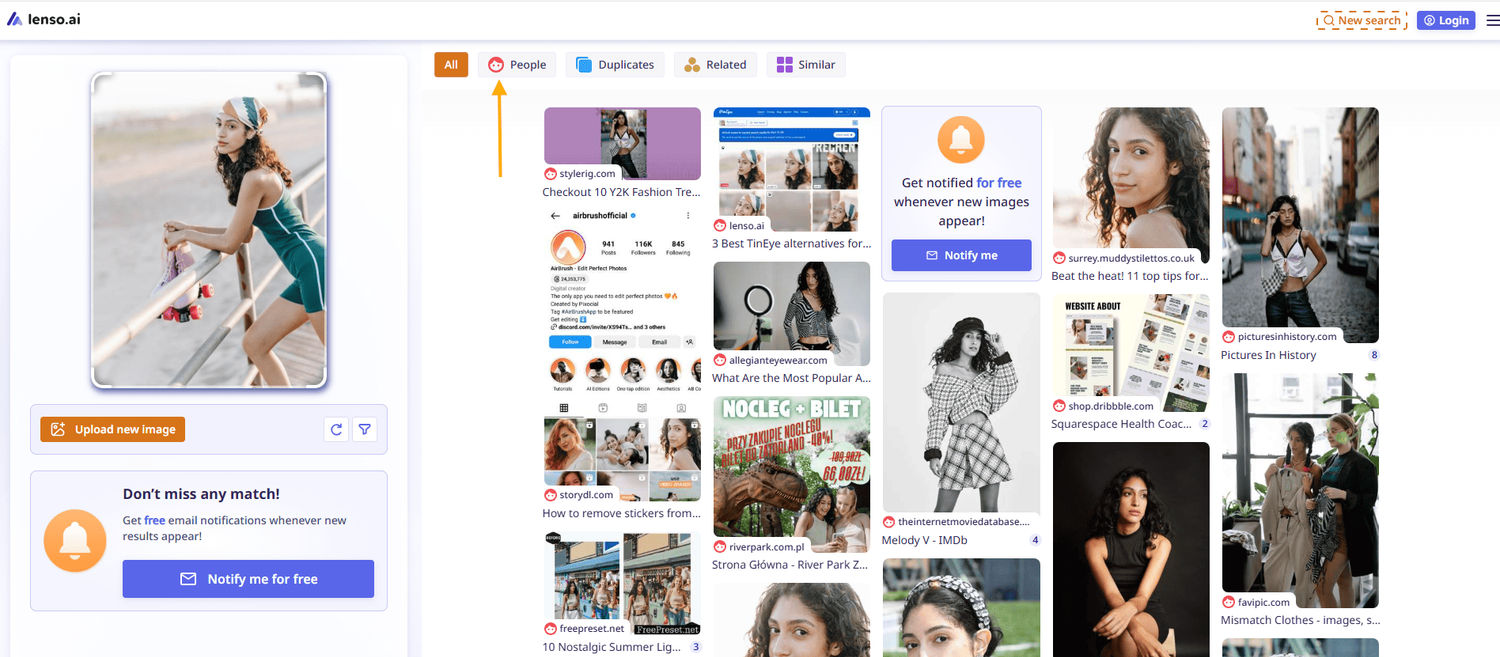
We will move forward with testing the face recognition feature available on lenso.ai. All you need to do is search by image on lenso and check the “People” category.
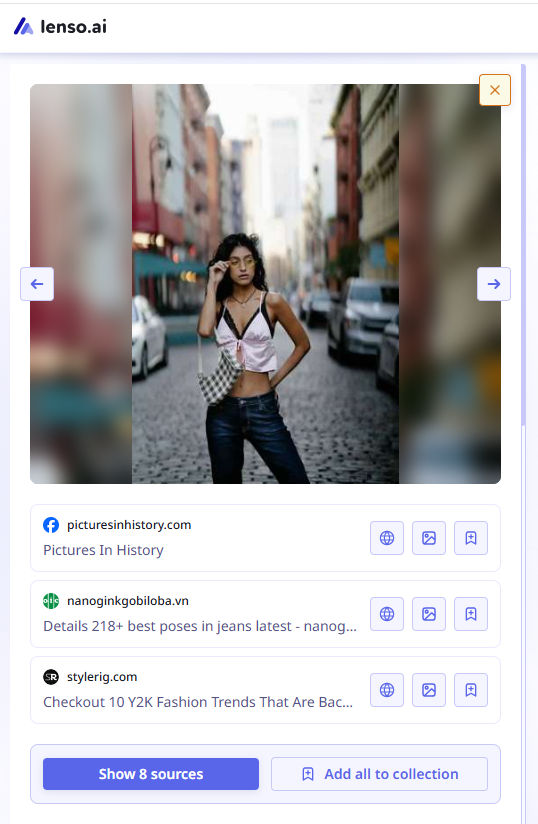
Then, simply check all available sources under each image. There, you will find all possible information about a specific image and the person in the image.
You can also refine your search by:
- checking other available categories (Duplicates, Places, Related, or Similar)
- creating a free alert to receive up-to-date information whenever new image results appear online
- filtering image results by specific domains or keywords
- sorting results by newest/oldest or best/worst match
What are the best face search tools?
Currently lenso.ai is the best face search tool that is available online. But you can also explore some lenso.ai alternatives:
- Pimeyes
- Facecheck.id
- TinEye
- Google Lens
- Yandex

Author
Julia Mykhailiuk
Marketing Specialist
Continue reading

General
6 Useful Tools for Finding Similar Images and Exploring Visual Matches
An image can communicate an idea in seconds, but sometimes the picture itself raises more questions than it answers.
General
Lenso.ai vs. Yandex. Reverse Image Search + Face Search Compared
Yandex and Lenso.ai are both reverse image search websites that are used by people wanting to find objects, places or people online. Is there a clear winner between the two? Who does what best? In this article, we will compare Lenso.ai and Yandex and we will try to select the website who performs better depending on your personal requirements.

General
AI-Powered Image Tools: From Finding Photos Online to Preparing Them for Official Use
Have you ever looked at a photo and thought where else it might have been used online? Or maybe you need a ready-to-submit passport photo in a short time and have no clue how to get it right? The problem in both cases is that you have to find the right photo and know how to prepare it for official use.

General
Best Online Tools for Image Search and Digital Research
Finding the right information online is not always as simple as typing a few words into a search engine. Sometimes the information you need is contained in an image, while in other situations you may need to work with numbers or technical data to understand what you have found. The right online tools can make these tasks faster and more manageable. For people who regularly work with visual content, research, or digital information, here are some useful tools worth considering.