
Preview in:
What is Reverse Image Search?
Reverse image search is a technology that finds images online using only the reference photo - not keywords.
For example, uploading a photo of a cat to reverse image search will return other images of cats. Depending on the type of search, it might be the same image or a different photo of a similar cat.
Why is Reverse Image Search hard to run on mobile browsers?
Reverse image search is a complex technology that takes up significant resources. To make it work smoothly, it is easier to make an application. However, some reverse image search engines stick to websites for users’ convenience. These websites work on both mobile and desktop.
What are the best Reverse Image Search engines for mobile?
Lenso.ai
Lenso.ai is the most convenient reverse image search for mobile browsers. It finds people, places, duplicates, similar and related photos with ease.
To use lenso.ai, upload a photo from your phone library and wait for the search to start. Lenso.ai takes just a few seconds to find results.
Once the results show up, you can choose a part of a photo by drawing a circle around it. The selection will show up around the circle you drew!
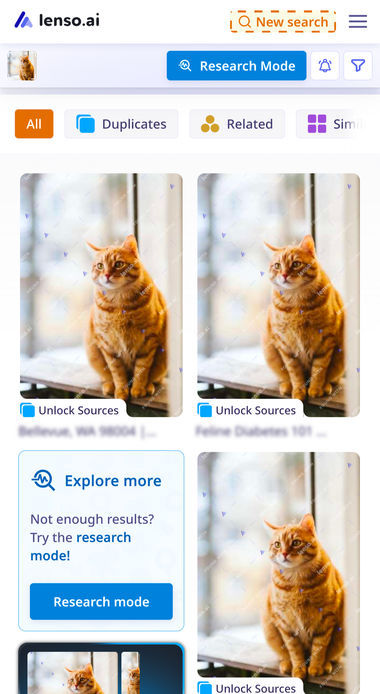
To use lenso.ai’s full potential, switch between the categories visible in the top bar! Each category is assigned to a specific model, trained to find exact elements - for example, the duplicates category finds copies of your photos.
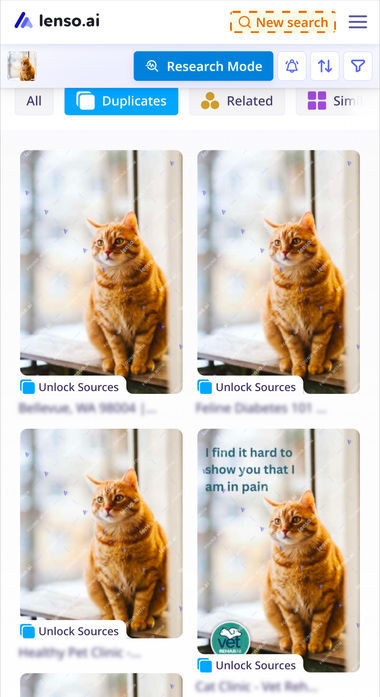
Another benefit of lenso.ai for mobile users is that it was designed with phones in mind, so every feature available on desktop is also available for mobile phones. It all works smoothly no matter the device!
TinEye
TinEye is a reverse image search engine that’s been designed primarily for desktop users. That being said, it works just as well on mobile!
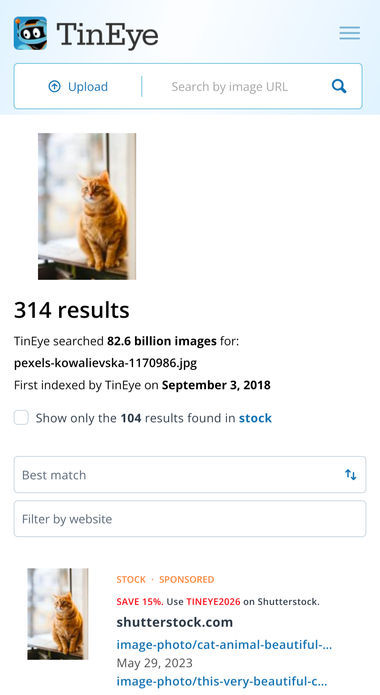
Tineye is one of the oldest image search engines that gathers millions of images. It’s great for simple image search - no extra features or distractions. It became an extremely convenient tool, especially for finding Stock images.
Yandex.com
Yandex image search has been around for years. It’s a part of the Yandex browser and it works similarly to Google’s image search. It finds similar images, as well as copies of photos and information on the photo’s contents.
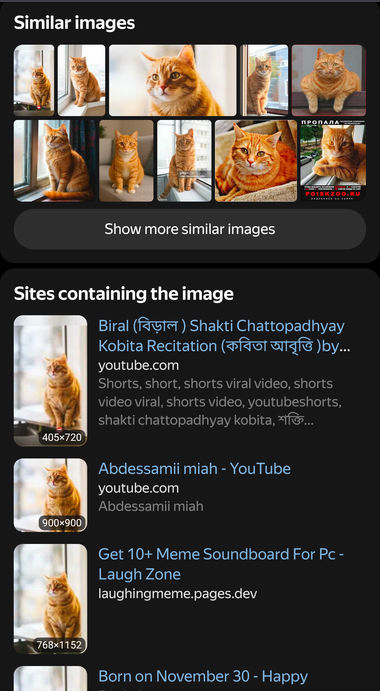
Yandex is not the most effective on mobile, but it can be more accurate than some other browsers. It also works well for Russian-speaking users, as results show up in Russian.
Copyseeker.net
Copyseeker works very well for finding copies of photos online. It’s effective with both identical copies and edited versions of photos. Although it is a small website, earning mainly from ads, its mobile version can compete with bigger companies.
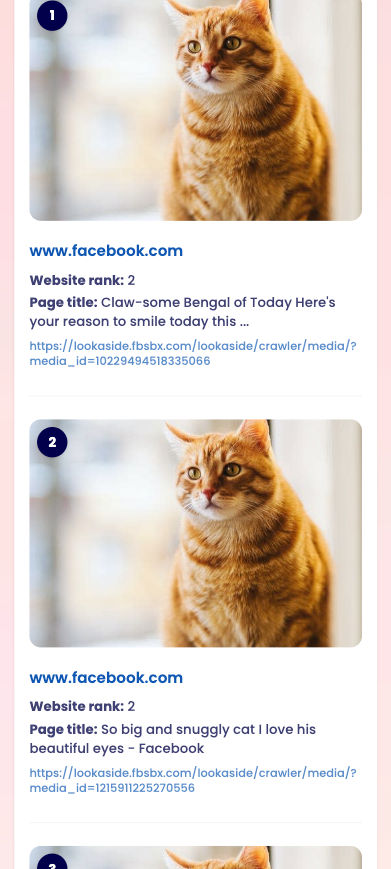
Copyseeker shows all results for free, but the features and the number of results are limited. However, it’s good to try it out!
Google Lens
Google Lens is a bonus position on the list. It’s built into most mobile devices, so it doesn’t require downloading. However, it’s hard to access from mobile web browsers.
Even though it’s technically harder to access, because it is built into most phones, it works well. Google Lens is also known as the best image search, considering its huge index.
Reverse Image Search for mobile - what’s the future?
Although we live in the age where most users access websites from mobile, not many pages are as mobile-friendly as they should be. Lenso.ai is one of the reverse image search websites that strives to make the mobile experience easy and enjoyable. Try lenso.ai’s mobile version and find out how well it performs!

Author
Kinga Jasinska
Marketing Specialist
Continue reading

General
The Best Reverse Image Search for Photographers. Set Up Copyright Notifications!
If you are a photographer looking for a smart way to find your copyrighted content shared online, this is the place for you! In this article, we will explain how you can search for your photos being reposted, and the best ways you can automate the searching.

General
Face Search API by lenso.ai for businesses: Top 5 Industries and use cases
If you run a business and wonder how to boost your user engagement or add a feature that may become a game changer – we do have a solution! You need to implement the face search API from lenso.ai. Check whether your use case may be a good fit for reverse face search integration.

General
How Teams Can Improve Their Image Search Skills with AI-Powered Tools
AI-powered visual tools are changing how photographers, digital marketers, content creators, and researchers work. In a single day, one person might trace the source of a photo, check a campaign image for duplicates, and look for similar visuals for a new project. The tools evolve quickly, and training often struggles to keep up.


General
Lenso.ai vs. Yandex. Reverse Image Search + Face Search Compared
Yandex and Lenso.ai are both reverse image search websites that are used by people wanting to find objects, places or people online. Is there a clear winner between the two? Who does what best? In this article, we will compare Lenso.ai and Yandex and we will try to select the website who performs better depending on your personal requirements.