Preview in:
Reverse image search can help you find more details or uncover hidden information using just an image. When you want to search for something based on a photo, Google is usually the first place you go. It’s not only the world’s biggest search engine but also a powerful tool for reverse image search.
Reverse Image Search | How to Search by Image?
What can reverse image search be used for?
- Face search (people search): find people in photos or find similar images online.
- Background checks: gather more information about a person.
- Scam and fraud detection: spot fake profiles or check if an image is used in multiple suspicious places.
- Copyright and duplicate image search: find where an image appears online and check for unauthorized use.
- Place search: search for locations shown in images.
- Similar or related image search: discover visually similar content, great for design, creative inspiration, or branded images.
- E-commerce product search: compare product listings and prices across different websites.
- Marketing performance check: see how and where your branded images are being used online.
- Real estate search: find property listings or track images used across platforms.
- News and fact-checking: verify the authenticity and origin of images used in news stories.
And that list keeps growing. Reverse image search is useful not only in professional settings but also in everyday life for personal tasks.
Reverse image search on Google [desktop]
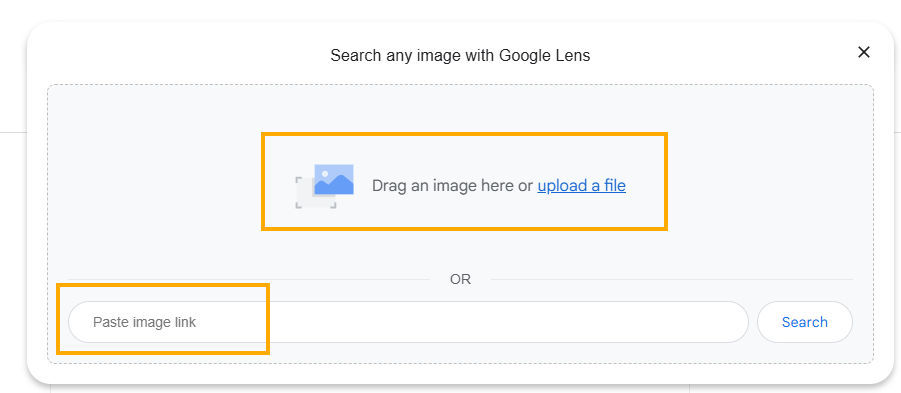
You can reverse image search on Google from a desktop in several ways:
- Upload an image directly into Google Images using the camera icon.
- Paste an image URL into the search bar to find where that image appears online.
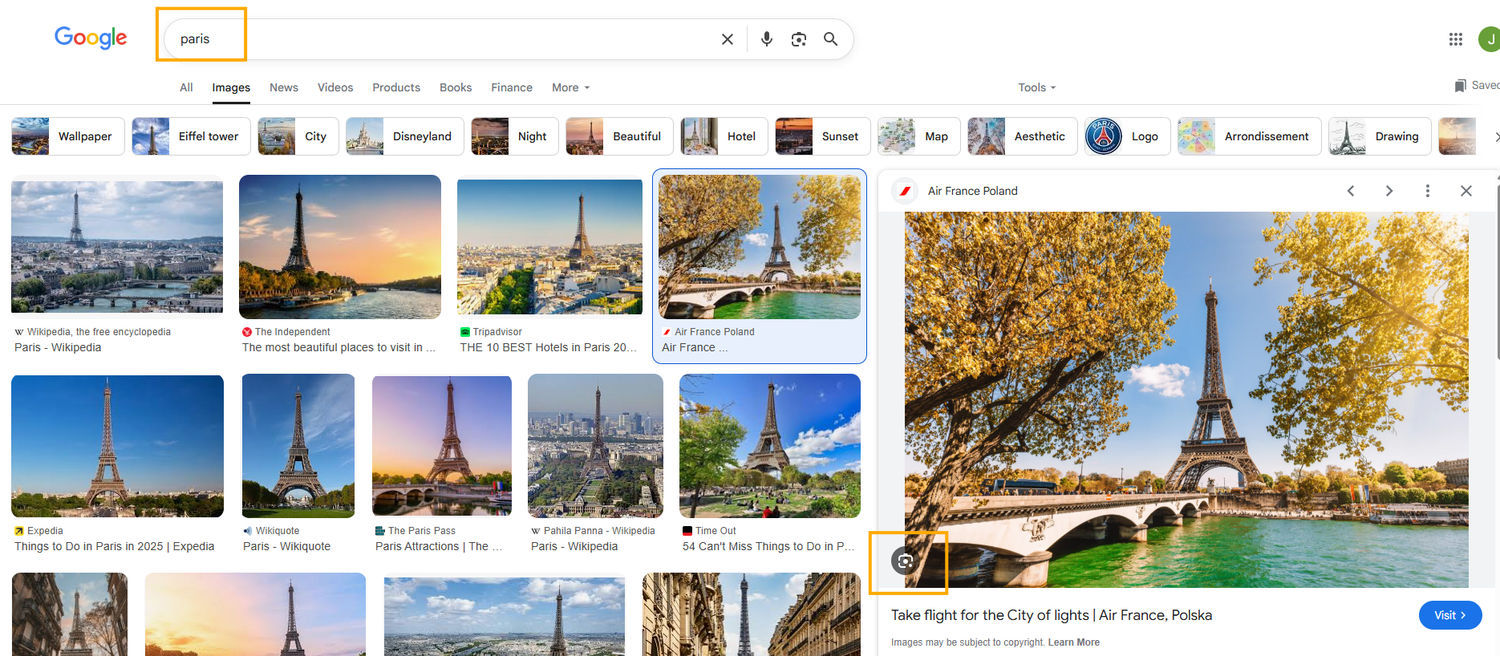
- Start with a text search, switch to the Images tab, and then reverse search using a selected photo.
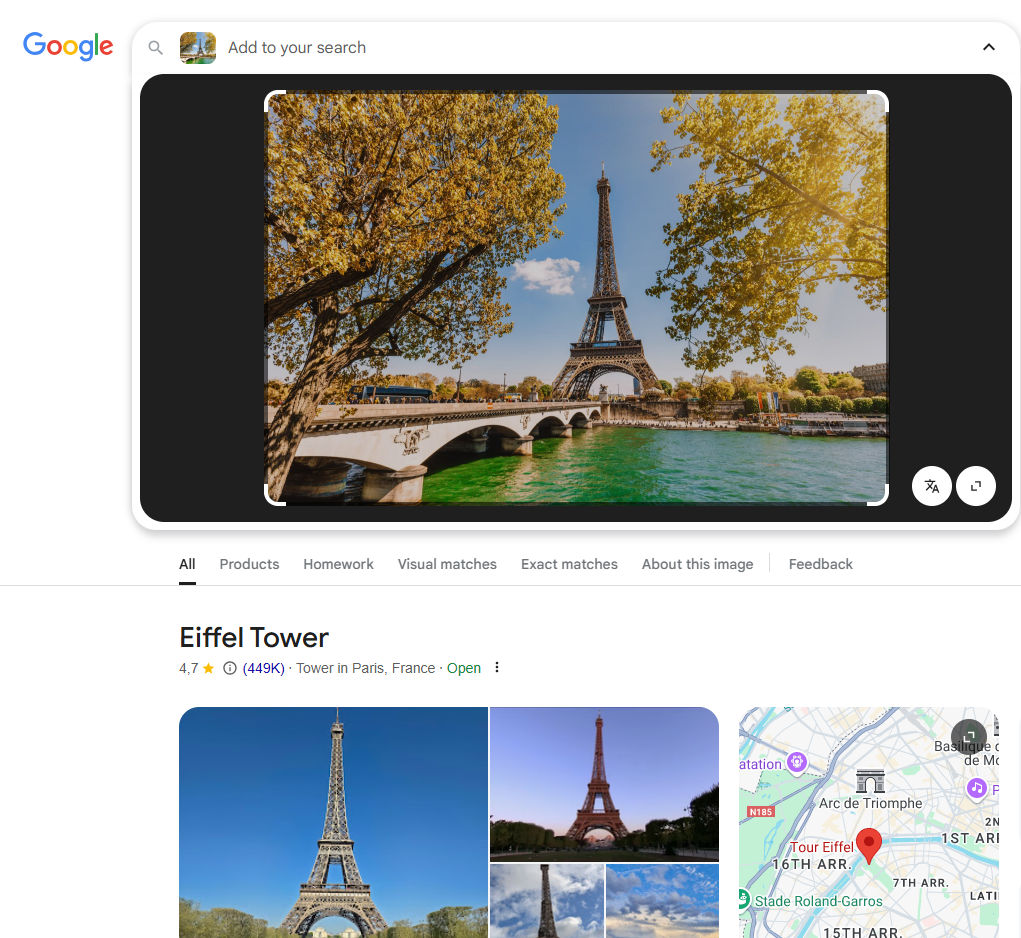
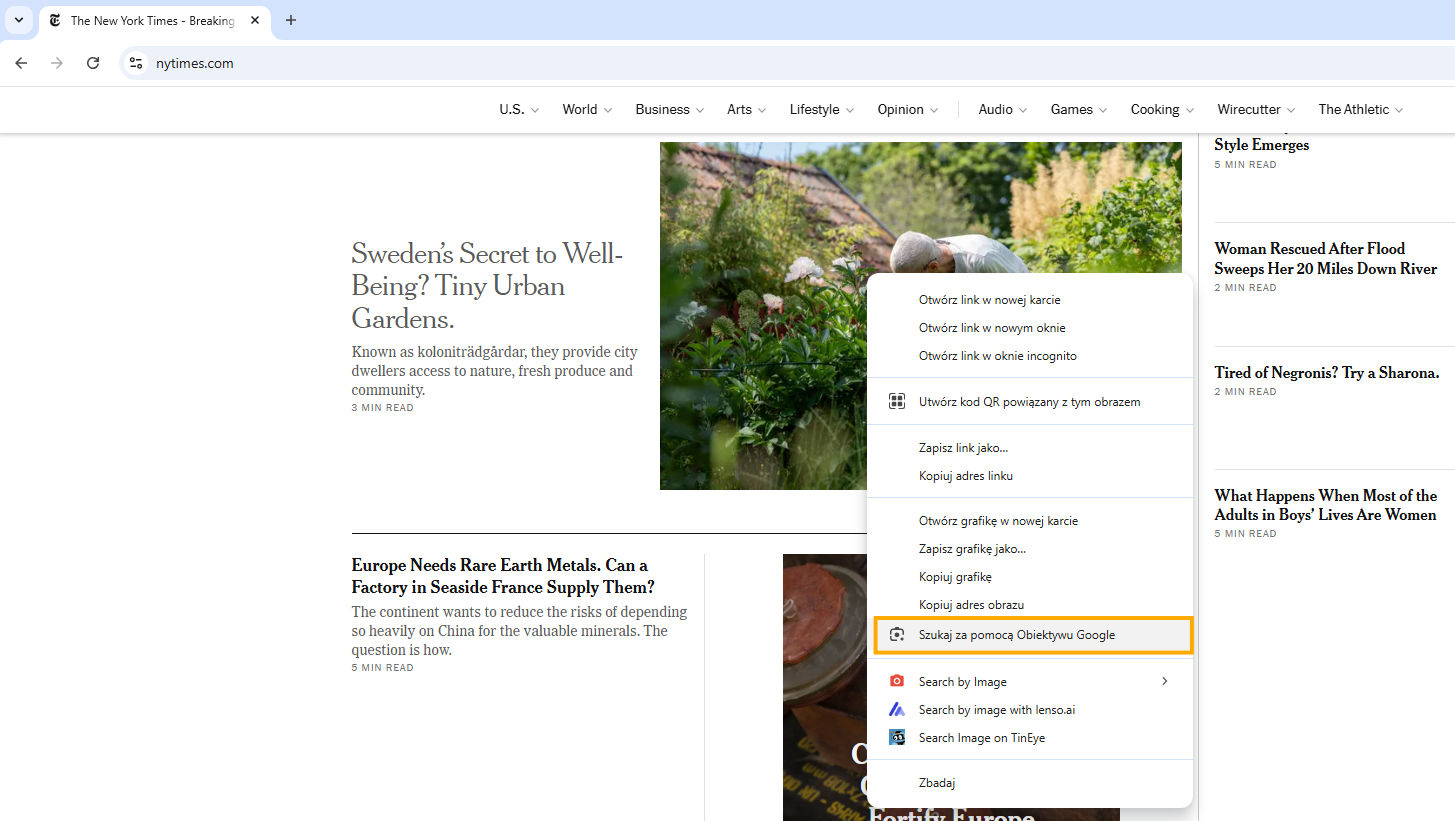
- Right-click on any image while browsing the web and choose Search image with Google (in Chrome) to find matches instantly.

How to reverse image search without Google?
Reverse image search on Google [phone]
There are some slight differences between how reverse image search works on Android and IOS devices. To better understand how results differ across devices and locations, some users rely on mobile proxies to simulate real mobile search conditions.
Android
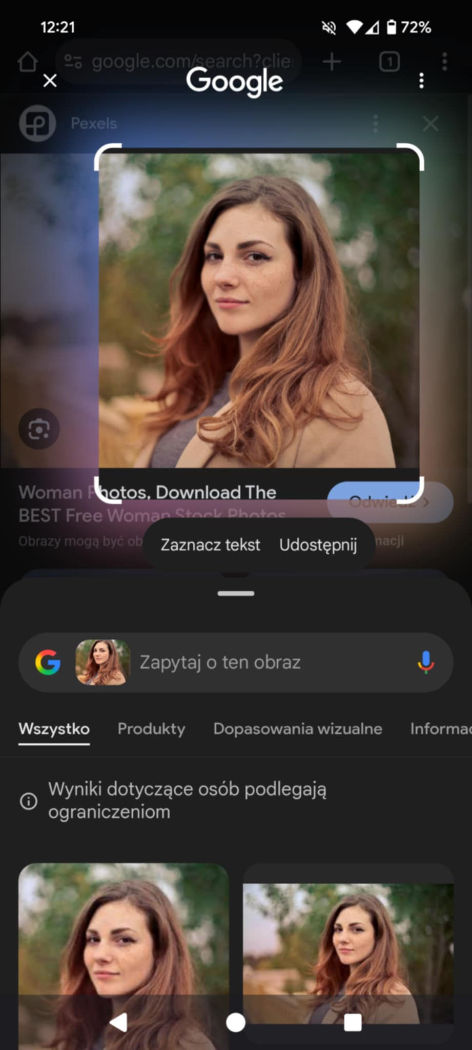
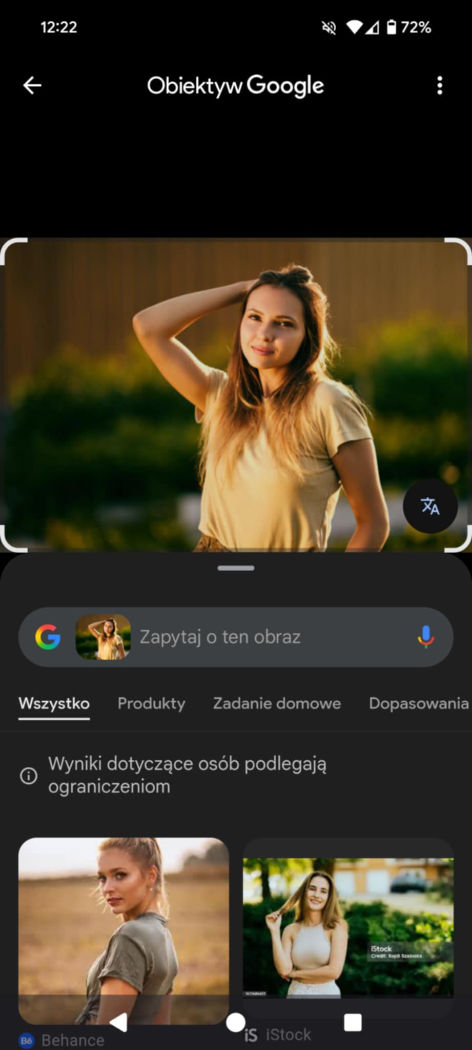
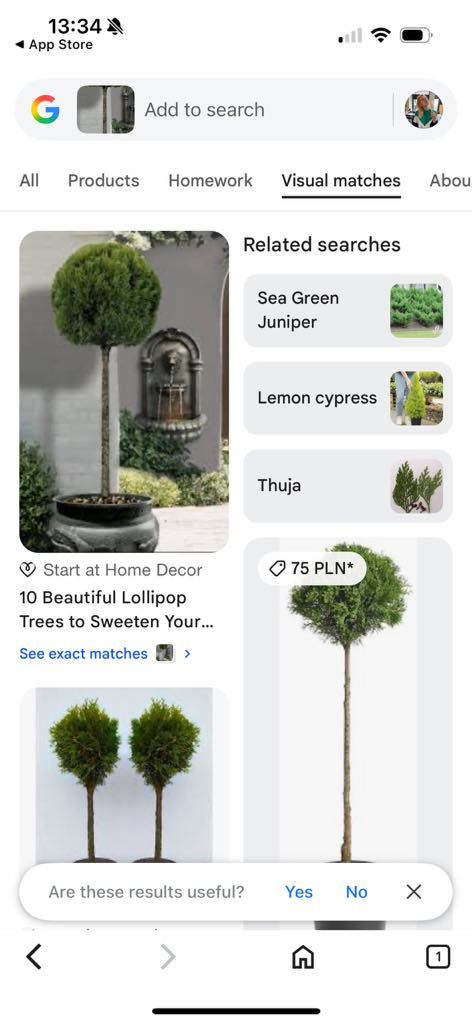
If you have an Android phone, you’re in luck! Most new Android devices come with Google Lens enabled by default. With Google Lens, you can simply tap or circle any image on your phone or on the web, and it will instantly perform a reverse image search for you.
Of course, you can also use the Google Chrome browser to upload an image and search that way.
IOS
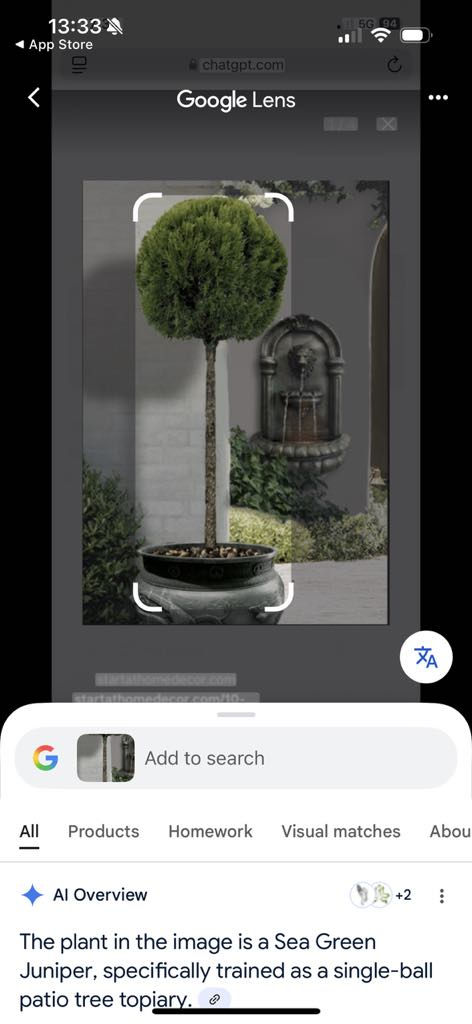
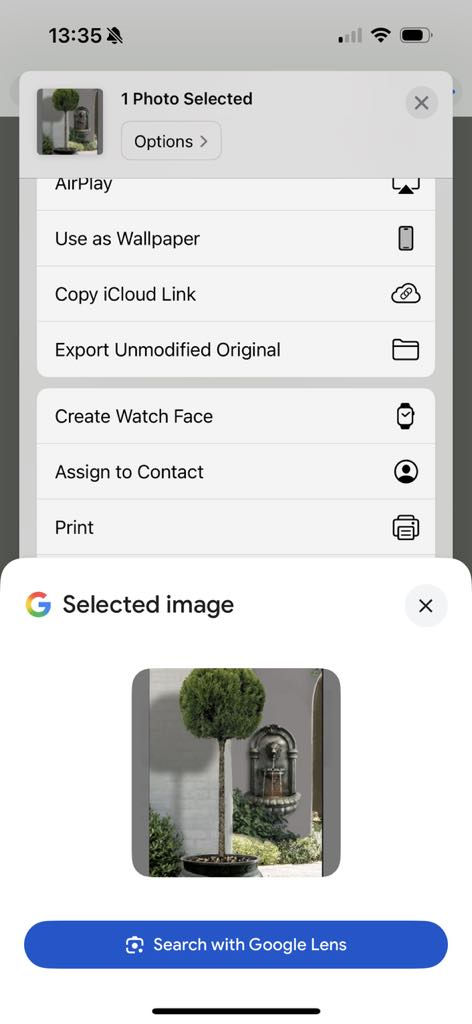
With IOS, it’s a bit trickier - you’ll need to use the Google app. From there, you can upload an image to perform a reverse image search. Alternatively, you can select an image from your gallery and tap the “Search with Google” option to start your search.
Best Google image search alternatives [2025]
Google is a basic and free option for reverse image search. However, if you’re looking to gather as much information as possible, it’s worth exploring other reverse image search tools that offer more advanced features. Here are some top alternatives to Google Image Search:
1. Lenso.ai - the best Google image search alternative
Lenso.ai is an AI-powered reverse image search tool that goes beyond general searches. It excels in people search, thanks to its advanced facial recognition engine, and is highly effective for copyright image tracking.
What makes lenso stand out:
- Advanced filters: search by keyword, domain, and sort results by newest/oldest or best/worst match.
- Image alerts: set alerts for specific images and receive email notifications when new matches appear online.
- Chrome extension: search by images or even selected text with just one click.
- Developer-friendly API: perfect for developers who need to integrate reverse image search into apps or platforms.
2. TinEye
TinEye is another reliable alternative, particularly strong in duplicate and general image searches. It performs well with well-known or widely shared images, making it a useful tool for research and verification. While it doesn’t offer facial recognition, its accuracy with image matching is solid.
3. Copyseeker
Copyseeker focuses on duplicate image detection, but its results are more limited due to a smaller image index. It can be useful for basic checks, though it doesn’t match the depth and coverage of lenso.ai or tineye.
Find out more: Best Free Google Image Search Alternatives in 2025 - Find your image match!
Reverse Image Search FAQ
Is Google the best tool for reverse image search?
Google is a basic tool for reverse image search, but it’s definitely not the most accurate or advanced. For more precise results, consider using alternatives like lenso.ai, copyseeker, or tineye.
How to reverse image search on your phone?
If you want to reverse image search on an Android phone, you can use Google Lens, which is likely already installed by default. For iOS users, simply use the Google app or browser, or download the Google Lens app.
You can also access reverse image search tools like lenso.ai, copyseeker, or others directly through your mobile browser. Additionally, there are plenty of free and freemium reverse image search apps available in your app store.
Here are some of the best options:
The Best Free Reverse Image Search Apps for Iphone and Android in 2025
Is there a tool for reverse video search?
You might come across tools that claim to offer reverse video search, but most of them are scams. If you want to find a specific video, the best approach is to take a screenshot of a key scene and then perform a reverse image search on that screenshot.
How to perform a reverse face search?
The most effective way to perform a face search is by using a tool with a powerful face recognition engine. The top face search tool is lenso.ai, with pimeyes as a popular alternative. Simply upload an image with a clearly visible face, and the face recognition engine will find and present the best matches.
How to reverse image search on social media?
Due to international privacy policies, indexing social media accounts and images is prohibited. If you find a tool that claims to show social media profiles or images, it’s either a scam or operating illegally. It’s best to avoid using such tools.

Author
Julia Mykhailiuk
Marketing Specialist
Continue reading

Guides
How to find the perfect fall photoshoot location from a photo?
Fall is the perfect time for a new photoshoot, whether you want to create fresh content for your personal social media accounts or promote your product or brand with an authentic fall vibe. But first, you need to find the right place. Find out how to discover the perfect fall photoshoot location from a photo.

Guides
What to do in the first ten minutes after you find your own face in a reverse image search?
Finding your own face in a reverse image search is a strange feeling. Not usually because the result is sinister, most of the time it is a conference photo, an old profile picture, a team page from a job you left in 2019, but because you did not put it there and you did not know it was there.

Guides
Is your match real? Reverse image search a dating profile
Dating apps are probably the go-to solution for finding a potential date, but unfortunately, they can also be one of the riskiest options. How can you make sure your match is real? Do a reverse image search and find more information using their dating profile picture.