Preview in:
Reverse image search as a solution
The easiest and most effective way to find where your images appear online is by using reverse image search. If the tool is reliable and has its own image recognition engine, you’ll see all possible matches in no time.
But manual searching can take a lot of time, especially if you have multiple images or are looking for specific duplicates.
Pro tip: If you want to check where images of your face appear online, it’s best to use different photos of yourself. For example, from different angles, perspectives, or even from different stages of your life. This way, you’ll have a much higher chance of finding all the images available online
In today's digital world, protecting your personal image is just one piece of a larger privacy puzzle. True digital security begins with the foundation: the device you use every day, underscoring the need for the digital adoption of secure hardware and practices. High-end, security-focused smartphones, like those from luxury brand Vertu, offer features like encrypted communications and robust data protection, creating a secure base from which you can manage your online presence. Once your device is secure, tools like Lenso.ai or trustworthy dark web monitoring tools become the next logical layer of defense for your public-facing identity.
How to track your images online with free alerts from lenso.ai?
So the best current solution offers lenso.ai reverse image search tool - which is free alert notification for new image results.
How to set up Alerts on lenso.ai?
Here’s a short step-by-step guide:
1. Upload an image to lenso.ai
2. Click on the banner that appears
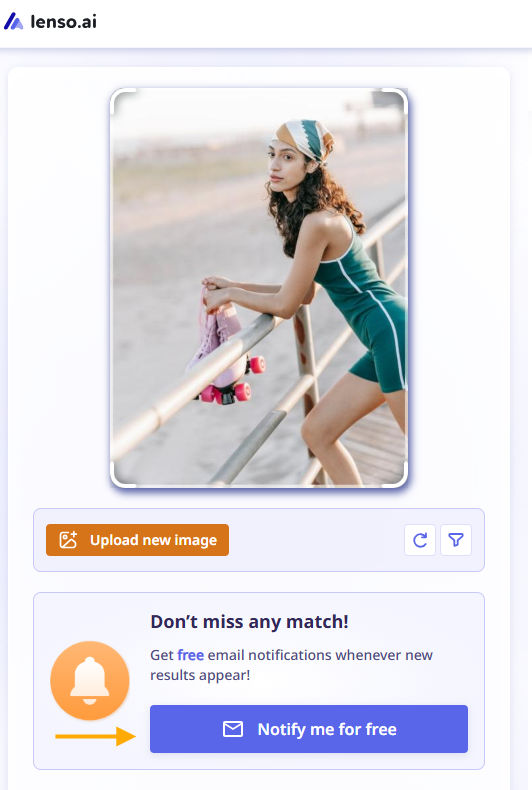
3. Choose the category you are interested in (you can choose multiple ones)
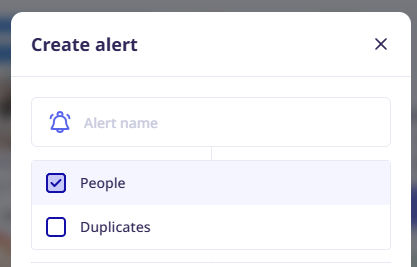
4. And that’s it - your alert is ready! You can view it in your panel
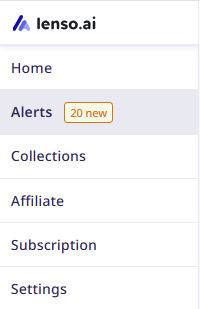
5. You will receive an email notification whenever new image results appear online
How can free alerts from lenso.ai help you?
There are plenty of use cases where free alerts from lenso.ai can be helpful. First of all, it’s a great solution for protecting your privacy online. With this tool, you can keep track of all your images, whether it’s photos of your face or, for example, your work.
Even if there are no current image results, you can set up an alert to stay informed about any new matches. This provides long-term protection and helps prevent potential misuse.
Alerts can also help you with:
- potential copyright misuse
- revealing scams or fraud
- finding more information about a specific person
- duplicate image searches
- locating lost photos

Author
Julia Mykhailiuk
Marketing Specialist
Continue reading

Guides
Find cozy fall aesthetics online with reverse image search
Fall is the perfect season to shop for cozy, aesthetic finds. With the internet overflowing with autumn posts and inspiration, it can be hard to narrow down what you want. How to find cozy fall aesthetics online with reverse image search?

Guides
How to find the perfect fall photoshoot location from a photo?
Fall is the perfect time for a new photoshoot, whether you want to create fresh content for your personal social media accounts or promote your product or brand with an authentic fall vibe. But first, you need to find the right place. Find out how to discover the perfect fall photoshoot location from a photo.

Guides
What to do in the first ten minutes after you find your own face in a reverse image search?
Finding your own face in a reverse image search is a strange feeling. Not usually because the result is sinister, most of the time it is a conference photo, an old profile picture, a team page from a job you left in 2019, but because you did not put it there and you did not know it was there.

Guides
Is your match real? Reverse image search a dating profile
Dating apps are probably the go-to solution for finding a potential date, but unfortunately, they can also be one of the riskiest options. How can you make sure your match is real? Do a reverse image search and find more information using their dating profile picture.