Preview in:
What is AI reverse image search?
An AI image search is a type of reverse image search that uses machine learning to find matches for images. AI image search does not use generative AI, meaning it does not create new photos. These engines use advanced AI models to learn how to find similar photos and match them with their sources.
Here’s a video explaining it in detail:
What can you use AI image search for?
AI image search can be used to find:
- Copies of any photo online
- Inspiration and art references
- People, faces, celebrities
- The original source of any image
Does AI image search train AI on users’ photos?
It’s usually not the case. Search engines like lenso.ai do not train AI on photos uploaded by users.
Does AI image search use generative AI to create photos?
No, generative AI is not used in reverse image search. If you’d like to understand the difference between generative AI, like AI image generators, and non-generative AI, like reverse image search, read this article: Generative AI vs. non-generative AI - what are the differences?.
What are the top 5 Best AI Reverse Image Search engines available online?
1. Lenso.ai
Lenso.ai is a reverse image search engine that uses AI to find and categorize images.
Lenso started a trend in the reverse image search space by offering multiple categories (people, places, duplicates, similar, related), as well as built-in face search. Although many pages tried to reach the same level of accuracy, lenso.ai is still the most accurate AI image search with a face search engine online, offering the most varied results for each category. It also offers additional features such as an API and Chrome extension. Once you've located and collected your images, you can use a tool to add image to PDF to compile them into a shareable report or archive.
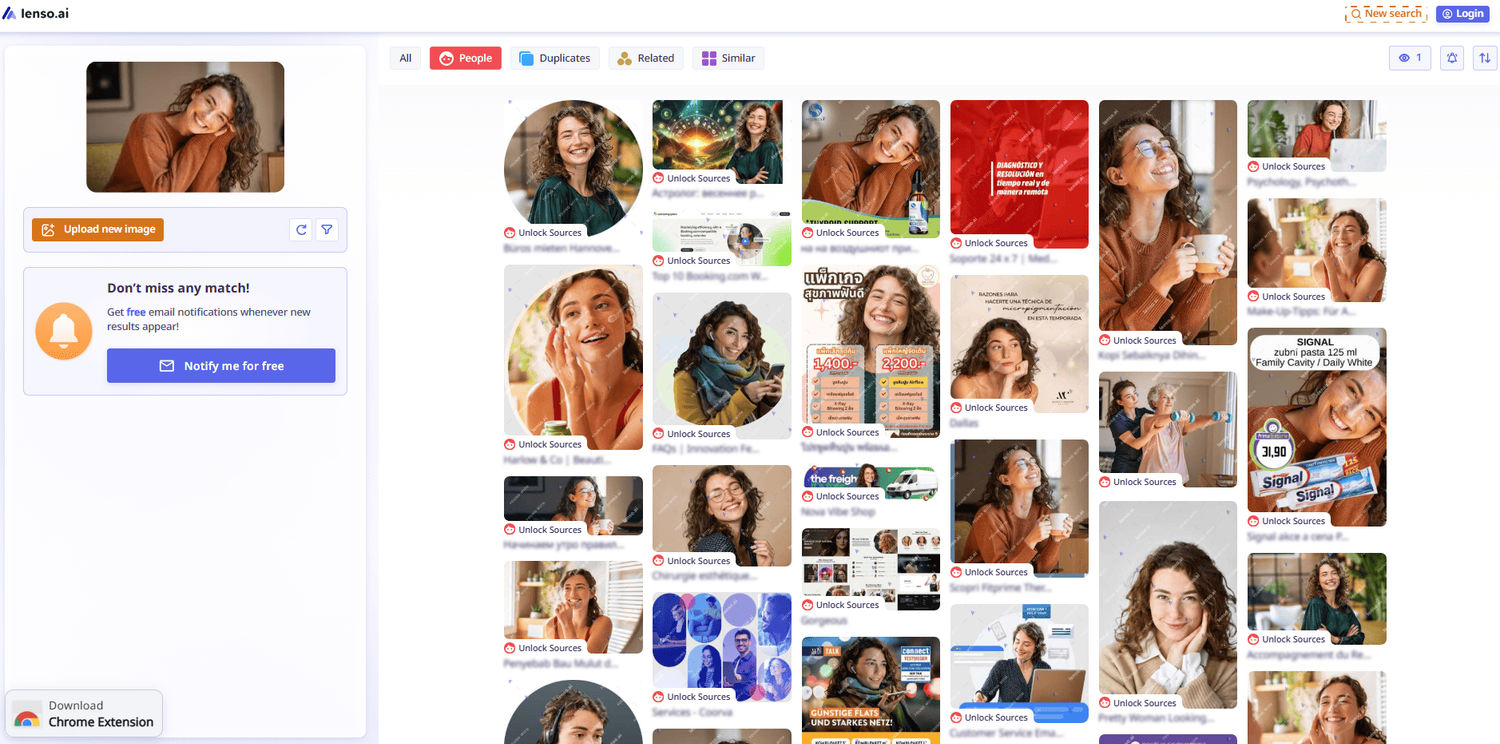
To make a reverse image search on lenso.ai, follow these simple steps:
- Go to lenso.ai and upload your photo, or use the upload field below:
- Once the search is made, you can see all the results, each in a different category.
- Choose the category you like from the bar at the top
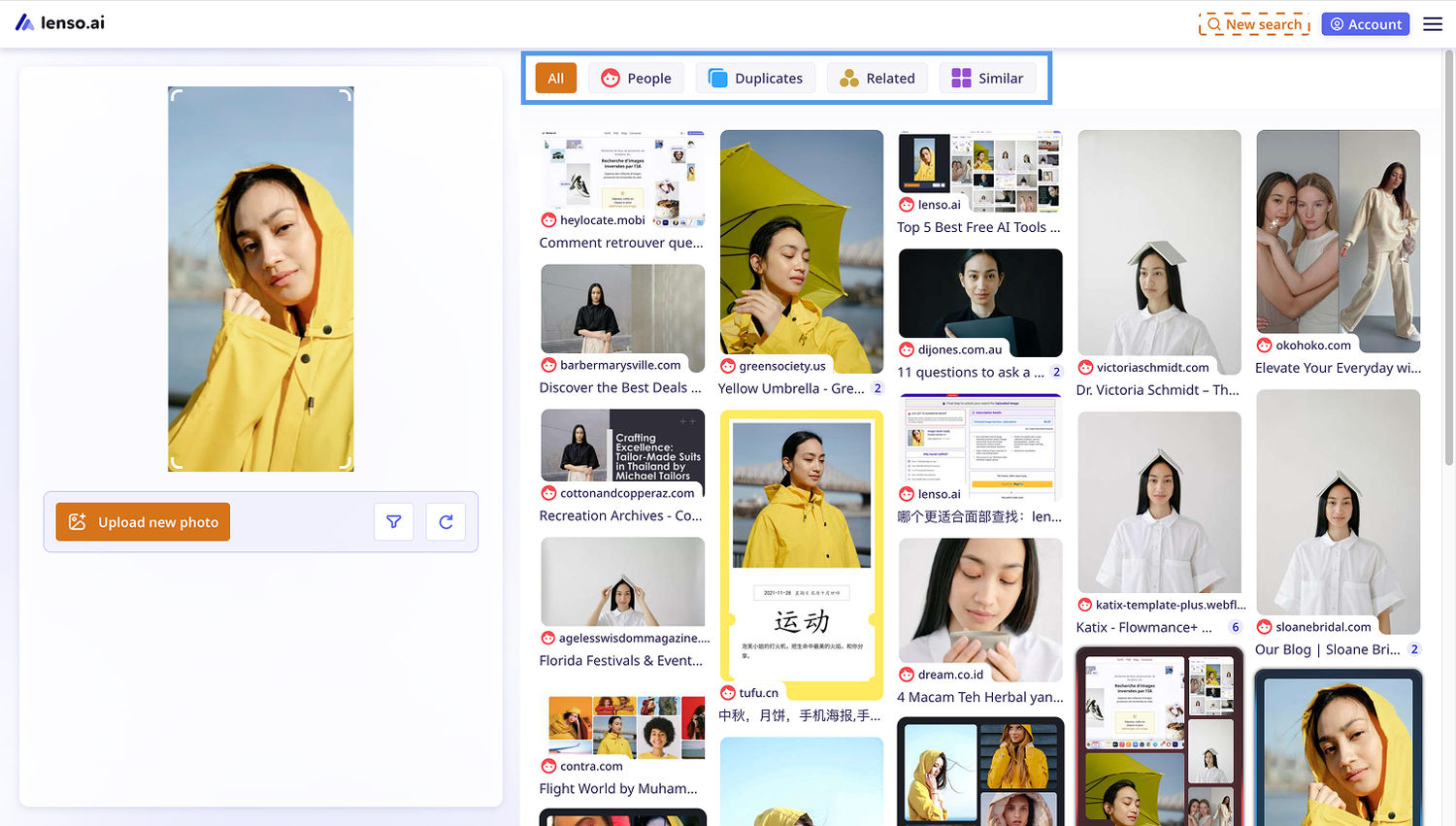
- Click on the result you like
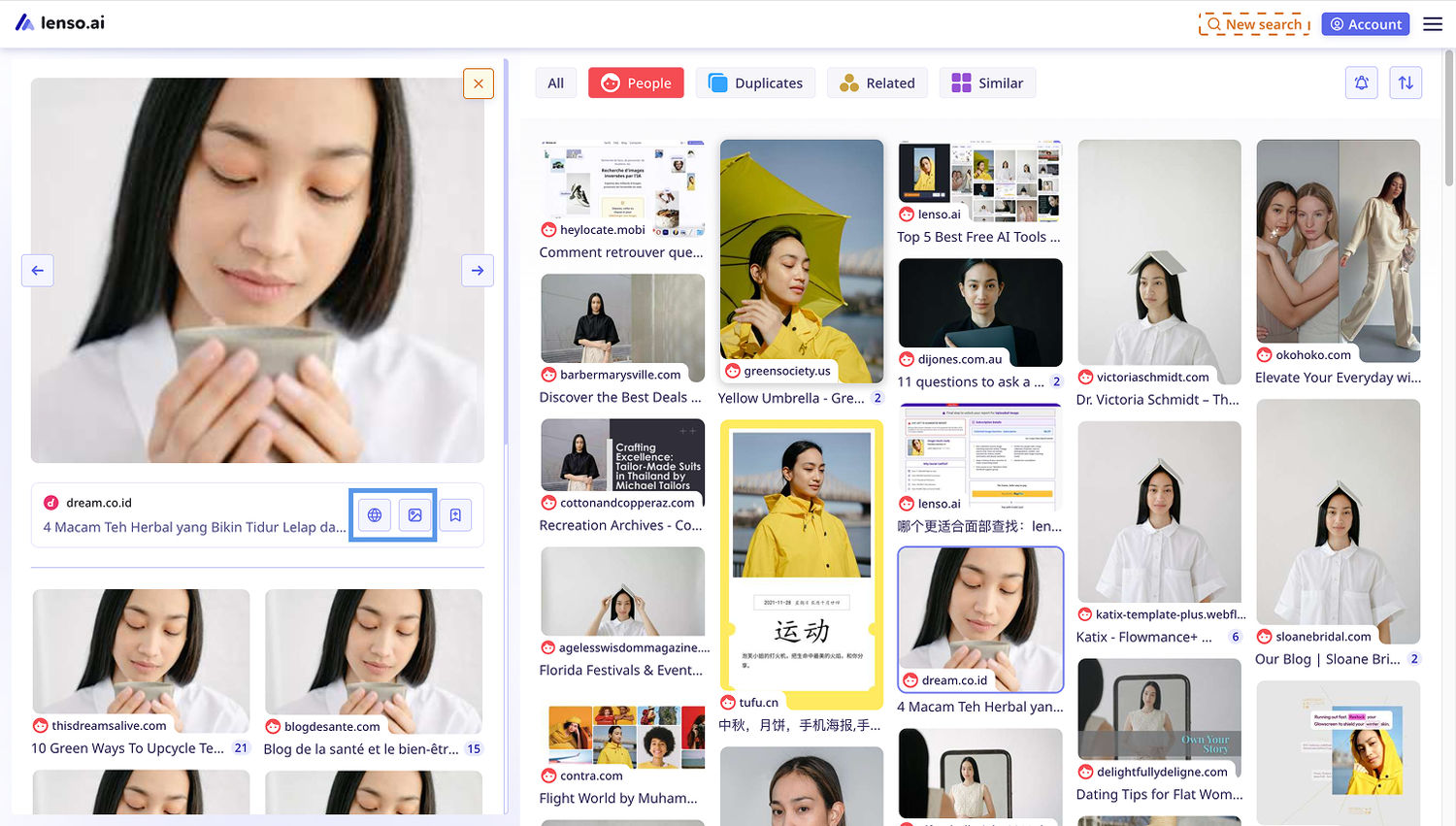
- Open the result in a new tab by clicking the image icon, or open the source with the web icon
Get notified!
Want to set up alerts and see when lenso.ai finds a new result for your search? Set up an alert with the bell icon! (Available for people, places, and duplicates only)
2. Copyseeker.net
Copyseeker is a reverse image search platform that finds copies of images across social media, public records, and other online websites.
This search engine is especially accurate when it comes to finding similar or identical versions of any image. It’s helpful when looking for the original source of any photo, art, or even video thumbnails.
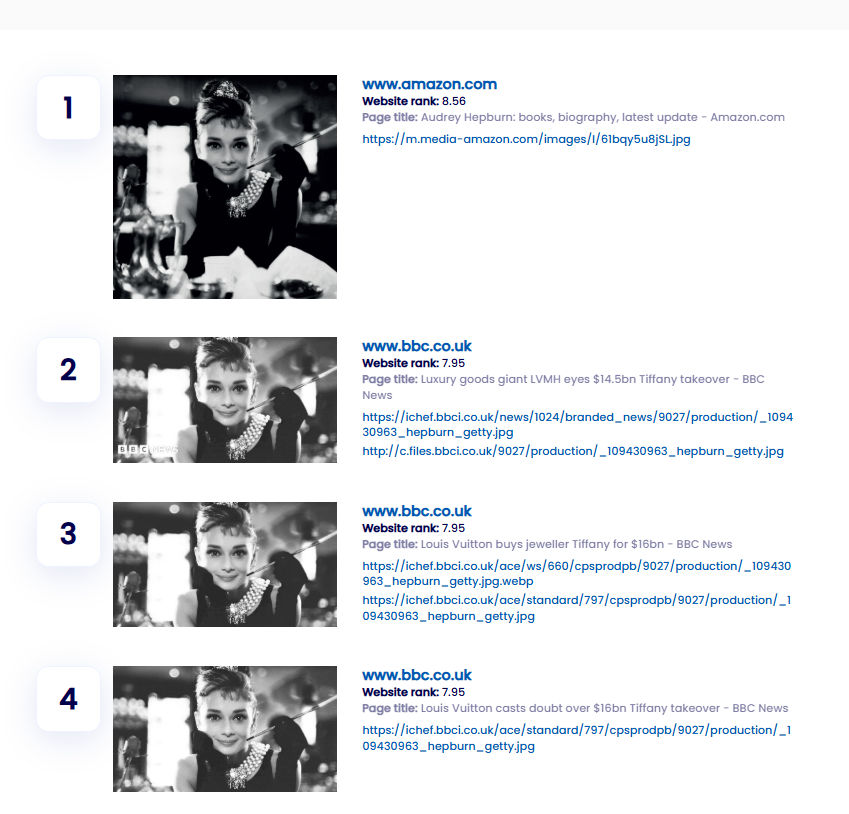
Copyseeker also shows multiple similar images at the bottom of the search page.
3. iStock
For anyone interested in finding stock images, iStock is the best platform to choose. With its AI image search engine, it is able to find stock images from multiple sources, both from text and by image.
The library is free of AI-generated photos and allows users to refine the search with filters.

Stock images can also be found with other popular engines, such as TinEye.
4. Facecheck.id
Facecheck is another example of a facial search engine. It looks for images on social media and finds photos accurately, though the image base of this engine is not as big as other engines mentioned in this ranking.
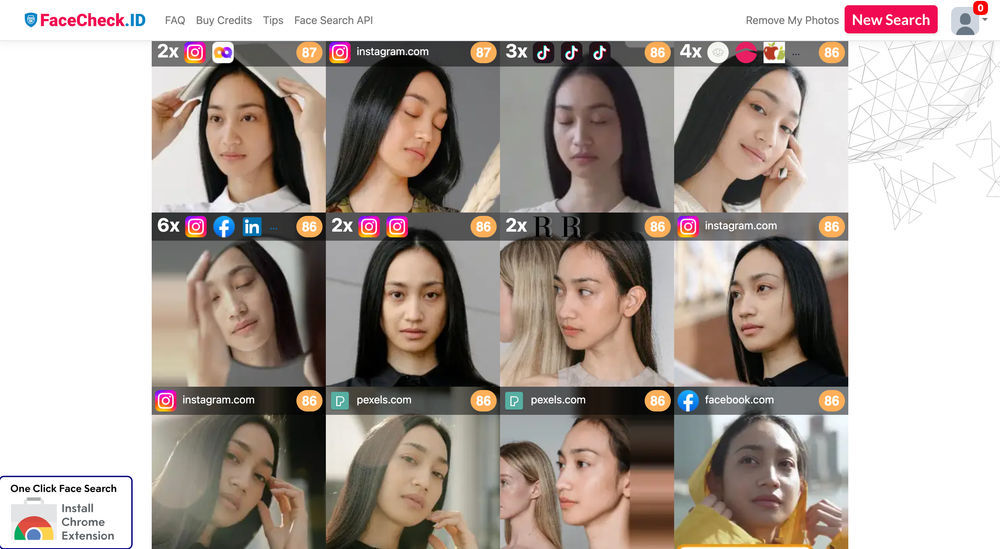
Facecheck is the cheapest facial search engine that works, but it only allows payments in cryptocurrencies. It also offers a low-cost API.
5. Google Lens
Google Lens is one of the most versatile image search tools available today. It can identify objects, products, landmarks, plants, and even translate text directly from images.

Google Lens is available both on mobile devices (built into the Google app and Android cameras) and in desktop browsers through Google Images. It’s an all-in-one tool for visual discovery and quick searches.
Summing up
The best AI image search engines are Lenso.ai, Copyseeker.net, iStock, Facecheck.id and Google Lens. They are versatile and highly accurate. Some of them also offer facial and object recognition. Depending on the use case, all are great for making a reverse image search.

Author
Kinga Jasinska
Marketing Specialist
Continue reading

News
Lenso.ai One-Time Payment: Reverse Image Search Without a Subscription
If you want to make unlocks on lenso.ai, but you don’t want to be tied to a subscription, here’s a solution you should consider: one-time payment. With one-time payments, you can purchase the product once, make unlocks and decide if you want to switch to a full plan later! This article explains how you can access the one-time payment and all the benefits it offers.

News
Using facial recognition and reverse image search for public security intelligence
Public security intelligence should implement and use only the best and most advanced tools that can help during the investigation process and provide support at different stages. How can facial recognition and reverse image search help?

News
How do Face Search Tools Work? Facial Recognition AI Models Explained.
Have you ever used a facial search tool and wondered how it works? In this article, we will explain the basics of facial recognition and tell you how face search websites build their own AI for face search engines.

News
Top 10 Reasons Why Lenso.ai Is the Best Face Search Tool Online
There are multiple facial search tools available on the internet. Most of them cost a lot, but do very little. Others provide low quality of results, show paywalls before the search even starts, or reel customers in by false advertising. Lenso.ai is the best facial search tool online, and here are some of the top reasons that prove it.

News
How Reverse Image Search Catches Stolen Before-and-After Photos in Home Service Marketing
A tree service in one state removes a storm-damaged oak, photographs the cleanup, and posts the before-and-after shots on Instagram. Eighteen months later, a company three states away is running the exact same photos as their own work on a Google Business Profile, cropped slightly and stamped with a different logo. Nobody at the original company notices, because nobody's looking. Nobody at the second company worries about it, because nobody's ever gotten caught.