Preview in:
What’s the Actual Difference Between Reverse Image Search and Face Search?
Reverse Image Search differs slightly from face search. Face search has an additional feature - facial recognition - that allows it to recognize and match faces. Here’s a full table with all the differences outlined:
| Feature | Reverse Image Search | Face Search |
|---|---|---|
| What it searches for | Similar or matching images | The same or similar faces |
| How it works | Analyzes the whole image | Analyzes facial features |
| Best for | Finding image copies, sources, products, places, or similar pictures | Finding photos of a person online |
| Image background | Can affect search results | Usually less important than the face itself |
| Cropped images | May produce different results | Can still work if the face is clear |
| Common uses | Copyright checks, finding sources, visual research | Identity research, finding online photos, monitoring face appearances |
The main difference is that reverse image search compares the visual content of an image, while face search focuses specifically on facial features.
What Tools Can You Use to Find People From a Photo?
There are some online tools that work for finding faces from a picture. Here are two most popular and publicly available facial search tools that you should use to find faces and people:
Lenso.ai
Face search tool with the most advanced system. Lenso not only finds faces online, but it also offers features like alerts, filters, sorting and many additional tools - Research Mode or DMCA Assist are offered only by this engine!
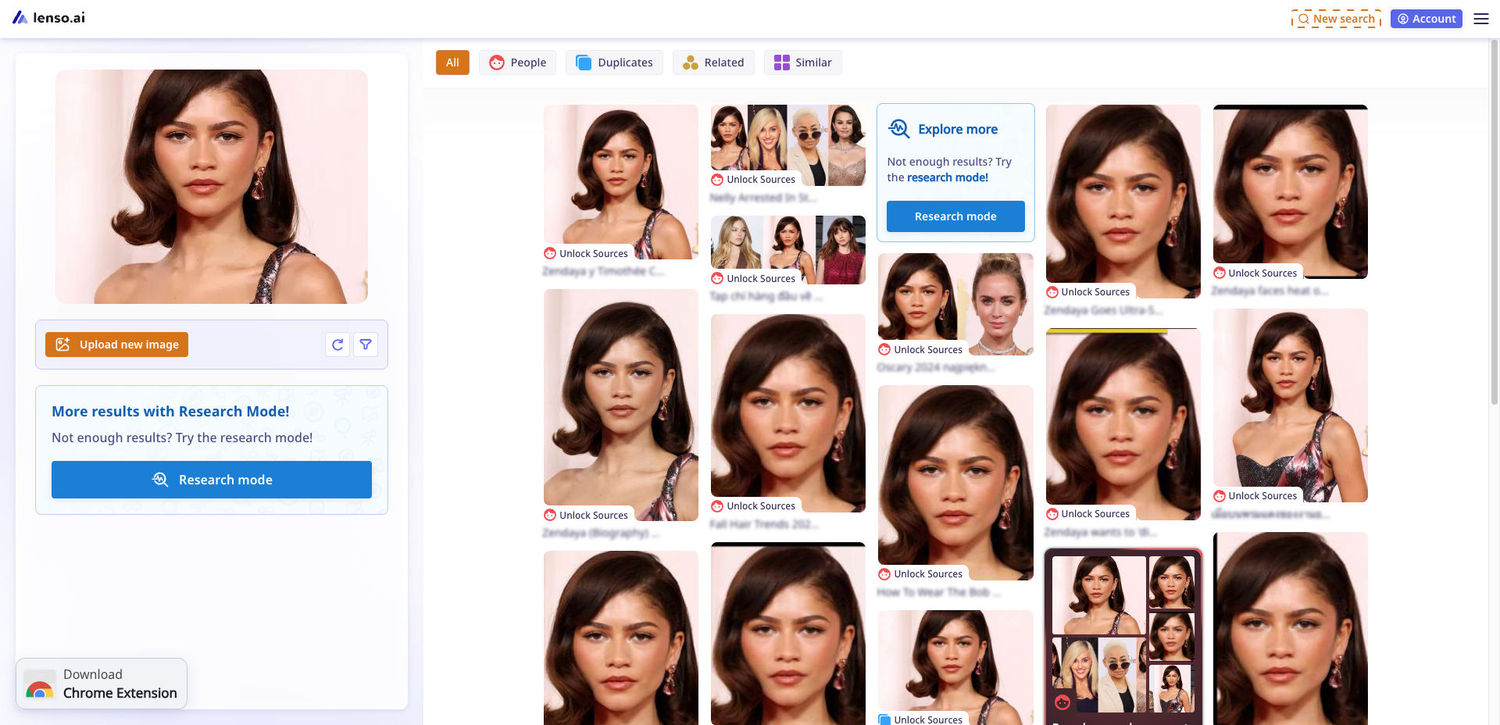
How to use lenso.ai?
Using lenso.ai is simple:
- Go to lenso.ai.
- Upload, paste, or drag an image into the search box.
- Browse results in categories such as People, Places, Duplicates, Related, and Similar.
- Use filters and sorting to narrow down the results.
- Open a result to view the image and its source website.
You can also read the full lenso.ai reverse image search tutorial.
What are the main features of lenso.ai?
Some of the main lenso.ai features are:
- Face search – find photos of the same person online.
- Duplicate search – find exact, edited, cropped, or filtered copies of an image.
- Similar image search – discover visually similar pictures.
- Filters and sorting – narrow down results using domains, keywords, dates, and other options.
- Alerts – get notified when new matching images appear.
- Research Mode – access more results and advanced search options.
- Collections – save useful search results for later.
- DMCA Assist – helps users prepare copyright removal requests.
How to find people with lenso.ai?
Upload a clear photo of a person's face to lenso.ai and open the People category. Lenso.ai will search for matching faces and show images where the same person may appear.
You can then open individual results to check the image and visit its original source. Features such as Research Mode and Alerts can also help when you want to find more results or monitor new appearances of a face online.
*\Face search is available only in selected regions.
Eyematch.ai
Eyematch is a facial search tool that, similarly to lenso.ai, finds images of the same people based on their facial features - using facial recognition.
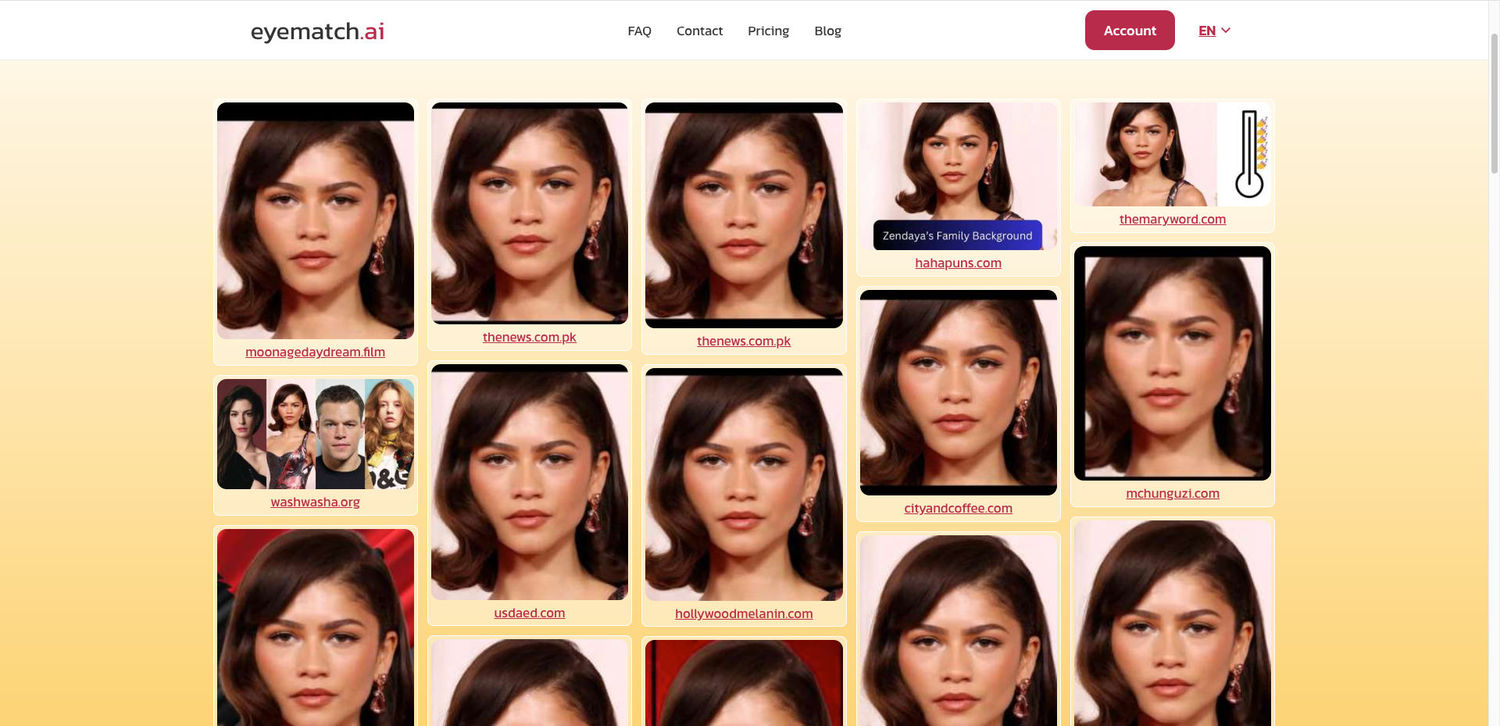
How to use Eyematch.ai?
Using Eyematch.ai is simple:
- Go to eyematch.ai.
- Upload a clear photo with a visible face.
- If there are several people in the photo, select the face you want to search.
- Eyematch.ai analyzes the face and searches publicly available images for possible matches.
- Browse the results and open the source links to see where the images were found.
You can also read this guide on how to find someone online using a photo.
What are the main features of Eyematch.ai?
Some of the main Eyematch.ai features are:
- AI face search – search the web for photos containing the same or visually similar face.
- Facial recognition – analyzes facial features rather than simply looking for an identical image.
- Multiple-face selection – if a photo contains several people, you can choose which face you want to search.
- Source links – results include links to websites where matching images were found.
- Result categories – results can be divided into Top Matches, Relevant Matches, and Similar Faces and can be opened depending on your subscription.
- Public web search – Eyematch searches publicly available and indexed online images rather than private accounts or restricted databases.
How to find people with Eyematch.ai?
Upload a clear picture of the person you want to search for. Eyematch.ai analyzes facial features and compares them with faces found in publicly available images online.
The results may include different photos of the same person, as well as people who simply look similar. A match therefore does not confirm someone's identity, so it is worth checking the source and context of each result.
For better results, use a photo where the face is clear, well-lit, and easy to see. Sunglasses, masks, strong shadows, and heavy filters can make matching more difficult.
Can Reverse Image Search Find People and Faces?
Yes, some reverse image search tools can do this! There are reverse image search engines such as lenso.ai and eyematch.ai that are able to recognize facial features and show images of the same person online. Try them now!

Author
Kinga Jasinska
Marketing Specialist
Continue reading

Guides
7 Ways Brands Can Use Reverse Image Search to Protect Themselves
Most brands monitor their name. They set up Google Alerts, track hashtags, and keep an eye on reviews.
%20(1).jpg?tr=w-768,h-auto)
Guides
How to Prepare and Convert Images for Reverse Image Search
A product photo, a transparent logo, and a screenshot may arrive in the same folder, but they should not automatically leave it in the same format. Choosing the wrong output can replace transparency with a solid background or soften text that was perfectly readable. These differences matter when preparing images for websites, online platforms, and reverse image search tools.

Guides
Find cozy fall aesthetics online with reverse image search
Fall is the perfect season to shop for cozy, aesthetic finds. With the internet overflowing with autumn posts and inspiration, it can be hard to narrow down what you want. How to find cozy fall aesthetics online with reverse image search?
Guides
How to find the perfect fall photoshoot location from a photo?
Fall is the perfect time for a new photoshoot, whether you want to create fresh content for your personal social media accounts or promote your product or brand with an authentic fall vibe. But first, you need to find the right place. Find out how to discover the perfect fall photoshoot location from a photo.

Guides
What to do in the first ten minutes after you find your own face in a reverse image search?
Finding your own face in a reverse image search is a strange feeling. Not usually because the result is sinister, most of the time it is a conference photo, an old profile picture, a team page from a job you left in 2019, but because you did not put it there and you did not know it was there.