
Preview in:
Why are premium content creators targeted?
Anything that is hidden behind a paywall or requires additional security measures is a primary target for theft. Because this type of content is difficult to access, it can later be easily shared once stolen.
People are often more interested in content that is not easily available, and many are unwilling to pay for it, and seek unauthorized access rather than paying for it.
Honestly, every content creator who publishes work online is at risk. However, there are effective solutions that can help prevent image misuse and protect digital content.
Top 5 Ways to Find Your Leaked Photos Online
What to do if your private content is stolen? - step by step
How to check if your photos are being used without permission: Find stolen pictures online
For actionable content protection strategies to safeguard your images and maintain the integrity of your exclusive content, check out this content protection strategies resource.
1. Find and collect all websites, URLs, and profiles where your images have been misused.
You can do this manually through Google search, use a reverse image search tool like lenso.ai (details below), or hire an image protection service.
2. Report the stolen content on every page where it appears.
This can be done through direct contact with the site or by submitting DMCA takedown requests.
3. Report impersonation profiles.
If someone uses your images to impersonate you, contact the privacy department of each platform directly. Image protection companies can also handle this process on your behalf.
4. Monitor the deletion of the content and watch for possible reuploads.
5. Consider adding watermarks to your photos to make unauthorized use more difficult.
6. Proceed with legal action if necessary.
To avoid dealing with stolen content later, it’s best to take actions to prevent image theft and be prepared for any potential misuse.
How to prevent image theft on exclusive content platforms?
One of the best solutions is to use lenso.ai, a reverse image search and facial recognition platform. It is an all-in-one tool that helps detect image theft and prevent potential misuse.
How lenso.ai can help you protect your images online?
1. Upload an image to lenso.ai to check whether exact copies exist elsewhere or to see where images of your face appear online.

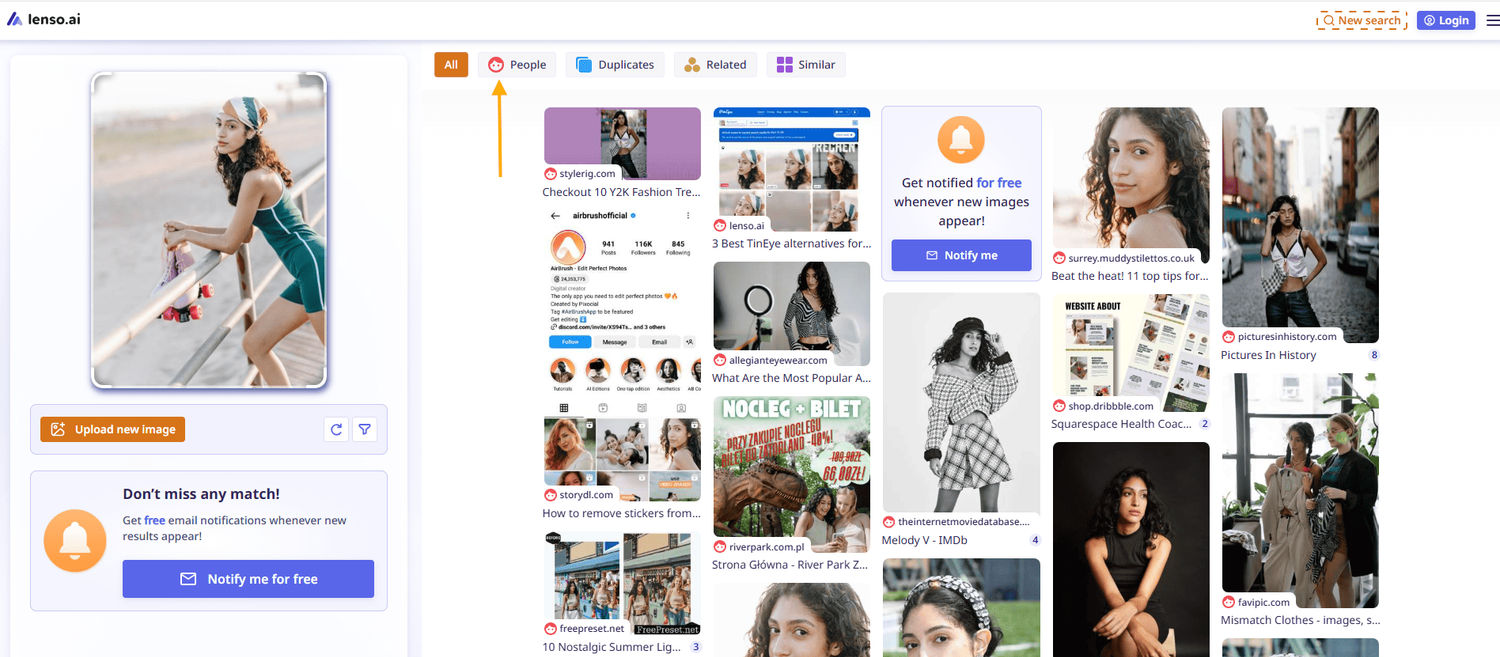
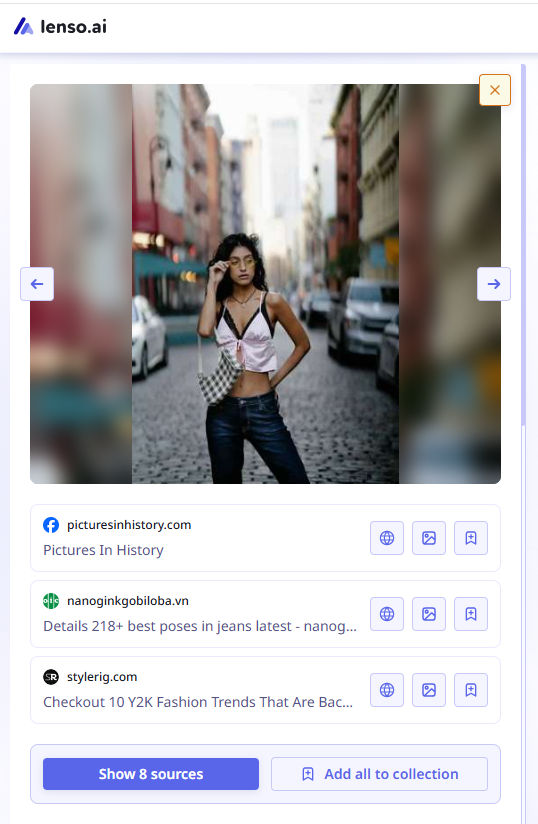
2. Review all available URLs under each image, and report any content you did not authorize for redistribution.
3. Create free alerts for your images. You will receive email notifications whenever new results appear, ensuring you never miss potential misuse.
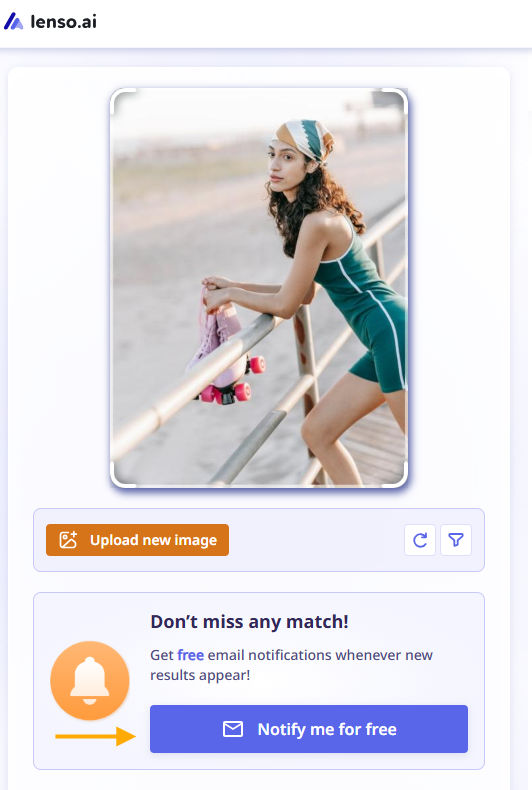
How to track your images online with free alerts from lenso.ai?
4. Filter by specific domains if you are aware that some images have appeared there previously.
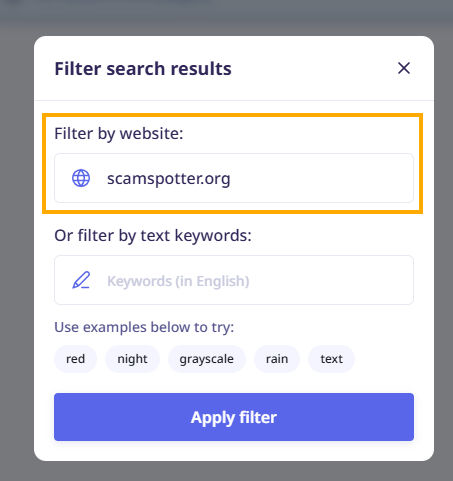
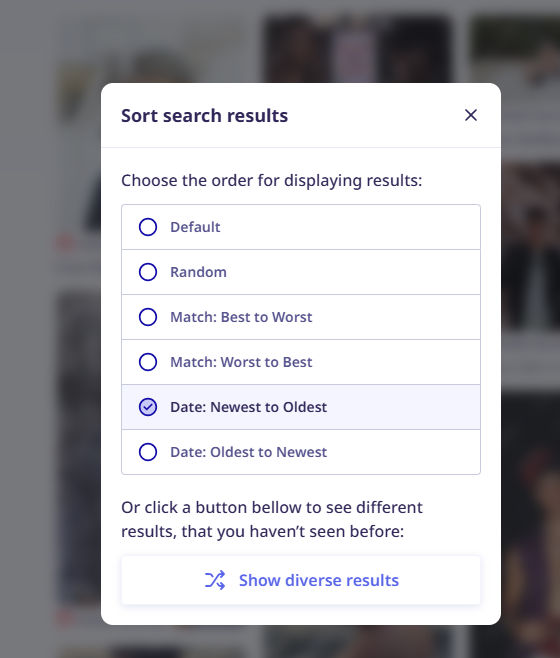
5. Sort by newest to quickly check the latest instances of your images online.

Author
Julia Mykhailiuk
Marketing Specialist
Continue reading
%20(1).jpg?tr=w-768,h-auto)
Guides
How to Prepare and Convert Images for Reverse Image Search
A product photo, a transparent logo, and a screenshot may arrive in the same folder, but they should not automatically leave it in the same format. Choosing the wrong output can replace transparency with a solid background or soften text that was perfectly readable. These differences matter when preparing images for websites, online platforms, and reverse image search tools.

Guides
Find cozy fall aesthetics online with reverse image search
Fall is the perfect season to shop for cozy, aesthetic finds. With the internet overflowing with autumn posts and inspiration, it can be hard to narrow down what you want. How to find cozy fall aesthetics online with reverse image search?

Guides
How to find the perfect fall photoshoot location from a photo?
Fall is the perfect time for a new photoshoot, whether you want to create fresh content for your personal social media accounts or promote your product or brand with an authentic fall vibe. But first, you need to find the right place. Find out how to discover the perfect fall photoshoot location from a photo.

Guides
What to do in the first ten minutes after you find your own face in a reverse image search?
Finding your own face in a reverse image search is a strange feeling. Not usually because the result is sinister, most of the time it is a conference photo, an old profile picture, a team page from a job you left in 2019, but because you did not put it there and you did not know it was there.

Guides
Is your match real? Reverse image search a dating profile
Dating apps are probably the go-to solution for finding a potential date, but unfortunately, they can also be one of the riskiest options. How can you make sure your match is real? Do a reverse image search and find more information using their dating profile picture.