Preview in:
Reverse image search - a short guide
Basically, all you need is an image (it can even be a screenshot), but the better the image quality, the more accurate the results will be.
Then, simply choose a suitable reverse image search tool and upload the image. After that, check the results and the sources where the image was originally published.
With reverse image search, you can also find:
- where exact copies of a specific image are published,
- where other photos with your face has been published
- more information about specific person
- potential catfish/fraud
- visually similar images,
- fake or edited versions of photos.
How to find the original image source using reverse image search?
We will show you how to find an original image source by using the best reverse image search tool - lenso.ai.
As soon as you have an image or a screenshot of the image whose source you want to find, simply go to lenso.ai and follow these steps:
- Upload an image
.png)
- Use the selection tool if needed
- Check the available categories (People, Duplicates, Related, or Similar)
- Check the results under each category
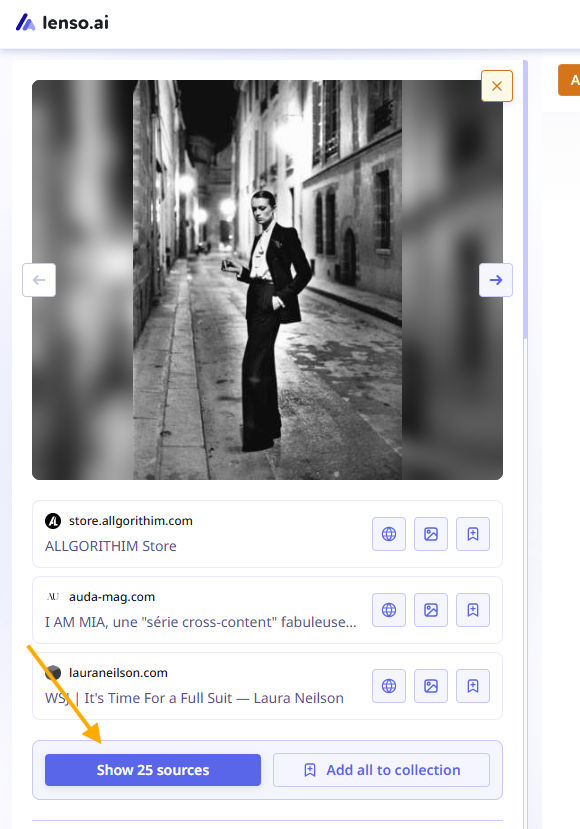
- Unlock results under each image (you will get the image URL and the website URL where it was originally published)
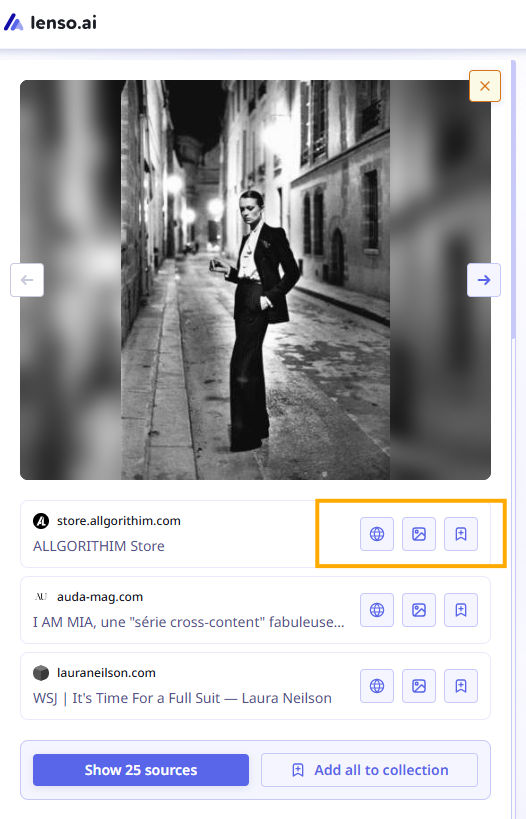
And that’s all! In just a few moments, you will see all possible image sources.
But if there are currently no results, you have 2 options:
- Enable Research Mode: then you will get up to 10,000 extra results and also the ability to easily filter/sort them using advanced options
- Create an Alert for that image and receive email notifications whenever new results appear online
Lenso.ai is a perfect solution for a quick check of an image’s original source or for an in-depth, ongoing investigation when the image source is not easy to locate.
What can you do with an image source?
Everything depends on your use-case, but here are few options:
- report them if there was any copyright misuse
- proceed with DMCA requests
- find more information about the image/person from the image
- check the original webpage
- detect fake accounts, impersonation, or catfishing attempts
- monitor unauthorized commercial use of your images
- collect evidence for investigations, journalism, or legal cases
Best reverse image lookup tools
Here are the list of best reverse image lookup tools:
- Lenso.ai for reverse image search and face search as well
- Eyematch.ai for face search only
- Copyseeker for copyright image search
- Google Lens for general image search
- Yandex for overall search as well
Reverse image lookup: FAQ
Let’s answer the most common questions regarding reverse image lookup services and their overall usage.
Which reverse image lookup is best?
Lenso.ai is currently the best reverse image search tool with a facial recognition engine. It offers plenty of options to enhance your results, such as Research Mode with advanced filters and alerts for new images. You can also search across different categories, including face search, copyright image search, visually similar images, and related image searches.
Is reverse image lookup free?
It depends on the tool. Google Lens and TinEye are free, but they are not as accurate as lenso.ai or eyematch.ai (these tools use a freemium model). However, with those tools, you can upload an image for free and check the actual results (or see whether there are any matches at all ), and only pay to unlock the image sources.
Can I find someone using a photo?
Yes, you can find someone by uploading an image to a reverse face search tool and checking for exact face matches. For example, on lenso.ai, you can check whether there are any results under the “People” category. Also, do not forget to check the original sources of the image, they may contain more information, insights, or background about the person in the photo.
Is reverse image search accurate?
Reverse image search is accurate in most cases, but everything depends on the tool you use. It also depends on the use case: Google Lens works perfectly for finding similar visuals or, for example, product searches. However, lenso.ai is better for reverse face search or exact image duplicate detection.

Author
Julia Mykhailiuk
Marketing Specialist
Continue reading
%20(1).jpg?tr=w-768,h-auto)
Guides
How to Prepare and Convert Images for Reverse Image Search
A product photo, a transparent logo, and a screenshot may arrive in the same folder, but they should not automatically leave it in the same format. Choosing the wrong output can replace transparency with a solid background or soften text that was perfectly readable. These differences matter when preparing images for websites, online platforms, and reverse image search tools.

Guides
Find cozy fall aesthetics online with reverse image search
Fall is the perfect season to shop for cozy, aesthetic finds. With the internet overflowing with autumn posts and inspiration, it can be hard to narrow down what you want. How to find cozy fall aesthetics online with reverse image search?
Guides
How to find the perfect fall photoshoot location from a photo?
Fall is the perfect time for a new photoshoot, whether you want to create fresh content for your personal social media accounts or promote your product or brand with an authentic fall vibe. But first, you need to find the right place. Find out how to discover the perfect fall photoshoot location from a photo.

Guides
What to do in the first ten minutes after you find your own face in a reverse image search?
Finding your own face in a reverse image search is a strange feeling. Not usually because the result is sinister, most of the time it is a conference photo, an old profile picture, a team page from a job you left in 2019, but because you did not put it there and you did not know it was there.
Guides
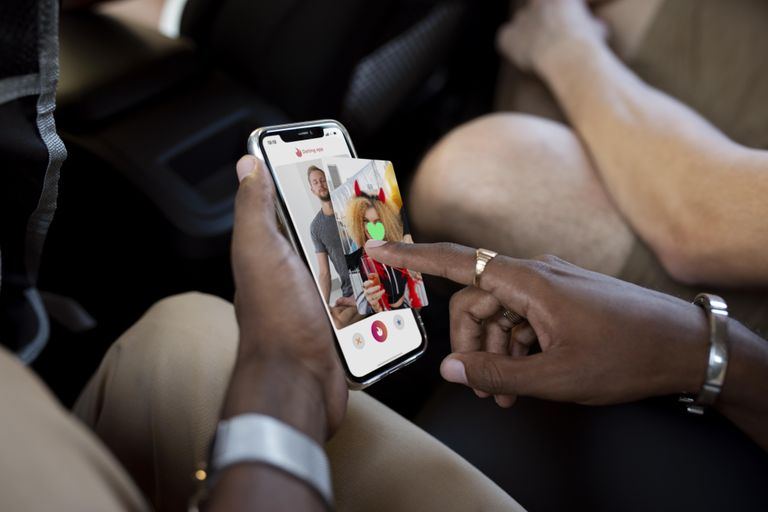
Is your match real? Reverse image search a dating profile
Dating apps are probably the go-to solution for finding a potential date, but unfortunately, they can also be one of the riskiest options. How can you make sure your match is real? Do a reverse image search and find more information using their dating profile picture.