Preview in:
Copyright protection is not something new in the creative industry, but unfortunately it is very easy to steal content that is publicly available (for example, from YouTube) and reuse it to gain an audience.
Here are the most common types of copyright violations:
- reuploading entire YouTube videos
- reusing video clips without permission
- copying video thumbnails
- using screenshots or frames from videos without permission
- creating fake or impersonation YouTube channels
- selling or monetizing other creators' content
- using creators' photos outside YouTube without permission
- copying channel branding (logos, banners, profile pictures)
- creating fake giveaways or scams using a creator's identity
How to protect your work online with copyright image search tools?
How to find stolen thumbnails and profile photos?
The easiest and most effective way is to use a reverse image search tool that has a copyright-focused image search engine. In simple words, it can help you find exact copies of the image you provide.
Lenso.ai is a perfect example of such a reverse image search tool.
Find stolen content with lenso.ai
We will start by collecting all the images you want to check for potential copyright violations, such as screenshots from your videos, thumbnails, profile photos, or logos.
Then, go to lenso.ai and upload the images one by one.
.png)
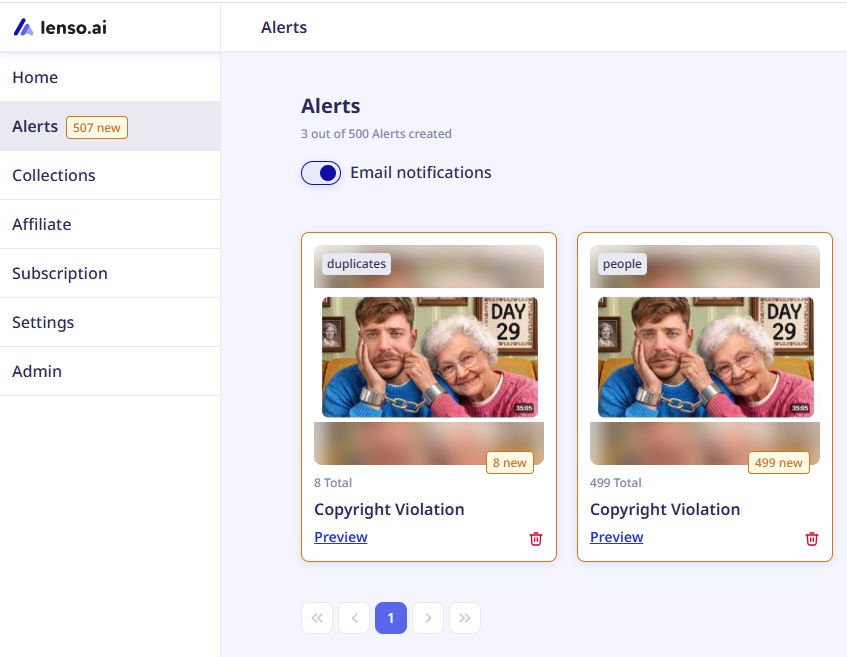
Note: You can create an Alert for each image at the beginning, so you can easily monitor any future copyright violations or simply track where your image appears online. Every time a new match is found, you will receive an email notification.
Let's get back to the image search.
1. After uploading an image, you can easily check whether there are any matches by opening the "Duplicates" category.
2. If your face appears in the image, you can also check the "People" category, where you will find all face matches.
.png)
- For every result, you will see the image along with its original URL source(s), so within a few seconds you can find exactly where it appears online.
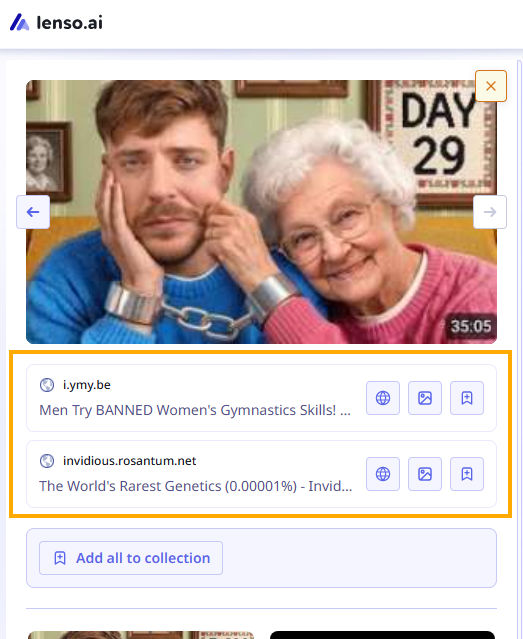
- There is also Research Mode, which can help you find even more matches, as it performs a deeper reverse image search.
.png)
- If you believe that your image has been misused, you can contact the website where it was found and request that it be taken down.
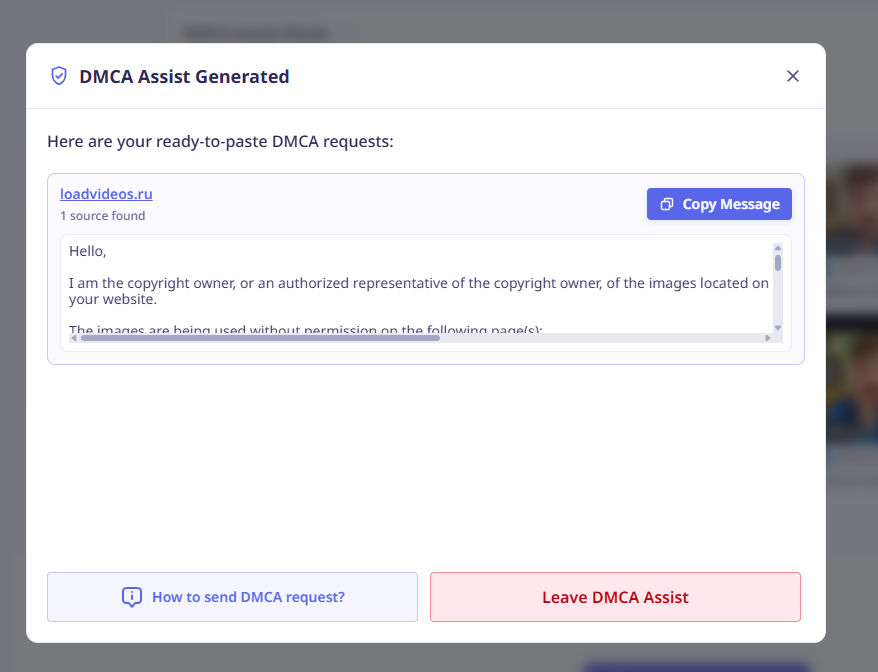
- If you are not sure whether your images should appear in reverse image search results on websites such as lenso.ai, you can use the DMCA Assist feature to remove them from lenso.ai. You will also receive a short guide explaining how and what to write when contacting the websites where you discovered the copyright violation.
.png)
- Additionally, check other reverse image search tools and submit DMCA requests there as well. You can start with PimEyes, Eyematch.ai, or FaceCheck.ID.
Copyright protection for YouTubers: what should you do?
First of all, actively use reverse image search tools, as they can really help you as a YouTube creator. It is much easier to monitor and detect potential copyright misuse than to manually search for it from time to time.
Secondly, submit DMCA takedown requests wherever possible and monitor whether the infringing content has actually been removed. You can do this yourself or use a copyright protection service that will handle the process for you.
If you discover any impersonation, report the account as soon as possible and provide all available evidence to the platform where you submit the report.
If any dispute arises or the case moves forward to court, remember to collect and keep all possible evidence proving that the content is yours.
If possible, add a watermark or copyright notice to your thumbnails, screenshots, or other images. While it will not prevent theft, it can help demonstrate ownership and support any future copyright claims.

Author
Julia Mykhailiuk
Marketing Specialist
Continue reading
Guides
Find cozy fall aesthetics online with reverse image search
Fall is the perfect season to shop for cozy, aesthetic finds. With the internet overflowing with autumn posts and inspiration, it can be hard to narrow down what you want. How to find cozy fall aesthetics online with reverse image search?
Guides
How to find the perfect fall photoshoot location from a photo?
Fall is the perfect time for a new photoshoot, whether you want to create fresh content for your personal social media accounts or promote your product or brand with an authentic fall vibe. But first, you need to find the right place. Find out how to discover the perfect fall photoshoot location from a photo.

Guides
What to do in the first ten minutes after you find your own face in a reverse image search?
Finding your own face in a reverse image search is a strange feeling. Not usually because the result is sinister, most of the time it is a conference photo, an old profile picture, a team page from a job you left in 2019, but because you did not put it there and you did not know it was there.
Guides
Is your match real? Reverse image search a dating profile
Dating apps are probably the go-to solution for finding a potential date, but unfortunately, they can also be one of the riskiest options. How can you make sure your match is real? Do a reverse image search and find more information using their dating profile picture.