
Preview in:
Reverse image search is a fast and convenient way to find more information using only an image. It can be useful in everyday situations as well as across many industries worldwide.
We gathered the most common questions about reverse image search and answered them in this FAQ.
What is reverse image search?
Reverse image search is an advanced technology that allows you to retrieve information using an image. It analyzes the uploaded picture and compares it with billions of images available in its index. Within seconds, you receive the most relevant results.
There are several types of reverse image search tools, depending on what you’re looking for, for example, duplicate image search, face search,place (landmark) search, or similar/related image search.
How to Find the Exact Same Photo with Reverse Image Search?
How does reverse image search work?
In simple terms, reverse image search analyzes an image, extracts key visual features (such as shapes, colors, patterns, and objects), and creates a unique “visual fingerprint.” It then compares this fingerprint with billions of images stored in its index and returns the closest matches.
Is reverse image search accurate?
Overall, reverse image search is accurate, but it depends on the engine/tool you use. Even Google isn’t 100% accurate when it comes to face search, for example. However, it usually works very well for finding places.
So reverse image search accuracy may depend on:
- the tool you use
- the image you upload
- the purpose of the search (for example, searching for similar images vs. exact duplicates)
What are the best reverse image search tools?
Undoubtedly, lenso.ai is the best reverse image search tool, as it offers all key options in one place: face search, copyright image search, place search, and similar/related search.
.png)
However, you can also check some decent lenso.ai alternatives, such as:
- Copyseeker
- TinEye
- Yandex
What is the best alternative to Google reverse image search?
Even if you use Google on a daily basis, one of the best alternatives to Google reverse image search is lenso.ai. With lenso, you can find exact matches, duplicates of the same image, places, and related or similar images.
Besides that, lenso.ai offers Research Mode, which can reveal even more matches, up to 10,000 results.
.png)
3 Best Google Lens alternatives for reverse image search
How can reverse image search help you?
Reverse image search can be helpful in many ways. Here are just some of them:
- check where your photos appear online
- proceed with the takedown of unauthorized use
- check for potential copyright misuse
- verify whether a person is a potential catfish or fraud
- find your lost photos
- conduct an investigation and find more information about a missing person
People Finder as a must-have tool for OSINT investigations
How to use reverse image search effectively?
So it’s not enough to upload just any image and expect the best possible results. If you want to use reverse image search effectively, it’s better to:
- use high-quality images
- use high-resolution images
- try different images
How to find the original source of an image?
The simple answer is: just upload an image to a reliable reverse image search tool. For example, you can upload an image to lenso.ai and check whether there are duplicates online. Under each result, you’ll find the original source URL.
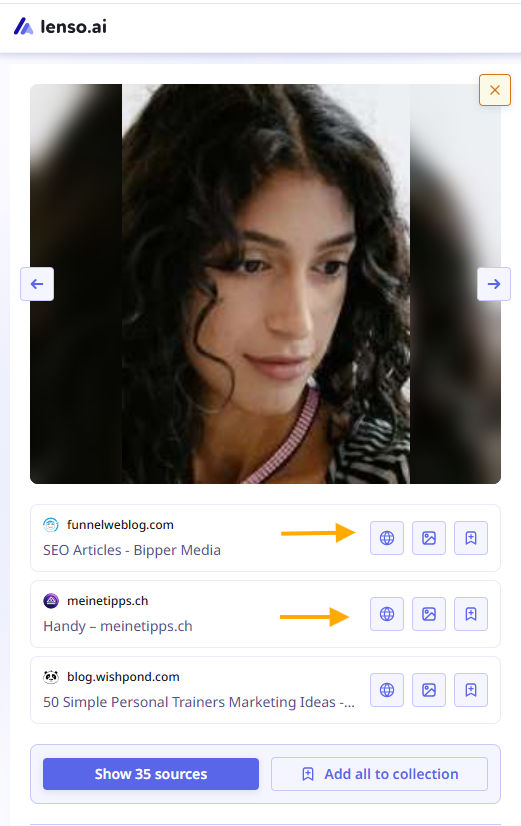
If there are no results, you can still use lenso.ai and set up a free alert for that image. As soon as it appears online, you’ll receive an email notification.
Can reverse image search help detect scams and catfishing?
If you use a reverse image search tool with a facial recognition engine,then yes - it can help you check for potential scams and catfishing.
The best approach is to upload an image and look for face matches that could reveal whether the person is using stolen photos. You should also check the URLs where the image was originally published, as this can provide more detailed information about that person.
How to tell you’re being catfished? Most effective tips
If you have several images of the same person, it’s best to check all of them, different photos may lead to different results. It’s also a good idea to compare results across multiple reverse image search engines. For example, you can search on lenso.ai and then compare the results with PimEyes or eyematch.ai.
Which reverse image search tool is best for faces?
Lenso.ai is definitely one of the best face search tools, as it can find exact matches even when a face is blurry, captured in different lighting, or shown in various poses. However, you can also check some lenso.ai alternatives for face search, such as:
- eyematch.ai
- Pimeyes
- facecheck.id
Is reverse image search safe and private?
Yes, reverse image search is safe and private when you use a legitimate tool. Before uploading an image to any reverse image search platform, make sure it’s trustworthy, for example, by checking its Privacy Policy and Terms & Conditions, as well as the company’s registration information.

Author
Julia Mykhailiuk
Marketing Specialist
Continue reading
%20(1).jpg?tr=w-768,h-auto)
Guides
How to Prepare and Convert Images for Reverse Image Search
A product photo, a transparent logo, and a screenshot may arrive in the same folder, but they should not automatically leave it in the same format. Choosing the wrong output can replace transparency with a solid background or soften text that was perfectly readable. These differences matter when preparing images for websites, online platforms, and reverse image search tools.

Guides
Find cozy fall aesthetics online with reverse image search
Fall is the perfect season to shop for cozy, aesthetic finds. With the internet overflowing with autumn posts and inspiration, it can be hard to narrow down what you want. How to find cozy fall aesthetics online with reverse image search?

Guides
How to find the perfect fall photoshoot location from a photo?
Fall is the perfect time for a new photoshoot, whether you want to create fresh content for your personal social media accounts or promote your product or brand with an authentic fall vibe. But first, you need to find the right place. Find out how to discover the perfect fall photoshoot location from a photo.

Guides
What to do in the first ten minutes after you find your own face in a reverse image search?
Finding your own face in a reverse image search is a strange feeling. Not usually because the result is sinister, most of the time it is a conference photo, an old profile picture, a team page from a job you left in 2019, but because you did not put it there and you did not know it was there.

Guides
Is your match real? Reverse image search a dating profile
Dating apps are probably the go-to solution for finding a potential date, but unfortunately, they can also be one of the riskiest options. How can you make sure your match is real? Do a reverse image search and find more information using their dating profile picture.