
Preview in:
Black Friday – beware of online scams
Officially, Black Friday this year will be on November 28th. But in reality, we already have a Black Week or even a Black Month and, of course, Cyber Monday follows right after. Basically, the whole of November is full of promotions, both online and offline.
Unfortunately, during this period there is a rising trend of various scams, not only from individuals but sometimes even from companies themselves. Popular scam techniques may include:
- “Discounted” prices that are actually higher than before the promotion
- Fake websites offering discounts of 80–90% on premium goods
- Social media ads that lead to scammy websites
- Phishing emails claiming to have exclusive promotions tailored for you
- Nonexistent coupons or promo codes
How can you avoid these scams? Use a reverse image search tool!
How to use reverse image search to find the best Black Friday deals?
Reverse image search can be very helpful for finding the best Black Friday deals, as well as for avoiding or detecting the scam techniques mentioned earlier.
Basically, when you want to buy something later, you often either save a link or take a screenshot of the product. Moreover, when you see a product offline (e.g., not in a store) and want to check its price, you can simply take a picture.
The next step is straightforward: use that image to search and find the best possible matches. There are plenty of reverse image search tools available, and we will check one of the best - lenso.ai, which offers various features to make the whole search process easier.
Find the best Black Friday deals with lenso.ai image search tool
So the simplest way is just to upload an image to lenso.ai and check for available results in different categories. Exact matches will probably appear in the Duplicates category. Thanks to that, you will be able to find and compare different prices for the same product, and choose the best deal!
.png)
But that is not all!
Find clothes by picture using reverse image search engine
Sort image results
In case you want to make sure that the price mentioned on a website during Black Friday is not higher than it was before, you can simply check it with lenso. Just upload the product you want to check and sort by the oldest date, then you will see previous offers for that specific product.
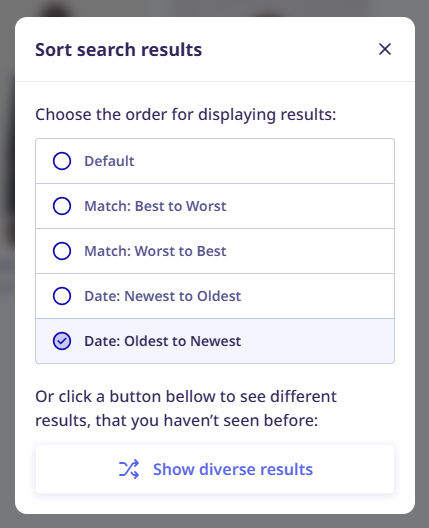
And it can work in a reverse way - you can sort by newest to check whether the exact product is currently on sale.
Filter image results by domain
Again, if you want to check if the product is actually on sale, you can filter by domain on lenso (if you are aware of the brand where it is originally sold). If there are matches, you can easily check the price on the original website and compare it with a reseller, for example.
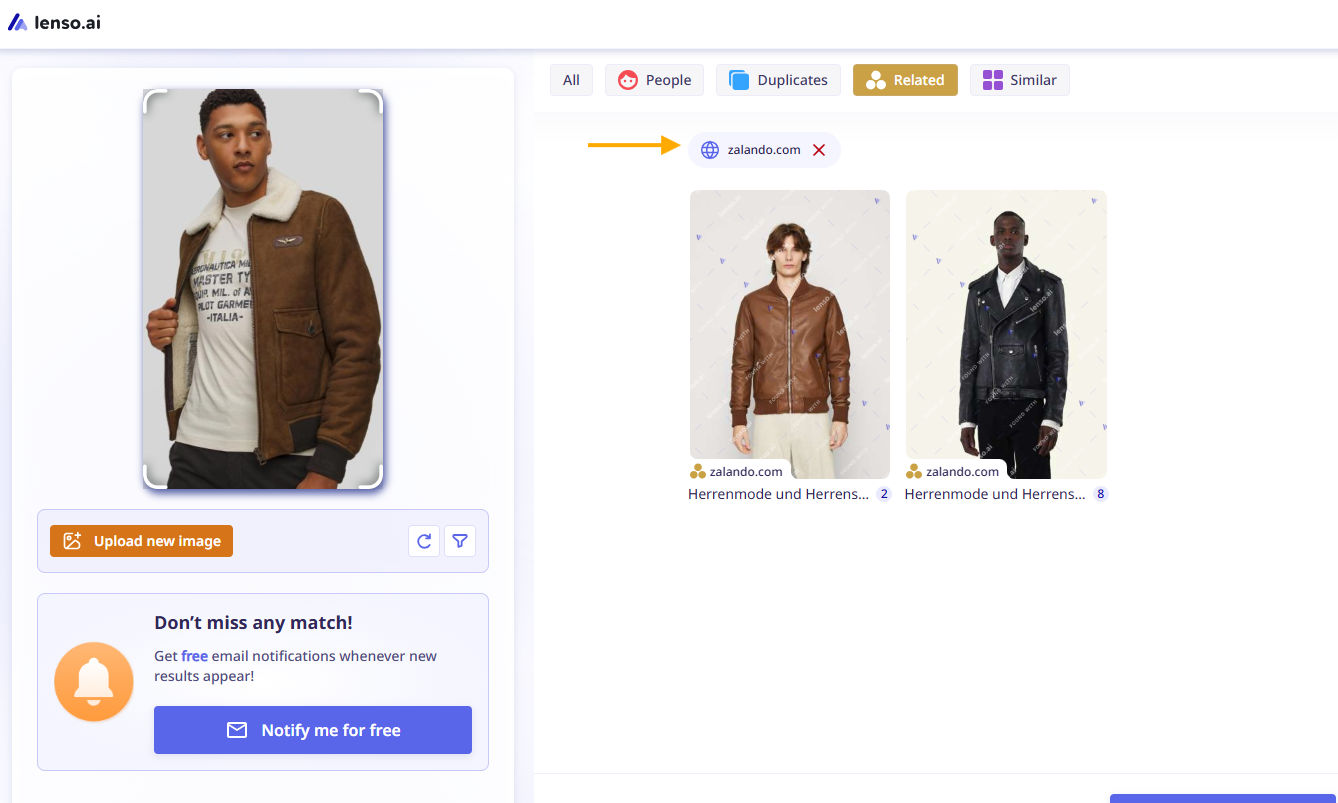
This can also be helpful, if you filter and find different items from that specific website that are currently on sale, which you weren’t aware of before - you now know thanks to lenso!
What are filters on lenso.ai and how to use them?
Similar/Related image search
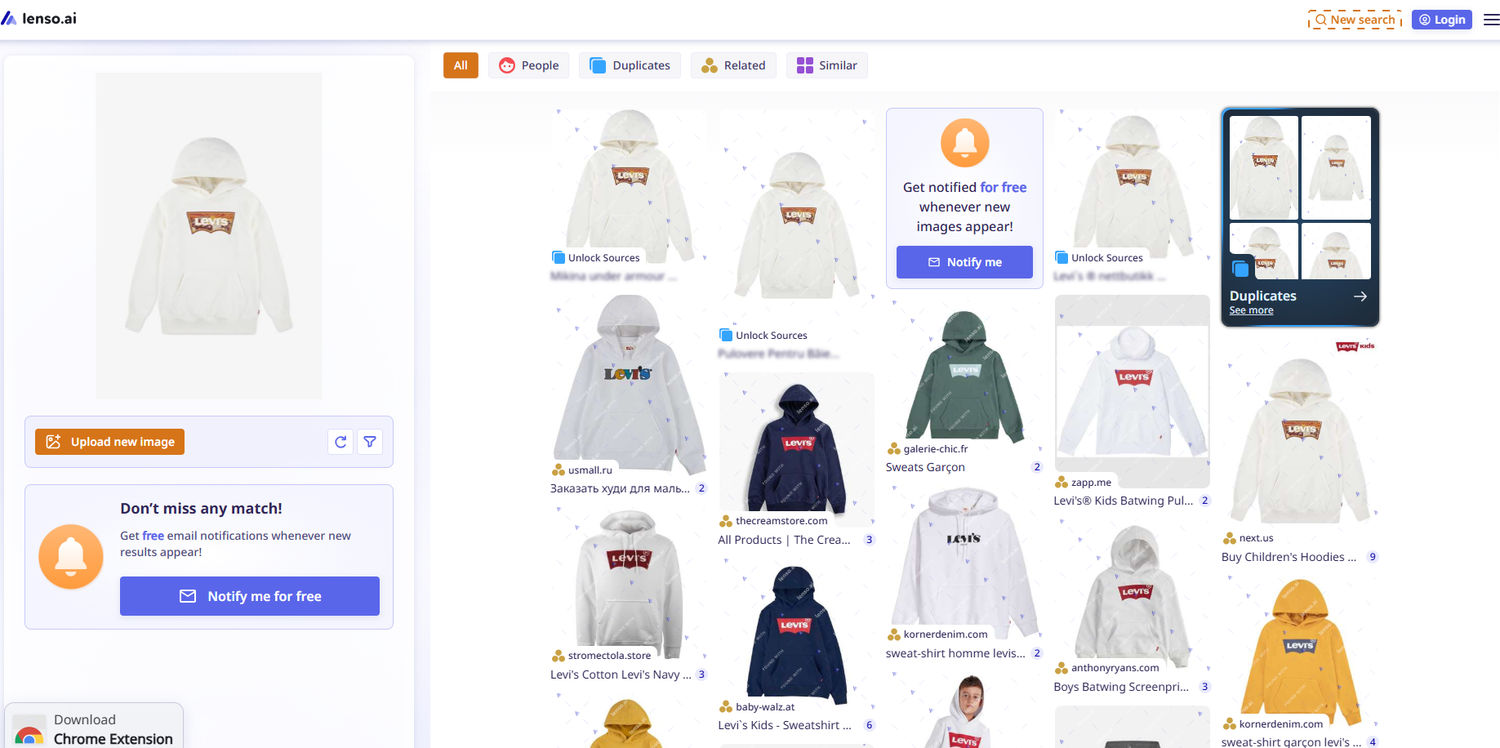
If you are not sure whether to buy that specific item from a photo, lenso can help there as well. Just upload an image and check the Similar or Related category. There you will probably see not the exact match but something similar, which sometimes may even be at a better price.
Create free alerts
If there are currently no discounts for the specific product you want to buy, create a free alert on lenso.ai. Whenever new results for that image appear online, you will receive an email notification.
How to track your images online with free alerts from lenso.ai?
Use chrome extension from lenso.ai
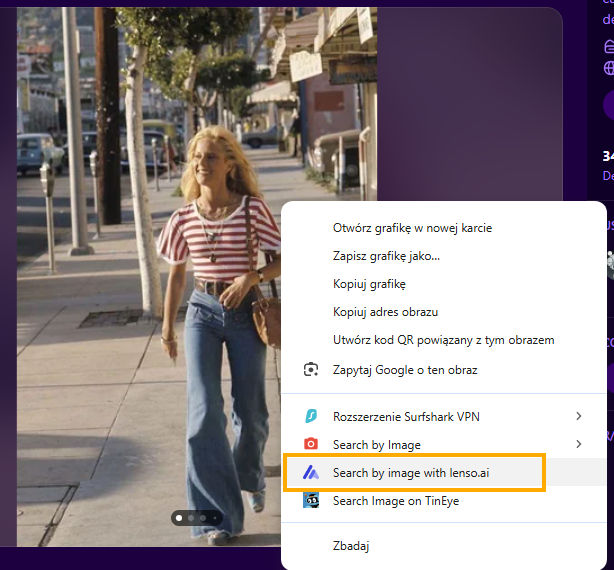
If you want to try some live image search, you can simply add the lenso.ai Chrome extension to your browser, then right-click on the chosen image to see what lenso finds. Thanks to this, you will be able to:
- compare prices
- find the best possible deal
- reassure that it is not a scam
- look for inspiration

Author
Julia Mykhailiuk
Marketing Specialist
Continue reading

News
Lenso.ai One-Time Payment: Reverse Image Search Without a Subscription
If you want to make unlocks on lenso.ai, but you don’t want to be tied to a subscription, here’s a solution you should consider: one-time payment. With one-time payments, you can purchase the product once, make unlocks and decide if you want to switch to a full plan later! This article explains how you can access the one-time payment and all the benefits it offers.

News
Using facial recognition and reverse image search for public security intelligence
Public security intelligence should implement and use only the best and most advanced tools that can help during the investigation process and provide support at different stages. How can facial recognition and reverse image search help?

News
How do Face Search Tools Work? Facial Recognition AI Models Explained.
Have you ever used a facial search tool and wondered how it works? In this article, we will explain the basics of facial recognition and tell you how face search websites build their own AI for face search engines.

News
Top 10 Reasons Why Lenso.ai Is the Best Face Search Tool Online
There are multiple facial search tools available on the internet. Most of them cost a lot, but do very little. Others provide low quality of results, show paywalls before the search even starts, or reel customers in by false advertising. Lenso.ai is the best facial search tool online, and here are some of the top reasons that prove it.

News
How Reverse Image Search Catches Stolen Before-and-After Photos in Home Service Marketing
A tree service in one state removes a storm-damaged oak, photographs the cleanup, and posts the before-and-after shots on Instagram. Eighteen months later, a company three states away is running the exact same photos as their own work on a Google Business Profile, cropped slightly and stamped with a different logo. Nobody at the original company notices, because nobody's looking. Nobody at the second company worries about it, because nobody's ever gotten caught.