News
Best Free OSINT tools for people and face search in 2026
If you are about to start your first OSINT investigation, it's best to begin with the top free tools for people and face search. Don’t waste time - solve the case right away!
Search for Pictures Online
Look for inspiration
Get inspired by lenso.ai’s image search! Find clothes, art references, paintings, and more. With reverse image search, it’s possible to discover great ideas, find sources of pictures online, and explore new websites.
Find where your photos are shared
Check where the images you took appear online. Find sources of any photo and discover hundreds of copies of any picture. Sort and filter your results for the most accurate image search.
Discover similar pictures
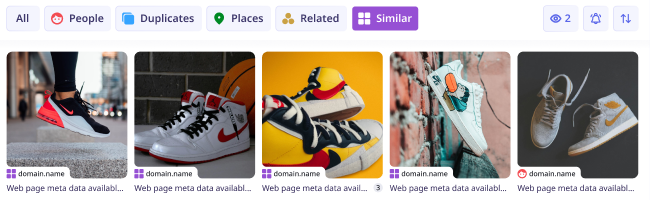
Find thousands of similar photos and discover the best match for any object, person, or location. With reverse image search on the highest level, it’s a piece of cake to search for anything you want in seconds.
Find objects, animals, books and more...
Search for animals, plants, food, and many more using lenso.ai’s versatile reverse image search! Discover album covers, movies, books, or even trademarks and logos by searching for a photo with lenso.ai.
Available in Professional
More filters!
10x more results!
Deeper search
With Research Mode, you can get access to 10,000 results for People and Duplicates. That’s 10 times more pages to explore for every search you make!
Explore all the results that aren’t displayed in lenso.ai’s normal search. Research mode takes just a few extra seconds to find thousands of results!
More filters!
10x more results!
Deeper search
More filtering options with Advanced Filters! Filter by page language, domain, date range, size of the image and keyword in the title of the page. Find photos faster and easier!
Unique Features
Filter by Text or Website
Provide the domain or text keywords for precise search results.
Sort from Best, Newest and more
Sorting options allow you to see images from the newest, oldest, best or worst match - or diversified!
Share Search Results
Copy the search URL and share it with friends! For your safety, the links are active for limited time.
Search in Categories
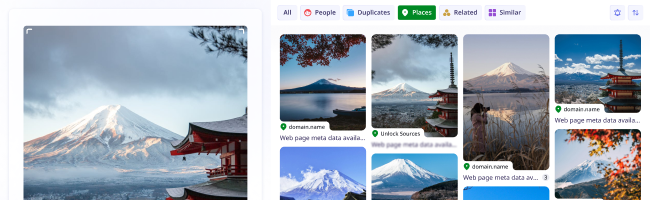
All the results are categorized for your convenience. Explore the categories to find precise results.
Set Up Email Alerts
Receive email notifications whenever lenso finds a match for your photo in a selected category.
Save Images to Collections
Save your photos to collections in your profile and never lose any results you liked.
Learn more about image search
Reverse image search allows users to find images online using pictures instead of words. Image Search technology analyzes visual features like shapes, colors, and patterns to find a match for any image online. AI reverse image search relies on deep learning and Content-Based Image Retrieval (CBIR) to match images based on visual similarity, rather than text, making this technology modern, easy to use and extremely efficient. Tools like lenso.ai enhance this by offering specialized search categories (e.g., people, places, duplicates) and features like copyright alerts and advanced facial recognition. Reverse image search is not only powerful and precise, but also safe when used on privacy-conscious platforms like lenso.ai.
Reverse image search can be used for finding similar photos online, finding exact copies of pictures, as well as finding photos in different formats and resolutions. Many users use image search to find out what plant or animal is in the photo they took. Additionally, image search is often used for finding inspiration, like similar clothes, food and recipes and more. It’s especially useful in online shopping. Additionally, many people use facial recognition in image search to find people from a photo.
Reverse Image Search is used by photographers who want to protect their copyright, online artists looking for inspiration, as well as everyday users looking for similar photos online. Moreover, facial recognition technology, like in lenso.ai, can be used to avoid online scams, protect privacy and track digital footprint of any person.
Reverse Image Search Online is available to everyone who owns a mobile phone, tablet, or computer. To search by image from your browser, visit an image search website like lenso.ai and upload your photo to find similar images, exact copies of any picture or people and places depicted in your image.
To reverse image search:
Reverse image search is available for Android, iOS, Mac, Windows and Linux. You should use it to find sources of photos online or find similar images, places, people and more.
To search by image:
On desktop: Navigate to your browser - Chrome, Safari, Firefox, or any other - and visit lenso.ai. Upload your image by pasting, dropping, or choosing a photo from your computer. Then, from the top bar, choose the category to make your search precise.
On mobile: Go to your mobile browser and in Google, Yandex, DuckDuckGo or any other search engine, type in “lenso.ai”. Upload your photo by choosing a picture from your gallery or taking a photo with your phone. Choose any category you like - people, places, duplicates, similar or related.

If you’ve never used reverse image search, or you use it once in a blue moon - you are making a mistake. Find out why by reading this article. We’ll explain what’s so great about it and give you some great websites you can visit to find your pictures online.
Is there the easiest way to find something online? Absolutely, and it’s called reverse image search. With reverse image search tools, you can effortlessly search for specific products, places, or people in just a few clicks. Discover how to incorporate AI reverse image search into your everyday life.
Reverse Image Search that works smoothly on mobile phones is not easy to find. That’s why lenso.ai optimizes the website for mobile browsers. Now, you can use lenso.ai on iPhones and Android devices using Safari, Google Chrome, Opera, Samsung Browser, Brave and more.
Do you have any concerns?
Learn more about AI-powered reverse image search, how lenso.ai works and any other related questions.
1. How to search by image?
If you are interested in the search by image option, all you need is an image and a reverse image search tool. Lenso.ai is a perfect example of an AI-powered reverse image search tool, where you can upload an image and find:
2. Why do people use reverse image search?
3. How to find similar images online?
4. Is reverse image search accurate?
5. What are the best reverse image search tools?
*Facial search is available only in selected regions
Blog: Find Out More About Image Search
Explore news, guides and broaden your knowledge in AI, Image Search, Face Search and more.
Read more on our Blog
News
Best Free OSINT tools for people and face search in 2026
If you are about to start your first OSINT investigation, it's best to begin with the top free tools for people and face search. Don’t waste time - solve the case right away!
General
Top 5 Mobile-Friendly Reverse Image Search Websites
Looking for a reverse image search site that works on your phone? No need to download applications - here’s a list of 5 great reverse image search websites that work on mobile without downloading.
Guides
Integrating lenso.ai API into Custom Software Solutions for Image Processing
I see a lot of teams chasing image AI without a realistic implementation plan. My view is simple: if I want to add reverse image search, visual matching, duplicate detection, or face-based lookup into a product without building a full computer vision stack from scratch, integrating lenso.ai API into custom software can be a practical shortcut. It gives developers a way to embed image search capabilities into real products while keeping the focus on business logic, workflow design, and user experience.
General
Understanding AI Reverse Image Search and the Privacy Questions It Raises
The way people search for information online is changing. Instead of relying only on text-based queries, users can now upload an image and let artificial intelligence do the work. AI-powered reverse image search tools can identify objects, locate the original source of an image and even recognize faces with increasing accuracy. This shift offers speed and convenience that traditional search methods can't match.