
Preview in:
Reverse image search is a solution basically for everyone who wants either to find more information within an image or to keep an eye on any potential misuse of their images. Reverse image search with facial recognition is the best way to stay on track with everything that happens to your image online.
But sometimes even those results are not good enough or sufficient, especially if you:
- have a lot of images available online
- are an investigator
- work in the OSINT industry
- operate with copyright misuse
And lenso.ai has already got it covered with a bunch of features, such as:
- multiple categories for image search (People, Duplicates, Places, Related, or Similar)
- reverse image search API
- alerts for new image results
But that is not all! If you want to find even more images, you should check out the research mode on lenso.ai. Below, you will find a short guide on how it may help you with your reverse image search.
Advanced reverse image search: a step-by-step guide for more results
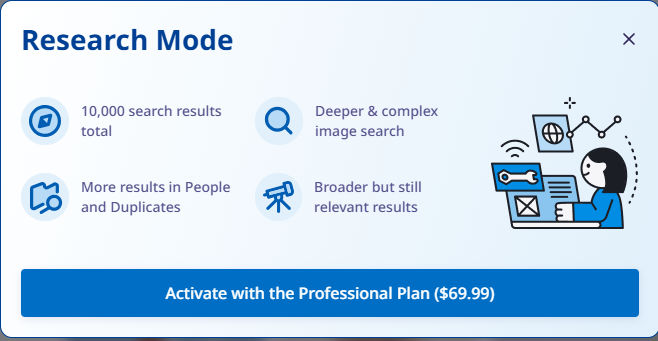
1. Purchase a Professional plan
All you need to do is go to lenso.ai and upgrade your plan to PRO (or simply purchase a new plan).
2. Upload an image to lenso
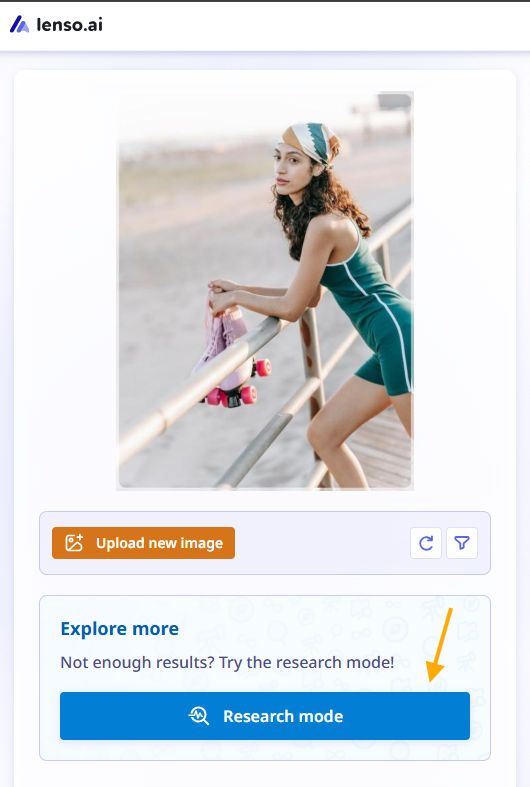
Upload an image just as you would in a normal search on lenso, and then click the “Research mode” button.
3. Check research mode image results
Remember! Research mode works only for the People and Duplicates categories. Even if there are no results in one of these categories, still try the research mode, it may find matches anyway.
As you can see, in normal search there were only a few matches:
.png)
Within research mode, however, we received thousands of pages:
.png)
Feel free to try with different images of the same person - as with normal reverse image search and research mode - it can bring different results.
4. Run your investigation and find more image search results
Thanks to research mode, you will find more image results, which increases the chance of discovering even more image matches. That can help you reveal more information about where your images have been used and published online.
5. Combine research mode with other features available on lenso.ai
So, after you’ve tried the research mode, you can use it along with other features, such as free alerts. Within alerts for a specific image and category, you will stay up to date with any new image matches that appear online.
If you have your own system, you can integrate it with lenso’s image search API and manage the requests directly from your system.
Advanced reverse image search with research mode - FAQ
What is research mode on lenso.ai?
Research mode is basically an advanced image search that can find more results within the People and Duplicates categories on lenso.ai. It can provide up to 10,000 results.
How to start a research mode?
First, you need to purchase a PRO plan on lenso.ai. Then, upload an image and either start research mode from “All” (which will show results from People, Duplicates, or any category where results are available) or choose a specific category and then start research mode.
Is there any limit for research mode searches?
Within the Professional subscription plan, you only have limits on the number of unlocks and alerts. Research mode itself is available all the time.
Does the research mode work with the Developer plan?
Yes, it is available in the Developer plan, but it is not available through the API.
Are there free trials for Research mode?
Research mode is available only with the Professional or Developer plan.

Author
Julia Mykhailiuk
Marketing Specialist
Continue reading
%20(1).jpg?tr=w-768,h-auto)
Guides
How to Prepare and Convert Images for Reverse Image Search
A product photo, a transparent logo, and a screenshot may arrive in the same folder, but they should not automatically leave it in the same format. Choosing the wrong output can replace transparency with a solid background or soften text that was perfectly readable. These differences matter when preparing images for websites, online platforms, and reverse image search tools.

Guides
Find cozy fall aesthetics online with reverse image search
Fall is the perfect season to shop for cozy, aesthetic finds. With the internet overflowing with autumn posts and inspiration, it can be hard to narrow down what you want. How to find cozy fall aesthetics online with reverse image search?

Guides
How to find the perfect fall photoshoot location from a photo?
Fall is the perfect time for a new photoshoot, whether you want to create fresh content for your personal social media accounts or promote your product or brand with an authentic fall vibe. But first, you need to find the right place. Find out how to discover the perfect fall photoshoot location from a photo.

Guides
What to do in the first ten minutes after you find your own face in a reverse image search?
Finding your own face in a reverse image search is a strange feeling. Not usually because the result is sinister, most of the time it is a conference photo, an old profile picture, a team page from a job you left in 2019, but because you did not put it there and you did not know it was there.

Guides
Is your match real? Reverse image search a dating profile
Dating apps are probably the go-to solution for finding a potential date, but unfortunately, they can also be one of the riskiest options. How can you make sure your match is real? Do a reverse image search and find more information using their dating profile picture.